Desert Online General Trading LLC
Dubai, United Arab Emirates
Desert Online General Trading LLC
Dubai, United Arab Emirates


🌈 Light up your game, power your performance.
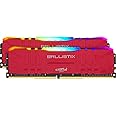
The Crucial Ballistix RGB BL2K8G32C16U4RL is a 16GB (2x8GB) DDR4 desktop memory kit running at 3200 MHz with CL16 latency. Featuring 16 customizable RGB LEDs across 8 zones, it supports major motherboard lighting software and includes an aluminum heat spreader for efficient cooling. XMP 2.0 support enables easy overclocking, making it ideal for gamers and performance enthusiasts seeking both style and speed.


| Brand | Ballistix |
| Product Dimensions | 13.33 x 0.72 x 3.92 cm; 113 g |
| Item model number | BL2K8G32C16U4RL |
| Manufacturer | Micron |
| Series | Ballistix RGB 3200 MHz DIMMS |
| Colour | Red |
| Form Factor | 288-Pin DIMM |
| Processor Count | 1 |
| RAM Size | 16 GB |
| Memory Technology | DDR4 |
| Computer Memory Type | DDR4 SDRAM |
| Voltage | 1.35 Volts |
| Are Batteries Included | No |
| Item Weight | 113 g |
| Guaranteed software updates until | unknown |
M**M
Intel XMP compatible RAM
I consider myself lucky enough to have bought this before the RAM prices shot up and availability became scarce!As I've decided to build myself a gaming PC to replace my near 10 year old laptop, I decided I may as well get the best I can reasonably afford, which led me to this RAM.32GB DDR4 RAM, 3600MHz, CL16 - this is a great pairing for my build and hits the sweet spot. Other RAM with the same/similar specifications have either been sold out for a long time or they are priced ridiculously.When first booting up the PC, this ram runs at a stock 2666MHz by default so Intel users will need to go into the BIOS, enable XMP and set it to 3600MHz manually to ensure they are getting the most out of it (This will differ depending on the MHz of the RAM) .I'm writing this as far too many people do not do this and end up complaining that it's not performing like they wanted.This is the RGB variant for the Crucial Ballistix RAM, which adds a bit of colour to the PC. I wasn't actually looking for RGB RAM but purchased this as it was a good price.My motherboard is an ASUS one, which allows me to utilise ASUS Aura to change the colour of the RAM as this is compatible. From here, I can also sync it to any other RGB elements of the PC and even change the modes to flash, breathe, etc..I can also use the NZXT CAM software to make adjustments to the colour too if needs be due to having a NZXT AIO.I'd definitely recommend this - it has great specs and performs amazingly!I hope this review has been informative and helpful! If so, please let me know by tapping that Helpful button below - thank you!
I**M
Brilliant Ram, Brilliant RBG, Great Overclocker!
The media could not be loaded. Insane Value.The price of this ram is nuts, prolly because its white, and to be fair I was pretty nervous about it, but for the money I was like, yolo.It actually looks more silver when fitted. Which actually makes it tie in with my motherboard and my corsair aio cover.RBG Wise the software worked perfect, monitors temps etc, the colours are super bright, the effects are actually really good to be honest. The amount of stock effects and customisation is pretty huts considering. I've tried a few rbg rams, including corsair, and I'd say even though it is yet another app, it's by far one of the best rbg apps I've tried, entirely blows RGB Fusion out the water, easily on par or better than icue.Performance wise, these kits actually booted (my motherboard didn't detect a change in ram for some reason) and booted up at 3733mhz at c15 and 14/15 timings... These replaced a 16GB 4400 kit so although a BSOD I was pretty amazed.It's running C16 16 16 16 32 atm, at 3733mhz with 1.35v which is nuts. I've not fiddled with the ram yet so timings could be even better.I'm very very shocked and pleasantly surprised. Couldn't help but recommend these to any AMD user. (I'm on a 3700x with an auros elite x570).
L**S
Great RAM that works well with AMD, vibrant colours watch vid on how to enable 3200mhz clock speed.
The media could not be loaded. If you're looking for something with style and substance this RAM will fit your build perfectly. Take a look at the video for a closer look and how to enable your RAM to run at 3200mhz clock speed.This RAM great speed extremely snappy and quick. It produces beautiful RGB light that pop and are nice and vibrant, great addition to add some style to your build. It works well with AMD Ryzen Build, currently got this on a Ryzen 5 3600XT and a ASUS Prime x570-p motherboard. Out of the box is was running around 2666mhz, to enable it to run at it's highest clock speed of 3200mhz you'd need to ensure your motherboard is on the latest BIOS for stability. Once this is has been done enter your BIOS and find either D.O.C.P or XMP (Depending on your motherboard). For this particular motherboard it was D.O.C.P selecting the relevant profile 1 Restart your PC and now your RAM is running at 3200mhz. Easy Peasy.Overall, this is a great product to add to your build if you're looking for great speeds and amazing RGB lights. I would highly recommend.
S**F
Amazing straight out of the box
This review is for 32Gb kit of 2x16 (I've purchased 2 of them for a total of 64 GB RAM)Amazing value RAM and worked amazing straight out of the box with XMP on 3200 Mhz. Since then I've been able to overclock it mildly to @3600 CL16-18-18-36 @1.38v in my new PC build consisting:-X570 MSI MPG GAMING PRO WI-FI (latest bios v1.6)-AMD Ryzen 7 3700x (@4425 Mhz all cores @1.3625v stable)-PSU - HX1000 80+ platinum-GPU - 5700XT XFX THICK III Ultra-256gb NMVE boot drive + 1000 GB 2.5ssd + 2000 GB 3.5 HDD-64 GB RAM @3200 ??!!??!! (@3600 with new Crucial one)My original RAm purchase was Corsair Vengeance LPX 2kits of 2x16@3200, BUT I've never been able to achieve this, neither with XMP on or manual play with the timings. The maximum speed that I've achieved was 2800. I've tried everything suggested on all manufacturing website from MSI and Corsair and still nothing. I've been forced to replace my RAM so after a short research I've ordered Crucial Ballistix 2x 2x16GB @3200 and worked amazing straight out of the box with XMP on. Since then I've been able to overclock it mildly to @3600 CL16-18-18-36 @1.38vObviously there is a BLINK to it, I mean RGB witch is quite bright and is working good enough on my MB, but TBH I've bought the RGB version just to have it but just tried it and never used it. Not because isn't good, but because I'm not RGB person (prefer nice and clean build).Hopefully, this is helpful for anyone! Stay Safe!
Trustpilot
2 weeks ago
2 weeks ago