
DOWNLOAD THE APP


Customer Services
Copyright © 2025 Desertcart Holdings Limited
DOWNLOAD THE APP


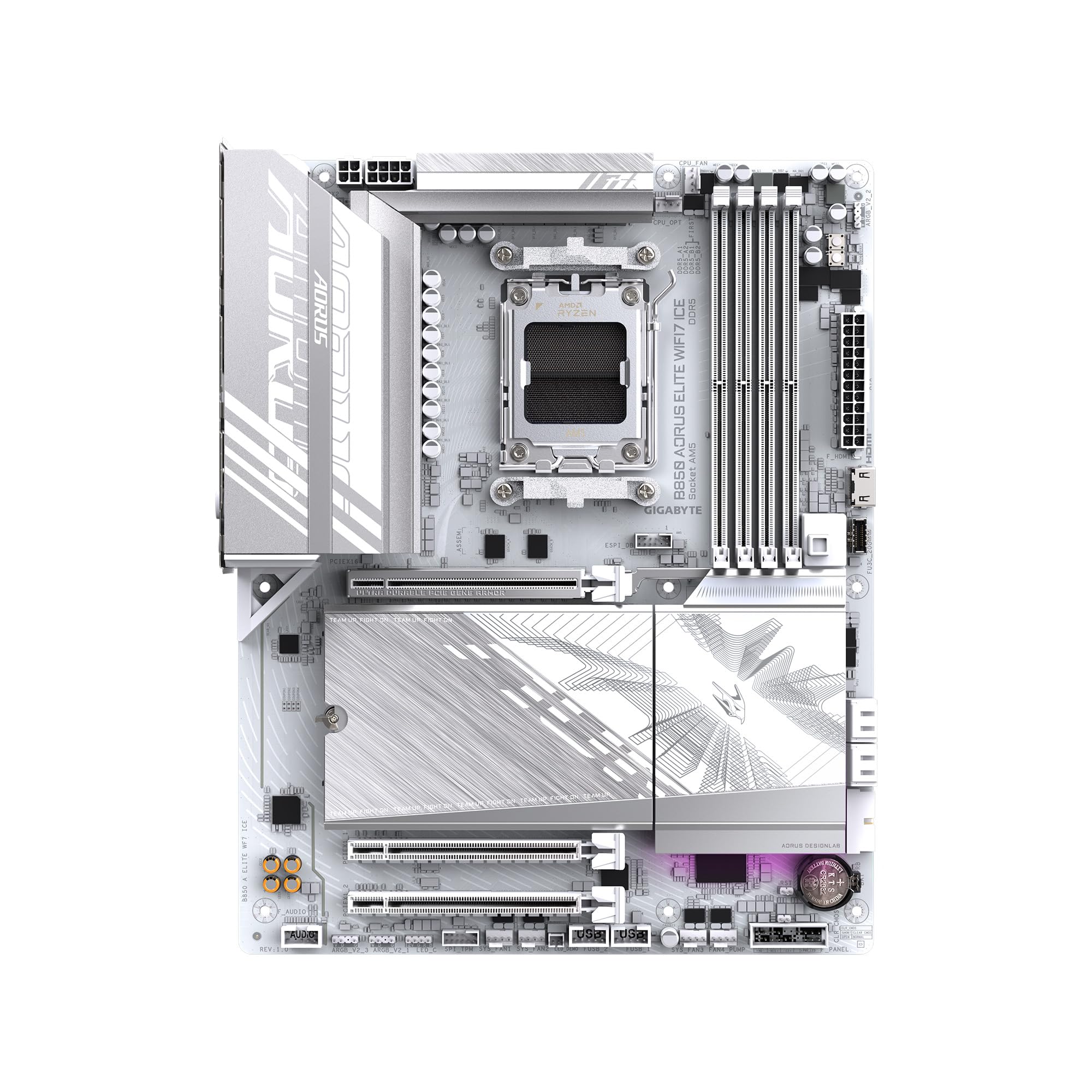


🚀 Elevate your AMD build with elite power and next-gen speed!
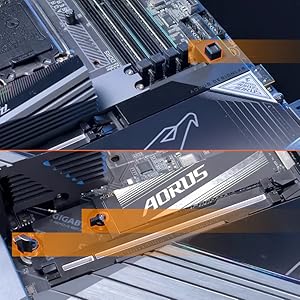
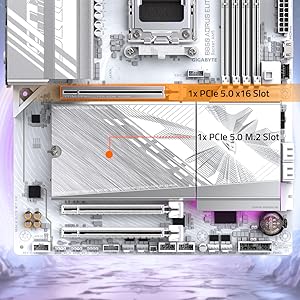
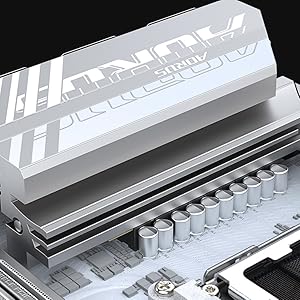
The GIGABYTE B850 AORUS Elite WIFI7 ICE is a premium ATX motherboard designed for AMD Ryzen 7000, 8000, and 9000 series processors. Featuring a robust 14+2+2 power phase design, support for DDR5 memory up to 5200 MHz, triple M.2 slots with thermal guards, PCIe 5.0, USB-C, WIFI7, and 2.5GbE LAN, it delivers cutting-edge performance and connectivity. Its sleek snow white finish and EZ-Latch system combine aesthetics with ease of installation, all backed by a 5-year warranty for long-term reliability.




| ASIN | B0DQLKRXKW |
| Best Sellers Rank | #3 in Computer Motherboards |
| Brand | GIGABYTE |
| Color | Snow White |
| Customer Reviews | 4.3 4.3 out of 5 stars (4,151) |
| Date First Available | January 6, 2025 |
| Item Dimensions LxWxH | 12 x 9.6 x 1 inches |
| Item Weight | 4.82 pounds |
| Item model number | B850 AORUS ELITE WIFI7 ICE |
| Manufacturer | GIGABYTE |
| Memory Speed | 5200 MHz |
| Product Dimensions | 12 x 9.6 x 1 inches |
| RAM | DDR5 |
| Series | B850 AORUS ELITE WIFI7 ICE |
S**A
a powerful mobo
Just built my newest build a few days ago. I chose the GIGABYTE B850 AORUS STEALTH ICE AMD AM5 Motherboard. Because in my opinion. It is the absolute best board for my use case. The Stealth rear plug feature. Presents a beautiful and absolutely extreme clean look. And for the short amount of time I've owned mine. Has performed exemplary. I paired it with an AMD 9800X3D, RTX 5080, 32 GB G.Skill DDR5 CL6000 ram. And my gaming experience has become a thing of sublime satisfaction. Had zero install issues. And performs beyond my expectations. This is my first AMD build. And I am glad to have chosen the AM5 platform. Please make sure that the case you buy has rear motherboard connect support. GIGABYTE good on you for making such a beautiful & quality product! I built this while recovering from radiation treatment for Cancer. And this build has been a blessing. Giving me something else to focus on during a trying time. GIGABYTE thanks again for giving my build the look and performance I was looking to achieve.
J**.
Great looking and nice features for the price.
Great motherboard after BIOS update. I wish it could update itself over the internet but you must use a USB Flash drive to update. BIOS actually looks really nice. I love the built in heat sink for the SSD. No issues as far as stability so far. No crashes or blue screens except when I tried to unlock EXPO. Maybe that is the RAMs fault though. Boot times are as expected. I'd say it is a decent value for the money. I'm loving the built in wifi.
W**Y
Awesome AM5 board with plenty of features and connectivity options
This review is for the GIGABYTE B650 AORUS Elite AX rev 1. I ordered this board because I was on an older Intel platform and I wanted to try an AMD build again. The AMD AM5 platform suits my needs since it has current modern features and is projected to have a long lifecycle and I anticipate my next upgrade to be in 5 years or so. The GIGABYTE B650 AORUS Elite AX was one the lesser expensive and full featured ATX boards with WiFi at the time of my purchase. My build includes: GIGABYTE B650 AORUS Elite AX Motherboard AMD Ryzen 7700X CPU Corsair Vengeance RGB RAM Zotac GTX 1080 AMP Edition First, my dislikes. No printed manual. As a lifelong pc builder, I rely heavily on a manual booklet for basic info such as what slots to install memory in. How to connect front panel power, reset, hdd status led etc. Where all of the headers such as USB and fans are located. Having an online manual is good but is useless if you don't have a spare computer or laptop to use while you build your computer. Thankfully I did not have to use the BIOS flashback feature because the board recognized my CPU, a Ryzen 7700X, otherwise I would have to go online, download the manual and look up the flashback instructions. For the price I do wish that the board included a higher end integrated audio chipset. Features-wise the audio chipset is the biggest disappointment. I did not like is the top most NVME slot right above the GPU slot has a really thick thermal adhesive pre-applied to the heatsink. It is so thick that it bends my NVME drive slightly - not enough to cause any issues but should be noted. One last thing I did not like is the lack of onboard BIOS post code status LED. I had this feature on my previous motherboard and found it super helpful when diagnosing problems. Now, for my likes. I like all of the features. AM5 socket, DDR5, WiFi6, PCIe 5.0, multiple NVMe slots, plenty of USB slots, and of course RGB support. The board itself is great. Build quality is awesome, no issues with build quality or materials. I did run into a few issues though. Although these issues were encountered with this motherboard, they are not Gigabyte's fault necessarily. These issues were mostly to do with the AMD platform and chipset itself. 1. The shipping BIOS "F2" version did not allow me to enable XMP memory profile. I had to flash the BIOS to the current at the time "F4" BIOS. Note that the current BIOS version as of this review is "F5a". 2. There were a lot of stability or problems with the USB chipset or bus. File transfers over USB were very slow or slower than it should be. I have USB DAC that had a lot of noise during audio playback. These issues were resolved by installing the latest chipset drivers for the B650 from AMD directly and also updating the BIOS. Here are some recommendations based on my experience with the GIGABYTE B650 AORUS Elite AX. Definitely update the BIOS. In past generations of motherboards it is only recommended to update the BIOS to fix a specific issue you've encountered. However, in modern motherboards there are so many chipsets and features that it is important to keep up to date on BIOS versions to maintain stability, performance, compatibility, and security. AMD seems to release AGESA updates (as BIOS updates) often and this is directly tied to the chipset. Also, download the chipset drivers directly from AMD because they tend to be more up to date than the motherboard manufacturers' website. To flash the bios, just download the BIOS file for your motherboard from Gigabyte's website and extract/copy the file to a USB drive. Reboot and enter the bios and choose Q-Flash. Select the BIOS, and the board will load the BIOS to memory then prompt for a reboot and apply the new BIOS. Aside from the chipset drivers, all other motherboard drivers can be downloaded and installed from Gigabyte. Ever since, updating the BIOS and AMD chipset drivers, I have had absolutely zero issues. Performance is amazing. Stability is solid. I even run a mild overclock using the AMD Ryzen Master app and doing an auto-oc. In summary, I highly recommend the GIGABYTE B650 AORUS Elite AX if you're looking for an AM5 build. The issues I've had are specific to the AMD platform and not the motherboard itself, however because of this I would not recommend the AMD platform for novice PC builders or if you are not comfortable or familiar with BIOS updates and troubleshooting driver issues.
M**E
A Long Overdue Upgrade
Included before and after pictures. I've been livestreaming for several years now and anyone who's familiar with Mixer knows how long ago it's been since the site closed down. That's also how long I had my previous mobo (Asus Prime X470 Pro) with it being the oldest part in my streaming build. The board carried me through a couple thousand or so streams and still went strong but I definitely needed an upgrade both for the sake of catching up with more modern tech. Thankfully I recently had an opportunity to upgrade just about everything in my streaming PC and after choosing this particular mobo for a 5060/Ryzen 7 9700x build (upgrading from 3060/Ryzen 5 5600x) it was definitely an overdue purchase. Aside from being more fitting with the Resident Evil theme I've gone with for my PC for years, aesthetics aside I actually had a few longstanding issues fix themselves after swapping boards. For starters, whenever I would do a cold start with my previous build the pc would turn on for a couple of seconds then shut back off before properly booting up. I've heard this can be normal with some builds but it was still a bit of an annoyance albeit minor and the computer still ran fine all this time. Since installing this board it boots once and is good to go. Another issue I had is that I use a Rodecaster Duo for my audio setup and whenever I turned my PC off I would have to unplug the Duo from my PC (even after also turning it off) because the lights in my PC would continue to flash on and off as long as it was connected. Again this mobo solved that issue and I've been able to keep the Rodecaster plugged in with no issues. And finally, the USB ports have been a godsend. My previous board only had 8 while this 12 which has given me extra room for all of my peripherals without need for using a USB hub anymore. The only gripe I had with this board (which quickly became one of my favorite things about it) is that it only came with two rear 3.5m ports for a mic and line out. I used the line in port from my old board to connect a cord to the 3.5m port on the front of my Rodecaster so I could use my headset wirelessly so at first I was a bit concerned after a couple of work arounds I originally tried fell flat. Then I learned that the board supported using Realtek Audio Console to force one of the rear ports to effectively emulate a line in which let me hear sound through my headset just like I did with my previous set up. As far as longevity I can't say much because I literally just installed this board last night but with it definitely being a higher quality and more current piece of tech than what I was using (though the Asus Prime was still a solid board which again carried me through my content creation from 2019 to this year and for the most part was just outdated) but we'll see how far this one carries me. I still want to get a new case for this build as well (I'm looking into getting a Hyte Y70) and once RAM prices eventually drop again I'll be doubling up to 64 GB plus eventual upgrades to my GPU/CPU as needed so this thing def has a lot of work ahead of it. Regardless, definitely impressed with this board.
C**Y
Just built my new system with this board. I put a 7800x3d in it and 32gb of corsair ram and it worked right out of the box. It came with bios version f31, newest is f34. Looks good and performs well so far. I highly recommend this board. It has nice features and you can overclock ram and CPUs with this motherboard.
T**N
This motherboard is packed with features, including Wi-Fi 6E, PCIe 5.0 support, and excellent build quality. The BIOS is intuitive, and the performance is rock solid. It’s a great foundation for any modern gaming rig.
M**E
Llegó en buen tiempo y en buenas condiciones, hasta ahora funciona todo bien.
L**A
وصلتني جديدة و سليمة من امازون امريكا خلال اسبوع تقريبًا، جميلله جدًاا للتجميعات البيضاء وفيها ثلاثة منافذ للتخزين و ما تحتاج هيت سينك العتب الوحيد ان مدخل الكرت فيها جدًا مرتفع بشكل يخلي التركيب مزعج و يوم ركبت الكرت صارت حواف مداخل الديسبلاي بورت مغطاه شويي من فوق بس ما يمديني اشبك السلك في الكرت بالكامل و اضطريت اطعج الكيس شوي عشان اقدر اشبك السلك في الكرت. للأمانة ما ادري المشكلة من الكيس ولا المذربورد
Y**N
Product came and little late and when it was delivered, the box was quite dirty. However, the motherboard and the accessories came in perfect and working condition
Trustpilot
1 month ago
2 months ago