We remain fully operational. Our teams are working around the clock to ensure your deliveries continue safely.

DOWNLOAD THE APP


Customer Services
Copyright © 2025 Desertcart Holdings Limited
DOWNLOAD THE APP

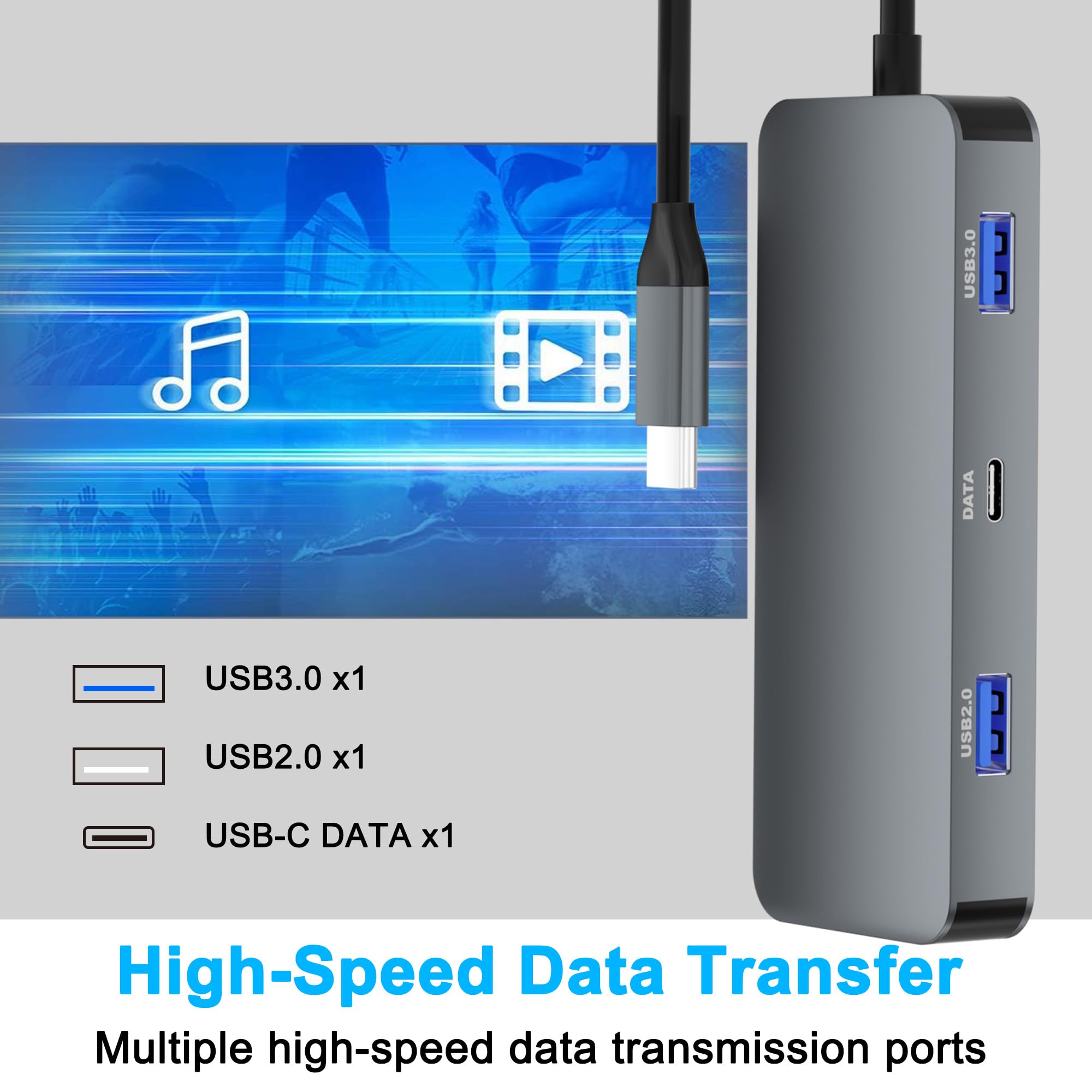
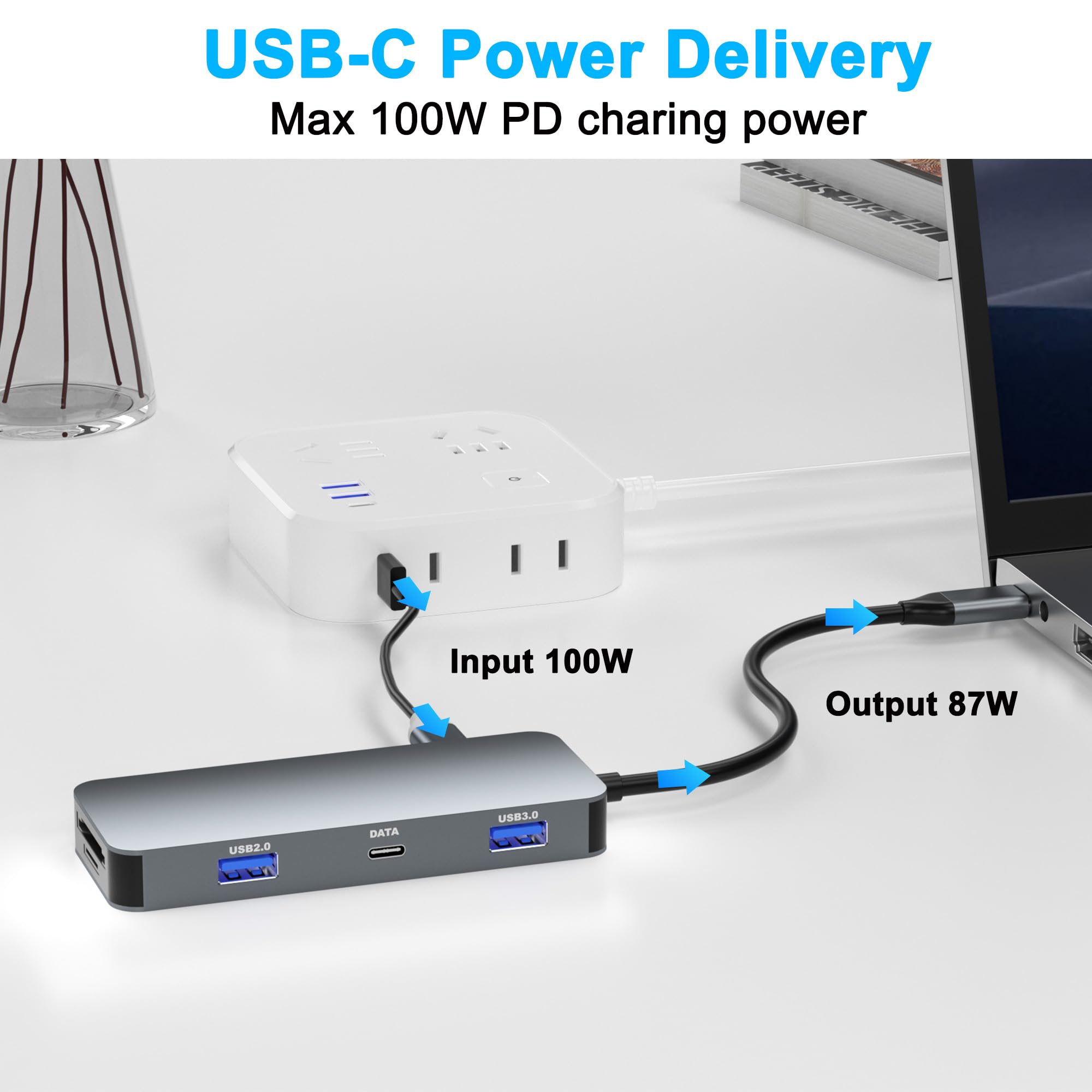
🚀 Double your screens, double your hustle.
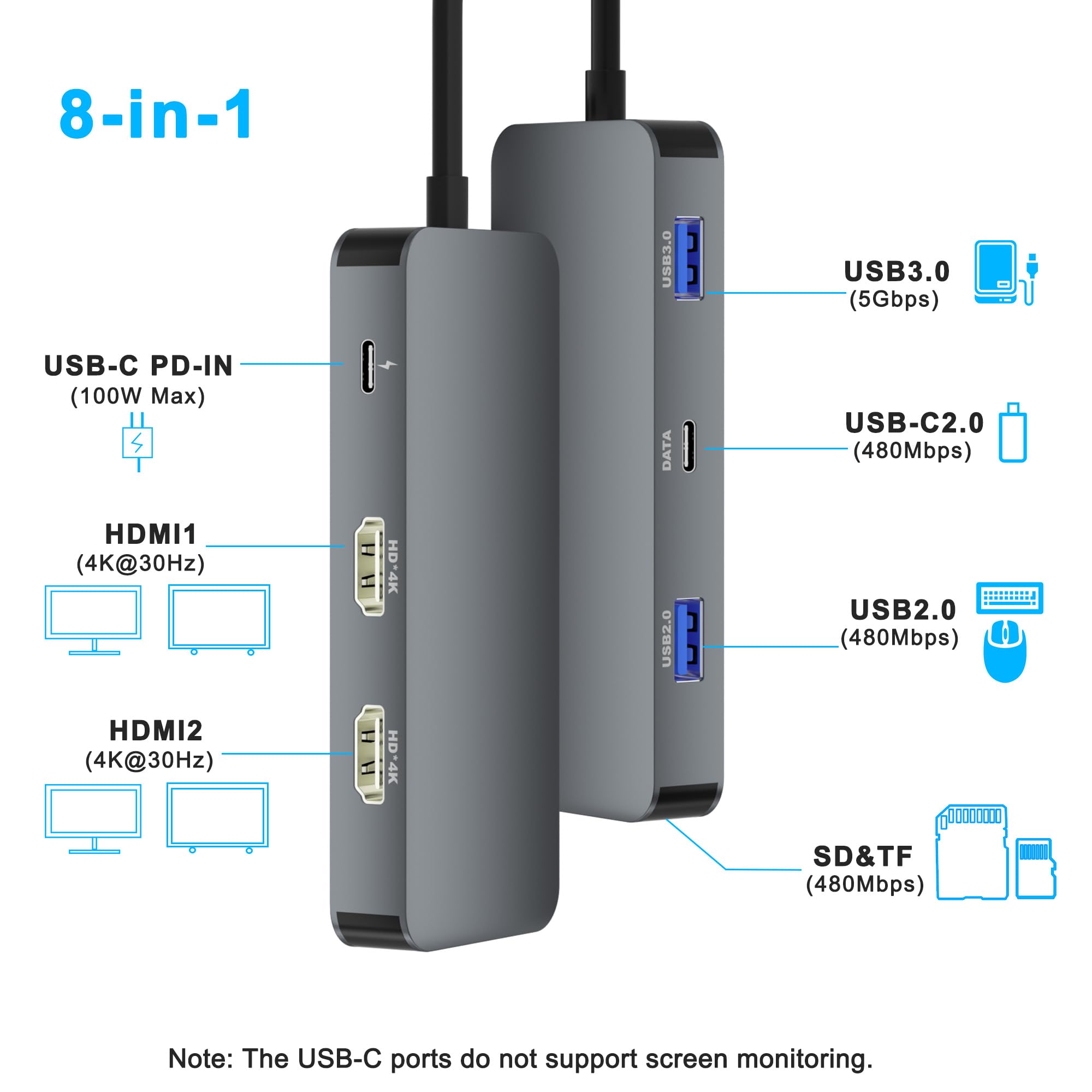
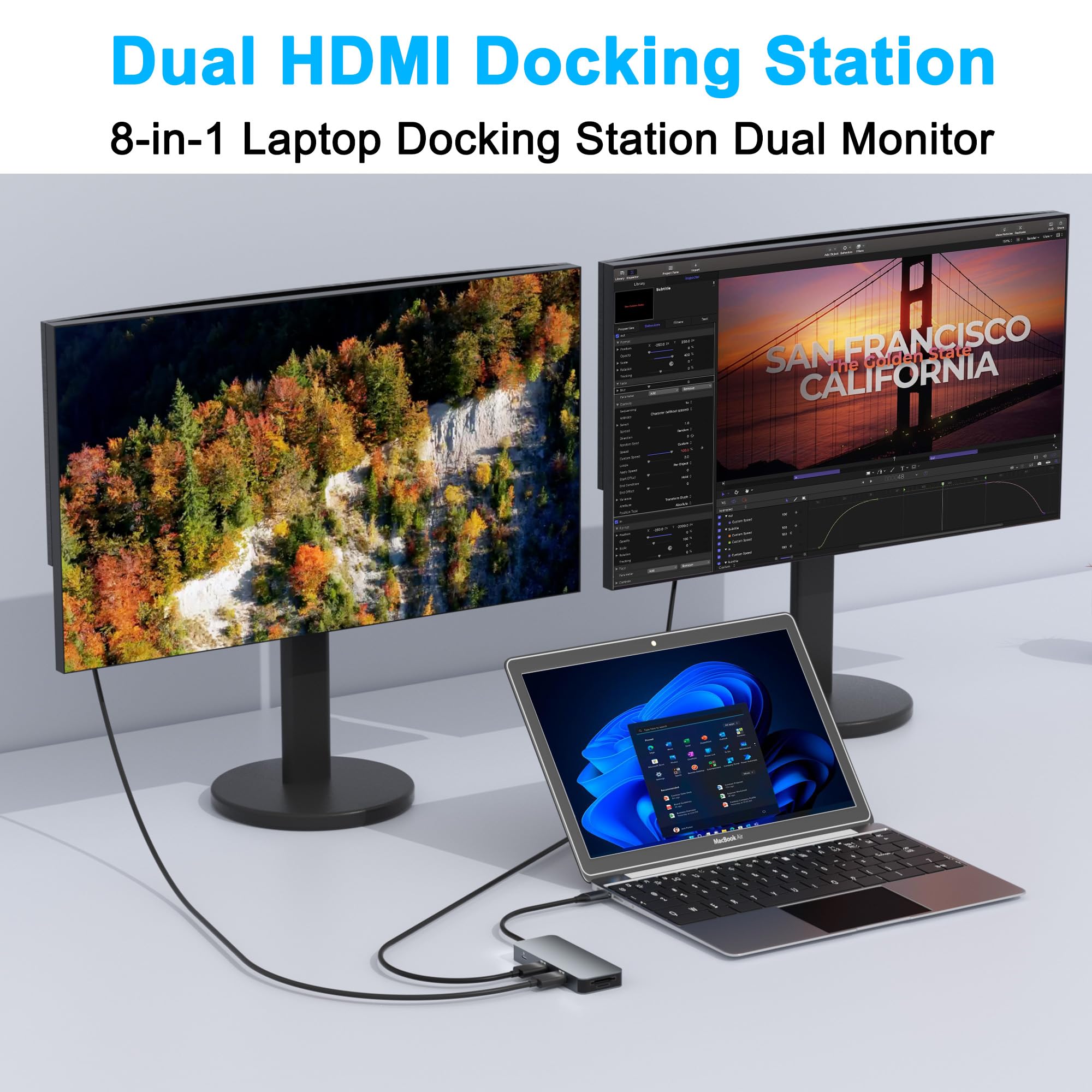
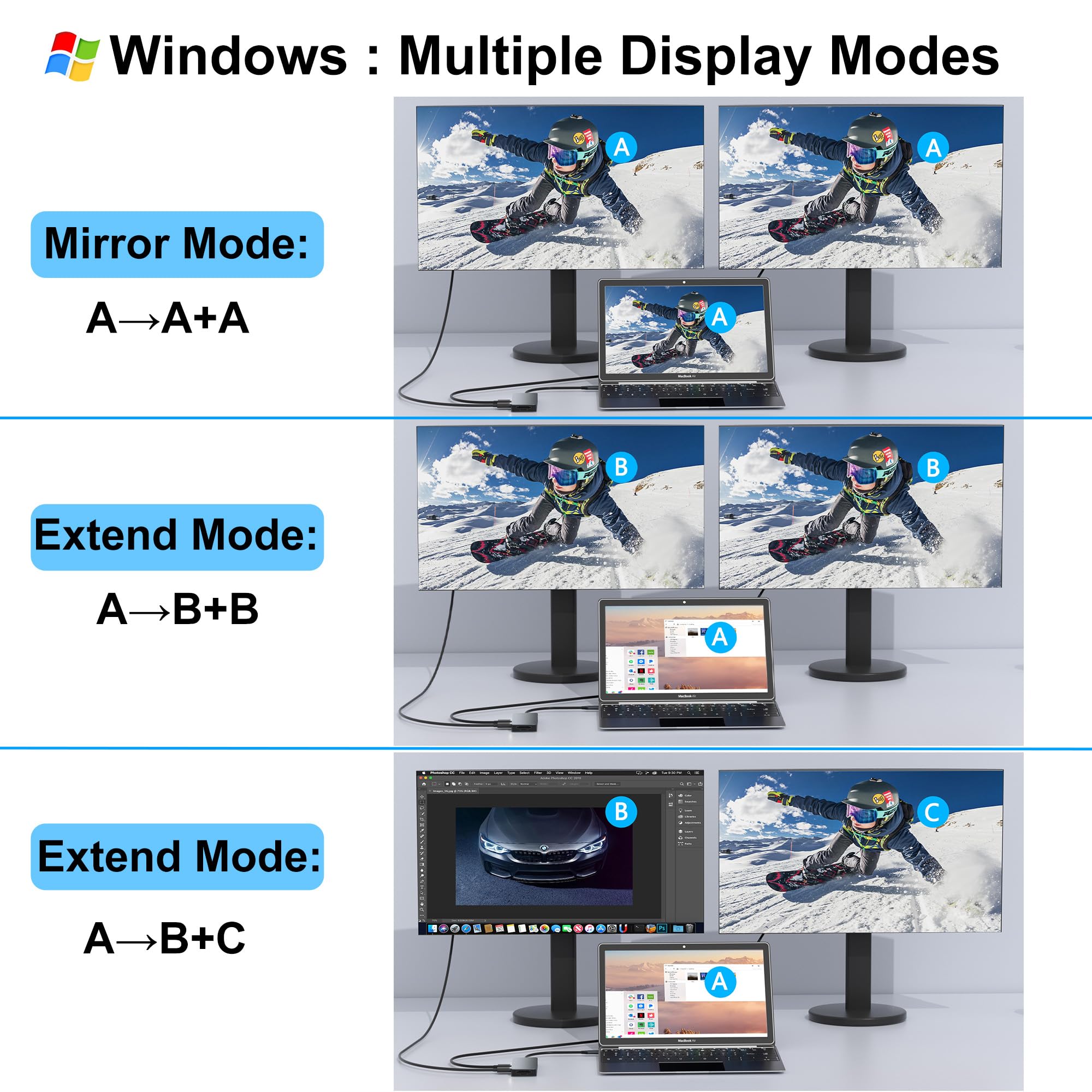
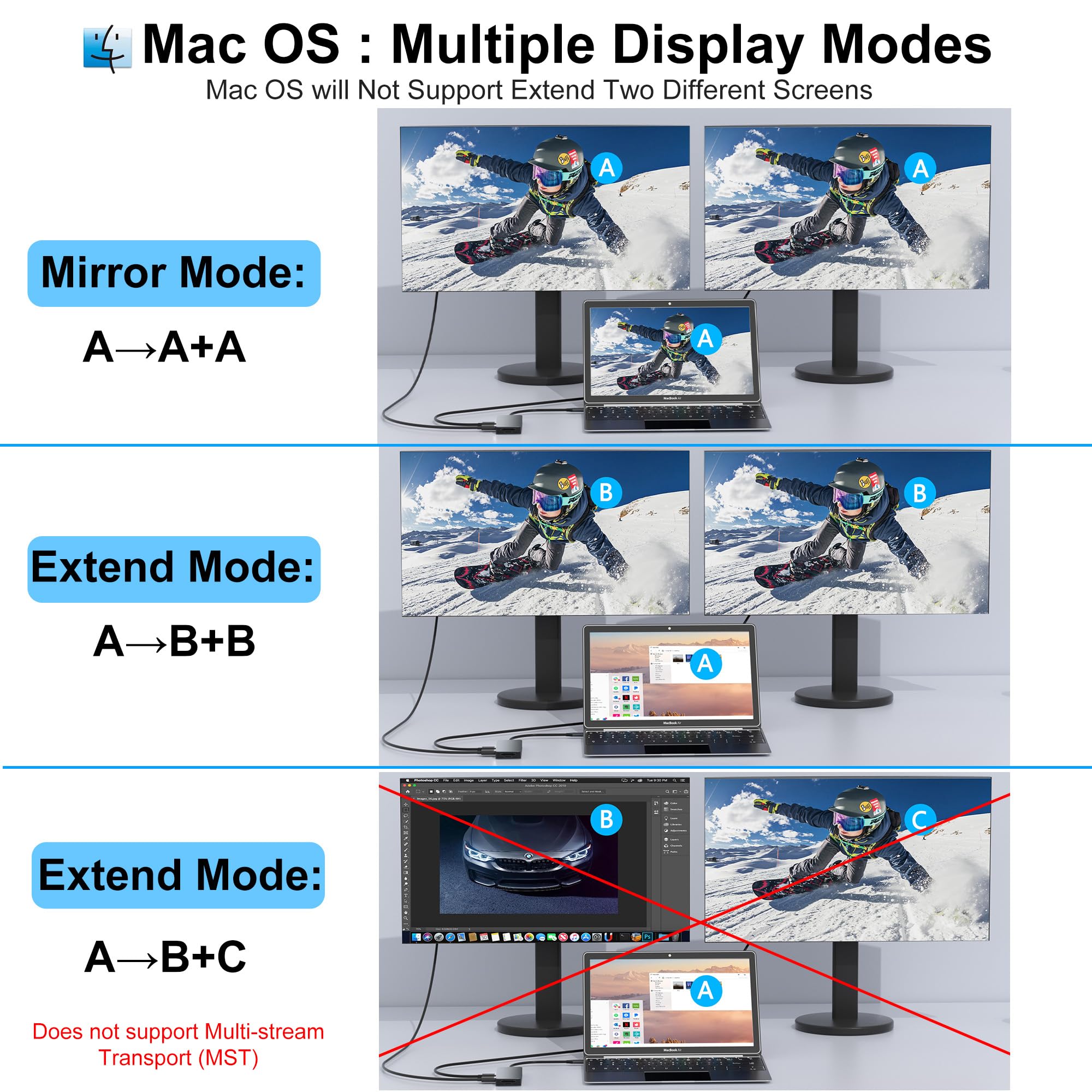
This sleek 8-in-1 USB-C docking station transforms a single Thunderbolt 3/4 or DP Alt Mode port into dual 4K HDMI outputs, multiple USB ports, SD/TF card readers, and 100W power delivery. Designed for professionals craving a clutter-free, high-efficiency workspace, it supports Windows and Mac laptops for seamless dual-monitor setups and fast data transfers—all in a compact, plug-and-play design.


| ASIN | B0DHPGP6BH |
| Best Sellers Rank | #7,249 in Electronics ( See Top 100 in Electronics ) #119 in Laptop Docking Stations |
| Customer Reviews | 4.3 4.3 out of 5 stars (563) |
| Date First Available | September 21, 2024 |
| Item Weight | 2.24 ounces |
| Item model number | Hx202 |
| Manufacturer | Aibilangose |
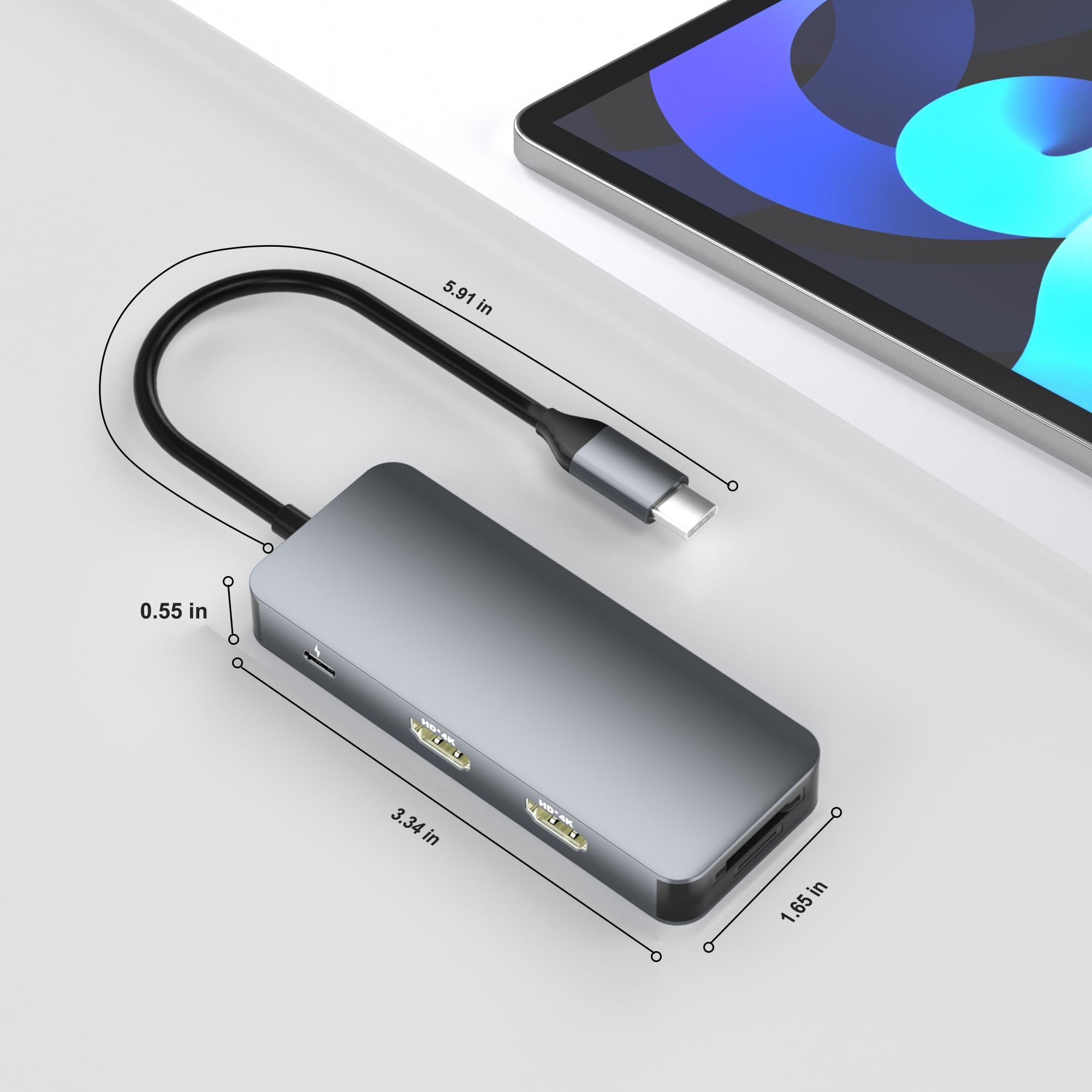
| Product Dimensions | 3.4 x 1.6 x 0.6 inches |
J**L
Clean Desk Setup with Reliable Dual-Monitor Support
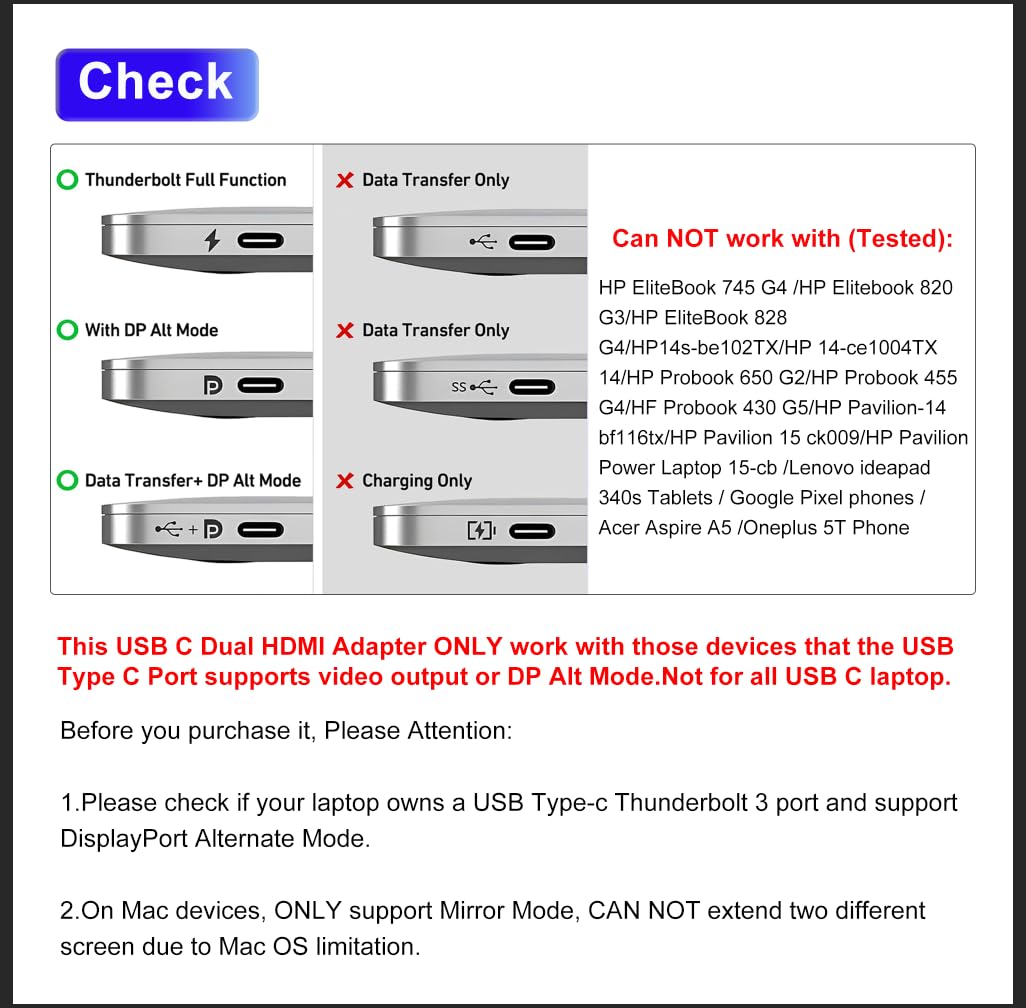
I snagged this docking station mainly to run two monitors off my laptop without having to deal with a bunch of dongles, and honestly it’s been a nice little upgrade to my desk setup. It’s got the essentials — two HDMI outputs that handle extended displays, a couple of USB-A and USB-C ports for peripherals, plus SD/TF card slots and pass-through power delivery so my laptop stays charged while I’m plugged in without needing a separate charger. It’s a pretty simple plug-and-play experience: just hook it up to the USB-C port on your laptop, and bam — dual screens and extra connections without a headache. � Tiendamia Now, it’s not perfect, but for the price it punches above its weight. Dual monitors work solidly as long as your laptop supports video output over USB-C (you’ll need Thunderbolt 3/4 or DP Alt Mode on your port) — otherwise the displays won’t light up. � The build feels decent, though it’s not super rugged or premium, and I’ve had to wiggle a cable here and there to get everything recognized one time or two. Still, it’s been reliable enough for daily work, browsing, and multitasking, and it’s cut down on cable clutter nicely. Could it be higher-end? Sure — but for a budget docking station that actually drives two monitors and expands your ports, it’s a solid value. �
D**D
Docking Station
This docking station is super easy to use and connect. It's so light you can just toss it in your laptop bag. It works with Apple laptops, Windows laptops, and even Apple and Android phones – tons of functions! Great value. This docking station is built tough, so it'll last you a long time.
P**L
Worthy Device
It is a great dual multiport docking station—compact, well-built, and easy to use. It supports dual displays smoothly and connects all my peripherals without any issues. I tested all the ports and all ports are working. It has two HDMI ports, two usb ports,one DP port and two type C port. Recommended.
J**O
Lots of ports, works almost 100% of the time if you leave it alone
I’m happy with it overall. There are some times that the monitors will black out for a second if the dock is moved a certain way, but if it’s untouched it works perfectly.
N**N
great device for my Chromebook and smartphone
great device to connect TV to my Chromebook and phone. works as it should. also has a way to connect charging cord to it so you can charge while using it. very handy. definitely what I was looking for. it's quick, stable connection , and definitely worth the money!
K**A
Great docking station, very convenient
I’m very happy with this docking station. It works exactly as described and was easy to set up with my laptop. All ports function properly - HDMI, USB, SD card reader, everything connects quickly without issues. It’s very convenient to use, especially if you need multiple connections in one place. The build quality feels solid and reliable, and it hasn’t overheated or disconnected during use.
S**E
Quality Tech Accessory
I use the Docking Station on a regular basis and find it to be a really helpful technological tool. The dual monitor capability is fantastic because I edit a lot of graphics and videos. I can now add many devices, including my thumb drives, SD cards, mini SD cards, and more, thanks to the variety of ports. I travel with the docking station on projects because it is compact and lightweight. It is a well made product and I’m a happy customer with the buy.
J**Y
Good gadget
What a life saver, works perfect, easy to use. Really recommend it. Good value for the money. Small easy to carry any where
I**E
Muito bom
P**L
Plugged it in and it worked right away. Running 1 2k monitor, one 1080p and laptop. I have a USB hub for keyboard and mouse. My monitors have two inputs on them so I didn't need a kvm switch as long as my pc is off I just plug it in to my work laptop and go. This works better than a kvm switch for me. This and USB hub. Monitors stay plugged in to both devices switch is as easy as moving a USB.
ホ**ク
期待通りに動作する。 プラグアンドプレイ挿すだけで2画面表示。
A**ー
意外なくらいちゃんと動きます。 HDMIが2つあるドック欲しい人におすすめ。
L**G
For those in need of expanding their workstation, this 7 in 1 USB C Docking Station enables a seamless connection to not one, but two monitors simultaneously, providing the ultimate productivity boost. Compatible with devices from Dell, HP, Mac, and more, it’s a versatile solution for anyone looking to enhance their setup. With an array of ports and the ability to deliver 4K@60Hz video, it's a powerhouse in a compact package. ☑️ Dual HDMI and a Displayport outputs support 4K@60Hz resolutions, making for crystal-clear visuals on up to three monitors. ☑️ With 3 USB ports, it offers ample connectivity options for peripherals, ensuring no device is left behind. ☑️ Supports 100W Power Delivery to keep your laptop charged while you work, ensuring uninterrupted productivity. ☑️ Plug-and-play functionality means setup is a breeze, with no need for extra drivers or software installations. ☑️ Sleek, compact design not only saves space but also complements any workspace without adding clutter. ⭐⭐⭐⭐⭐ This docking station is a standout choice for anyone looking to expand their digital workspace. Its compatibility with a wide range of laptops, along with its dual monitor support and high-resolution output, makes it a versatile and powerful addition to any setup. Whether for professional use, gaming, or simply enhancing your home office, this docking station delivers on its promises, making it a worthwhile investment for a seamless and productive computing experience.
Trustpilot
1 month ago
2 months ago