
DOWNLOAD THE APP


Customer Services
Copyright © 2025 Desertcart Holdings Limited
DOWNLOAD THE APP
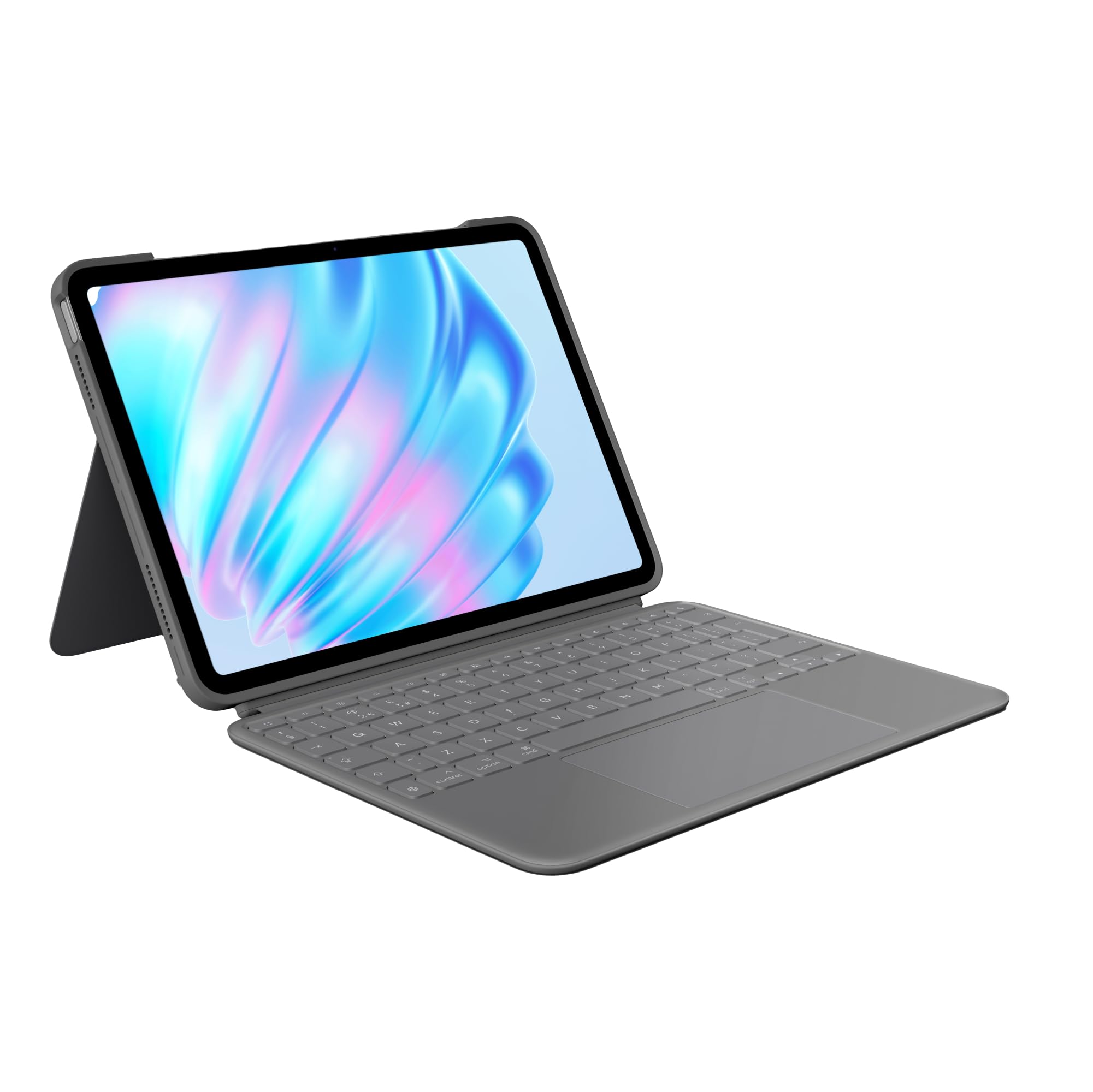
⌨️ Elevate your iPad Air game—work, create, and connect like a pro!
The Logitech Combo Touch for iPad Air 11-inch (M2 & M3) is a premium detachable keyboard case featuring a backlit QWERTY UK layout, the largest Multi-Touch trackpad yet, and an ultra-flexible kickstand. Designed for seamless Smart Connector power with no charging needed, it offers versatile modes for typing, sketching, and media consumption. Crafted with durable, form-fitting protection and eco-friendly recycled materials, it’s the perfect productivity companion for professionals seeking style and function.


| ASIN | B0D429ZMGM |
| Are Batteries Included | No |
| Best Sellers Rank | 3,121 in Computers & Accessories ( See Top 100 in Computers & Accessories ) 44 in Tablet Keyboards |
| Brand | Logitech |
| Colour | Grey |
| Customer Reviews | 4.1 4.1 out of 5 stars (99) |
| Date First Available | 15 May 2024 |
| Delivery information | We cannot deliver certain products outside mainland UK ( Details ). We will only be able to confirm if this product can be delivered to your chosen address when you enter your delivery address at checkout. |
| Front Webcam Resolution | 1.2 MP |
| Graphics Card Description | Integrated |
| Graphics Chipset Brand | Apple |
| Guaranteed software updates until | unknown |
| Item Weight | 790 g |
| Item model number | 920-012635 |
| Lithium Battery Weight | 3 Grams |
| Manufacturer | Logitech |
| Operating System | iPadOS |
| Package Dimensions | 27.3 x 22.5 x 4.4 cm; 790 g |
| Power Source | Battery Powered |
| Screen Resolution | 2360x1640 |
| Series | Logitech Combo Touch Case for iPad with Detachable Keyboard and Trackpad |
| Standing screen display size | 11 Inches |
X**N
Great replacement of Apple Magic Keyboard
I've been using the iPad Logitouch for a while now, and overall, I'm quite pleased with it. The device performs exceptionally well, offering smooth responsiveness and reliable functionality that enhances my daily tasks. The keyboard and overall design feel sturdy and well-built, contributing to a satisfying user experience. However, one drawback I've noticed is its weight. It feels heavier than expected, which can be a bit cumbersome during extended use or when carrying it around. Despite this, the quality and performance largely outweigh this minor inconvenience. It’s is a solid piece of tech that delivers on performance, with the only downside being its heft. If you can manage the extra weight, it's a great investment.
J**J
The keyboard just like applies keyboard, takes more space though and has a detachable keyboard.
It works very well and is not as expensive as the apple iPad keyboard. It has a kickstand that requires more desk space than apple’s keyboard. It also has a detachable keyboard so you can use it to read with out the added keyboard. The cover fits nicely over the iPad. On the whole this is good value for the cost.
M**N
Detachable keyboard that turns your iPad into a laptop
The Logitech Combo Touch Keyboard has completely changed how I use my iPad. Installation was so easy. Download the app from App Store and then just snap the case on and attach the keyboard and you’re ready to go. No complicated setup, no fuss. One of my favorite features is the reversible keyboard design. I can easily fold it back behind the iPad when I don’t need to type, which is incredibly convenient for watching videos or reading without having to detach anything. The case itself is well-built and sleek. It closes like a laptop, which not only makes it look sleek but also adds a layer of protection for my screen when I am not using it. I feel confident carrying it around without worrying about scratches or damage. The keyboard is responsive, and the trackpad works surprisingly well — it really turns the iPad into a mini laptop. The minor downside is that the stand can feel a little unstable when the keyboard is not attached. Overall, if you’re looking to get more out of your iPad in terms of productivity and protection, this is a great buy.
D**N
Logitech Combo Touch is a winner
It’s a neat iPad cover and keyboard cover combined! The keyboard has a nice action, similar to a laptop, and the biggest trackpad on the market, the keys are backlit and you can adjust the lever of light from zero to bright easily from the keyboard! The keyboard is easily detachable from the case, when you want to watch movies or play games! The keyboard takes its power from the iPad, so there’s no issue of wanting to use the keyboard but it’s out of power and no need to pair with the iPad through Bluetooth! All of this is similar to Apple’s own magic keyboard but for considerably less money. The cover also offers good protection for your iPad and has a nice quality feel! Minus points, the kickstand that supports the iPad in the upright position takes up more room than Apple’s Magic keyboard, so on a train table you need more space for typing, it’s less than ideal if you want to type on your knee like you might with say a laptop, also the keyboard only works with the iPad in landscape mode!, and while it adds to the weight and bulk of the iPad, it is probably better in that that respect than any comparable cover and keyboard except for Apples own Magic Keyboard! Overall I’m pleased with cover and keyboard and having got it at a great price in Amazon’s Prime sale, all the better!
Z**K
Quality issues
After 7 months of careful use the sides of the case are breaking and coming off and keys on the keyboard have come off which is just unacceptable for the price of the device.
C**S
Should have bought earlier
Worth the money. I made the poor decision to go cheap first time, then realised the performance waned quickly. So decided to spend properly with this which works seamlessly, quality build and connectivity. But nice or buy twice.
R**H
Doesn't fit iPad Air (M2) 2024
As per the title, this doesn't fit iPad Air (M2) 2024 properly. The volume buttons become jammed, the case isn't quite deep enough to allow the buttons to seat correctly so volume buttons become unusable. Also not impressed with the trackpad, it has a really deep click. Feels more like a cheap 00s Dell laptop. Not good value at all, not sure why Apple and Logitech price these items so ridiculously, they're really nothing special.
L**Y
Great keyboard, finish shows fingermarks
Added this keyboard to new iPad Air. Works seamlessly and simple to use. This replaced my Logitech keyboard for my previous tablet. There are one or two additional keys which I like such as “speak to text “ and “screen shot”. Altogether a great keyboard. My only beef is the outer case, and hence 4 stars. My old keyboard had a fabric like finish which despite lots of use always looked pristine. The new one is a matt grey plastic which at only 2 days old shows lots of finger marks. It’s only a little gripe but irritating. I’d still recommend this keyboard though.
S**E
Really sleek and convenient. It’s so handy to be able to just pull away and detach the keyboard entirely, yet the magnet is very strong when it’s attached so it doesn’t feel like a flimsy connection. It’s solid and it works. It’s really nice to feel like your tablet is a laptop-lite for certain activities. The back stand pulls out but also has a magnet when you fold it back in so it snaps back into its folded in sleek look really well. The keyboard feels good as well. Definitely recommend this one. The only downside I could see (which doesn’t affect me) is that there’s not really a notch or lip for getting into and pulling back the back stand flap. So if you have extremely short to no nails, it might be hard to peel that thing out and away from the cover.
Trustpilot
1 week ago
1 month ago