
DOWNLOAD THE APP


Customer Services
Copyright © 2025 Desertcart Holdings Limited
DOWNLOAD THE APP
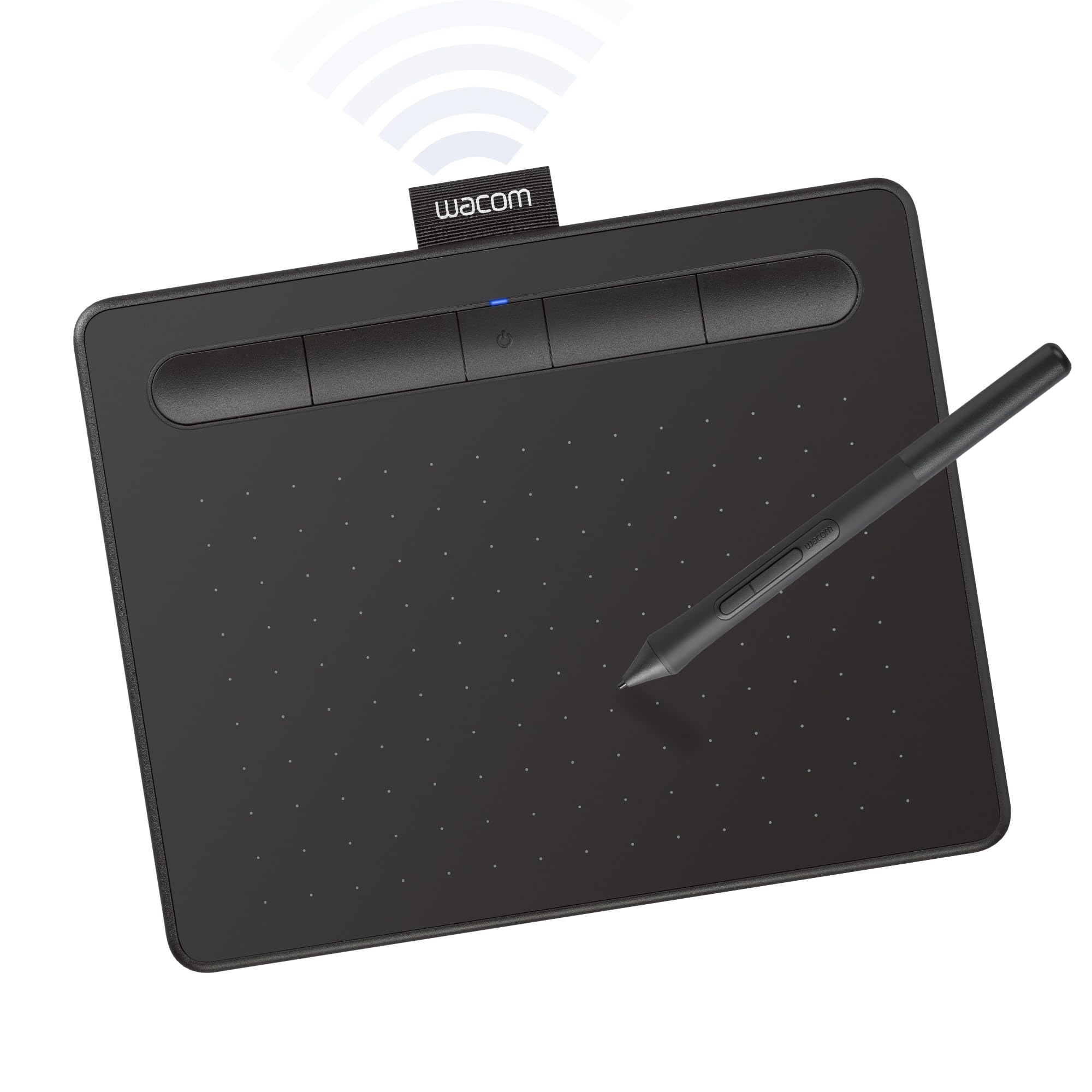
🎨 Elevate your creativity—wherever inspiration strikes!
The Wacom Intuos Small Bluetooth Graphics Drawing Tablet offers a compact 6" x 3.7" active area with 4096 levels of pressure sensitivity using battery-free EMR pen technology. Compatible across Mac, Windows, Chromebook, and select Android devices, it supports wireless Bluetooth and wired USB-A connectivity. Featuring 4 customizable ExpressKeys and bundled creative software plus online tutorials, it’s designed for students, teachers, and creators seeking professional-grade precision and portability from the global leader in drawing tablets.


| ASIN | B079J2FSQ7 |
| Active Surface Area | 6 inches x 3.7 inches |
| Additional Features | Bluetooth |
| Best Sellers Rank | #1 in Computer Graphics Tablets |
| Brand | Wacom |
| Built-In Media | Pen tablet Small w/ BT Pressure-sensitive, battery-free Wacom Pen 4K PVC-free USB-A cable w ith cable tidy and L-shaped connector 3 extra standard nibs (located inside pen) nib removal tool on end of pen Quick start guide Regulation sheet Online User Guide and Important product information found in Wacom Desktop Center. |
| Color | Black |
| Compatible Devices | Mac (OS X 10.11 or later) or PC (Windows 7 or later) |
| Connectivity Technology | Bluetooth, USB-A |
| Customer Reviews | 4.5 out of 5 stars 31,734 Reviews |
| External Testing Certification | Não aplicável, Não aplicável |
| Global Trade Identification Number | 00753218986870 |
| Item Dimensions L x W | 6.3"L x 7.87"W |
| Item Type Name | Wacom CTL4100WLK0 Intuos Bluetooth Pen Tablet, Small, Black |
| Item Weight | 8.82 Ounces |
| Manufacturer | Wacom Technology Corporation |
| Model Name | Intuos S |
| Model Number | CTL4100WLK0 |
| Native Resolution | 4096 levels |
| Operating System | Compatibility with Windows 7 or later/macOS 10.10 or later/ChromeOS |
| Pressure Sensitivity | 4096 Levels |
| Screen Size | 7 Inches |
| Special Feature | Bluetooth |
| Specific Uses For Product | Digital Art Creation, Photo Editing, Online Education, Writing, Designing, Note-taking, Remote Work |
| Target Audience | Student, Teacher |
| UPC | 753218986870 |
| Unit Count | 1.0 Count |
| Warranty Description | 1 year |
W**S
Quality for great price
Definitely worth getting the name brand. Very happy with the size, quality, and value.
S**E
Great for Linux Mint
Works way better then drawing with a mouse. Feels a little weird to use at first but hovering around makes the cursor move. The pen has two buttons that work like the buttons on the mouse, it is a little bit of a pain as they are easy to click accidently while drawing. The pen also contains extra tips. This worked great with Linux but on the another computer it needed soft ware down loaded.
A**A
I am grateful to Wacom. Saved my hand!
I have beenusing wacome for over 25 years and the tablet is easier to use than a mouse if you are working all day on a computer -- protecting the tendons in your hand. this is a new and improved model. thank you.
M**W
It does its job.
-I got the Wacom Intuos Small (Bluetooth version) and it's a nice drawing tablet. Of course it's one of the more cheaper and introductory tablets but it does its job well. Writing on it feels nice and the small is good enough for me. I don't do digital art, I only use this for tutoring, writing down some notes, or annotating PDF's and it does great! -A COUPLE OF PROBLEMS THOUGH. Using it with Bluetooth causes it to be a little bit less responsive and your lines seem a little more jagged. Just enough to definitely feel and see it which bothers me a little. Not the worst thing ever but its okayyy. I just connect it to my Macbook with the cable it comes with and it is way more responsive and feels so much more smoother. I guess the Bluetooth just makes it a little more versatile in terms of its portability. Another thing is that when I was writing notes with it for three hours straight during my chemistry lecture, the pen got a little uncomfortable. It left a mark on my finger so for a long period of time you'll want to let your hand rest for a little. NOT the worst thing just, something to note of if you're going to be writing a lot with it. The pen comes with buttons but I just turned off the commands for it or whatever because I kept accidentally pressing them. Oh and the buttons on the actual tablet are good too. You can give them different functionalities depending on what you use more. Final thing is that this requires some practice and getting used to it. Is it called hand-eye coordination? You won't be looking at your hand to write so it'll feel weird in the beginning writing stuff down without looking down. Its good though, I don't have to constantly move my head up and down looking at my notes and the professor speaking. -You'd have to get an adaptor to connect it with the cable it comes with if you want to do so with a newer Macbook. I'm not sure if that's what they're called but my laptop only has USB C. I hope whoever reads this finds anything I said of use. I am happy with it. The good 100% outweighs the bad.
A**A
Easy to set up and use
Worked easily right out of the box. I haven't figured out how to reprogram the 4 customizable keys yet, but it comes preprogrammed with the basic commands. Nice reactive unit.
G**H
i prefer this tablet
preface i use this brand alot and this is my second intuos small. im a digital artist and use this as a mouse most of the time due to it's ease. it's not perfect. multiple times my pen pressure gives out during drawing and i have to wait till it works again which is like 15s. but overall it's good. nibs do run down quickly and I don't recommend using a nib till it's sharp as it will cut up the tablet. train yourself to have a lighter hand it'll save you in the long run. it's a good starter tablet and it's a good tablet even as an intermediate. you could go professional and still use it. i don't travel but it's a good size for it. i just wish the american ones came in pink like the japanese one. the black is monotonous and the green looks sickly after acouple years. these tablets if cared well can last awhile and that means DON'T USE THESE AS COASTERS. that's all!
M**T
Great product,
Works great, no issues
F**Z
Perfect Tool for Beginners and Professionals Alike!
I recently purchased the Wacom Intuos Small Graphics Drawing Tablet, and it has been an incredible addition to my creative toolkit. Here's a detailed review based on my experience: Design and Build: The Wacom Intuos Small is compact and lightweight, making it easy to carry around and use on the go. Its sleek design is aesthetically pleasing, and the build quality feels robust. The active drawing area is adequately sized for detailed work while keeping the overall footprint minimal, perfect for small workspaces. Setup and Compatibility: Setting up the tablet was a breeze. It’s compatible with both Windows and Mac operating systems. I simply plugged it in via USB, installed the necessary drivers from the Wacom website, and was ready to go in minutes. The tablet also supports wireless Bluetooth connectivity, adding to its versatility. Performance: The drawing performance of the Wacom Intuos Small is impressive. It offers 4096 levels of pressure sensitivity, providing precise control over the thickness and opacity of the lines based on how hard you press. This feature is essential for creating detailed and nuanced artwork. The tablet also has a high report rate, ensuring smooth and lag-free drawing. ExpressKeys: One of the standout features of the Intuos Small is the customizable ExpressKeys. There are four buttons that you can program to perform various functions, such as undo, redo, zoom, or switch tools. This significantly improves workflow efficiency and allows for a more streamlined creative process. Software Bundle: The Wacom Intuos Small comes with free downloadable software. Upon registration, I had access to several creative software options, including Corel Painter Essentials, Clip Studio Paint, and others. These software options are great for beginners and professionals, providing a range of tools for digital painting, drawing, and editing. Conclusion: Overall, the Wacom Intuos Small Graphics Drawing Tablet is an excellent investment for anyone interested in digital art, whether you're a beginner or a professional. Its compact size, ease of use, and high performance make it a fantastic choice for drawing, painting, and photo editing. I highly recommend this tablet to anyone looking to enhance their creative capabilities.
Trustpilot
3 weeks ago
1 week ago