We remain fully operational. Our teams are working around the clock to ensure your deliveries continue safely.

DOWNLOAD THE APP


Customer Services
Copyright © 2025 Desertcart Holdings Limited
DOWNLOAD THE APP


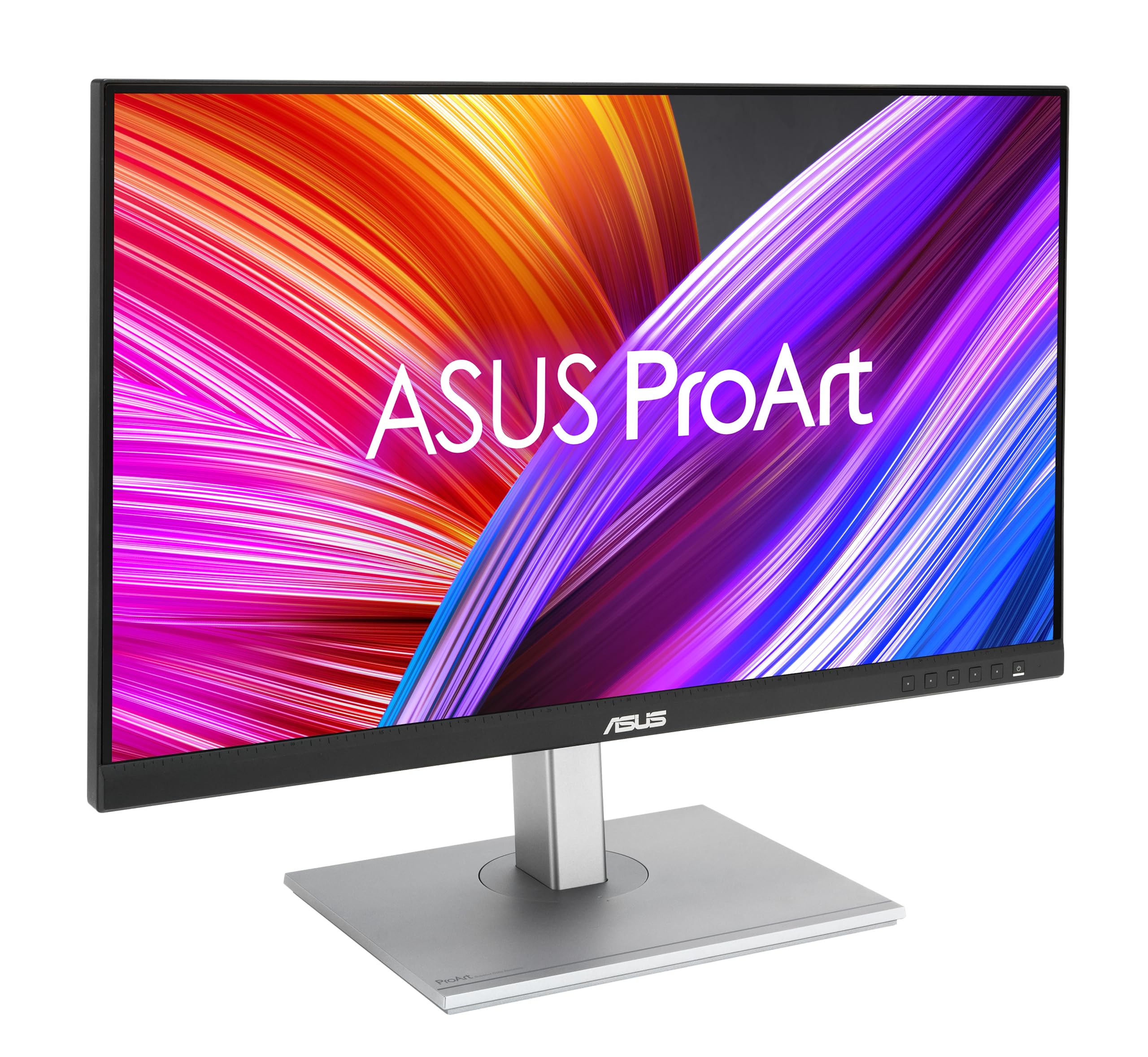
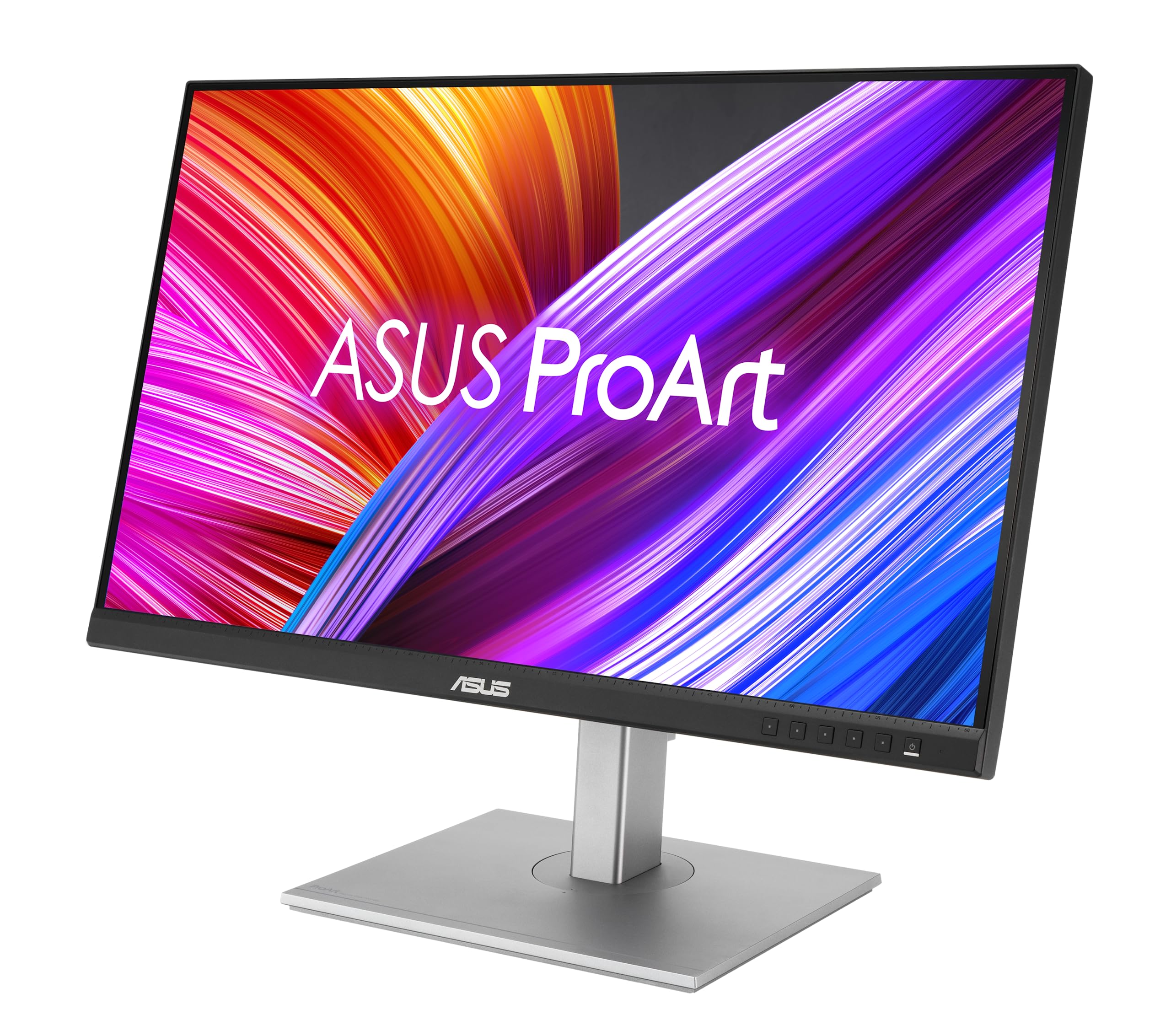

🎯 Elevate your creative game with color-accurate precision and seamless power in one sleek display.
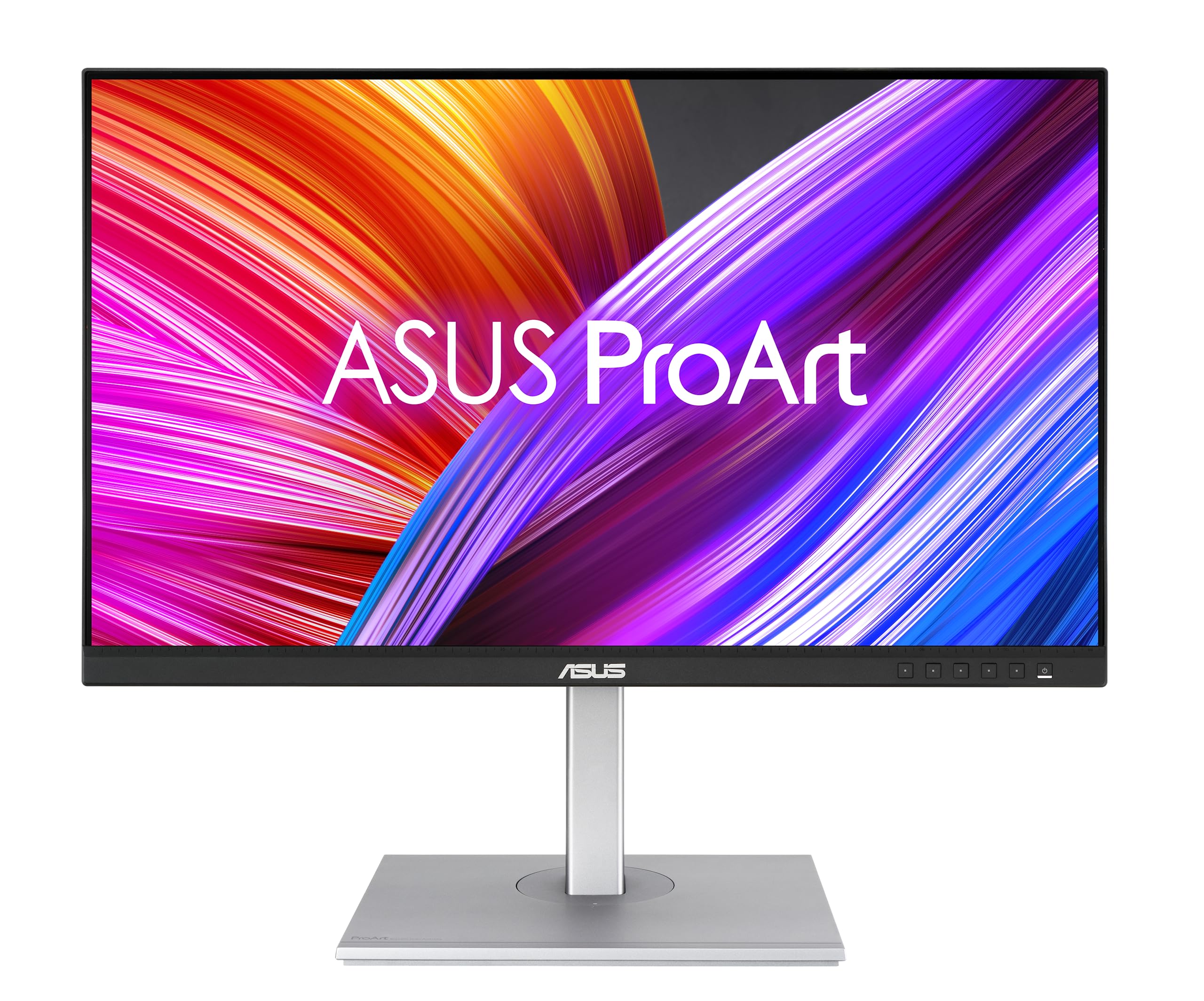
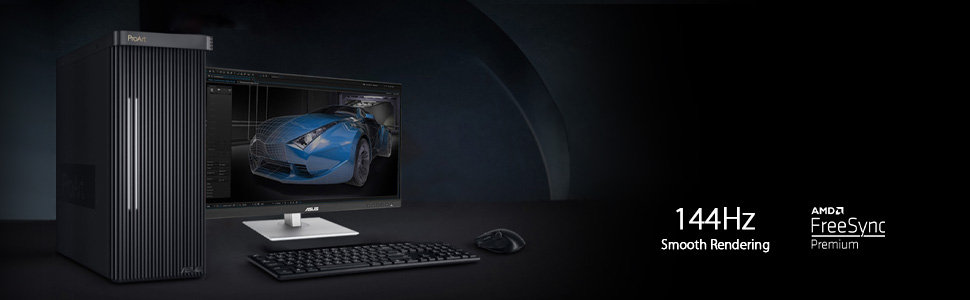
The ASUS ProArt Display PA278CGV is a 27-inch professional-grade monitor featuring a QHD 2560x1440 IPS panel with 178° viewing angles, 95% DCI-P3 color gamut, and factory-calibrated ΔE < 2 accuracy. It supports a 144Hz refresh rate with FreeSync Premium for smooth visuals and includes USB-C with 90W power delivery for streamlined connectivity. Calman Verified and bundled with 3 months of Adobe Creative Cloud, it’s designed for creative professionals demanding precise color and versatile performance.




| ASIN | B0BQPYD97X |
| Adaptive Sync | FreeSync |
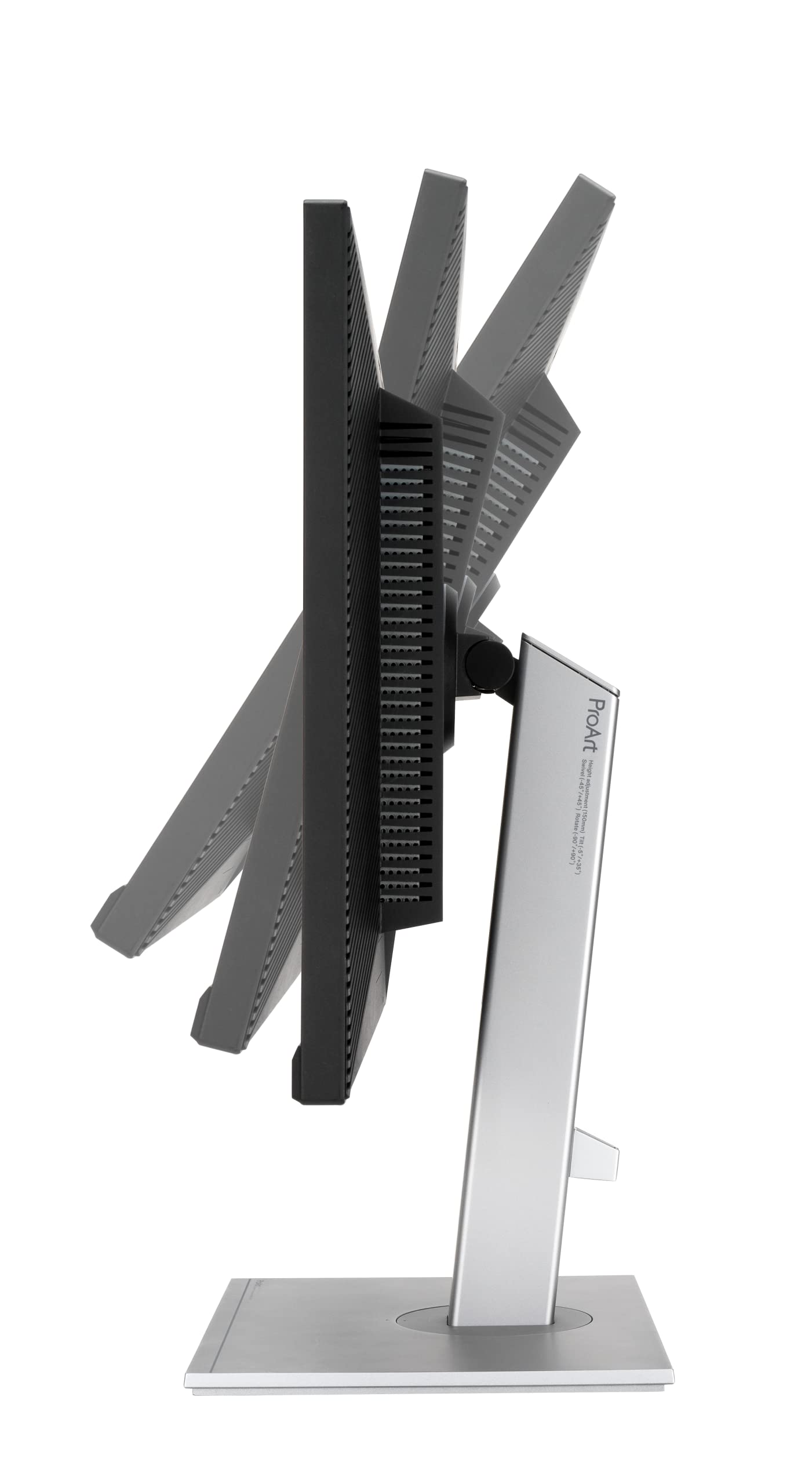
| Additional Features | Eye Care, High color accuracy 100% sRGB, Tilt, Swivel, Pivot, and Hight adjustable |
| Aspect Ratio | 16:9 |
| Best Sellers Rank | #5,907 in Electronics ( See Top 100 in Electronics ) #206 in Computer Monitors |
| Brand | ASUS |
| Brightness | 1370.4 lm |
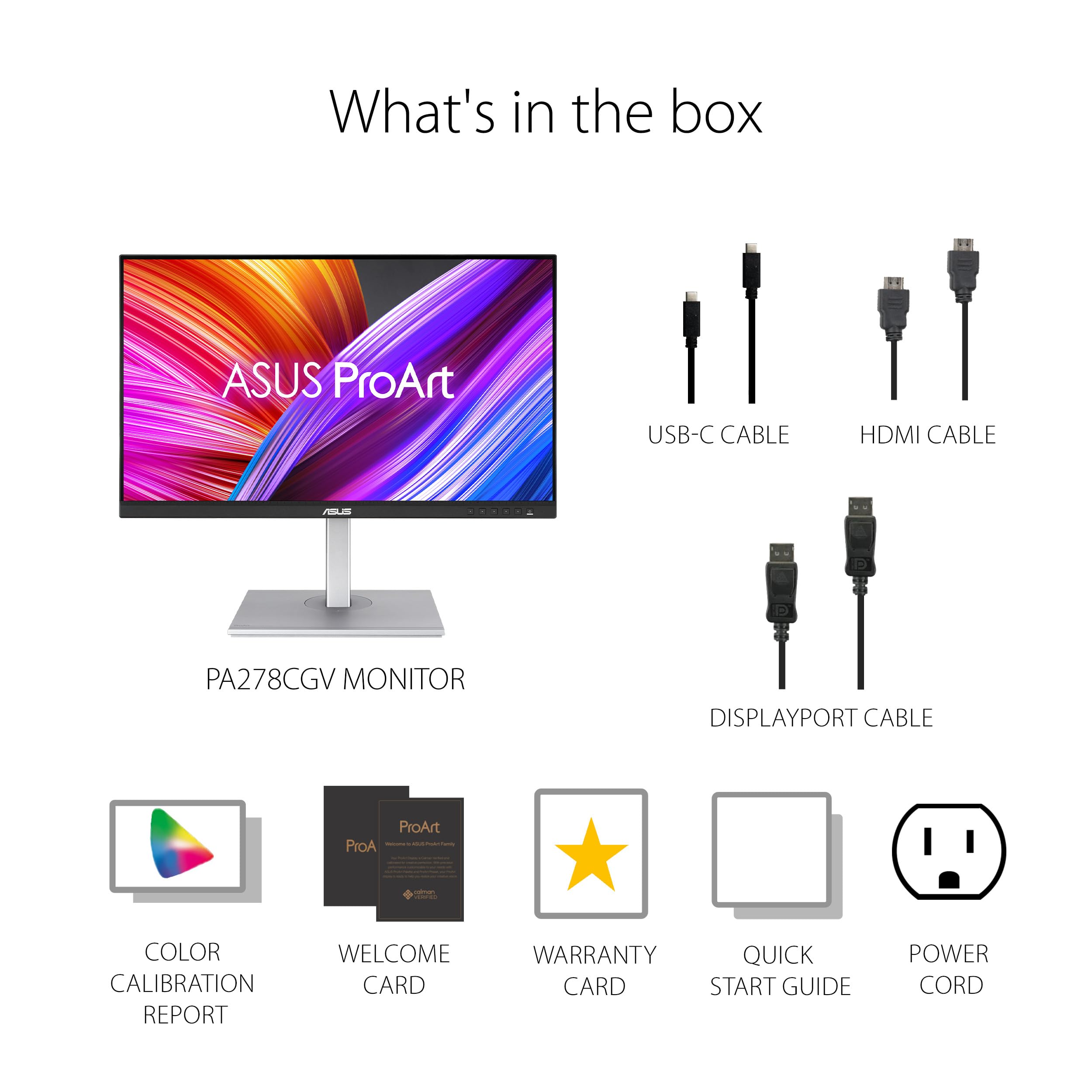
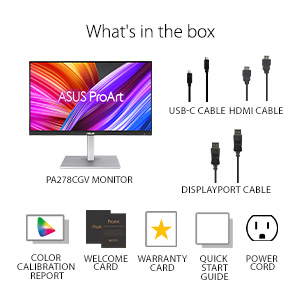
| Built-In Media | Calibration Report, HDMI cable, DisplayPort cable, PA278CGV Monitor, Power cord, USB-C cable, Quick Start Guide |
| Color | BLACK |
| Color Gamut | 100.0 |
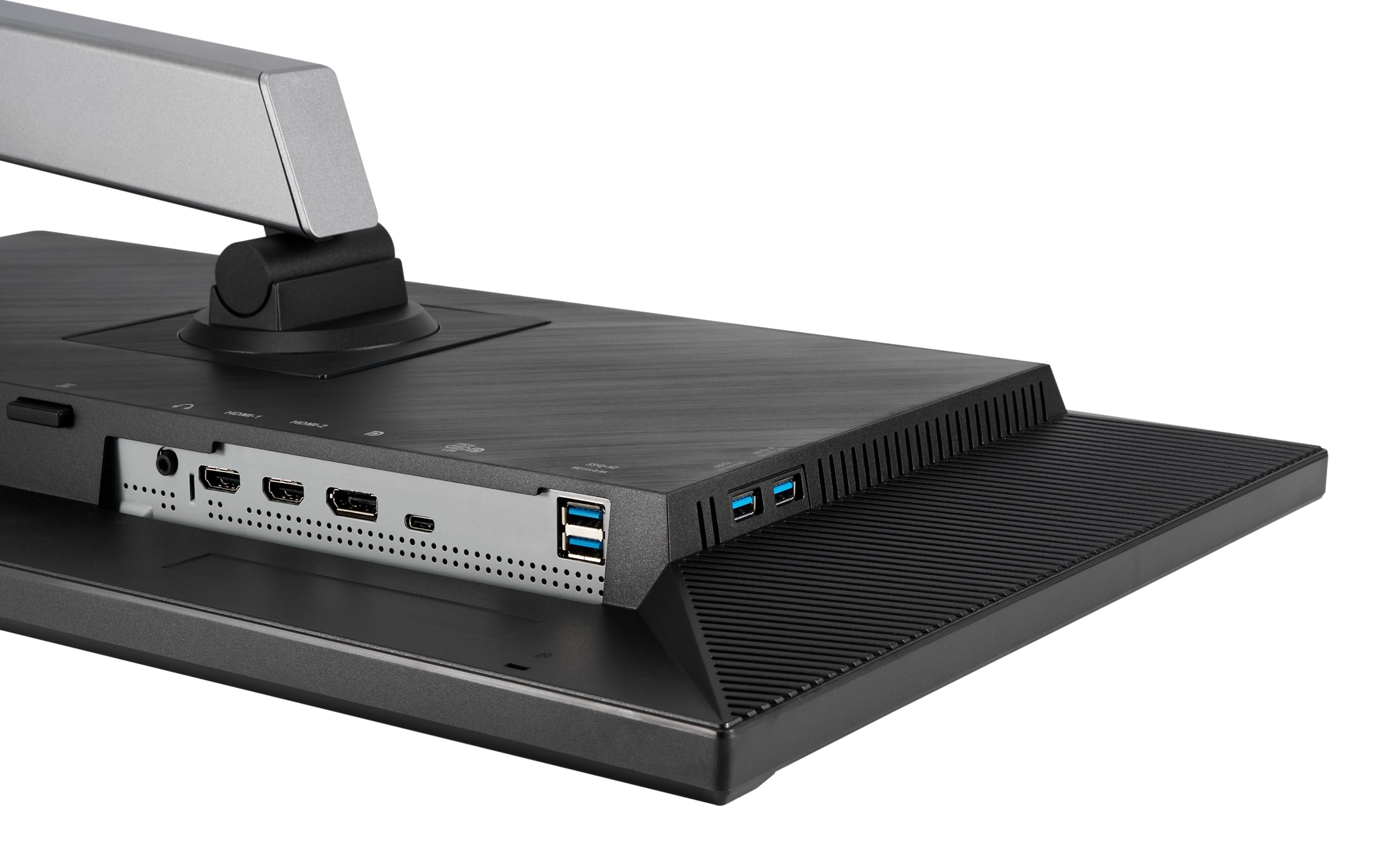
| Connectivity Technology | HDMI, 4x USB 3.2 Gen 1 Type-A, USB-Type C, Display port |
| Contrast Ratio | 100,000,000:1 (Dynamic Contrast Ratio), 1,000:1 (Static Contrast Ratio) |
| Customer Reviews | 4.5 out of 5 stars 2,017 Reviews |
| Display Resolution Maximum | 2560 x 1440 Pixels |
| Display Technology | LCD, LED |
| Display Type | LED |
| Hardware Connectivity | DisplayPort, HDMI, USB |
| Has Color Screen | Yes |
| Image Contrast Ratio | 100,000,000:1 (Dynamic Contrast Ratio), 1,000:1 (Static Contrast Ratio) |
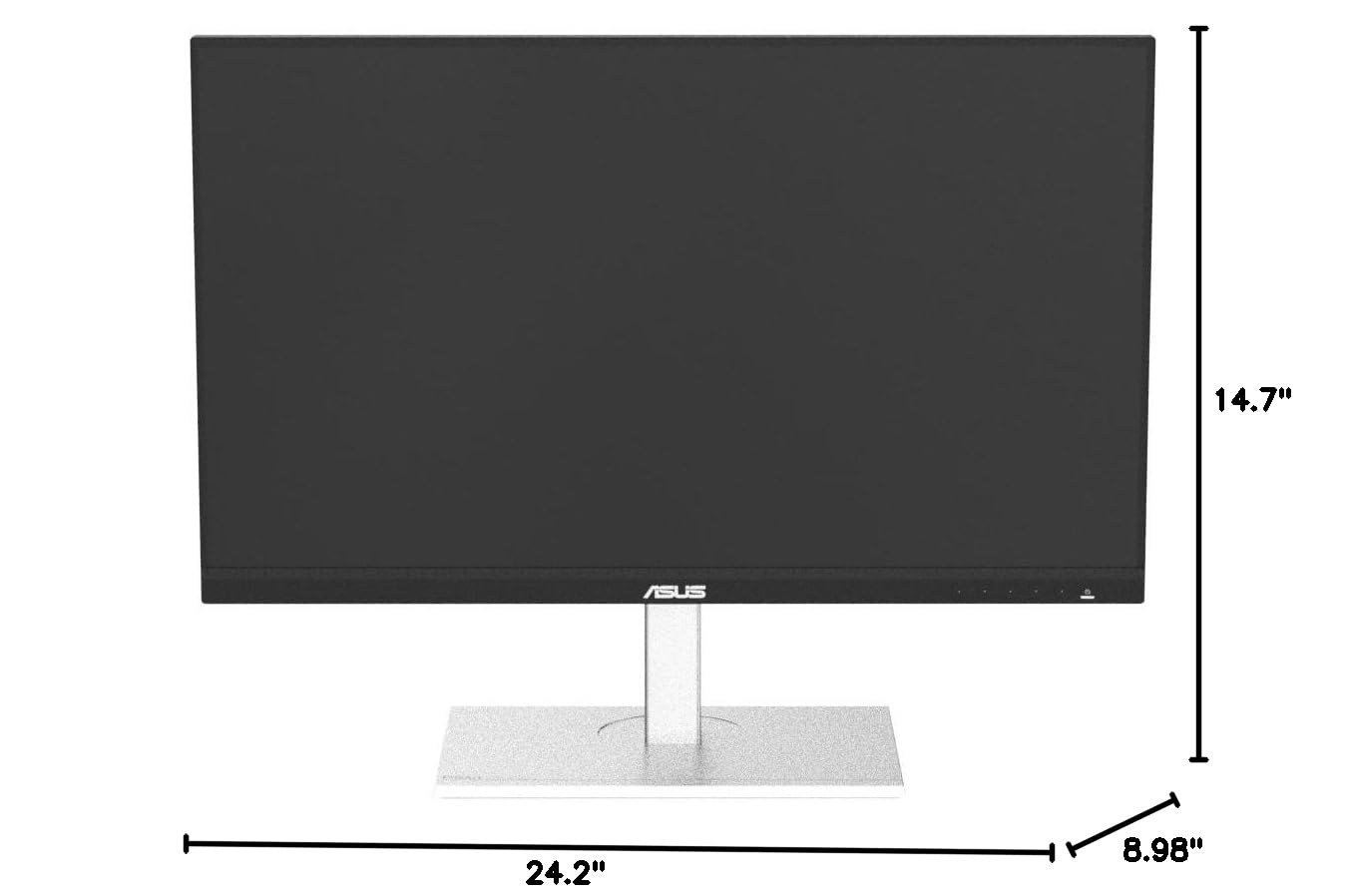
| Item Dimensions D x W x H | 24.2"D x 8.98"W x 14.7"H |
| Item Weight | 18.74 Pounds |
| Manufacturer | ASUS |
| Model Name | PA278CGV |
| Model Number | PA278CGV |
| Mounting Type | Wall Mount |
| Native Resolution | 2560x1440 |
| Number of Component Outputs | 3 |
| Picture Quality Enhancement Technology | Energy Star EPEAT Silver TCO Certified TÜV Flicker-free TÜV Low Blue Light |
| Pixel Pitch | 0.233 |
| Refresh Rate | 144 Hz |
| Resolution | QHD Wide 1440p |
| Response Time | 5 Milliseconds |
| Screen Finish | Matte |
| Screen Size | 27 Inches |
| Screen Surface Description | Matte |
| Series Number | 278 |
| Shape | Flat |
| Specific Uses For Product | Business, Personal, Photo Video Editing |
| Total Number of HDMI Ports | 2 |
| Total Usb Ports | 4 |
| UPC | 197105018143 |
| Viewing Angle | 178 Degrees |
| Warranty Description | 3 Year Warranty with ARR |
| Warranty Type | 3 Year Warranty with ARR |
�**�
The Clear Winner
I’m particular about design. It took me 5 tries to find a monitor that met my needs. Thought I’d write up a review in case it’s helpful to someone else. No one has paid me for this review. Keep in mind I am using a monitor to extend the display of my MacBook Pro. My needs: I am a writer and wanted to be able to have multiple pages documents open at the same time. I also do some graphic design and wanted to have true colors represented on the screen. I live in a small cabin so this monitor would also need to serve as my TV—high streaming quality and beautiful resolution is a must. They pretty much only make 4K monitors in the 27” size and those are too large for me to use as a work screen and also too large for my space. That left me trying to figure out what smaller monitor would have a high resolution--it took multiple tries. I also am sensitive to light and wanted something that wouldn’t hurt my eyes after being in front of it for long hours. Dell 24 Plus Monitor - S2425HSM CONS There is no option to hook up a USB-C or thunderbolt cable on this monitor. Thus you can not charge your laptop by plugging it into the monitor. This monitor is designed so that you plug an HDMI cable into your laptop and then into the monitor. HDMI cables are bulky and don’t bend as easily as a USB-C or Thunderbolt cable. HDMI cables do not charge your laptop. USB-C or Thunderbolt cables are more bendy and charge your laptop directly from your monitor. You cannot have your MacBook in clamshell mode (laptop closed) without having your laptop charging cable plugged in. Thus instead of one USB-C or Thunderbolt cable you have the bulky HDMI and your laptops power cord. When I had all the cables hooked up it felt messy and it was all sort of awkwardly mashed into the desk riser I built. The text resolution of this monitor was pretty pixilated. Downloading Better Display and creating a virtual screen helped a bit. PROS 144Hz refresh rate The streaming quality wasn’t as good as some of the monitors I’d try later on but it was pretty darn good! Speakers are great. Pretty much no eye strain! It’s so odd but I completely fell in love with this monitor despite the fact that it really didn’t meet any of my core needs. I loved the color, the sleek design and the ease of the mini joystick on the monitor itself. The menu on this monitor via the joystick was really enjoyable and adjusting the settings produced effective results (more so than the U2424HE which I’ll review next). I actually liked the menu options on this (adjusting the color, brightness, gamma, screen mode etc) better than any other monitor. I loved the 16:9 ratio which I would return to when all was said and done. I barely was able to return this monitor because I was weirdly attached to it. I’d say this is perfect for a high school or college student. As far as budget monitors go, this is a really great option. If it had a USB C option I doubt I would have returned it or bought a thousand other monitors trying to find the right one. Dell UltraSharp 24" Hub Monitor - (U2424HE) CONS This monitor supposedly has better resolution than the Dell S2425HSM. I put them side by side and played the same show. No matter how I adjusted the settings, the U2424HE looked overly red. And the resolution wasn’t that much better, if at all. Text did appear to be slightly sharper but it wasn’t a significant difference. Contains a USB C Port but would not allow me to put laptop into clamshell mode without having laptop power cord plugged in. Only 60Hz refresh rate PROS None. I can’t recommend this for anyone. ASUS ProArt 24” (24.1” viewable) 16:10 HDR Professional Monitor (PA248CRV) CONS Text still wasn’t as sharp as I’d like. I didn’t like the screen ratio. But I didn’t know how much I would miss the 16:9 of that first Dell until I tried this one. This is more of a personal preference than a mark against the brand. It does have more vertical space if that is important to you. PROS It features a USB-C port (one step down from a Thunderbolt cable) that handles video, data, and charging simultaneously. Streaming quality was decent. Better than both Dells, not as good as BenQ or Asus PA24ACRV. Daisy chaining and comprehensive USB hub with 4 ports. No noticeable eye strain after adjusting settings a bit. I got very close to keeping this one but I couldn’t get over the ratio. It is a decent monitor though so I ended up giving it to a friend. BenQ MA270U 27” 4K 3840x2160 CONS At this point I was about at my wits end and thought that I’d have to get a 27” to get the resolution that I was after. I tried to use this as my work monitor and it was overwhelming. I know a lot of people use a 27” monitor but that was too much for me. 4K panels often require much stronger backlights to push light through those tiny pixels, which can be brutal for light-sensitive eyes in a small space. No matter what I did with the settings it was too bright. This monitor supposedly has blue light blocking technology built in. Look—if eye stain is an issue for you, what I realized is that less is more. Some of these high resolution monitors achieve true colors by using a lot of light, and no amount of filters, screen shade, night shift, blue light glasses etc, is going to help with that much light coming at you. Even when I took the opacity waaaaay down and had all the filters on I still felt like I was being radiated. This monitor is very large and heavy. Not great for a small desk set up in a small cabin. It about crushed my desk riser. PROS Really beautiful colors and crisp text. Super cool software download (from BenQ website) that allows you to adjust settings. No need for clunky buttons. Compatibility with Apple. I ended up giving this monitor to my partner to use as his new TV in the living room. Sitting back from it a few more feet, it’s easier to appreciate. ASUS ProArt Display 24” (23.8 inch viewable) 1440P Professional Monitor (PA24ACRV) This is the one I ultimately kept for myself. CONS My main complaint is that the physical design of the monitor feels a bit outdated. Sort of 90’s. Dell did a really great job condensing their buttons on their monitor to the one mini joystick. On the Asus monitors it’s a bunch of buttons across the bottom right side of the monitor. Feels clunky. These should be accessed through the joystick or hidden. Speakers are pretty awful. PROS 16:9 ratio It has very sharp text. The silver color of the monitor base is the same as my MacBook Pro. USB-C Power Delivery (A step down from Thunderbolt—working great for me). I only have ONE cable plugged in to the monitor and no need for the powercord for my laptop. Daisy Chain capability with multiple USB ports for mouse, external hard drive etc. and other types as well. Pixel Density (123 PPI). Standard 24" monitors are usually 1080p (~93 PPI), which macOS struggles to scale, leading to "gray/blurry" text. Much higher resolution than the Asus PA248CRV that I had tried. Text is crisp. Even crisper after implementing Better Display. Seriously try Better Display. Ask Ai how to set it up. Spending $21 for the pro version of this software can make a monitor like this feel like a much more expensive monitor because macOS assumes most of these monitors are a low-resolution screen. It doesn't use its high-quality "Retina" scaling. Using this software helps these monitors reach their potential. This monitor has a deeper black than the Dell monitors I tried where the text appeared to be a gray. Colors are vibrant and photos are incredibly vivid. Resolution quality is great in Adobe/Design work and during streaming. I noticed that when I’m streaming from Safari as opposed to Chrome, the quality is significantly better.
R**N
Fantastic for Video Editing and Media Consumption
It has everything I would ever want in a monitor, glad I held off and waited till I was able to get this over other monitors. The 16:10 Aspect Ratio looks great on After Effects and Gaming as coincidentally it shares the same aspect ratio as the Steam Deck. These are the best colors I've seen on a display since probably my M1 Macbook Air but it's probably better seeing how neutral it is and the anti reflective screen is really nice to see whatever is being displayed. It has 5ms latency from what I've researched and it performs perfectly for 60fps-75fps gaming which is all I need. You do have the abliity to switch inputs between Displayport, HDMI, and VGA which is great if you have a capture card and only want to use one Display for multiple devices. The stand is also pretty nice and offers a lot breathing room for your desk. It also has speakers which I wasn't expecting and its serviceable at best but its there when I need it which is perfectly fine. Only gripe is that any area that's dark and has high contrast white in the image it'll bloom a decent amount in a dark room so that's pretty annoying but usually I can turn on the lights in my room anyways which is probably better for my eyes too. Overall I would recommend this to every aspiring content creator if they're looking for an extremely high quality Display on a budget, if I had more disposable money I would absolutely have gotten a 2nd one to go with this one.
D**E
Wonderful All In One monitor, Best price range for those specifications. Bought two of them
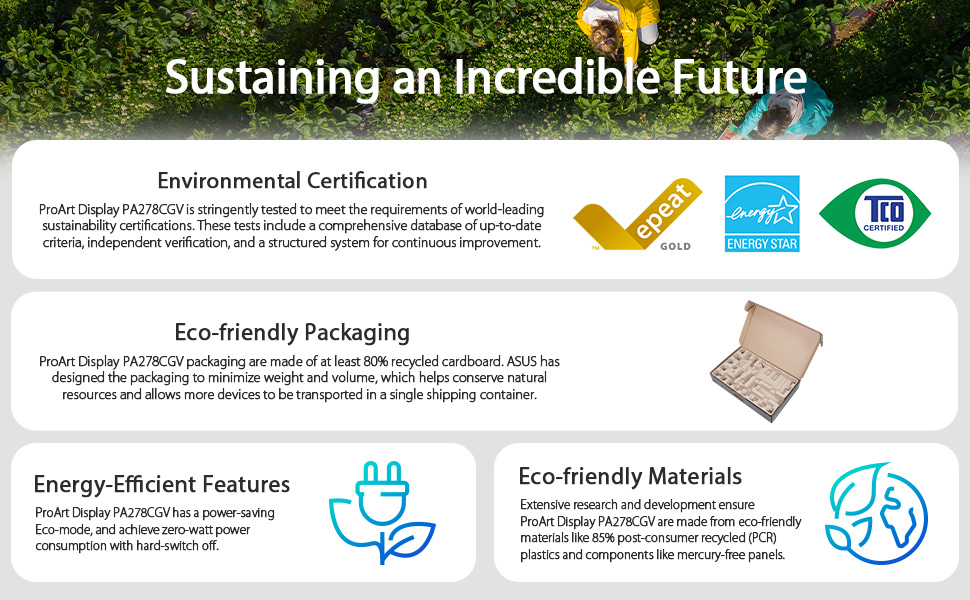
I am digital artist and bought two of this monitors. Really happy of the results. Was going to buy previous gen Asus pro art monitors (this model is the 3th gen) but this one beats them cause of 144hz refresh rate and 10bit color depth. don't expect good speakers from monitor (if anyone interested). and screen is more reflective than I was expecting. Also I am using both of them side by side and panels are not so great from any viewing angle. It is my first experience with QHD 144hz monitor, and it is just amazing. packaging is such a lightweight and well secured slick box. I shipped in Georgia (the country) and it is nice packaging for me (no extra fees because of less weight and don't takes big space in shipping container) I really recommend this monitor to everyone who needs a multipurpose monitor within budget. its good for single player gaming, for color accurate work (good for digital drawing and photo edit, games are just wonderful looking) and contrast is really good to watch films. image is very crisp. The best price range for those specifications.
D**H
Great monitor, but know your use-case.
You could call me a monitor enthusiast at this point. I own everything from old CRTs, a range of VA and IPS panels in both ultrawide and 16:9, to a $1000 LG Ultragear OLED. And yes, a couple nice Asus Proart IPS panels like this one which I use for both gamedev and pixel art, and gaming because they are versatile and can handle high desktop hour-counts in a way that OLEDs still can't. So my primary gaming monitor is a 21:9 LG Ultragear OLED. It's fantastic, but as most people know by now, not every game supports 21:9 natively, and additionally that is a 40" 3440x1440 monitor so the pixel density could be much higher, and that basically prevents me from using DLSS because you really don't want to resort to DLSS on a monitor with about ~100 PPI. To that end, I wanted a more pixel-dense 16:9 monitor with the best color quality I could get for a reasonable price, so that I could play obligate 16:9 games (such as Persona 5 Royal) or performance-intensive games that require DLSS on my GPU (such as the Oblivion Remaster). Enter this Asus Proart 1440p 24" IPS panel. It's pixel dense, the colors are potentially very good for an IPS panel. There is a bit of a warm tint from the factory, but that is easily resolved with a small teak to the built-in RGB Gain setting. HOWEVER, this is not an especially contrasty monitor. I not only have OLEDs and VAs with better contrast ratio (which is expected), I even have affordable IPS panels with a comparable or better contrast ratio. It's not exactly bad for an IPS panel, it's just not great in that particular way. Now having said that, it does accomplish what I wanted. The accurate colors, high coverage, and extensive controls built into the monitor allowed me to tune it to make games look very good. This is the first monitor (other than my OLEDs ofc) where I was able to tune it to get correct calibration images in every game without game-specific tweaking. It is indeed very pixel dense, and allows me to use more aggressive DLSS in demanding games without undue blur or artifacts, while keeping convincing scenery and rich colors. This did take manual tweaking however, since professional accurate colors and pretty in-game colors are not always the same, and this by default isn't calibrated to be PRETTY, it is calibrated to be ACCURATE. It can take work and knowledge to mostly accomplish both at the same time, but at least this monitor has the quality and controls to allow that to happen. In other words, this monitor has potential to be very good, but you need to know what you're doing if you want to use it for real-time content like games.
J**L
Great for designers that game
Love this monitor, running dual setup with them. Great image quality for art/design work. Also the fact it's 144hz makes it great if you also love to game on your PC. Would recommend the proart series for people wanting to create while also game on their machine.
T**E
If you need color accuracy for online graphics, this monitor is a NO BRAINER and a steal!
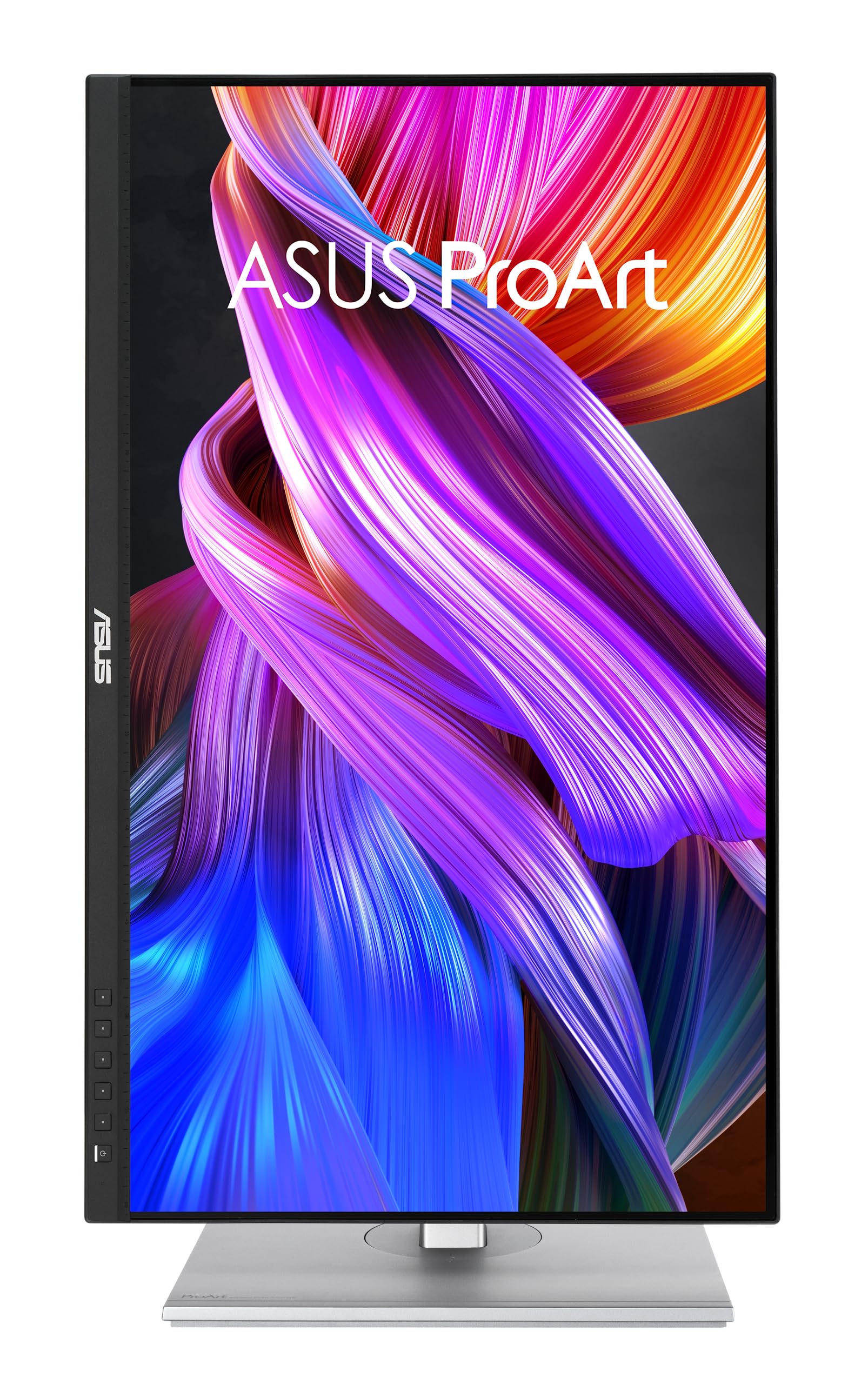
I've required color-corrected computer displays for years. Could never afford one, so back during Windows 7 I bought a device for correcting display monitor color output. It connects via USB and scans the display pixels, then modifies the color gamut to correct the display output. It worked well in Windows 7, but not so well in Windows 10...and not at all in Windows 11. I did NOT want to replace that device. Thankfully, I discovered this excellent COLOR CORRECTED monitor at a surprisingly low price; about 10% of what color-corrected monitors cost a decade ago! I bought this fantastic monitor for less than the cost of replacing my color-correcting device, and I'm glad I did. It is a pleasure to use. Colors are very accurate and my eyes are not strained anymore. The onboard connections are very useful, including USB ports, and the onboard Adjustments menu actually MAKES SENSE! Yeah, whoa! =D I have a 3-monitor array: a pair of inexpensive DELL 24" monitors and this ASUS. I've done my best to match the color of the two DELLs to this ASUS using their onboard controls. They don't have nearly the dynamic range, and can't match the ASUS, but I they're just for peripheral content so "pretty close" is close enough. Also the monitor stand for this ASUS monitor is an "engineering marvel." It easily tilts, raises-and-lowers and even rotates 90 degrees so your wide aspect ratio can function as a tall aspect ratio. Buy this. You won't regret it.
J**G
Great monitor and not obtrusive addition to my desk.
This monitor is a gem straight out of the box. It comes almost fully assembled, has a usb type cord, power cord and hdmi cable in the box. The monitor can elevate and lower as well as pivot on its stand, this makes adjustments and desk placement a breeze. I am not an organized desk person and this monitor doesn’t make my desk any more messy. It’s very easy to set up, in fact if you have a MacBook Pro it seems that the instant it’s plugged in the Mac recognized it. Easy peezy. I have not gamed with it but I did do some photo editing and the color scheme is as advertised in my opinion. Can’t beat it, I like it.
M**C
Failed After 8 Months and Poor Customer Support
I usually never write reviews but I feel compelled to do so in this instance. I purchased this monitor in April 2025 and it failed after 7 months of low at-home use. The monitor no longer recognizes my laptop's HDMI connection (I've tried several different HDMI cables) and the software apparently imploded because none of the menu buttons work. Customer service was absolutely dreadful: First, they had me try some power-off exercises and eventually determined that the issue could not be addressed on the telephone. On my first call, they directed me to a repair location in another borough and sent an email with incorrect contact information. They subsequently advised me that the monitor would have to be shipped back to ASUS at my expense -- at a cost of approximately $80-85, even with the monitor still under warranty. (And I do have to say that the call center folks kept putting me on hold and were not very clear about what to do, and promised to follow-up or call back, which they never did). Although I hate throwing money away, I've decided to simply replace the monitor with a less expensive Dell monitor, which may not have all the bells and whistles but always provides good customer support. I will never purchase an ASUS product again!
Trustpilot
5 days ago
3 weeks ago