💼 Compact power, silent hustle — your desk’s new MVP.
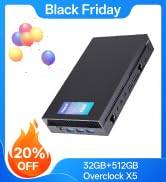
The MeLE Fanless Mini PC Quieter3C is a compact powerhouse featuring an 11th Gen Intel N5105 processor, 16GB DDR4 RAM, and 512GB NVMe SSD storage. Designed for professionals craving silent operation, it offers fanless passive cooling, dual 4K HDMI outputs, USB-C PD charging, and advanced WiFi 5 connectivity with Bluetooth 5.1. Ideal for home NAS setups, remote workstations, or minimalist desktops, it supports 24/7 operation with stable, fast networking and expandable storage options.




| ASIN | B0B73LCVBC |
| Batteries | 1 CR2032 batteries required. (included) |
| Best Sellers Rank | #11,966 in Computers & Accessories ( See Top 100 in Computers & Accessories ) #456 in Mini Computers |
| Brand | MeLE |
| Card Description | Integrated |
| Chipset Brand | Intel |
| Color | N5105 16GB/512GB |
| Computer Memory Type | DDR4 SDRAM |
| Customer Reviews | 4.1 4.1 out of 5 stars (226) |
| Date First Available | July 20, 2022 |
| Graphics Coprocessor | Intel UHD Graphics |
| Hard Drive | 512 GB (256GB eMMC+ 256GB SSD) |
| Hard Drive Interface | USB 3.0 |
| Hard Drive Rotational Speed | 0.1 RPM |
| Hardware Platform | PC |
| Item Dimensions LxWxH | 5.12 x 3.15 x 0.79 inches |
| Item Weight | 7.2 ounces |
| Item model number | Quieter 3C |
| Max Screen Resolution | 4096 x 2160 Pixels |
| Memory Speed | 2933 MHz |
| Number of Processors | 4 |
| Number of USB 3.0 Ports | 4 |
| Operating System | OS |
| Processor | 2.9 GHz celeron |
| Processor Brand | Intel |
| Product Dimensions | 5.12 x 3.15 x 0.79 inches |
| RAM | 16 GB LPDDR4 |
| Screen Resolution | 3840 x 2160 |
| Series | Quieter 3C |
| Wireless Type | Bluetooth |
B**Y
Perfect Fanless Windows NAS for Home Users – Quiet, Fast, and Effortless Setup
I purchased this Quieter DL to set up a simple Windows NAS, and the actual experience has been very satisfying. The pre-installed Windows system makes it extremely user-friendly for those unfamiliar with Linux – setting up shared folders and remote access was straightforward. With its dual Gigabit Ethernet ports, I connected one to my router and the other to my main PC, achieving stable and fast LAN transfers. Large file copies maintain a steady speed around 120MB/s. The internal M.2 slot allowed me to install an NVMe SSD as primary storage, delivering blazing-fast read/write speeds while being more reliable and cleaner than external HDD solutions. The built-in Micro SD card slot is perfect for directly importing videos and photos from my camera, making media management effortless without additional card readers. The fanless design ensures complete silence during operation – it blends perfectly in living rooms or studies without any disturbance. I've configured daily automated backups, and it runs flawlessly 24/7 with minimal heat generation. Its compact size and low power consumption make it cost-effective for continuous operation. Overall, this device is ideal for users wanting to create a simple home NAS solution, especially Windows-oriented users who prioritize quiet operation and system stability.
M**.
Raspberry PI Alternative
The 5105 and 5095 generation of Intel processors have greatly improved on the Celeron line of low power processors in terms of usability and relative performance. When paired with sufficient RAM of at least 8GB, these processors can support daily desktop use in Windows and Linux. Web browsing and viewing videos works well on these little machines. These won't replace more powerful processors for heavier workloads like gaming and graphics. This computer is passively cooled and uses the case as a heat sink, so the case will become warm to the touch by design. This also means the computer needs to be placed such that it can dissipate heat into the environment. That means not placing anything on top of it. Where these computers become very useful is as an option to Raspberry Pis. If you look at the price of a pi, sd card, power supply and case, you will be within range of these computers. Being Intel based, these machines have more options for operating systems and software to run. When installing a server version of Linux that does not include the desktop, these machines have plenty of power for home lab server tasks. Note that the power supply included is 12V and not 5V. Most USB C powered devices will not be compatible with this power supply. It may be worth making it with red electrical tape or some other way to ensure you do not plug it into the wrong device.
M**Y
Runs Hot!
I got this to run an astrophotography rig and it'll do it but the issue I kept having was the fact it runs so hot the wifi signal wasn't always good enough. It seemed to do fine as long as it's on the direction of my home wifi side of the telescope but once it tracks and the pc is on the back of my 8" scope it doesn't get a good enough signal to stay connected and it's really bad once it's ran for a while and heated up. I got around this by using a USB wifi device but in the end I decided to just go another route. I decided to give Linux a try on it and found the latest version of Mint Linux (as of May 2024) will live boot on it but the wifi isn't recognized. I didn't try installing. I then tried the latest Ubuntu live booted and it works perfectly. It still runs really hot and maybe it's a personal thing but I just worry about any electronic device that runs this hot. It would be one thing if it were a really powerful computer but it's really not fast at all. It does run Home Assistant pretty well and for now that's all I'm using it for.
S**S
Great device for what it is
Bought this for silent web browsing and daw-usage. It’s not the fastest machine out there, but the silence and form factor make up for that. Memory is single channel which hurts the gpu performance so gaming is mostly out of the question. But for every day tasks it gets the job done if you don’t expect blazing fast response. Under high load the chassis may get little warm to touch, but I haven’t seen any throttling. I actually attached it to my electric table’s metal leg which works as extra heat sink and temperatures rarely exceed 60 c. Haven’t tested the SD card slot yet.
B**S
Space saver!
Use it off shore on my commercial fishing boat and love its compact size. It saves space and works well. Recommend it to friends and family!
G**Z
Excellent Mini PC, with great iO and speedy internals (BAD COMPANY)
Windows 11 Pro pe installed, 8 GB of RAM, 128 GB of internal storage, with an upgradable M.2 SSD slot. 4 USB 3.0, 2 HDMI, AUX, Ethernet, and Micro SD Card slots. This mini PC can replace a bulky computer in an office area. Great for document editing and browsing the web. 4K videos play smoothly on average FPS. It can also handle multiple monitor outputs. Build quality is great, the solid metal case dissipated the little heat that this mini PC creates. As a low-power device, it doesn't get hot that much. Great mini PC for the price. UPDATE: I contacted the company for an issue I had with this device, and they were not helpful in assisting me at all. I would not recommend them.
A**D
Great for low-power local servers
I bought these to replace a couple of old ThinkCentre mini-PCs. The old ones had 6th and 8th generation Intel i5 chips. The Mele vastly outperforms those while using very little electricity. Running Windows 11, the machine idles at 6-10 watts, and uses around 18 watts when running a substantial load. Running Ubuntu, it idles around 6 watts or lower, and runs around 10 watts under heavy load. The memory is fast, and 16 GB is plenty to run the tasks I'm running. The Windows 11 machine, for what it's worth, runs substantially hotter that Ubuntu 22.04. Both machines are silent, which is nice, as they sit in a corner of my office and I really don't need to hear fans blowing.
R**A
I realy love this guy! The MeLE Fanless Mini PC Quieter3Q has proven to be an incredibly valuable and reliable product. I’ve been using it consistently for over 2 years, and it’s still running flawlessly. Despite its compact, fanless design, it handles Windows 11 quickly and efficiently, with smooth performance for web browsing, office work, and light media tasks. It’s completely silent, doesn’t overheat, and the build quality feels solid. For the price and durability, this mini PC has exceeded my expectations. Highly recommended for anyone who wants a quiet, space-saving, and long-lasting system. Put it on an alluminum foil making it more coolre!
J**S
Nuevo y silencioso
D**E
Ottimo mini pc su cui ho installato Ubuntu. Finalmente qualcosa di silenzioso da tener acceso sempre. Lo utilizzo con il programma da monitorare le telecamere e ho installato un server cloud per scaricare automaticamente le foto EI video dallo Smartphone. Molto comoda anche l'uscita delle due HDMI. Non so come se la cava con Windows ma penso che per l'utilizzo semplice come Office in navigazione web non ci siano problemi. Collegato Con tastiera e mouse Bluetooth. Consiglio l'acquisto.
J**I
Bevor ich auf die Mele Mini-PCs gestoßen bin, habe ich einige Generationenvon Intel NUCs mit i3 bis i7 CPU verwendet. Die Lüfter dieser ansonsten wirklich sehr leistungsfähigen Mini-PCs nerven in meiner Abhör-Umgebung aber derart, dass ich zweimal erfolglos versucht habe, das Innenleben der NUCs in ein lüfterloses Gehäuse (Akasa Plato/Turing) einzubauen. In einem Fall war die CPU-Temperatur dann so hoch, dass man auf dem Gehäuse hätte Eier braten können, der NUC schaltete sich immer wieder selbst ab. Im anderen Fall gab es beim Betrieb unerträgliche Störgeräusche in der über HDMI angeschlossenen AV-Anlage (vielleicht wegen mangender EMV-Abschirmung nach dem Umzug ins Akasa-Gehäuse). Ich hatte die Faxen dicke und habe mir ohne große Erwartungen einen MELE Qieter 3C besorgt. Ich habe zunächst einen 1TB NVME-Riegel eingebaut, Maus und Tastatur und Monitor angeschlossen und "from Scratch" eine neue Windows-Installation mit den Installations-Dateien von der MELE-Homepage gemacht. Dazu muss eine *.ini-Datei auf dem Installationsmedium auf das NVME-Speichermedium als Installationsziel angepasst und das Installationsmedium über das Boot-Menü (F7-Taste) beim Systemstart ausgewählt werden. Die Infos dazu hatte ich aus einem Youtube-Video. Die Installation lief problemlos durch, danach muss man die Start-Festplatte im BIOS auf NVME Umstellen, sonst startet die dort bereits bei Auslieferung vorhandene Windows-Installation von dem internen eMMC-Speicher, was nicht Sinn der Sache ist. Den eMMC-Speicher kann man anschließend neu formatieren und als zusätzlichen Datenträger nutzen; ich habe keine Option gefunden, den eMMC-Speicher im BIOS zu deaktivieren. Macht aber nichts, der ist angeblich nur etwas langsamer als die NVME-SSD. Es müssen keine-Treiber nachinstalliert werden, Windows wird automatisch mit dem (im BIOS) hinterlegten Lizenzschlüssel aktiviert, alles funktionierte sofort und Windows ließ sich wie üblich updaten. Die Windows-Installation verwendet zunächst ein lokales Konto, man kann aber bei Bedarf seinen Windows Live-Account auf dem System aktivieren. Der Mele Quieter 3C macht keinerlei Geräusche und verursacht auch keine Störungen in meiner AV-Anlage. Er wird im Betrieb recht warm und arbeitet mit der Celeron-CPU erkennbar langsamer als z.B. ein Intel NUC mit i3-CPU, aber die Bedienung fühlt sich nicht unangenehm an. Ich verwende den PC, um ohne Lüftergeräusche Musik mit einem ROON-System zu hören und dabei ein bisschen im Internet zu recherchieren. Für die Büroarbeit verwende ich weiterhin einen intel NUC und für den Videoschnitt einen MacMini. Ich bin damit sehr zufrieden.
H**S
Everything I need in a very small package. Fast too!
Trustpilot
1 day ago
1 week ago