
DOWNLOAD THE APP


Customer Services
Copyright © 2025 Desertcart Holdings Limited
DOWNLOAD THE APP
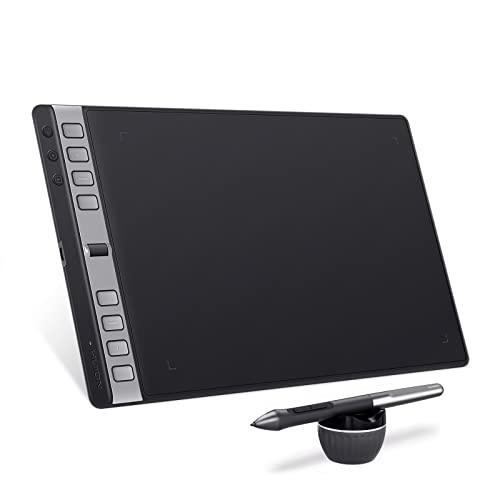
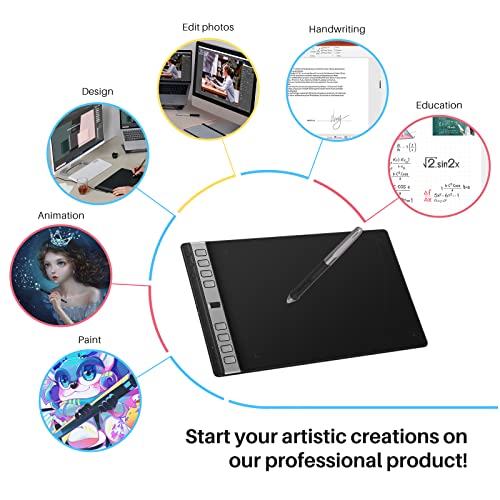

🎨 Unlock your creative edge—where precision meets portability!
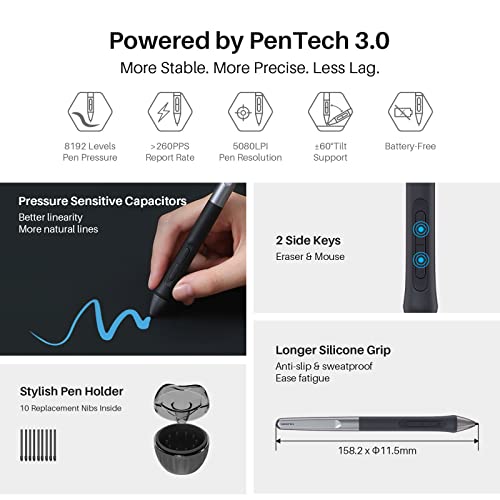
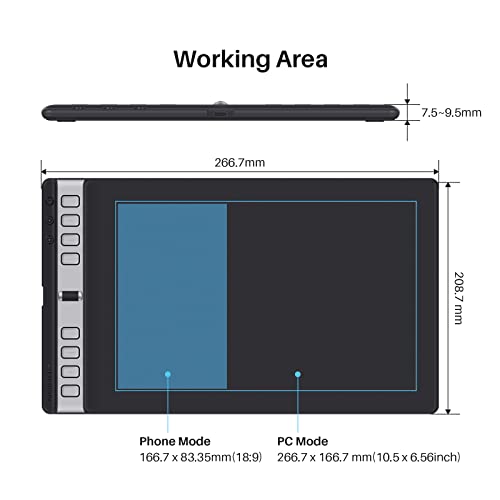
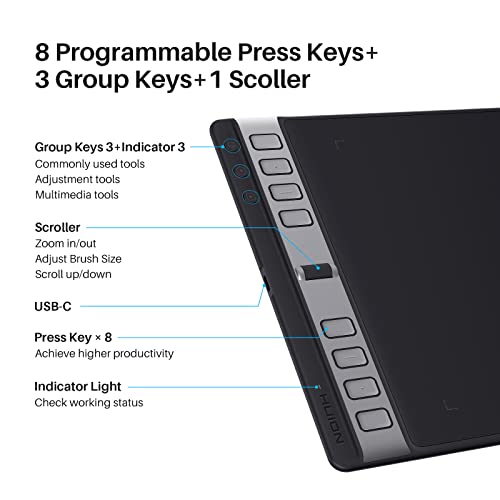
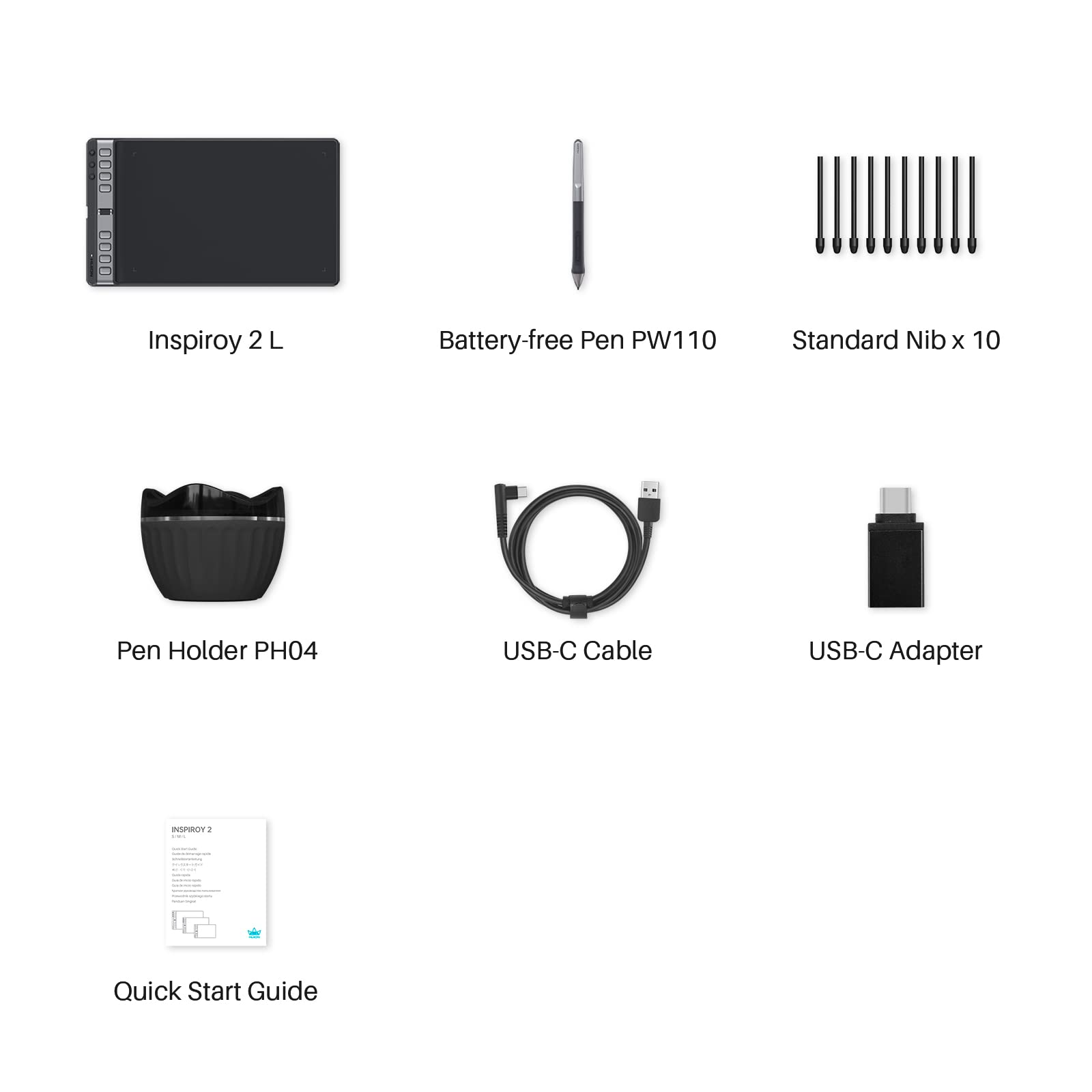
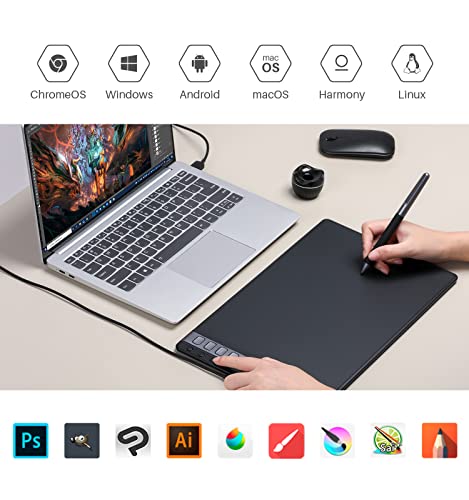
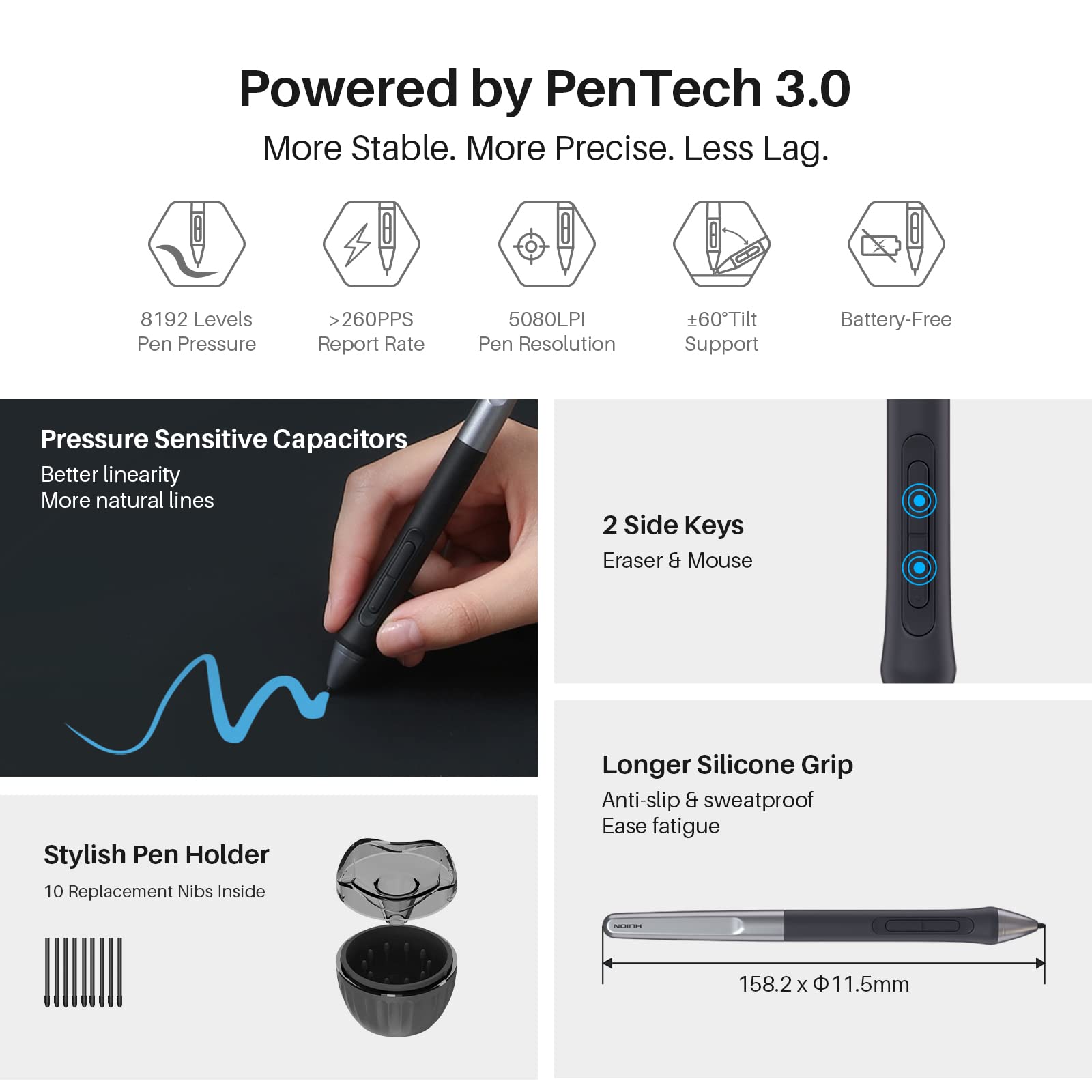
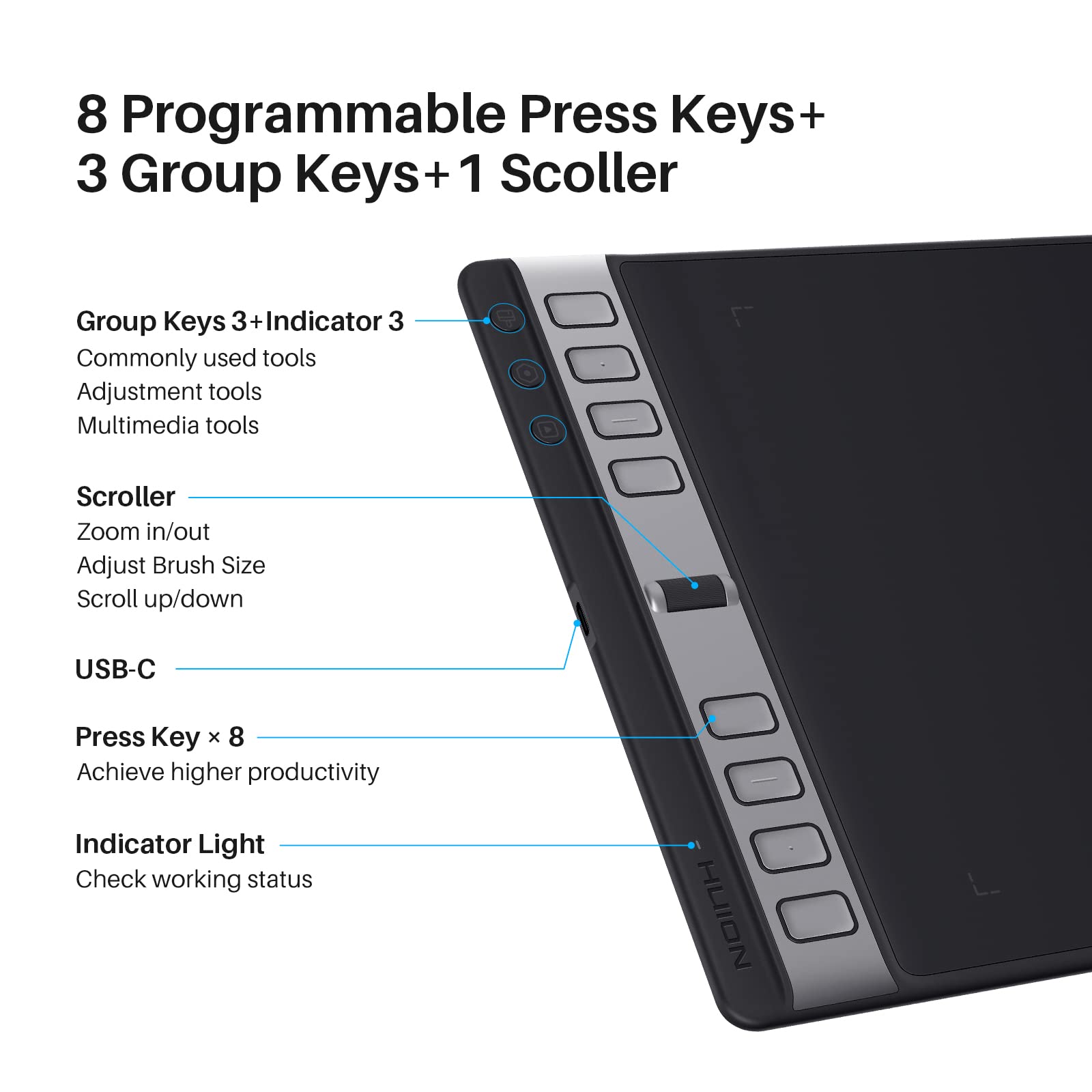
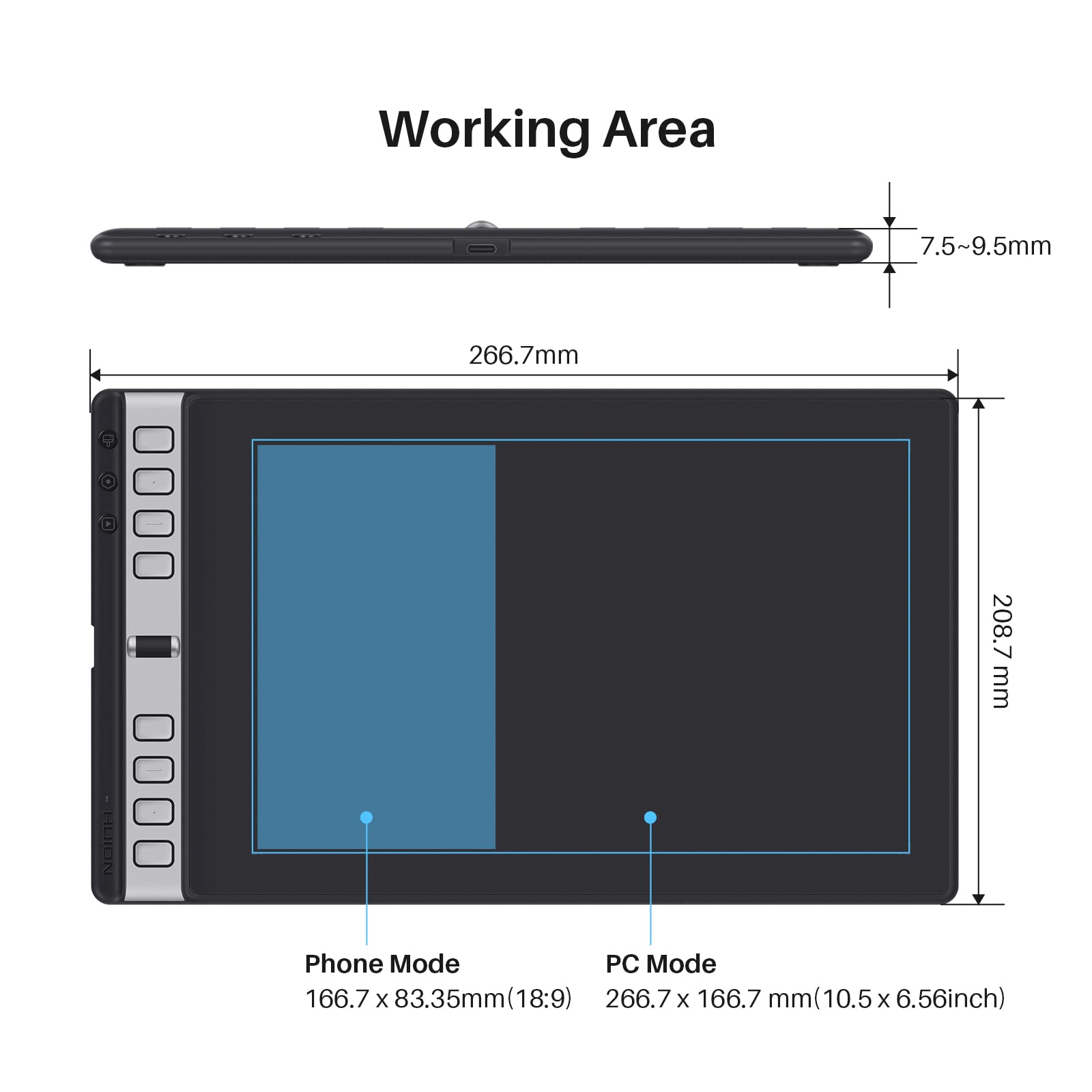
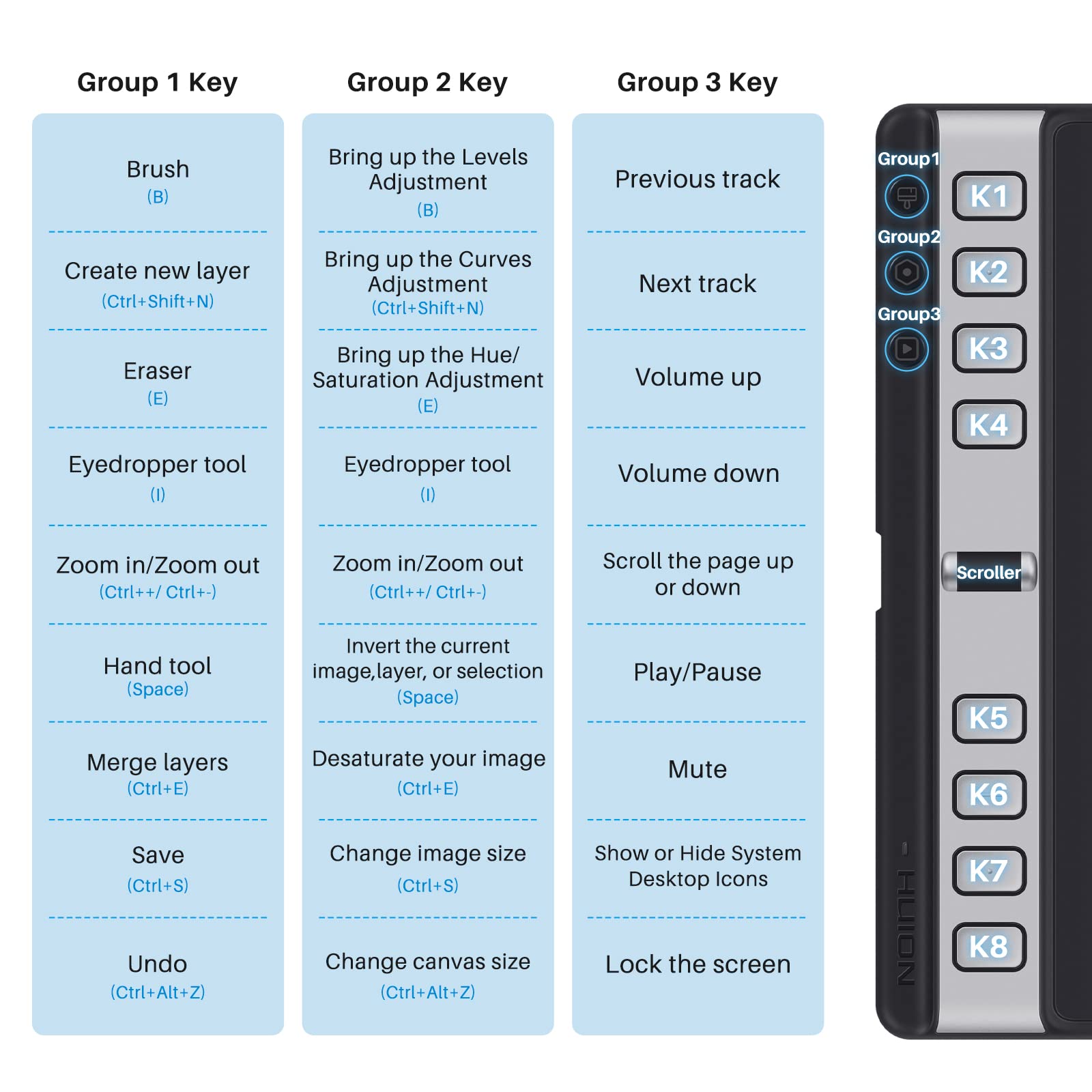
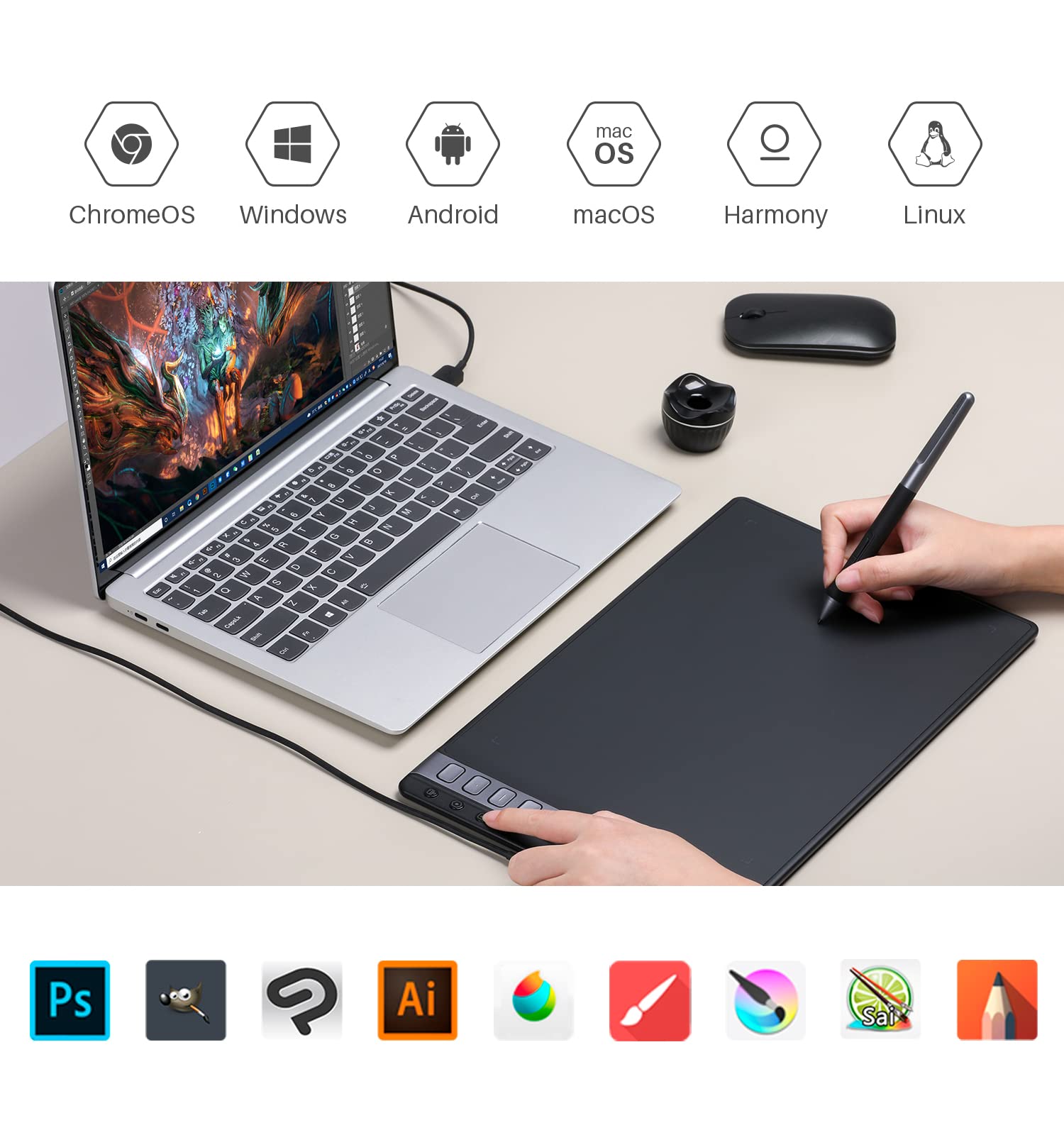
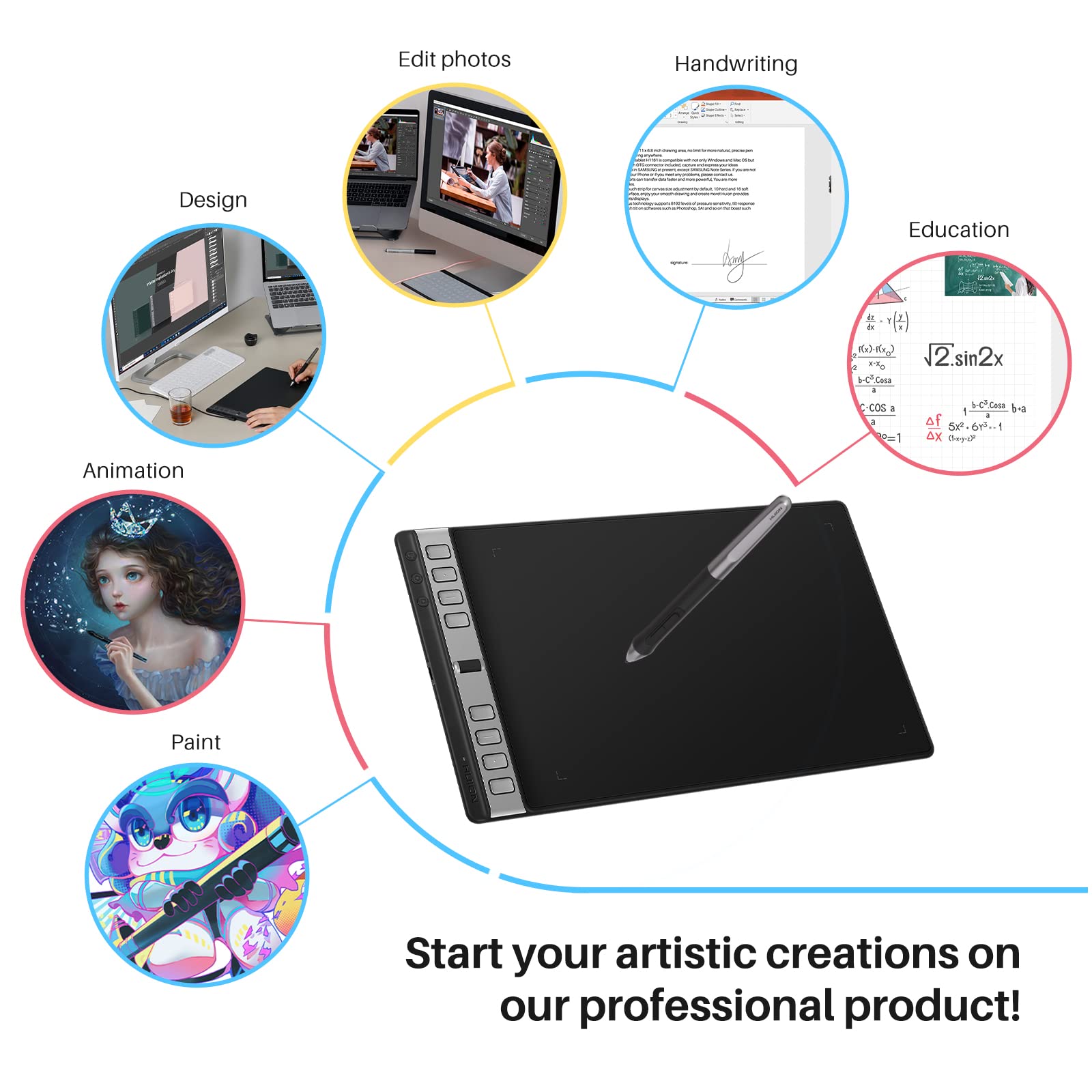
The HUION Inspiroy 2 Large Drawing Tablet is a 10x6 inch graphics tablet featuring PenTech 3.0 for precise, lag-free drawing, a programmable scroll wheel with 3 sets of 8 customizable shortcut keys, and a battery-free ergonomic stylus. Compatible with Mac, PC, Linux, and Android devices, it offers ultra-portability and seamless multi-OS support, making it ideal for professional digital artists and creative managers seeking efficient, on-the-go design solutions.


| ASIN | B0BVG11CZ2 |
| Are Batteries Included | No |
| Best Sellers Rank | #32,345 in Computers & Accessories ( See Top 100 in Computers & Accessories ) #153 in Graphic Tablets |
| Brand | HUION |
| Colour | Black |
| Country of Origin | China |
| Customer Reviews | 4.2 4.2 out of 5 stars (11,346) |
| Date First Available | 6 May 2023 |
| Generic Name | Graphic Tablet |
| Hardware Platform | PC, MAC, LINUX |
| Importer | Origin Marketing Pvt. Ltd. Contact: 9870294946, [email protected] |
| Item Dimensions LxWxH | 35 x 8 x 6 Centimeters |
| Item Height | 6 Centimeters |
| Item Weight | 600 g |
| Item Width | 8 Centimeters |
| Item model number | Huion Inspiroy 2L |
| Manufacturer | ShenZhen Huion Trend Technology CO.,LTD |
| Net Quantity | 1 Count |
| Operating System | Windows 7, macOS 10.12 Sierra |
| Packer | Microworld Infosol Pvt. Ltd. , Toll free number - 9560888401 |
| Product Dimensions | 35 x 8 x 6 cm; 600 g |
| Screen Resolution | 1920 x 1080 pixels |
| Series | Inspiroy 2 Large (Black) |
| Standing screen display size | 10.5 Inches |
B**G
Amazing versatile tablet at such a great price point!
Was a bit hesitant when we initially bought this tab as I had never hear of the company and the tab was prices so inexpensively for the feature list provided. But was lucky we did buy it. It was easy to setup and very quickly was able to understand the features. The pen / stylus which came with the tab was easy to use, nice handle and grip and nice and sensitive enough for my use. I am not a professional artist but was still able to use a lot of advanced features with pleasing results. I liked that they had different sizes to choose from as I was looking for the larger size which was difficult to come by at such an affordable price points. I dont notice any lag and love this! For the price and the advanced features I found this a great buy! They even sent a bunch of free replacement nibs which is easy to replace.
A**.
Great product, not plug and use.
A little software issue, but great great product, highly reccomended.
D**H
Awesome
Best of the best pen tablet like it's my first pen tablet and it's amazing 😍🤩🤩
Y**H
BEST START FOR DIGITAL ART.......
It's a great product. I have been using it for almost a month now and it is awsome. For those who want to start draw digitally it's a great start. The pen has good pressure levels. It works great with windows.,Mac OS, as well as Android. By downloading it's driver you can set the direction in which you work ( 0°, 180°, 90° etc) Comes with nice packaging. . Has usb type c port one other port. It us so convenient to use. I am happily satisfied with this graphic tablet.
G**I
Best product at such price
Though it's been only a few days since I got and used the product, I can say that I probably won't be facing any trouble with it - at least not within a year or so. It connects easily to my laptop and starts working instantly. The pen is really cool, though a bit thick but it doesn't matter much. The tablet's screen is not that big but it's not difficult to draw in a limited space - the same tricks are used here that you use on a mouse pad/trackpad. Overall, the tablet is worth the money. I could have invested in an expensive one, with big screen, but since I'm a beginner, this one is perfect for me.
E**S
Good for beginners as it's not very expensive
Quite good for a beginners tablet. The working area is quite comfortable too, my only concern is scuff marks that get created when you go over an area a couple of times.
N**A
After 2 months of usage
After having used it for 2 months, I must say it is a very good tablet at such a low price. Although I was not sure whether to choose Huion or Wacom, I'm really glad I chose this. I chose this mainly because there were more pressure levels and spare nibs compared to the Wacom tablet of the same price. There have been no problems with the tablet so far. The drawing experience is smooth and fun. Great for beginners. It does not feel small at all. Even the small scratches on the tablet made while drawing, disappear when wiped with a cloth. It's a really good buy.
R**T
Stopped working
It stopped working after a year.
B**N
I am very impressed by this little table, I purchased the small tablet since I am just using it for casual things. The packaging was really nice, even though it doesn't have a screen the lid of the box still had some form padding. Clean and sleek design, easy to understand instructions, they also have more information and instructions on their store page. Only criticisms are I had to go to the store page for the software downloads and I did not receive the 8 extra pen nibs. For the price (I got it on sale too) and that is works so well, it is definitely a recommend Starting Drawing Tablet or beginners or casuals!
A**B
Hace años compre una tablet para dibujo marca Genius y no pude hacer gran cosa con ella a pesar de que no soy malo para dibujar en papel. Siempre pense que era culpa del aparato por haber costado poco y por lo tanto ser de baja calidad. Claro, Wacom era demasiado gasto, en especial considerando que la tablet mas barata de ellos seguia siendo carisima y era del tamaño de una estampilla de correo. Pues resulto que tenia razon. No solo no he tomado cursos sino que de hecho deje de dibujar durante varios años, y aun asi, en el momento que empece a usar esta tablet de Huion, pude hacer mucho mas que con la Genius. Recomiendo ampliamente este producto para todos aquellos que quieran adentrarse en el arte digital y no tengan, o no quieran, gastar el dinero que cuesta una Wacom. La unica desventaja de esta tablet es que no incluye ningun programa para dibujar. Claro, considerando que ahora todo eso se vende por licencia anual, pues es algo que se puede ignorar por completo, ya que las Wacom incluyen si acaso un par de años uso del software. En caso de que alguien se pregunte que programa usar, les recomiendo Krita. Es un programa gratis, que a pesar de estar mas bien dedicado a la edicion de imagenes, como Photoshop, tambien es excelente para dibujar e ilustrar. A mi no me dio ningun problema usando esta tablet. Mi unica queja es que los drivers, o controladores, no se ven de muy buena calidad o que los actualicen con frecuencia. Espero estar equivocado respecto a la frecuencia de actualizaciones.
N**3
Telefonda çalışmıyor ama güzel :(
E**A
la textura de papel es mejor que la de una pantalla texturizada, el lápiz es de un plástico más pobre que el que me dieron en la kamvas 22, los botones son geniales
J**X
Really great, well-functioning on the go tablet! I had little problems setting it up and installing the relevant drivers. Drawing was generally pretty easy from the get-go since the tablet automatically calibrates to the resolution of your display monitor. Pressure sensitivity was definitely evident and well adjusted to the amount of pressure I placed on the drawing tablet. Pen does not need batteries or recharging and comes with a ton of extra nibs, which is a bonus! Express keys are responsive and easy to customise. Overall, this is a good beginner tablet to buy and will work particularly well as a mobile accessory for people working on laptops.
Trustpilot
1 month ago
1 month ago