🚀 Elevate your Pi projects with crystal-clear 64MP vision!
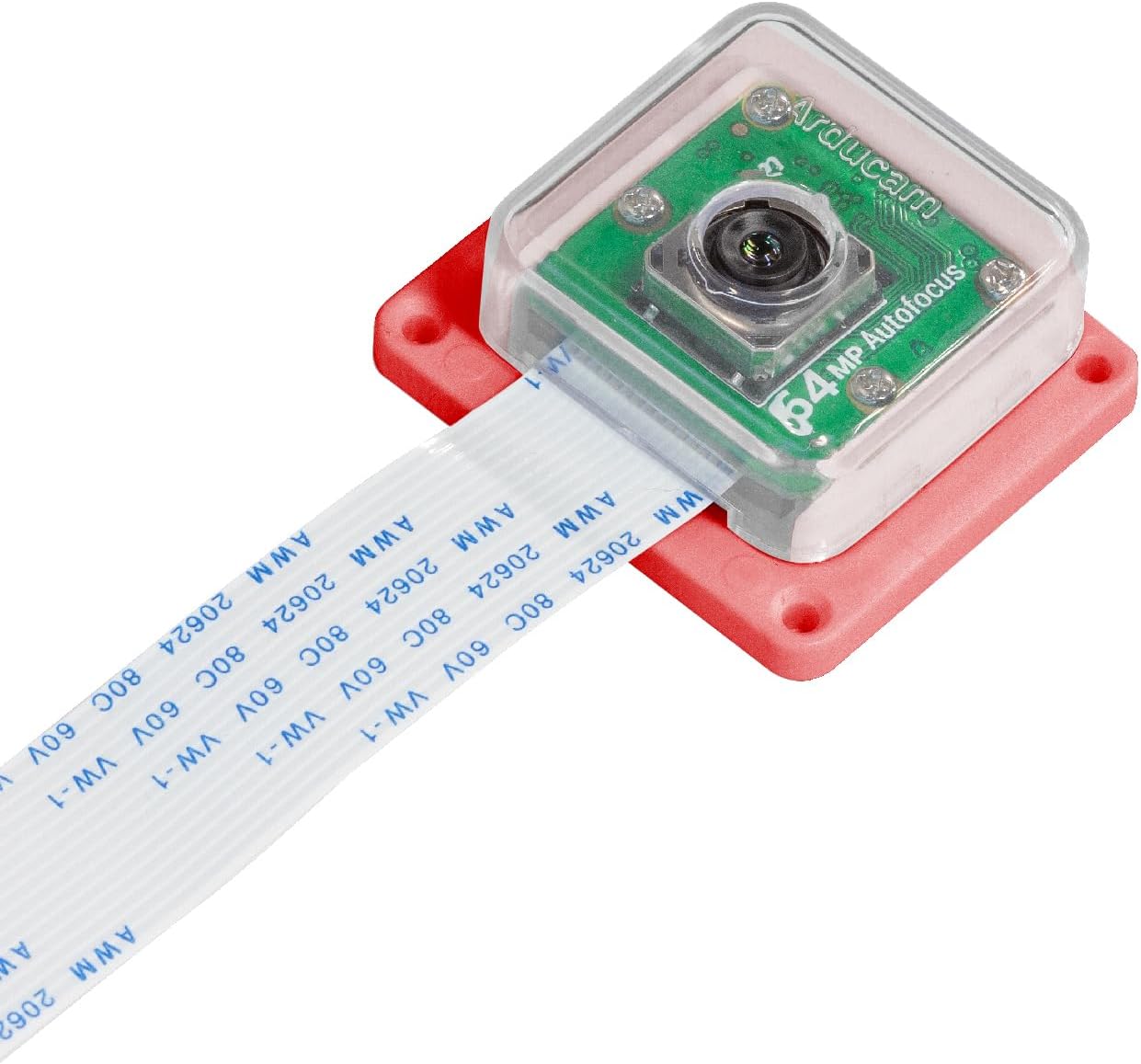
The Arducam Hawkeye is a 64MP ultra-high resolution autofocus camera module designed for Raspberry Pi models 5, 4, 3, 2, Zero, and variants. Featuring a robust ABS protective shell, it offers plug-and-play compatibility with Bullseye OS and supports both autofocus and manual focus with up to 10x digital zoom. Ideal for professional-grade imaging, it integrates seamlessly with pan-tilt platforms and tripods, empowering makers and developers to capture stunning, precise visuals effortlessly.


| ASIN | B0BL987T5Y |
| Best Sellers Rank | #805 in Single Board Computers (Computers & Accessories) |
| Brand | Arducam |
| Color | White |
| Customer Reviews | 3.6 3.6 out of 5 stars (40) |
| Date First Available | November 3, 2022 |
| Item Weight | 0.634 ounces |
| Item model number | Arducam Hawkeye |
| Manufacturer | Arducam |
| Max Screen Resolution | FHD |
| Operating System | Raspberry Pi OS (Bullseye) |
| Package Dimensions | 2.44 x 2.05 x 1.06 inches |
| Series | Arducam Hawkeye |
| Standing screen display size | 2 Inches |
| Wireless Type | Bluetooth |
R**S
Hooking up the camera to a Raspberry Pi is headache-less!
I don't know about why there are so many reviews about having problems getting this camera to work with Raspberry Pi's. I bought this as I want to use it to do some satellite observation imaging/data collection. I'm using a Raspberry Pi 4B, went with a headless install, using Bookworm, mp64 Hawkeye camera. After the camera arrived, I went to Arducam's website and read the Hawkeye Quick start Guide, the hardware connection guide, and the software installation guide. After I felt like I knew what to do and used Raspberry Pi Imager to burn Bookworm OS to a 32GB microsd card, I logged into my Pi on my network and did OS updates to make sure I had the latest versions of everything. After that, I connected the camera cable, installed various packages as instructed in the Arducam guide, and ran test still image and test video commands. Up and running with the camera in about 15 mins - ezpz! I still have to do the autofocus stuff and then build/add the pan/tilt accessory, but I'm living proof that this works with Pi's without a lot of headaches. Good job on the documentation Arducam!
D**L
Ok
It work fine
M**E
Good luck with this
Is this plug n play? Not even close. Does it work? Sort of. You will need to be good with ssh, troubleshooting linux logs with commands like dmesg and grep, and carefully following tutorials. The instructions for setup do exist but are rather confusing to follow. It could be presented a lot better than clicking through links on the website of "If you have this see this, if you have this there is an additional setup, if you have this you will need to look for the additional instructions on the page not mentioned previously that looks just like this one" I bought this to use with Octoprint and it does have a working stream with mjpg_streamer but Autofocus is a complete mystery even after following the separate instructions for autofocus on the site (for this specific model of camera) You'll find yourself trying to figure out the inner workings of libcamera whilst troubleshooting why the "ERROR V4L2 v4l2_device.cpp:352 'arducam_64mp 10-001a': Unable to set controls: Device or resource busy" message and realize that mjpg_streamer is in the way. You will then find yourself pouring through forums and rereading the instructions You might even get as far as reading the mjpg_streamer options and documentation to see if there was something you missed. Somewhere around this point you will begin to shake your head and wonder why you bothered with this and wished you had bought something else and done better research. I can't recommend this at all. Even though the camera functions you will have a trying time getting it to work.
I**E
Pienso que fue un buen producto
M**Z
todo bien
L**A
Arducam needs to stop all sales until they get their software to work work with your RPI
Bought this camera for the MP. The software is horrendous. The install instructions are buggy, the kernel requirements are old versions, it's just not updated and isn't worth buying. Do yourself a favor and look elsewhere. The arducam forum is just rehashes of bugs over and over. Arducam, please fix your software.
B**N
Very difficult to set up
I spent a couple of days learning how to interface with this thing to get the highest quality out of it. It's a fairly new product, so there are a few kinks that need to be taken care of. It's definitely not a plug-and-play type of camera. You need to install a few drivers and install certain libraries to call it from the code. For anyone stuck in trying to make it work, I highly recommend reading the documentation throughly and joining the ArduCam forum to get help. The quality you can get out of it is definitely better than the raspberry pi cameras though.
J**N
Does it work?
Untested!!! I'd hope that it works. Very poor packaging. Came squashed as shown in photos.
A**N
Product not working
B**N
Muy buena camara, sobre todo en la resolucion de las fotos, aunque tuve algun problema para hacerla funcionar con la Raspberry 3, pero eso fue por los parametros de configuracion y no por la camara.
Trustpilot
1 month ago
2 weeks ago