
DOWNLOAD THE APP


Customer Services
Copyright © 2025 Desertcart Holdings Limited
DOWNLOAD THE APP
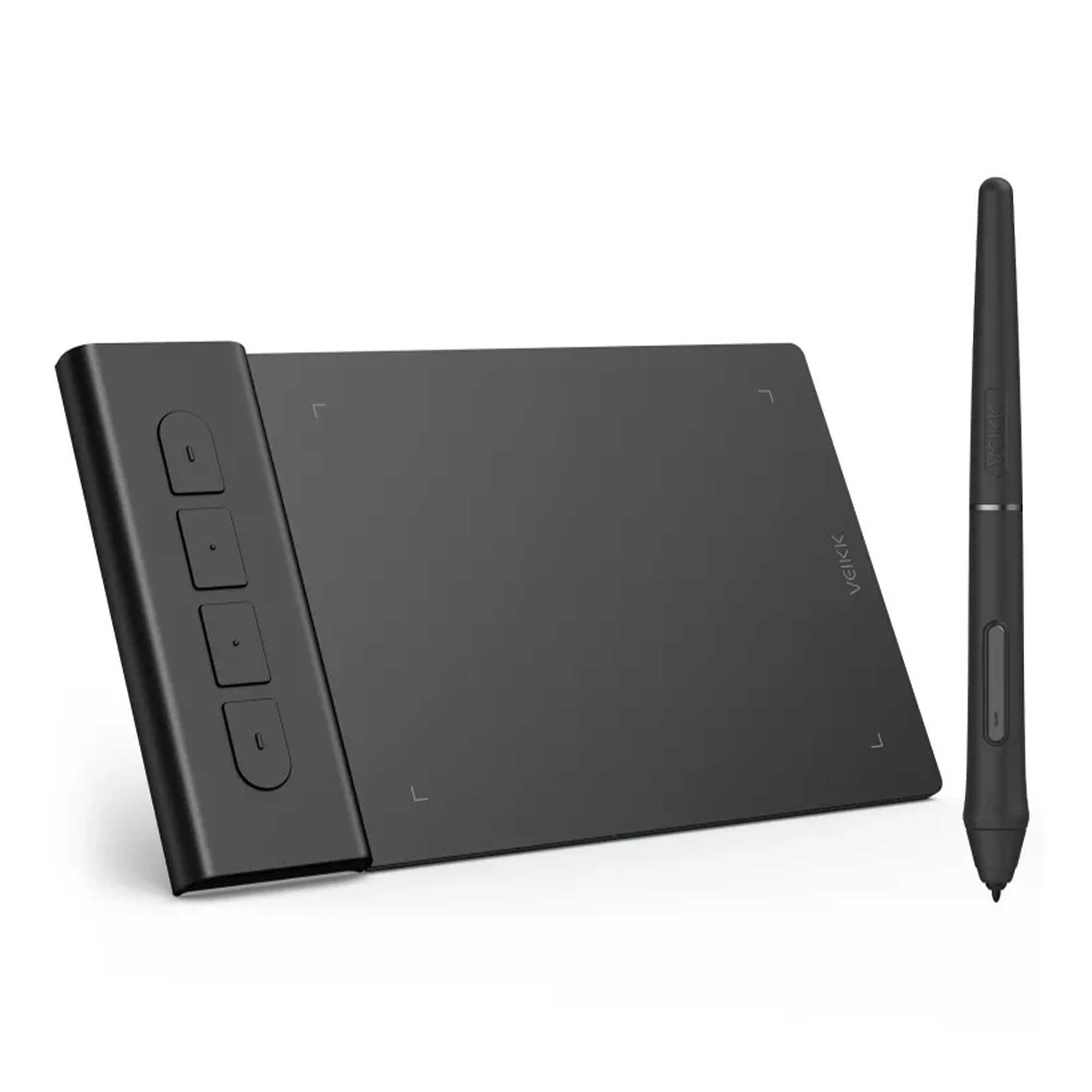
🖌️ Elevate your digital canvas—where precision meets portability!
The VEIKK VK430 is an ultra-thin, lightweight 4x3” drawing tablet featuring a battery-free pen with 8192 pressure sensitivity levels and a blazing 290 PPS sensor rate. Designed for seamless compatibility across Mac, Windows, Android, and Linux, it offers 4 customizable shortcut keys and plug-and-play ease—ideal for digital artists, OSU gamers, remote workers, and e-learners seeking professional-grade precision on the go.


| ASIN | B09TZS1F4Q |
| Are Batteries Included | No |
| Best Sellers Rank | 24,493 in Computers & Accessories ( See Top 100 in Computers & Accessories ) 62 in Graphic Tablets |
| Brand | VEIKK |
| Colour | Black/White |
| Customer Reviews | 4.0 4.0 out of 5 stars (358) |
| Date First Available | 9 Mar. 2022 |
| Guaranteed software updates until | unknown |
| Item Weight | 84 g |
| Item model number | VK430 |
| Manufacturer | VEIKK |
| Operating System | Android, Linux, Mac OS, Windows |
| Processor Brand | Samsung |
| Product Dimensions | 10.16 x 7.62 x 0.1 cm; 84 g |
| Screen Resolution | 8192 |
| Series | VK430 |
| Standing screen display size | 3 Inches |
N**I
A lot better than expected for it's size
Drawing tablet for Mac/Chromebook/windows/android This is a fab little drawing tablet and better than I thought it would be for it's little size. This is roughly 16cm x 10cm x 0.5cm, with a drawing area of 10cm x 8cm and 4 shortcut key buttons. These buttons as well as the pen, allow you to customise the drawing tablet to suit you and your style, you can even set it to left or right handed too. It feels well made, sturdy and durable. You have a 155cm USB cable to power it with, this will not work with an extender USB, you need to plug it in directly if you're using a Pc. You can use it with laptops, tablets and your phone too, the phone needs a USB adapter. You have the drawing tablet pen, which has two buttons on, this is roughly 15cm long, this comes with 8 replacement nibs, a nib remover tool and it doesn't need batteries to work, so that's good. The set up is really easy, you need to download the software, which is quick to install and simple to follow. Once you've installed this you have a little app as such, to customise the drawing tablet. In the app you can change the button functions on the pen, you have many options for what you want this to do, I kept one as an eraser, as it's easy to remove small areas. You can change the pressure and sensitivity you want it to have, to suit your own drawing style. You can customise the shortcut keys, I kept one as an 'undo' button, which makes it really easy to erase larger parts you want rid of. Also I kept two as zoom in and out, which helps draw in those tiny areas when necessary. You can map your work area, so you can set it to use all or part of the drawing area, set it to size scale with your screen, use right handed or left handed style and a few more. Using the tablet itself is fantastic. Whilst you're hovering over the tablet, you can see on screen where you are exactly, it won't start drawing until you put that pen to it. It won't pick up your hand leaning on it or anything like that. Drawing away is easily done. You can use other areas of the monitor screen with your pen, so you can change colours, pen line widths, open new pages etc with the pen itself. I would recommend this. I think it's brilliant for a starter drawing tablet, definitely better than I expected it to be. Good quality, works well and easy to use.
D**S
My laptop hated it. Not really useful for what j wanted it for anyway.
Returned with no argument.
G**T
compact, thin and convenient
this is a 4.3 inches drawing tablet, it’s very compact, thin and convenient, i ordered it for my kids to play picture colouring with their computer it supports windows 10 perfectly, plug and play so no driver is required, anyway i installed the veikk driver as i’m able to customize the hot keys and pen buttons with it despite of its small size, it has 8192 levels pressure sensitivity, it’s able to control the drawing line thickness by applying correct force it’s responsive and relatively accurate, the tablet is small so the pointer could travel to anywhere of the screen very quickly, hands need to be very stable for precise positioning all in all, i’m satisfied with this product, would recommend
V**C
Wrong cable?
Says works on android but doesn't needs an adapter for USB cable
S**W
Drawing Tablet
The graphics tablet comes nicely packaged in a presentable box for giving as a gift. This tablet is really small and compact, ideal if you need to carry it around in a laptop case. It measures just 10cm by 16cm. Although it is small in size it provides a large enough area for drawing. The pen is very smooth to use and it is very easy to control. It also nicely comes with a pack of spare nibs should you need them. I used the tablet with MS Paint and found it very easy to draw with and select drawing objects from the menu. I simply plugged it in and it worked straight away so it is very plug and play. There is a driver that you can also download that allows you to program the buttons on the right hand side. There is a small but easy to read manual. I am extremely pleased with this little tablet, I have found no issue with it so far. I hope you find my review useful. Thanks
V**S
Really good!
What a good device! Its really well made. Its tiny and i really like it for note writing or custom texts It works perfectly with my pc. Pen is accurate and well performing Macro buttons are nice and clicky Overall really like it! Very good!
Y**S
Works well out of the box
I've got this working straight out of the box and the results so far are impressive. Although quite small, this unit is well made and provides a high degree of accuracy. I'm not a designer and I've never used a drawing tablet before but it is fun to play around with and will come in handy for the odd bit of DIY design work. Really reasonably priced as well, just under £25 which is a real bargain. Recommended.
C**.
Slight faff setting up, but pleased
Ordered this having never used any kind of graphics tablet before. Had some difficulty getting it set up on my laptop (somewhat temperamental, older dell), but no issues on my daughter’s very new legion - plugged in and it was good to go. Still getting to grips with the programmable buttons etc., on the stylus, but have turned swipe on to zoom in/out, and adjusted my pressure settings. The fault is definitely with me as the user, but as someone used to paper and pencil, I’ve found the smaller size of the tablet a little bit of an adjustment, as well as getting used to looking at the screen rather than where my hand is moving. It’s good value for money, though, currently working consistently, and with time and practice, I’m hoping to knock out some semi-decent digital graphics. Or at least better than what I managing at the minute!
E**E
Cadeau pour mon fils il est ravi pour l’instant le produit fonctionne très bien à voir dans le temps
J**D
Seems to be working well.
J**.
OK, first of all... this thing is tiny! But it works amazingly. It's about half the size of a mouse pad. So, if you're short on room on your desk, this is the thing for you. Set up was a breeze and highly responsive. I mainly use it to mark up screenshots or take notes with Paint. If you are looking for something simple and that works, then I highly recommend this gadget.
T**O
最初動作がなにかおかしい感じがして、OSUをプレイしようとしても反応しなかったりと、かなり焦りましたがメーカーの公式アプリを商品紹介動画と同じように入れると、最新バージョンになったのかすんなりと動作するようになりました!動作自体は何も不自由なく完璧です。質感や肌触りもよく、ちゃんとカーソルも遅延なく追順してくれます
S**R
Ich hatte schon mehrere Rezensionen geschrieben da ich am anfang Probleme mit dem Tablet hatte muss jetzt aber noch Mal komplett updaten. Ich spiele damit osu hatte anfangs wie gesagt Probleme mit Software und pen diese wurden aber mit dem super Support gelöst. Für den Preis ist das Tablet einfach nur der Hammer. Man kann es auch super als Hover Spieler nutzen. Ich habe noch ein Video der Rezension beigelegt in dem ich mit dem VK 430 eine map spiele für die man schon etwas preziese und schnell sein muss. Auch an die verkaufer super Deal danke nochmal.
Trustpilot
3 weeks ago
2 days ago