Some deliveries may take a little longer than usual due to regional shipping conditions.

DOWNLOAD THE APP


Customer Services
Copyright © 2025 Desertcart Holdings Limited
DOWNLOAD THE APP
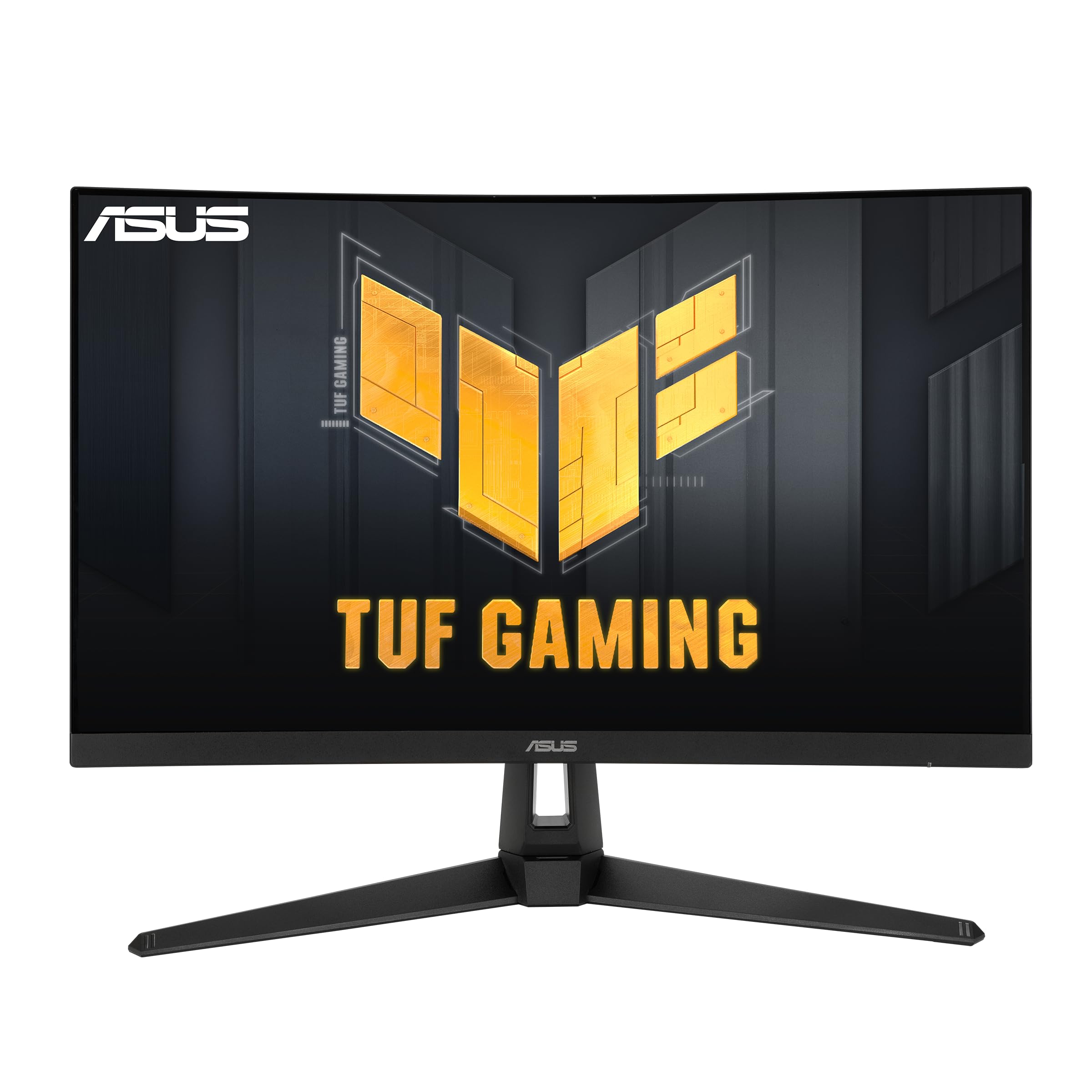


🔥 Level up your game with ASUS TUF’s ultra-smooth curved powerhouse!
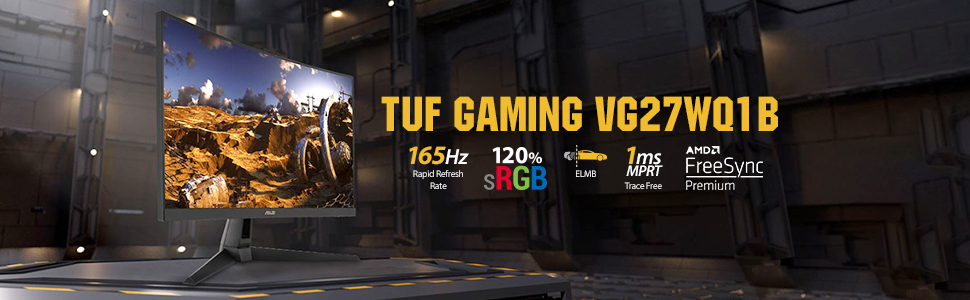
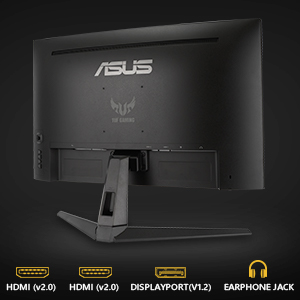
The ASUS TUF Gaming VG27WQ1B is a 27-inch curved QHD monitor featuring a 2560x1440 resolution, 165Hz refresh rate (supports 144Hz), and 1ms response time with Extreme Low Motion Blur technology. Designed for professional gamers, it supports FreeSync Premium for tear-free visuals, HDR10 for lifelike colors, and includes eye care certifications to reduce fatigue. Robust connectivity options include dual HDMI 2.0 and DisplayPort 1.2, making it a durable, immersive display ideal for competitive and immersive gaming.




| ASIN | B088MKHW7M |
| Are Batteries Included | No |
| Best Sellers Rank | #62,677 in Computers ( See Top 100 in Computers ) #1,685 in Computer Monitors |
| Brand | ASUS |
| Color | BLACK |
| Customer Reviews | 4.5 4.5 out of 5 stars (2,626) |
| Date First Available | 6 June 2020 |
| Item Weight | 5.5 Kilograms |
| Item model number | VG27WQ1B |
| Manufacturer | Asus |
| Number of HDMI Ports | 2 |
| Number of USB 3.0 Ports | 2 |
| Product Dimensions | 47.52 x 61.03 x 21.38 cm; 5.5 kg |
| Resolution | 2560 x 1440 Pixels |
| Screen Resolution | 2560x1440 |
| Series | VG27WQ1B |
| Speaker Description | Built-in Monitor |
| Standing screen display size | 27 Inches |
| Voltage | 100240 Volts |
M**E
The only issue in the screen is its a VA panel
The screen is very good but goes black screen regularly High refresh rate Wide angel It comes with HDMI and Display port cables The only problem for being a VA panel is color density
M**E
I recently got my hands on the ASUS TUF Gaming 27" 1440P HDR Curved Monitor (VG27WQ1B), and let me tell you, it's been a game-changer for me. The first thing that caught my eye was the stunning QHD resolution of 2560 x 1440—it's a noticeable step up from the usual Full HD experience. Coupled with the 27-inch screen size, every detail in my games and videos pops with clarity and vibrancy. But it's not just about the resolution—the 165Hz refresh rate takes gaming to a whole new level of smoothness. Whether I'm racing through intense action sequences or exploring vast open worlds, the fluidity of motion is truly immersive. And let's not forget the HDR support, which adds depth and richness to colors, making every scene feel more lifelike. One of the standout features for me is the curved design. It might seem like a minor detail, but it actually enhances the viewing experience by wrapping the screen around me, pulling me deeper into the game. Plus, the thin bezels create an expansive field of view that's perfect for multi-monitor setups or just maximizing screen real estate. In terms of performance, this monitor doesn't disappoint. Thanks to ASUS's TUF Gaming pedigree, it's built to withstand long gaming sessions without breaking a sweat. The build quality feels solid and durable, and the stand offers plenty of adjustability options to find the perfect viewing angle. Connectivity-wise, it's got everything I need: DisplayPort 1.2 and HDMI 2.0 ports ensure compatibility with a wide range of devices, while the built-in speakers provide decent sound quality for casual gaming and multimedia playback. Overall, I couldn't be happier with my purchase. The ASUS TUF Gaming 27" 1440P HDR Curved Monitor (VG27WQ1B) delivers an exceptional gaming experience that's hard to beat in this price range. Whether you're a hardcore gamer looking for a competitive edge or just want to elevate your entertainment setup, this monitor ticks all the right boxes.
S**M
It lasted only a few years before it breaks down.
M**E
You get what you pay for. This is a lower price point monitor for upgrading from 1080p to 1440p and higher refresh rate. Overall, it's a good monitor for the price point if you're looking to get into the 2K 1440p game experience with a decent and noticeable improvement when gaming with the higher refresh rate. The packaging was great, it's a nice-looking monitor, but with time and use I started noticing a subtle white flickering and it was quite annoying. I immediately recognized the flashing was most likely in reference to a refresh rate issue or adaptive frame syncing. It would consistently flash white, and it was not too noticeable, but yet still annoying. I looked into the issue and found some old forums and other complaints about the same issue going back 4 years. With some troubleshooting I was able fix the issue. I'm using an AMD card so in order to correct the issue you have to go into the AMD Adrenaline software>click on settings>Display and disable the AMD Freesync Premium which enables AMDs software driving refresh rate which obviously does not align with this monitor. I have attached a screenshot for reference for future possible buyers. If you are running an Invidia card I would look for any settings in reference to v-sync, adaptive refresh and anything pertaining to refresh rate syncing. Since correcting the issue I'm very happy with the quality and performance of the monitor. The higher refresh rate at 165hz is a world of difference and gives you an edge of response when playing any game. Even with consideration to a little tweaking of the settings this is a great monitor for the price and would suggest it if you looking to spend less but still get the 1440p experience with the higher refresh rate.
N**F
الشاشة جميلة وممتازة جداً وتناسب استخدامي الوانها جميلة ووضوحها ممتاز سواءً اذا اتابع فلم او اللعب الشاشة va يمكن ما تناسب بعض الاشخاص لكن بالنسبة لاستخدامي الي هو كونسل اعتبرها ممتازة جداً دائم شوف وش استخدامك والي يناسبك والسعر الي يناسبك قبل تشتري شيء
C**N
Tenía un monitor de 24 pulgadas 1080p de 75 Hz, por lo tanto comentaré que tanto vale la pena hacer el salto a un monitor de este tipo. Es mi primera vez con un monitor curvo, se ve raro, pero al mismo tiempo se siente bien, lo notas al trabajar o al ver videos, etc, sin embargo a la hora de jugar te adentras en el juego y no te das cuenta que el monitor es curvo. De la calidad de imagen muy bien, tiene 7 modos de imagen, 3 de ellas tienen algunas restricciones pero las otras 4 se pueden configurar por completo, es suficiente, yo he configurado un modo para jugar de día, otro de noche, otro para ver youtube o videos de noche, otro para trabajar con fotografía de noche y el modo rgb calibrado que es muy brillante lo uso de día para trabajar con fotografía. Tiene un poco de sangrado de luz que solo se nota en la noche, jugando no se nota mientras la imagen tenga zonas brillantes y otras oscuras lo cual es el 99.9% del tiempo, solo lo he notado si veo youtube con algún concierto donde la imagen tenga bastantes zonas oscuras y seguramente se nota también viendo películas o series, personalmente no me afecta, yo suelo ver películas, series y conciertos de youtube en mi TV en la sala por lo que realmente no me afecta el tema del sangrado. Sí tú vas a usar el monitor para ver Netflix, etc y conciertos de youtube quizás sí te convenga investigar y optar por un monitor sin problemas de sangrado de luz. Con sangrado de luz me refiero a que cuando la pantalla debe ser completamente negra no muestra un nivel de negro uniforme sino que se ven zonas principalmente de arriba y de abajo de la pantalla más brillantes, al ver películas o conciertos donde se muestren imágenes con zonas completamente negras se notará este efecto y puede ser molesto, para trabajar no se nota y para jugar en forma práctica tampoco se nota porque los juegos no suelen mostrar imágenes con grandes zonas totalmente negras, creo que la mejor muestra es Hollow Knight, por el tipo de gráficos se requiere que la pantalla tenga niveles de negro muy buenos, es decir que sean muy oscuros y que tenga un buen contraste dinámico, y realmente se puede jugar a Hollow Knight sin problemas, los negros sí son bastante profundos y el contraste dinámico es muy bueno, en este juego a veces sí se nota el sangrado de luz pero en el 90% del tiempo no lo notarás y en el restante 10% lo notarás a un nivel muy bajo, nada molesto, por cierto Hollow Knight puede correr a 1440p a 165 Hz y uffff que chulada jugarlo así, super responsivo. La resolución y tamaño yo los considero la mejor opción, se siente muy bien el salto desde 1080p, creo que 1440p tiene un grado de confort ideal, siento que 4K es un tanto innecesario para monitores, definitivamente prefiero este monitor 1440p a 165 Hz que uno 4K a 60 Hz. El monitor es compatible con Gsync con el Display Port, funciona perfecto con mi 2070. Hay videos en youtube donde hacen experimentos y han comprobado que entre más Hz tenga un monitor se reacciona más rápido al jugar online, personalmente yo solo juego single player, por lo que el salto de Hz solo afectaría a mi confort de ver todo más fluido, en mi experiencia, sí se aprecia el salto de fluidez, pero realmente no aumenta mucho el confort, jugar a 75 Hz ya se siente bastante fluido por lo que realmente no se siente el cambio tan abismal como saltar de 30 a 60 Hz, yo tengo una 2070 por lo que la mayoría de los juegos los corro a 90 o 100 Hz y algunos pocos a 120 o 165 Hz, pero por ejemplo, Red Dead Redemption 2 lo corro a 60 Hz y siento que corre super bien, super fluido, claro que depende mucho el tipo de juego, juegos en tercera persona o en general casi todos los juegos se benefician poco al correrlos por encima de 75 Hz, incluso los FPS, si juegas con mando el aumento de Hz no se siente tanto, sin embargo si juegas con mouse y teclado ahí sí es donde sí se disfruta el aumento de Hz porque la mira gira muy rápido y ahí sí se nota mucho la diferencia de jugar de 60 Hz a 100 o más Hz. El HDR es basura, al usar HDR con algún juego no se puede calibrar la imagen si no que entra en ajustes fijos predefinidos del monitor, son 3 pero no hay mucha diferencia entre ellos y todos son muy brillantes y hace imposible de jugar en la noche a menos que quieras que se te quemen los ojos y en general, no puede ser posible que no te permita calibrar los colores, etc. El HDR de playstation con una TV Sony o Samsung se ve mil veces mejor que en este monitor porque ahí sí puedes configurar la imagen al gusto. En conclusión, creo que el monitor es excelente, estoy muy satisfecho, la resolución y tamaño para mí son ideales, el diseño curvo se siente bien, los modos de imagen y calibración de colores etc muy bien, para mis necesidades está perfecto, es decir, para trabajar y jugar single player, no me quejo de poder jugar a muchos Hz pero realmente no lo he sentido como algo super revolucionario y super necesario, estaría casi igual de cómodo con 75 Hz. Que el HDR sea malo no me afecta porque realmente el HDR es útil para mostrar imágenes con un degradado de tonos muy sutiles, lo cual es muy útil al ver películas o series en HDR sobre todo en escenas oscuras, pero en los juegos por lo general no hay muchas escenas oscuras, casi siempre la imagen de los juegos tiene cierto nivel de contraste alto que no permite apreciar las diferencias sutiles de los tonos de colores. Si buscas un monitor para trabajar y jugar single player con mando, es una buena opción pero tal vez te convenga mejor buscar un monitor que igual tenga buena calidad de imagen, que sea 1440p y 75 Hz que son más baratos y que no tenga el sangrado de luz para que también puedas utilizarlo para ver películas y series. Si buscas un monitor para trabajar y jugar multiplayer, el monitor está excelente, la diferencia de costo contra un 1080p no es tanta y aquí tienes casi el doble de pixeles y jugar FPS con mouse y teclado por encima de 100 Hz se siente muy bien comparado contra jugar a 60 Hz. Si quieres un todo en uno pues este no es el monitor ideal, por el problema del sangrado de luz será molesto al ver películas y series y las opciones del HDR son muy malas, realmente jugar en HDR con la luz apagada te va a quemar los ojos. Edit. Nex Machina se juega super bien, para correrlo bien lo tengo en Ventana Sin Bordes y con el V Sync del juego desactivado y corre superbien a 140 Hz en promedio sin screen tearing gracias al G Sync, con la configuración de pantalla completa se activa el HDR lo cual no me gusta porque la imagen es muy brillante y así no puedo jugarlo de noche, además así solo corre a 60 Hz. Nex Machina es el juego donde más se nota el cambio de 60 Hz a 140 Hz, en este juego la pantalla se llena de balas y enemigos y a 140 Hz todo se ve super fluído, realmente parece otro juego al jugarlo así, se ve precioso. Super satisfecho con el monitor. Después de un par de meses de uso ya estoy muy satisfecho con este monitor, ya he podido jugar varios títulos a más de 120 Hz, PES2021, Dirt 4, Dirt Rally 2, Project Cars 2, GTA V, Doom, etc y la verdad estoy muy contento de jugar con tanta fluidez, algunos otros juegos lo he podido jugar a 80-100 Hz como los Assassin, Nier Autómata, Red Dead Redemption 2, Horizon Zero Dawn, etc y se sienten muy bien; sigo considerando que en 60 Hz ya se tiene un buen nivel de confort pero a más de 100 Hz la fluidez se siente muy bien. Con respecto al sangrado de luz, ya vi a qué se debe, al ser monitor curvo, para ver todos los pixeles perpendiculares al monitor hay que verlo a 40 cm de distancia aprox, de esta forma la uniformidad del negro es muy buena, no perfecta pero sí muy buena, de esta manera perfectamente se pueden ver películas o conciertos de youtube con un nivel de sangrado muy muy bajo nada molesto, sin embargo, al ver el monitor a 1 m de distancia, por la curvatura, solo el area central está perpendicular al monitor y en los extremos es como ver un monitor plano ligeramente de lado, por eso desde esa perspectiva muchas zonas de la pantalla empiezan a tener sangrado de luz y la uniformidad del negro es muy mala, lo cual es lo que pasa cuando vemos una película o concierto en youtube que normalmente nos alejamos del monitor, si nos volvemos a acercar a esos 40 o 50 cm la uniformidad del negro vuelve a ser muy buena, es decir, por el diseño del monitor curvo, la calidad de los negros está calibrada, por así decirlo, a la distancia de 40 o 50 cm, si nos alejamos mucho de eso es cuando se tiene el problema de uniformidad mala de negros.
Trustpilot
2 weeks ago
2 weeks ago