We remain fully operational. Our teams are working around the clock to ensure your deliveries continue safely.

DOWNLOAD THE APP


Customer Services
Copyright © 2025 Desertcart Holdings Limited
DOWNLOAD THE APP

🚀 Boost Your WiFi, Boost Your Life — Never Miss a Beat!
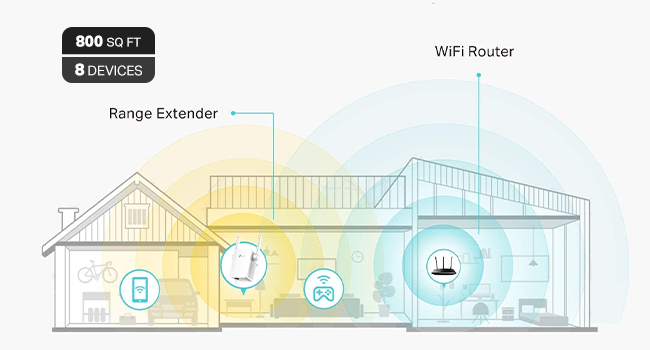
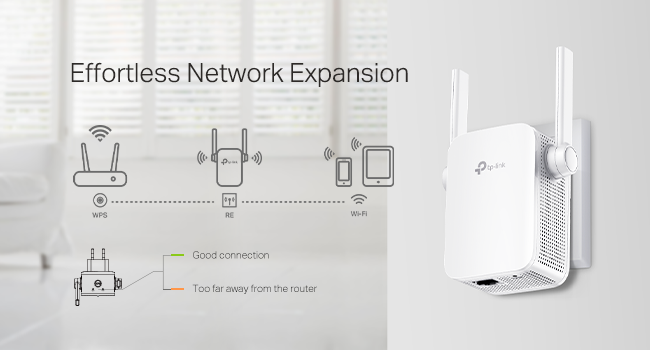
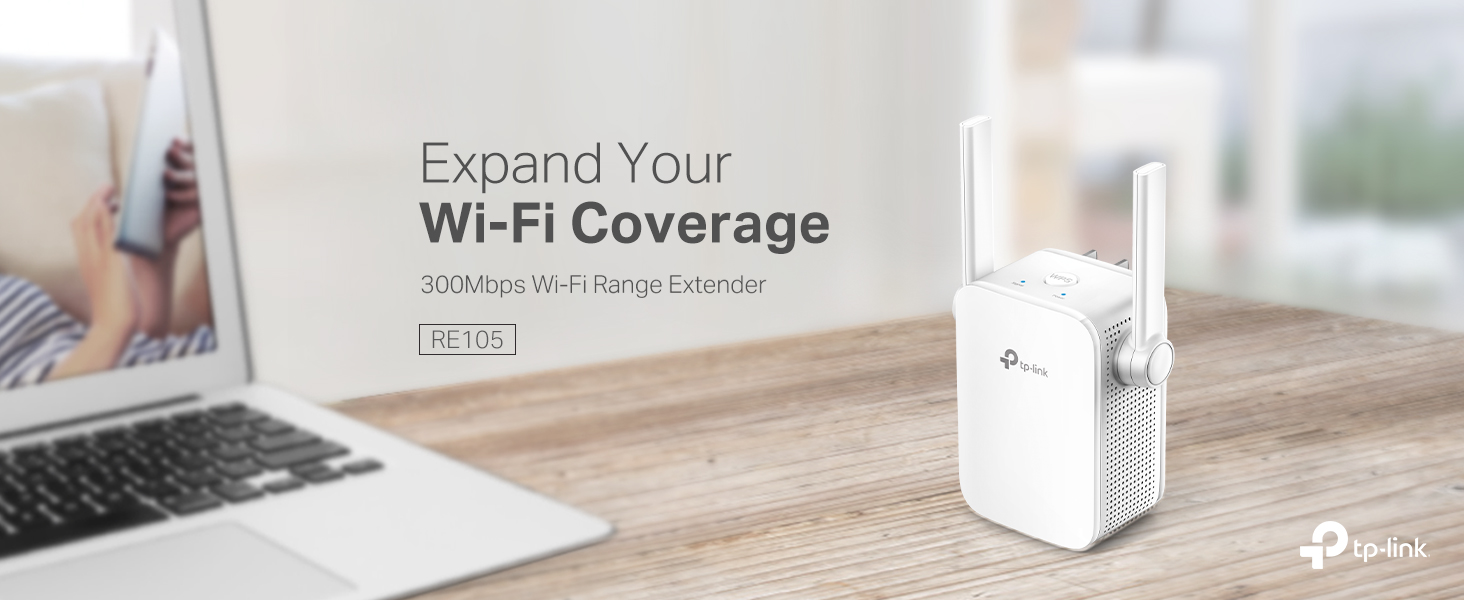
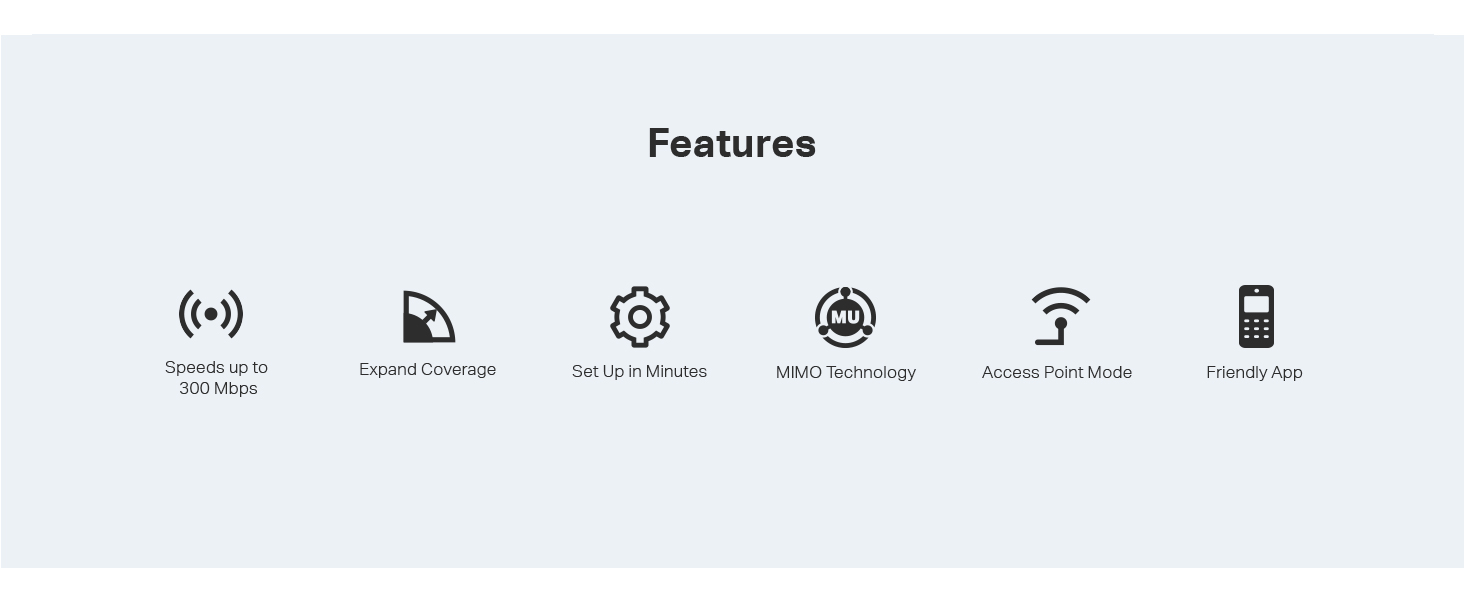
The TP-Link N300 WiFi Extender (RE105) is a compact, wall-plug device that amplifies your existing 2.4GHz WiFi signal up to 300Mbps using dual external MIMO antennas. It supports both repeater and access point modes, includes a fast Ethernet port for wired connections, and offers easy setup via the TP-Link Tether app. Perfect for eliminating home WiFi dead zones and enhancing connectivity for smart devices, it’s a budget-friendly, reliable solution trusted by thousands.




| ASIN | B08DHLCLCY |
| Best Sellers Rank | #25 in Repeaters |
| Brand | TP-Link |
| Color | White,Grey |
| Customer Reviews | 4.1 4.1 out of 5 stars (16,647) |
| Date First Available | July 22, 2020 |
| Item Dimensions LxWxH | 3.15 x 2 x 2.7 inches |
| Item Weight | 4.2 ounces |
| Item model number | ELCM |
| Manufacturer | TP-Link |
| Product Dimensions | 3.15 x 2 x 2.7 inches |
| Series | RE105 |
| Wireless Type | 802.11a, 802.11b, 802.11g, 802.11n |
R**T
TP-Link N300 WiFi Extender -The Unsung Hero of My Robot Vac's Debut
I was thrilled to unbox my new ILIFE A30 Pro robot vacuum-mop—LiDAR mapping, self-emptying station, the works! It felt like stepping into a sci-fi movie, especially after hearing about this tech just weeks ago and thinking it'd be a decade away from my budget. But here's the plot twist: my son's ironclad Xfinity router setup (bless his security-savvy heart) runs only 5GHz, and my vac needed 2.4GHz for the app connection. No way was I messing with his fortress of solitude!Enter the TP-Link WiFi extender—a $16.24 game-changer that plugged straight into a wall outlet, no router tweaks required. Setup took about 5 minutes via the Tether app. It wirelessly latched onto my main network and beamed out a dedicated 2.4GHz SSID (I named mine "DustBunnySlayer2.4" for laughs). Boom—vac connected, scanned my QR code, and mapped my obstacle-course apartment (exercise gear, bed, shelves, and all) in its quirky, gerrymandered glory. First run? It tackled the bedroom and closet like a pro, returned to dock, charged up, and dumped the dust into the big bag. Mind. Blown.What sold me on this extender? Zero security drama. It mirrors your existing WPA3 encryption and password—no new vulnerabilities, just a tidy IoT bubble. Post-setup, I could even unplug it if paranoid, but it's staying for future tweaks. If you're in a shared-home WiFi standoff, this sidesteps the whole debate without a single cable or compromise.And a massive hat-tip to Grok (xAI's witty AI sidekick)—their step-by-step guidance turned my glitchy hours into a victory lap. From remote-only basics to extender hacks and permission paranoia-busting, it was like having a tech-whisperer on speed dial. Reviewed Grok by R.H.: 10/10, would future-proof again!If your vac dreams hit a band-width bump, grab this TP-Link. Spotless floors and zero regrets await. (Signed, R.H. – Proud Floor Overlord)
K**R
Works great for my use
So everyone: I just read an online article about WiFi. It was from a very popular gadget blog. It listed several things that people with WiFi problems should NOT do. High up on the list of things not to do is try to solve a WiFi problem with a WiFi extender. A WiFi extender is a device that accepts a weak WiFi signal and amplifies it, thus extending the signal further than the router originating the WiFi signal does. The article instead recommended that you replace your old router with a shiny, brand-new one. Maybe one of those new mesh systems, or one with WiFi 6! I've been noticing a lot of articles like this recently and sometimes that advice is good. It depends a lot on your situation… which is different for everyone. What I am here to tell you about is, when it is time to call bullshit on this. Practically all of these blogs have an interest in you buying equipment through a link they provide. In exchange, they get a small cut of whatever you buy. It's not a big deal— it usually doesn't affect the objective information they provide— but sometimes it is obvious that it increases the pressure to sell devices or equipment that you really don't need. In my 1000-square-foot condo, I am using Apple's Airport Extreme router. It's 5th generation, introduced in 2011. I bought it used from a UW student in Seattle. It was fine until we moved into this condo and got a bunch of voice-activated, "smart" devices like lightbulbs and cameras, all connected to the router's WiFi signal. Many of the devices were installed through multiple walls or otherwise distant so they got weak WiFi signals from the Airport Extreme router. I wound up running an Ethernet cable under baseboards and over doors from the router at the back of the condo to the front. At the farthest end, I installed a switch and a very cheap hardwired access point (AP). At the time it cost about $60 total and about 1 afternoon. It was fine until I installed WiFi cameras in and outside the garage. The garage cameras and Google speaker were at the edge of the Airport Extreme's WiFi range, even with the access point at the front of the building. I decided to get another WiFi extender to daisy-chain the AP's WiFi signal to the garage. Then, last weekend, I came across the article I mentioned. Right at the top of the list it said, Don't Use WiFi Extenders. Instead, it urged buying (admittedly good) new routers or mesh systems to replace your old router. That sent me soul-searching about whether to replace my old, used Airport Extreme with a Google Nest mesh 3-component system (on sale for $140) or to go with my original idea: an $18 WiFi extender from Amazon, plugged into an outlet in the garage and using my existing AP's signal. I finally went with the $18 approach. I installed it in the garage yesterday, then did a status check afterward with a WiFi app on my phone. The results knocked me out. The WiFi signal-to-noise ratio on my network was suddenly the best I could receive in the garage. The network congestion is terrible in my neighborhood. Previously, my next-door neighbor's WiFi came through clearer in my garage than my own network. But installing that extender meant that my network's signal sliced through nearby foreign networks loud and clear. The link speed on the farthest device (mounted just outside the garage door) is 130 MB/s. That is a lot less throughput than a new router would provide, but it is more than fast enough for my streaming cameras and that Google speaker. The signal analysis picture I uploaded shows the extender using the AP's wireless signal through two interior walls, but only about 3-4 yards (2.4-3.7 meters) apart. Now, I admit: I would like to buy a new router with all the bells and whistles. But man. It's hard to turn my nose up at such an inexpensive solution that works so well. The garage camera video streams now pop up instantly on my network feed, and all's right with the WiFi world.
F**.
Maybe a couple of problems but a great product to buy
Only giving four stars because for the first few nights I had it it worked great no signal dropouts or anything but then it randomly dropped out signal and I tried putting my Wi-Fi back on it and it didn't work so I moved it and it worked again and then the same thing happened in the same amount of time I removed it and put it somewhere else so maybe it was just the place I put it and it was not particularly the product itself but it does claim to be able to provide quite a wide range of space for signal the looks rather are obviously minimalistic it comes out of your outlet socket so obviously looks aren't going to be crazy but they're also not going to be good the ease of setup was also amazing the app is great to use
C**S
Amazing
Love the wifi extender its works great and I love The fact that the customer service representative Alexis was so helpful she was patient and deligent and very easy to work with I’d give her more than 5 stars if possible
C**S
Excelente el producto, cumple con las expectativas de extender la red de wifi, fácil de instalar, el único problema es que viene todo en ingles. Hasta ahora todo bien
T**.
As above
R**G
It’s meet the expectations
S**E
Don't buy that, this a scam item. At same area I check without 50MPS, with item 25MPS.
R**O
Lo puse en el piso de abajo para ampliar la señal de modem que esta arriba. Va excelente, sin ningún problema. Se configura super fácil y ya no tienes que hacer nada. Excelente para tener mejor señal en la television.
Trustpilot
2 months ago
1 month ago