
DOWNLOAD THE APP


Customer Services
Copyright © 2025 Desertcart Holdings Limited
DOWNLOAD THE APP

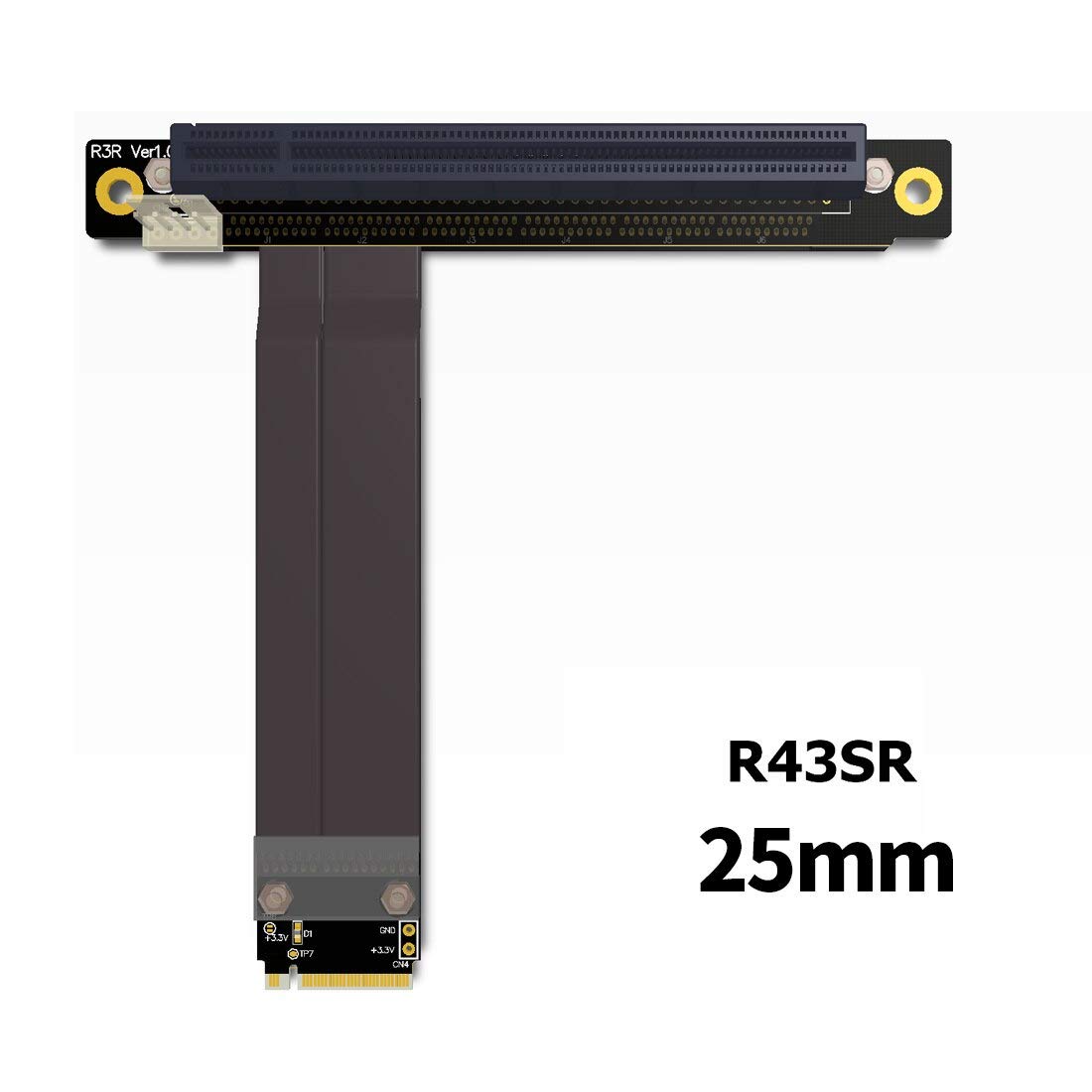

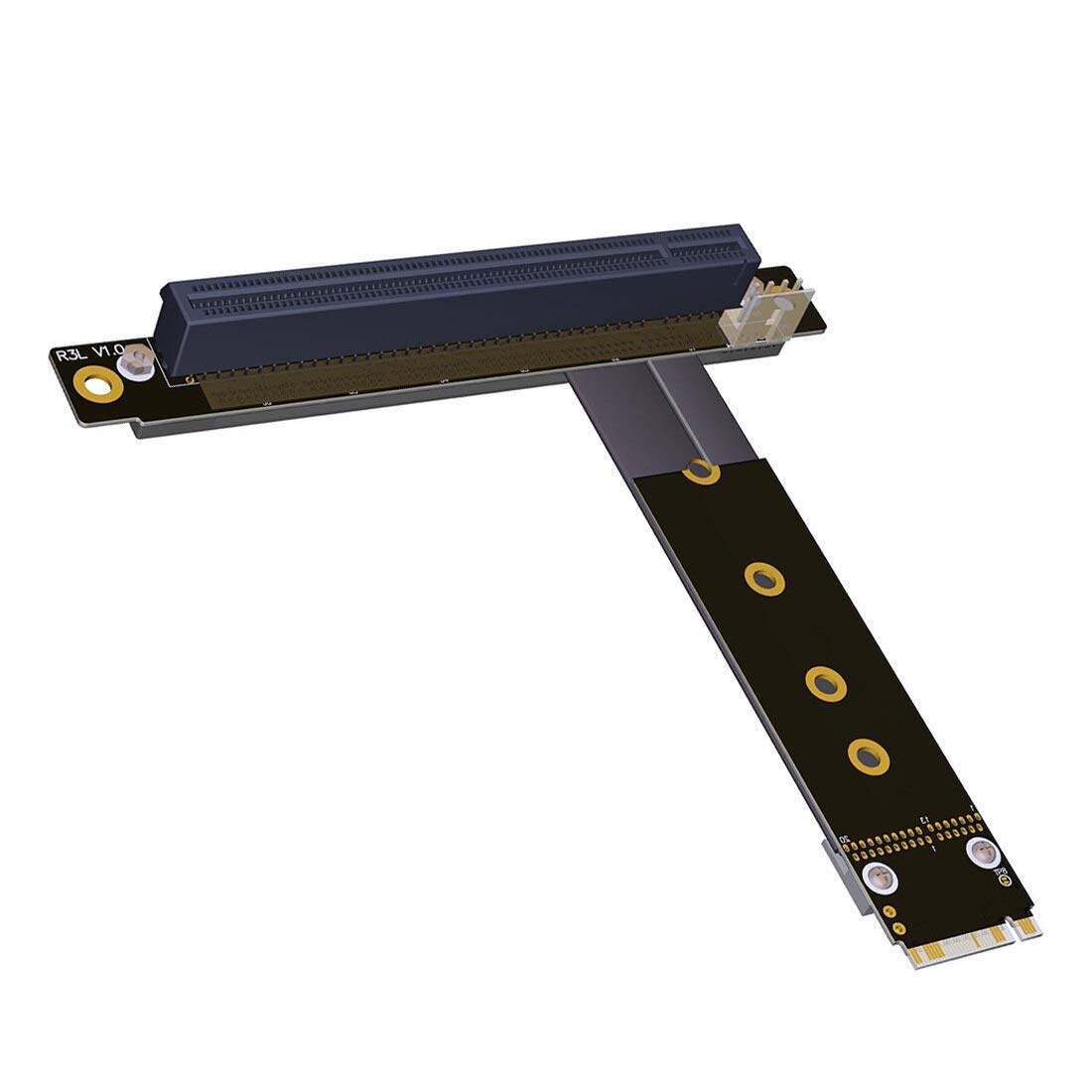


🚀 Elevate Your Gaming Experience!
The ADT-LINK M.2 NGFF NVMe Key M Extender Cable is a high-performance adapter designed to connect M.2 NVMe drives to PCIe x16 slots. With customizable lengths, superior signal integrity, and compatibility with top-tier graphics cards, this extender cable ensures optimal performance for both gaming and professional applications.
| ASIN | B07YDGK7K7 |
| Best Sellers Rank | #2,019 in Computer Graphics Cards |
| Brand | ADT-LINK |
| Cable Type | PCIe |
| Color | blue |
| Compatible Devices | SSD |
| Connector Gender | Male-to-Male |
| Connector Type | Pcie X16, M.2 Nvme M-key |
| Customer Package Type | Protective packaging |
| Data Transfer Rate | 8000 Megabits Per Second |
| Date First Available | September 26, 2019 |
| Frequency | 8 GHz |
| Indoor/Outdoor Usage | Indoor, Outdoor |
| Item Weight | 3.52 ounces |
| Item model number | M 2 NGFF |
| Manufacturer | ADT-Link |
| Number of Items | 1 |
| Number of Pins | 118 |
| Package Dimensions | 6.34 x 5 x 1.46 inches |
| Recommended Uses For Product | Extending connection between M.2 NVMe M-key slot and PCIe x16 slot, particularly for graphics cards |
| Shape | Round |
| Special Feature | High Speed |
| Specification Met | CE, IEC |
| UPC | 713091056558 |
| Unit Count | 1 Count |
D**I
speed and reliability as expected
I have two rtx 4070 ti on Rosevile case. They are giant cards and was very close to each other, making one of the card running 10C hotter than other. I was able to put the second card off the motherboard and now both cards running cooler. I ran some AI training and the card worked w/o any issue. Note: I had explicitly set m.2 slot to PCI Gen3, with "auto" the card didn't work. $ /usr/local/cuda-12.5/extras/demo_suite/bandwidthTest --device 1 [CUDA Bandwidth Test] - Starting... Running on... Device 1: NVIDIA GeForce RTX 4070 Ti SUPER Quick Mode Host to Device Bandwidth, 1 Device(s) PINNED Memory Transfers Transfer Size (Bytes) Bandwidth(MB/s) 33554432 3288.6 <==== as expected from 4x Gen3
J**A
Works as intended at PCI-E 3.0 x4 with GPU or NVME
Works as intended get this if you want a more closed straight direct connection to your gpu or wifi card or nvme ssd instead of Occulink even though it is the same thing
D**.
Super - runs a quatro GPU in NAs with no issue
No complaints - get the long one if your not sure about reach.
M**R
It Works.
I was kind of skeptical. But it works. I had some issues with my PCIe 8x slot because it's shared with a 1x slot. Once I rearranged my devices it works like a charm. I used a M.2 expansion card in a PCIe 8x slot. Make sure your slots aren't shared with other PCIe 1x slots. Other than that it should work right out of the box if you just use your M.2 slot directly on the board. Make sure to get the long version if you're using it with a desktop. I ran it through a slot panel for one of the expansion card slots below it. It was kind of a tight reach so I cant imagine how people could be using the short version. I mounted it on a wood block I bought months ago which stabilizes the card in place. Used for a GTX 1070ti GPU, plan to use it for a 3080 in the future. Update 3/3/2023 I didn't get the 3080 yet but I did add a Intel Arc A380 because I wanted to try out the AV1 encoding. It was a bit tricky to get working but it works also. My issue was I was starting the eGPU a second after I started my PC. What you need to do is start the external GPU first and let the fan spin then start your PC and everything will work fine like Nvidia cards. What I'm using------------------------------ GLOTRENDS M.2 PCIe NVMe 4.0/3.0 Adapter with 0.12 Inch Thick M.2 Heatsink for M.2 PCIe SSD (NVMe and AHCI), PCIE 3.0X 4 Full Speed, Desktop PC Installation (PA09-HS) https://www.amazon.com/GLOTRENDS-Adapter-Aluminum-Heatsink-PA09_HS/dp/B07FN3YZ8P/ref=sr_1_1?crid=2VLCXNGL594VM&keywords=GLOTRENDS+M.2+PCIe+NVMe+4.0%2F3.0+Adapter+with+0.12+Inch+Thick+M.2+Heatsink&qid=1654236132&sprefix=glotrends+m.2+pcie+nvme+4.0%2F3.0+adapter+with+0.12+inch+thick+m.2+heatsink%2Caps%2C362&sr=8-1 CRJ 24-Pin ATX Power Supply Jumper Bridge Tool https://www.amazon.com/CRJ-24-Pin-Supply-Jumper-Bridge/dp/B01N8Q0TOE/ref=sr_1_3?crid=8T79E29WZKOL&keywords=CRJ+24-Pin+ATX+Power+Supply+Jumper+Bridge+Tool&qid=1654236195&sprefix=crj+24-pin+atx+power+supply+jumper+bridge+tool%2Caps%2C56&sr=8-3 Cooler Master MWE 550 Bronze, 80+ Bronze Certified 550W Power Supply, 3 Year Warranty https://www.amazon.com/Cooler-Master-Bronze-Certified-Warranty/dp/B074ZQXBHX/ref=sr_1_2?keywords=cool+master+power+supply+550&qid=1654828277&s=pc&sr=1-2 Bright Creations Unfinished Wood Blocks for Crafts, 1 Inch Thick MDF Squares (4x4 in, 4 Pack) https://www.amazon.com/gp/product/B07R51CY99/ref=ox_sc_rp_title_rp_11?smid=&psc=1&pf_rd_p=89634936-9243-4a7f-a6d1-86659cd7c55b&pd_rd_wg=Jvlh7&pd_rd_i=B07R51CY99&pd_rd_w=puE5T&content-id=amzn1.sym.89634936-9243-4a7f-a6d1-86659cd7c55b&pd_rd_r=7177c5c9-f7e8-4f68-8f2e-d1b72cdaae8a
I**N
Worked on my MSI GP75 9SE i7-9750h laptop. Hooked up an rtx 3070 ti and it was a major improvement over the internal rtx 2060.
C**S
Produit conforme à l'attendu. Ce dernier permet de faire fonctionner une carte graphique Nvidia GT710 2go sans ventilateur de manière optimale (sans altération des couleurs) comparativement au connecteur Pci x16 de la carte mère.
M**E
Didn't work on a Gigabyte Z690i Aorus Ultra Plus and a Nvidia RTX3060. Didn't show up as a device in the BIOS or in Windows Device Manager.
Trustpilot
2 weeks ago
2 days ago