
DOWNLOAD THE APP


Customer Services
Copyright © 2025 Desertcart Holdings Limited
DOWNLOAD THE APP


🚀 Upgrade to ASUS RT-AX58U V2 — Because buffering is so last decade!
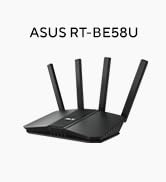
The ASUS RT-AX58U V2 is a cutting-edge Wi-Fi 6 AX3000 dual-band router designed for professionals craving fast, reliable, and secure home networking. Featuring AiProtection Pro security, Adaptive QoS, and extendable AiMesh technology, it delivers seamless coverage and prioritizes your most important devices and applications. Easy to set up with mobile tethering support, this router transforms your home or office into a high-performance digital hub, eliminating dead zones and lag for good.










| ASIN | B07YZXMRJD |
| Are Batteries Included | No |
| Best Sellers Rank | 14,997 in Computers & Accessories ( See Top 100 in Computers & Accessories ) 105 in Routers |
| Brand | ASUS |
| Colour | Black |
| Connectivity Type | Wi-Fi |
| Customer Reviews | 4.3 4.3 out of 5 stars (1,166) |
| Date First Available | 11 Oct. 2019 |
| Guaranteed software updates until | unknown |
| Item Weight | 538 g |
| Item model number | 90IG06Q0-MU9B00 |
| Manufacturer | ASUS |
| Operating System | ASUSWRT |
| Product Dimensions | 15.4 x 16 x 22.4 cm; 538 g |
| Series | RT-AX58U |
| Wireless Type | 802.11ax |
C**N
The best router I've ever used!!
I'm yet another victim of the notorious Virgin Media Superhub, which is mentioned a few times in the reviews of this product. Like the other victims, I too struggled with inconsistent download and browsing speeds and poor WiFi coverage from the Superhub and also struggled with Virgin Media themselves over the phone; "Yes, I've rebooted it and yes, I've checked the cables and no - it's definitely not a problem with two laptops, two smartphones, a tablet and a Chromecast in my house", but they refused to accept that it was down to a problem with the Superhub. I recently received a Synology DS216J NAS box as a birthday present and received a further kick in the teeth from the Superhub when I discovered that the transfer speeds between my laptop over WiFi to the NAS were trickling along at a pathetically slow 1.7Mb/s; this wasn't a great prospect when I was looking to transfer several gigabytes worth of files to it, so turned my efforts towards finding ways to resolve my networking woes. After a bit of googling, I discovered to my surprise that the Superhub can be wing-clipped and turned into a lowly modem through its configuration page (Something Virgin Media never thought of mentioning to me) and can subsequently have another router connected to it to take on the duties of pumping WiFi throughout the house, so it was with that thought that I decided to look for a sufficiently zippy router to connect to it. The problem when searching for things like routers is that there are simply thousands of ones available to buy and it can feel like wading through treacle trying to find a good one. Having gone through several of the things in my lifetime, I looked at reviews and settled on getting this Asus one after finding to my delight that it was nearly half-price on Amazon Prime. One of the buying factors was its dual 2.4 and 5GHz SSID's as I'd been having problems with only being able to choose one or the other with the (not so) Superhub, which was a problem as my wireless printer only supports 2.4GHz and was therefore causing everything else in the house to be dragged down to the lower throughput rate because of this, which wasn't much fun as it really seemed to adversely affect my laptop's AC-7260 WiFi card which is much happier when running on the 5GHz band. When the router arrived I relished the challenge of connecting it to the Superhub, the Synology NAS box and my various other bits of kit. I've often found routers in the past to be unhelpful, vague things which used acronyms for everything and be just about as clear as mud when it came to setting them up, but this is thankfully not the case with the Asus RT-AC51U. Once I'd stripped the superhub of its WiFi abilities and set it into it's modem-only mode, I connected everything up and fired my Asus router up. From there it was a simple case of opening the WiFi manager in Windows 10 on my laptop and opening a web browser, which promply brought me straight to the configuration page for the router and was displaying a set up wizard. Nice! Setting the Asus RT-AC51U up couldn't be any easier. Once you've set the admin username and password up it takes you straight to a page where you can set the names and passwords for the 2.5GHz and 5GHz SSID's. I decided to name them in a method which makes it clear which one is which and once I'd done that it took me straight to the main config page for the router - so no faffing around with IP addresses, which made for a pleasant change. When it comes to the configuration page for this router, this makes other routers ones look positively pathetic; it's well laid out, easy to read and absolutely packed with all sorts of features - many of which I wasn't expecting to find. I didn't even have to look at any instructions on how to change the default gateway IP or set a static IP for my Synology NAS as the user interface is wonderfully intuitive and simple to use. The only bit that caused me to scratch my head was when it came to setting up my wireless printer as I couldn't get my laptop to see it because it was connected to the 5GHz SSID. Having noticed that the router can act as a print server however, I connected the printer to the USB port on the router and checked the 'USB devices' section on the config page where lo and behold it had detected the printer make and model! Impressive. It still didn't explain how I was going to get my laptop to talk to the printer however, so it was with a squeak of delight that I discovered that the router has links to applications where I found a printer driver app that downloaded and correctly set up the printer on my laptop! By this point I was already singing the router's praises - never before have a seen such a well-featured, smart and intelligently designed bit of networking kit. Even more impressive is that fact that the transfer speeds to my NAS are now reaching 12mb/s (that's a 100% increase over the Superhub!) over WiFi and after conducting a broadband speed test I'm now getting the maximum download and upload speeds via my 75-meg connection. The signal is stronger throughout the house too and there's not been a single drop-out or problem with the connection speeds. This is without doubt the best router I've ever used and would absolutely recommend it without a second thought. Well done, Asus! >>> Update 13/03/2017 I've been using the router for nearly a month now and have not experienced any problems with it whatsoever. The WiFi connection from it has been steady, fast and 100% reliable for the whole time. I would have had to reset the Virgin Superhub at least twice by this point in order to keep it running properly. I remain really impressed with this router and would give it six stars if I could!
S**U
Perfect for Sky FTTP
I had read reviews that said this router worked well with Sky Broadband (FTTP), but needed a little tinkering to get it to work. Imagine my surprise when I plugged the router in and it started to work instantly, no tinkering or complicated set up required. Once turned on and connected to the ONT, the router set itself up with no problems using the Asus app. One great feature is that you set up the name and password for the network as part of the set up process, really handy if you're replacing an existing router. All our devices connected immediately and we're yet to see any drop outs. The speed on the Wi-Fi is dramatically improved, and the range is so much better that we don't need any mesh extenders anymore.
D**D
Costly for small quality of life improvements; luxury item?
Comes neatly packed with both eu and U.K. plug attachments which is nice. The antennas aren’t removable from the back which couldve been a nice feature. The device feels solid and well built, small and compact the materials doesn’t feel cheap which is nice for a £200 product. Compared to the Virgin super hub 3, the signal quality is much better with significant improvement to connection integrity without dropping out within a reasonable range. With The super hub 3 I often have buffer screen and sometimes freezes in connection, even dropping out within a reasonable range. Compared to super hub 3, the range improves by about 20% but connection is flaky on the outer edges as expected, but I would’ve expected more for £200. Data carried across connection improved as well, though I’d say can be better. Setting it up was alittle bothersome without very clear instructions. Basically you have to set Virgin super hub to modem mode, then attach WAN to WAN on super hub and the ASUS router. Turn ASUS router on and set it up via app or Ethernet (the app didn’t work for me). Turn both super hub and router off, then turn router on and wait for 3 minutes for initialisation then Virgin super hub back on. Then it should work. It’s a hassle if you don’t know the particular order and had me scratching my head for about an hour frustrated as any different order would result in failure to setup. Overall it’s a nice device, but I expected more from it due to the hefty price tag; the range can be better and maybe a larger data transfer rate, also better setup procedure. I would recommend getting this only on a decent discount or if you have money to throw
J**O
El router en sí es de bajo nivel, tiene 5 puertos LAN y 1 WAN, 1 USB 2.0, lo compré simplemente para usarlo como punto de acceso y compartir un disco duro a través de su puerto USB, para esto cumple bien su cometido, además es posible instalarle un firmware de terceros como Padavan o OPENWRT.....Estoy contento porque cumple el cometido por el que lo he comprado. Perfecto.
F**I
1st of all, easy to configure you can do it withing 3 minutes, there is various videos in YouTube to guide you step by step. 2nd part you will notice the difference with no time, many features comes along when you use the official app, I'm trying to configure my HDD to be used as cloud storage, I like it Picasso 👌🏼
C**N
J’ai l’ai utilisé avec un long câble pour arrive au 2 eme étage mais le wifi est faible
A**.
The Asus RT-AX58U gets all the basics right, combining fast, dual-band Wi-Fi 6 performance with a competitive price. It’s easy to use, with good parental controls and other features, and also offers a web browser interface for more advanced users. Pros +Strong Wi-Fi 6 performance. +Simple set-up. +Good parental controls. +Competitive price for a Wi-Fi 6 router +USB 3.1 port for sharing/streaming via USB storage devices on your home network. +Setup and Configure Asus RT-AX58U Router as a OpenVPN Server and IPvanish VPN. Cons -Dual-band only.
A**I
جيد
Trustpilot
4 days ago
2 weeks ago