We remain fully operational. Our teams are working around the clock to ensure your deliveries continue safely.

DOWNLOAD THE APP


Customer Services
Copyright © 2025 Desertcart Holdings Limited
DOWNLOAD THE APP

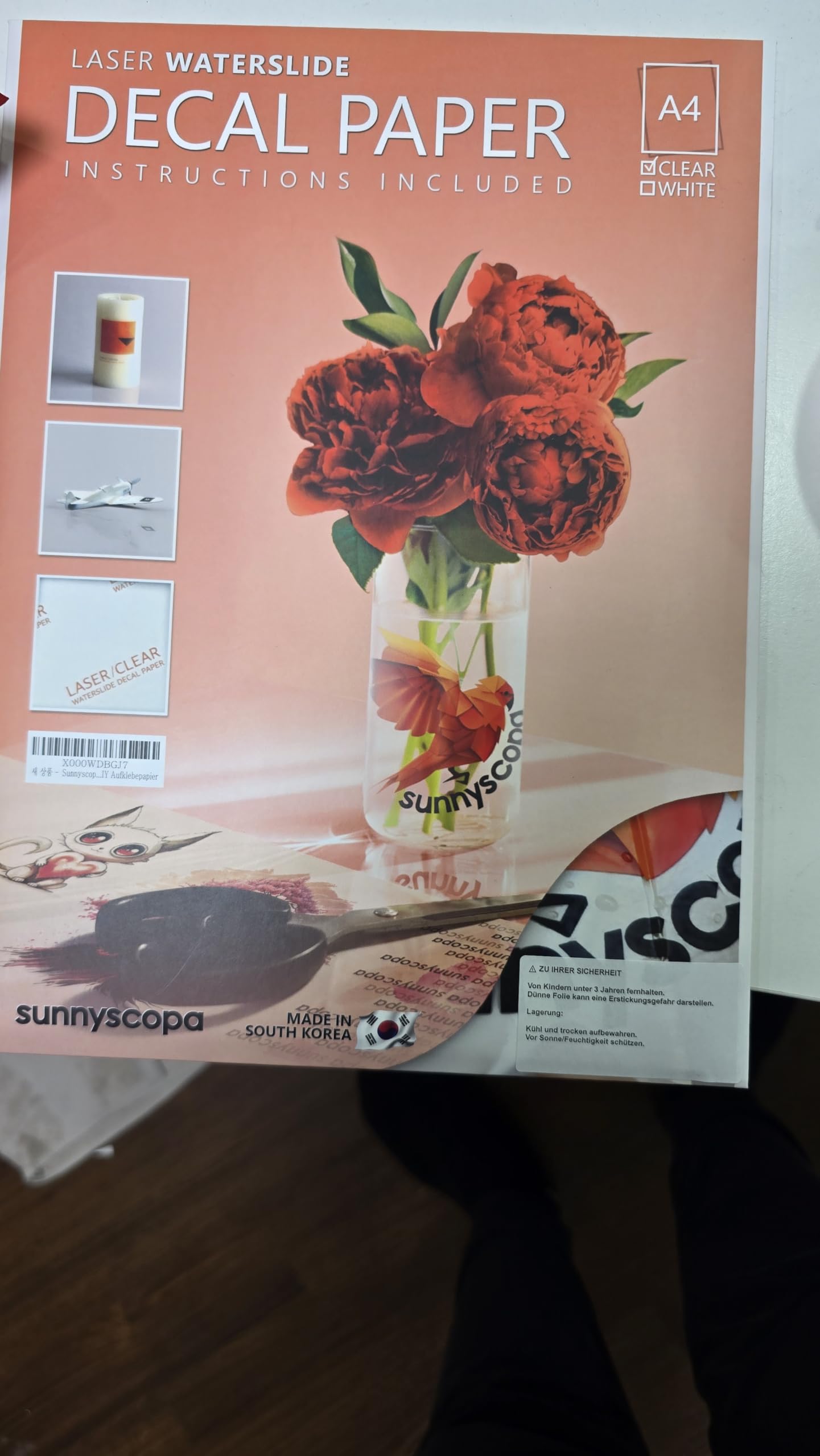
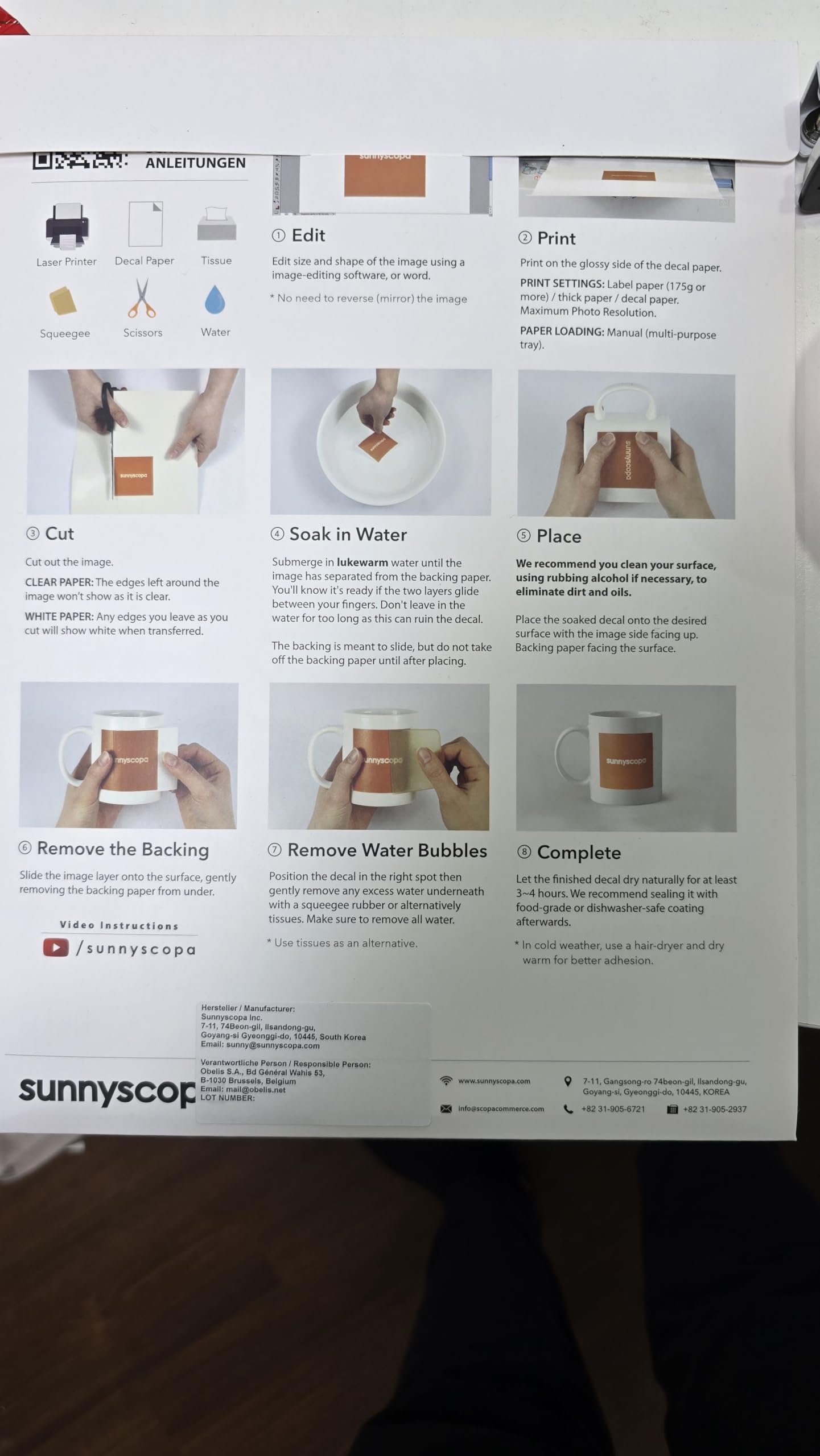


🎯 Stick with the best: Sunnyscopa makes your ideas stick flawlessly!
Sunnyscopa Water Slide Film offers 20 A4 sheets of premium white, glossy, ultra-thin decal paper optimized for laser printers. Backed by over 30 years of patented manufacturing expertise from South Korea, it delivers professional-quality, non-toxic adhesive transfers ideal for personalized stickers, gifts, and creative projects. Trusted worldwide by professionals, this film ensures crisp prints and seamless application, making every DIY project a standout.





| ASIN | B07FY7DTBS |
| Best Sellers Rank | 279,378 in Stationery & Office Supplies ( See Top 100 in Stationery & Office Supplies ) 37 in Water Slide Decal Paper |
| Brand | Sunnyscopa |
| Colour | White Laser |
| Customer Reviews | 4.4 4.4 out of 5 stars (5,888) |
| Date First Available | 6 Sept. 2018 |
| Item Weight | 250 g |
| Manufacturer | Sunnyscopa |
| Manufacturer Part Number | S1013/S1014 |
| Model Number | S1013/S1014 |
| Number of Items | 20 |
| Paper Finish | Glossy |
| Paper Weight | 80 |
| Product Dimensions | 29.7 x 21 x 0.1 cm; 250 g |
| Sheet Size | A4 |
| Size | A4 20 BLÄTTER |
M**S
Decal paper that works.
I scratch build scale models and often have to make my own decals. I've tried numerous papers from different companies here in the UK all with terrible results. Either jamming or toner not sticking to the paper. I found this on here and read the reviews, some were good and some not so, but decided to buy ten sheets and see how it went. The picture says it all really! Fantastic stuff. I watched the Sunnyscopa video and set my printer to what was recommended and the prints are perfect. I also really like this paper as the actual decal film is so thin that it's hardly there once applied. I've already bought more of this and the white backed paper. Printer is an HP colour laserjet MFP175nw with original HP toner cartridges in it. Paper is set to 'Heavy Glossy 110 - 130g' in the page setup before printing.
M**C
Good results.. don't forget a fixing spray
A good product which results in good quality results. Works on the same principle of the water transfers you used to get in model aircraft kits. The important thing to remember is that you must use a fixing spray. As these have to be dipped in water to remove from backing it is a vital part of the process. I had 2 designs on one sheet. One of these did not come out right so I did not use fixing spray on that side. Once the sheet was dipped in water the untreated image just fell apart and floated. I would not expect these to survive in a dishwasher unless the fixing spray( which you need to buy separately) states it is designed for such a task. Overall easy to use though
T**N
Worked perfectly for me
Having never used decal paper and having read a few horror stories of clagged up laser printers I was apprehensive to try this, aspecially as my laser printer specifically says that it doesn't support heat sensitive paper, but I took the plunge regardless. Very glad I did, the results are great on my very first try. Having seen advice to choose the coolest possible settings for the printer, the only adjustment I made to the driver settings on my Brother HL-L8260CDW was to select the "reduce paper curl" option, and I've been careful to only use the decal paper when the printer is cold / just turned on. I actually ran the first sheet through the printer three times while i was testing, and even on the third run the decals produced are totally fine and usable. Being new to this I don't have anything to compare it to, but I'm very happy with this paper. I'm creating decals to be used on plastic model kits and they look good to me, although i'm certainly no expert modeller!
B**S
Works for me
The film stretches a little more than I expected and creases very easily duriong application - but part of that is due to my intended use - semi-temporary sinage on a vehicle. I got satisfactory results using my colour laser printer (Brother HL-3230 CDW)
L**Y
BEST Waterslide decal paper out there
You cant go wrong with sunny scopa they are an amazing brand of paper
G**S
Good quality print and finish but exceedingly thin and thus translucent
Although I bought these some time ago, I only used them for the first time this weekend. They printed extremely well. The finish was good quality, really sharp and excellent colours. I had no problems at all with my HP Laserjet 500 Color M551 printer. The sheets went through easily (although I had to give them a slight nudge from the manual feeder tray to get them to pick up) and there was no loss of print, jamming or smudging. My problems started when actually applying the decals. I will get better with practice, but, boy you do need practice. The decals are very, very fine - as in thin. They curl or fold on themselves extremely easily and retrieving them if this happens I found more or less impossible without them breaking up. They damage very easily. I found you just needed to wet them (not leave them to soak in the water and don't use warm water as I normally would); let them sit for a short time only before gently starting to release the decal from the backing and applying them as near to in situ as possible (to avoid too much sliding around to get into final position) and with great care and attention. I had to print two sheets of decals to provide enough to cover my errors and disasters. The other problem, again deriving from their thinness, is that they are translucent. A light or even mid-range colour on a dark background or a non-plain background won't work at all as I found to my cost. I used my home made decals on a plastic model of a DC3 aircraft. in the end the results were acceptable, but had I realised the issue of the translucency before hand, I would have been more careful about my paint scheme before applying the decals to avoid problems of background colours showing through (see nose of aircraft in the picture). This was my first attempt at making my own decals. For all I know all decal sheets may be like this. But be prepared because these won't be like the pre-manufactured decals that are supplied with plastic models.
R**W
Very good product and easy to use
I make my own model airliner decals pictures above of a model i made using this decal paper , i find the print quality very good , it is a thin film so conforms round the corners well , it is the best decal paper i have used some other brands i find the inks break up when you try and move the decal round this doesnt , very good value for money too
B**T
The best laser decal paper available!
**Updated** Not long after I posted my below review I noticed the paper was no longer for sale, then when it returned the delivered paper included protection for the front page so ink ruining the front page is no longer an issue! Absolutely fantastic work guys. Fantastic decal paper except for one thing. I've purchased three times every time it has arrived in a wallet containing the instructions to use. Problem is the instructions rubs onto the front decal sheet rendering that sheet useless every time. Will be a 5 star review if you can change the way the paper is packaged so it's ALL usable.
M**A
Ras,fait son job!
S**N
By far my favorite!
A**N
me gusto mucho la calidad y el servico que me dieron fue super rapidisimo y como lo queria para un regalo todo salio perfecto les doy un 10!!!!!!!!!!!!!!!!!!!
E**R
This product was a quick and artful solution to adding a header to a wood photo board I built for our summer cottage. (See photo). I followed the directions and it worked like a charm. I can pass on a few tips— 1. Use a high quality laser printer. The inexpensive Brother laser printer at my house gave poor results with washed out letters. I then tried using a high quality Xerox laser printer at work and the letters on the decal material came out sharp and well defined with excellent colors. 2. I wetted the wood destination slightly with warm water before applying the decals. The wood surface was semi smooth (rough sanded with a light latex rub). 2. After trimming the decals, I soaked in warm water one at a time for 30 seconds. I used a timer. 3. I put the decal with the backing where I wanted the decal to be and with a couple of fingers lightly keeping the decal in place, I gently pulled the backing to the right and out from under the decal, leaving the decal on the right spot without handling it. The wetted surface allowed fine tuning the placement. 3. I used a wet paper towel to smooth out the decal and press it into the texture of the wood. 4. I slightly dampened a second paper towel and gently blotted the decal to remove excess water drops. Be careful with this step. The paper towel must be moist enough not to lift the decal. The decal has a satin finish that is visible compared to the flat finish of the latex wash on the wood. I would say it is noticeable from certain angles but not so much that it distracts. I will figure out what to do about it over the winter and will provide an update. Overall I highly recommend this product. It provided an attractive solution to giving my project a lighthearted header and should last for years to come.
C**R
As soon as you put these in water to slide the image, the ink runs right off. Total waste of money!!
Trustpilot
1 week ago
2 weeks ago