




WeMo Maker
Product ID: 8991023
📱Smartphone control
🔌Low-voltage compatibility
⚙️IFTTT integration
🔌 Power Up Your Life with WeMo!
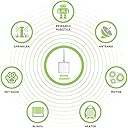
The WeMo Maker allows you to control low-voltage electronics through your smartphone or tablet, offering endless customization options with IFTTT integration and sensor triggers, making it a must-have for tech-savvy homeowners.
| ASIN | B00N32H7U8 |
| Customer Reviews | 3.0 3.0 out of 5 stars (137) |
| Date First Available | October 28, 2014 |
| Department | WeMo |
| Item Weight | 4 ounces |
| Item model number | F7C043fc |
| Manufacturer | WeMo |
| Other display features | Wireless |
| Product Dimensions | 3 x 3 x 6 inches |
T**M
What a bummer...
I was so disappointed when my package was delayed due to snow! It was exciting to get the text saying my order had been delivered. Excitement was short lived though, I couldn't get the maker to work... It took a good hour and an half to get the maker to finish the setup process and finally be able to toggle the switch on and off once. I also purchase a mini switch.... it took a minute to set up and put into service... but a few minutes after both were connected, I got the notification that all my switches had a firmware update. No big deal, that happened with the first two switches i purchased... so I let them update then went to dinner... all my switches updated. The mini worked out ok but the maker LED was flashing red. Any attempt to try connecting or resetting ended in frustration. I will call to see what kind of support I can get but feel this will be going back. I'm willling to try another one but I'm not going to get my hopes up.
C**8
How to hook up wemo maker to ANY garage door opener with sensor.
First you will need a few items. 1. Wemo maker 2. Overhead garage door sensor, (low voltage 2 wires only). 3. 20 or 25 gage wire Locate your button for your garage door opener that you use to open it everyday, the one mounted in your garage. You will see a few different wires going into the unit. You need to find the low voltage pair of wires that make the door open and close. I have an old craftsman so I only had three wires to choose from and of the 3 wires going in I could see that one line contained two wires so I cut them, (DO THIS AT YOUR OWN RISK!!!!!). I bared the wires and sparked them together and the door opened, minute later did it again the door closed. Since I really did not want to remove the door button in the garage I cut the wires low enough so I could piggyback 2 20 gage wire onto the existing lines so I would have wires to go into the Wemo maker. Once I taped everything up I was ready to mount the sensor. Mounting the sensor can be a little tricky. Instead of trying to fight with finding a place to mount it inside the garage door I built a small wooden corner piece and attached it to the door and the other to the wall of my garage so I would be able to mount the sensor and detector right after the track of the garage door, all I used was scrap wood nothing fancy. The magnetic sensor goes onto the door itself while the detector stays attached to the wall. Now add some more 20 gage line to both wires coming from the switch and tape them up. Now you will need to run enough line from your door back to the area that you plan on putting the wemo maker. I mounted my Wemo maker close to an outlet as it needs to be plugged in. I also suggest NOT mounting right next to your garage open nor right next to the main garage door unit / motor, as you will have some interference issues. Now go into your house plug the Wemo maker in and follow the instructions to get it on your network. You need to make the switch momentary and also tell it you have a sensor you are hooking up. Once this is done turn the Wemo maker over and take a look at the bottom of it. You will see 2 areas to put wire and that is where you connect the wires you made from the switch. Then you will see sensor with 3 wire areas but all you want is to connect one wire that you ran from the sensor into negative and the other into sensor. Find where you want to mount it and plug the Wemo maker back in wait for it to show a solid green light on front and then check the Wemo app to see the following. 1. Wemo maker it available and it shows sensor triggered. Click the button in the app and the garage door will open. Also you will notice that the sensor is no longer triggered. There you go you have a automated garage door with sensor for under 100. When wanting to know if the door is rally closed all you ever have to do is launch the Wemo app and make sure the Wemo maker sensor status is triggered. If it is not your door is still open. You could move the sensor below where you mounted the detector and then the reverse would be true. For when the door opens it would trip the sensor saying sensor triggered and then it would stop. Next time when it closed again it would stare the sensor was tripped and then not. Only problem with this is how do you really know the door is closed??? I agree the verbiage should be changed from sensor trigger to sensor active. Which would make a lot more sense to me at least. Now for the fun stuff. You can create times and sensor notifications within the Wemo app, which fine, but let's say you want your garage door to close itself after you leave for the day and then open itself when you get home for the evening?? Man that would be cool, right??? Well it can be done but you must sign up for www.ifttt.com. Once you are signed up, (it is FREE) you can connect any or all the Wemo devices you have and then search for some recipes that you might like. It you do a search for auto garage door opener and add it to your recipes it will show you a map and all you need do is zoom out until you see the USA and then keep zooming in until you see your state, city, down to your house and then save it.
H**H
WeMo Maker FM500 Mighty Mule gate opener
I needed a way to control my front gate Mighty Mule FM500 gate opener over the Internet remotely. WEMO had the solution with the Maker. It is very simple to setup the settings through the app. There are how to videos and instructions online and in the box and through the app that will walk you through it. I could have installed the Maker in the gate's control box through the push button connection. But I didn't want to put it out there where the weather and the environment could cause problems let alone WI-FI connectivity issues. Instead I soldered 2 wires to the leads of the gate opener remote's switch and connected them to the WEMO's relay and that did it. Pushing the butt on the Maker operates the gate from inside the house just like the keyfob does. But now I have access to open and close the gate from anywhere in the world. One problem I have is the duration the momentary option of the Maker's switch lasts. The keyfob needs 2 seconds to activate the gate. The momentary option in the Maker is set to a second or less which does not work with the gate opener. So I changed it to the toggle option. This causes other problems if I'm not careful. So what I do is press the button , count to 2 and push it again to release the keyfob switch. It works well. I wish the momentary switch option had a way to specify how long it would stay on. I didn't use the sensor connection on the WeMo Maker because it's impossible to know if the gate is open or closed or half way with a simple sensor. I have a WI-FI camera overlooking the gate that I use to make sure it's safe to operate the gate if I don't have direct line of sight. It's only been a few weeks since I installed the WeMo, it's working well without issues.
M**T
Very Difficult to Set Up, works well if you can figure it out.
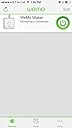
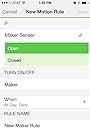
I had high hopes for this device. All I wanted was a device to monitor a contact closure to notify me when it closed (meaning my burglar alarm has tripped). The unit was easy to connect to my WiFi but using the App is where it all fell apart. The App has a recipe generator so you can setup the conditions for your actions. In my case, contact closure will generate a notification. However it appears that you have to add a second App - IFTTT and create another account with them to do this. Then I set up the same "recipe" in this App. WOW!? why two sets of recipes? I then tested my WeMo Maker and nothing happened. After 5 hours of playing with it I finally got a Notification on my iPhone. I could not get it to repeat. The message seemed to be the one from the WeMo App recipe as I had one word different between the two recipes. The WeMo App shows the correct status of Triggered or Not Triggered but there are no actions generated. There is virtually no information on how to set this up. You have to go through bulletin boards and chat rooms etc. to find any info. This is a real research project. You would think basic info would be just laid out for you. I really wanted this to work so I set it aside and came back an hour later. The first problem to solve is where to connect your relay contacts. By trial and error I found that connecting from the S terminal to the - terminal and not the + terminal for inputs gave me a response. It would show up on the WeMo App as Sensor Triggered and when the contact opened it would show Sensor Not Triggered. Now that I had that problem solved, how do I get it to Notify Me. The recipe generator in the App gives you the options to set it up which seemed easy, but didn't work. After much trial and error I found that the issue is the setting for "Notify Me No More Than Every" and then you select time intervals such as 5 minutes, 10 minutes, etc. What I discovered was that even though the WeMo App would show a change in input status, you won't get a notification until that status change occurs after the "No More Than Every" setting has timed out. If you set it at the minimum time of 5 minutes, there will be a minimum of 5 minutes after a trigger before the App will generate an action on a new trigger. I found that the IFTTT App that the WeMo App directed me to install and link to it was not needed at all. I deleted the IFTTT App and found that it worked as required (I received a notification on a contact closure) In summary, after 7 hours of experimenting, if you want to be notified on a contact closure you must: Connect your N.O. contacts across Input Terminals S and -, create your simple recipe and save it, connect the App to your WeMo Maker and don't expect any actions any shorter than your minimum delay setting. My system now works as I had hoped, it just cost me a day of my life to figure out how to do it. I hope my experience can help someone else that might have the same action requirements.
T**Y
Belkin < ASUS, Netgear, Dlink and even WD
So far, not impressed, im a gizmo junkie, got a plethora of devices running on my network, like to doodle with arduino, etc. I have to say after hours and hours (many failures) i finally got it halfway working. My drive was based on a desire to create a unique standalone audible/visual with some delays alarm system for my kids windows (i do have alarms and cameras). Wemo Maker seemed to be a quick fit based on the hours of web searching. Its a nice device from outside but let me put it in contrast for others to validate - this is just what i found after 2 days of wasting my time. CONS: * i never got it to work from any of my android devices * i find it odd that a apple store search for app would not show up the Belkin app (had to use safari) * the maker creates its own network, based on what Ive seen its always on - i don't like this feature, once in your local network should be hidden, its not like it would be used like a GoPro, i mean this thing would be intended to be ALWAYS ON. Comments welcome here. * on my android after hours or struggling, i found that once i connect to wemo maker for setting up, the IP address is way off from what my router DHCP settings, i assume this is normal but i believe it causes too much drama (i.e. 10.22.22.2 wth???) * I believe on both android and apple there is something wrong with set up - if your password is longer than say 12 letters (numbers etc), it will cause you some problems during set up ( i seriously forgot to count but im too scared to wipe and start again because of my 2 days of playing, i finally got it to recognize) * I could not find anything on forums about resetting - Belkin lists all its products reset instructions except the maker. i did both 60, and 5 secs on/off etc. This is an issue because if you did like i did and try to set up on my android and not turn off your scanning network feature on the android it just searches and searches and remembers every time you reboot app, i wiped uninstalled app countless times. I just wanted a clean slate start over to start from a known beginning, when troubleshooting its frustrating to start from an "unknown" state * when i finally got it working on the ipad on first try its failed again. but this time it recognized after app crashed, then after all that, it asked for firmware upgrade, i clicked yes, but really???? * i wish from all the youtubes and podcasts and videos and reviews Belkin emphasized that its a USB power through adapter, i bought this thing assuming it can be powered from a 9v battery also, but only way to make that happen is breakout the cables and wire it to battery but the wemo maker adapter is for 2.5amps,............ PROS: * nice build - good quality from exterior Ill update if Belkin sees this and decides to reply back, but from the Dlinks, WD's, Netgears, and ASUS's, and others i have in my house, i am not impressed with Belkin and they are officially off my preferred vendors list! This WeMo Maker product was pushed out to soon as the software is where it frustrates me the most. At best should it have been out on Beta only. Yes thats right Jake and Jason - bad form not helping that guy out on the Google show on youtube. That should have told me right there what type of product support Belkin has!
F**D
Great for old Garage Door Automation
I bought this based on the review by AaronR review: Garage Door Automation. I have two 20+ year old garage door openers and was looking for IOT solution for them and his was the best alternative I could find. I did not want to have to replace the openers, and all the IOT products I found seemed to not support them or had other major negatives. Just wanted to add a couple comments to AaronR review. The WeMo app is good. You can install it on multiple phones and it will automatically learn of all the devices and rules once the additional phone attach to the WiFi. Please be aware that if you have more than one WiFi, or multiple houses, the Wemo app seems to only work with one verses the other. Not both. I also found that the notifications provided by the WeMo app for the garage door opening or closing are iffy at best. The notifications were unreliable even before I installed the app on the second phone. In any event, the "sensor triggered" or "sensor not triggered" is totally reliable on the WeMo app so use that if you gotta know if your garage is opened or not. "Sensor Trigger" means it is closed, "sensor not triggered" means it is opened. It is highly recommended that you also install the IFTTT app for additional automation capabilities. The notifications recipes on IFTTT are also not very reliable just like the WeMo app, and additionally they sometimes come in much much later after the action occurred. But the reason you want IFTTT app is to setup "geo fencing". I set it up to open the garage door when I am at the end of my street and it has worked every single time. As I pull up, the garage door just starts opening. A+++. You can also set it up to close your garage door, but I did not do that for a couple of reasons. First, IFTTT only let's you setup one trigger. So if your garage door was already closed and you leave the geo fencing area, it would end up opening it. There is another app called Conjure that is under development that is supposed to have multiple triggers so you can test the garage door condition.
D**H
Needs some work!
This has proven to be one of the more difficult WeMo devices I've used. My original plan was to set it up to use it as a garage door remote (for my Chamberlain LiftMaster), but I have come across too many issues: 1) The iOS app constantly tells me that a firmware update is available. I click the button to update it, and it seems like nothing happens. Once it is back online, it prompts to update the firmware again. This has happened over 10 times. 2) This device dramatically decreases the range of my factory remotes. Without this connected, I can easily open my garage door from across the street. With the Maker connected, I have to be at least half way into my driveway to use my factory remote. This makes it difficult for me to park how I normally do (backed in, but still leaving 8ft or so between the truck and the garage door) and still operate the garage door with a factory remote. 3) I cannot get this connected to IFTTT. I've tried everything that I could think of! It says that it connects successfully, but when I try to create a recipe, the device does not show up in the list. 4) The device seems to be unavailable to my home network a lot of the time. 5) WeMo Maker does NOT currently work with Amazon Echo.
M**I
Great Concept - Poor Product
The WeMo Maker is a great idea but it falls short. The initial device setup is fairly straight forward. Download the App to your smartphone, follow the instructions, and hope it works (if it doesn't there aren't many settings you can tweak). The app is lacking also. I installed it on two different very new Galaxy S5 devices and had issues with both. The app would hang up frequently and also would take several minutes to open new pages etc. The main reason I purchased this device was to use it with the IFTTT website. This feature also does not work for me. My IFTTT recipe constantly displays an error for "WeMo Maker Trigger Error". I have tried for 2 months to get this operational with no luck. Several phone calls to Belkin tech support also did not solve the issue. I am hoping for a new firmware or something that will fix the IFTTT connectivity issue, but for right now, this product is not worth purchasing in my opinion (I have a background in electrical engineering/automation/controls).
Trustpilot
2 weeks ago
2 weeks ago