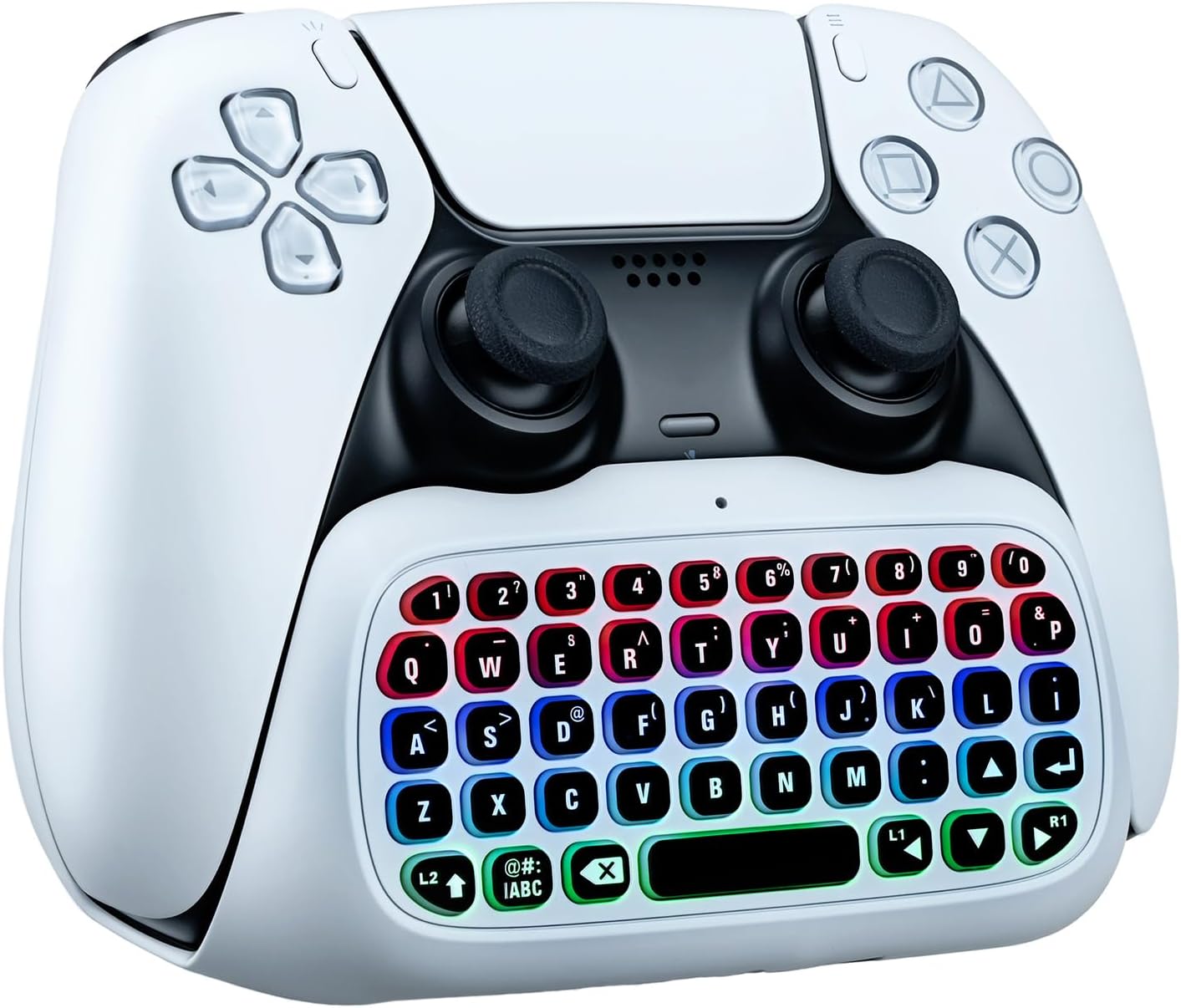


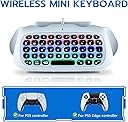
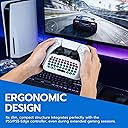


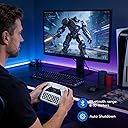
- Mcbazel Wireless Mini Keyboard for PS5 DualSense & Edge Controller, Bluetooth Chatpad with Dynamic RGB Backlight, Built-in Speaker & 3.5mm Audio Jack, Rechargeable Message Keypad for PlayStation 5
Product ID: 806207495
Buy anything from 5,000+ international stores. One checkout price. No surprise fees. Join 2M+ shoppers on Desertcart.
Desertcart purchases this item on your behalf and handles shipping, customs, and support to Ireland.
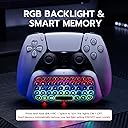
Product description Why did my TV sound mute after plugging in this keyboard? Is it broken? It's not broken! The PS5 mutes TV sound when using the 3.5mm jack. To restore TV audio instantly, slide the keyboard's power switch all the way to the right to the "Speaker" icon. Why did my TV sound mute after plugging in this keyboard? Is it broken? It's not broken! The PS5 mutes TV sound when using the 3.5mm jack. To restore TV audio instantly, slide the keyboard's power switch all the way to the right to the "Speaker" icon. How do I turn on the RGB backlight? Mine didn't light up when turned on. Press and hold the "@#:/ABC" key + "Spacebar" simultaneously to toggle the RGB lights. It features a smart memory function, so it will automatically restore your last on/off light setting the next time you power it on! How do I turn on the RGB backlight? Mine didn't light up when turned on. Press and hold the "@#:/ABC" key + "Spacebar" simultaneously to toggle the RGB lights. It features a smart memory function, so it will automatically restore your last on/off light setting the next time you power it on! I slid the switch to "ON" but my PS5 can't find it on Bluetooth. How to pair? Sliding to "ON" only powers the device. To pair, slide to "ON", then LONG-PRESS the Bluetooth button (next to the switch) until the light flashes. Your PS5 will then detect the keyboard. I slid the switch to "ON" but my PS5 can't find it on Bluetooth. How to pair? Sliding to "ON" only powers the device. To pair, slide to "ON", then LONG-PRESS the Bluetooth button (next to the switch) until the light flashes. Your PS5 will then detect the keyboard. Review: Seamless, clean, and easy to use. - Looks like it is apart of the original controller. Connects seamlessly. Great battery life, and chargers fast. Typing is smooth and easy. Build is very high quality, doesn’t feel cheap of flimsy. Amazing value for the price, practically a steal for the functionality, features, and quality. I don’t know how I used my PS5 without this before! Looks clean and classy. Would absolutely recommend and buy again. 10 out of 10! Review: Simple and fast Bluetooth connection - This mini keyboard is compatible with both the PS5 Dualsense and Edge controller. Connecting it via Bluetooth was straightforward and fast. The instruction manual walks you through setup but we didn’t need it for connecting. A charging cord is connected but after a week we haven’t had to charge it yet. I suppose battery life will depend on how much you use it and whether or not you use the RGB lights. Speaking of RGB, you turn those on by pressing the ABC button and the space bar together. It’s a simple on and off with no lighting effects which was disappointing. However the lights do make it easier to see the keys at night. This fits right into that bottom space of the controller and feels almost like it was meant to be there. Feels good in your hands but does take getting used to, especially if you have smaller hands. The built in speaker sounds just okay but you can plug headphones into the 3.5mm Jack which is how my husband prefers to play. (I don’t want to hear game play if I’m being honest, so headphones are my choice for him!) Ultimately this feels like a solid well made product for the price. (About $20) at time of review. If you chat a bunch in game, this could make your life a bit easier as typing is a lot faster on a QWERTY keyboard. Just know the RGB has no effects, just fixed red, blue and green.


D**B
Seamless, clean, and easy to use.
Looks like it is apart of the original controller. Connects seamlessly. Great battery life, and chargers fast. Typing is smooth and easy. Build is very high quality, doesn’t feel cheap of flimsy. Amazing value for the price, practically a steal for the functionality, features, and quality. I don’t know how I used my PS5 without this before! Looks clean and classy. Would absolutely recommend and buy again. 10 out of 10!
R**.
Simple and fast Bluetooth connection
This mini keyboard is compatible with both the PS5 Dualsense and Edge controller. Connecting it via Bluetooth was straightforward and fast. The instruction manual walks you through setup but we didn’t need it for connecting. A charging cord is connected but after a week we haven’t had to charge it yet. I suppose battery life will depend on how much you use it and whether or not you use the RGB lights. Speaking of RGB, you turn those on by pressing the ABC button and the space bar together. It’s a simple on and off with no lighting effects which was disappointing. However the lights do make it easier to see the keys at night. This fits right into that bottom space of the controller and feels almost like it was meant to be there. Feels good in your hands but does take getting used to, especially if you have smaller hands. The built in speaker sounds just okay but you can plug headphones into the 3.5mm Jack which is how my husband prefers to play. (I don’t want to hear game play if I’m being honest, so headphones are my choice for him!) Ultimately this feels like a solid well made product for the price. (About $20) at time of review. If you chat a bunch in game, this could make your life a bit easier as typing is a lot faster on a QWERTY keyboard. Just know the RGB has no effects, just fixed red, blue and green.
B**B
Great keyboard
Easy to pair, and because the keys light up its easy to see in the dark. Makes chatting in-game a lot easier. The built-in speaker is kind of tinny, but you don't have to use it, and it has a headphone pass-through so you can still use earbuds. The keys are responsive.
K**S
Show a way to turn the damn lights
I don't like it takes sounds off my TV I don't use a headset and the lights aren't turning on I'm so returning it and buy a better one off honestly I'm pissed about but oh well
B**N
No sound to talk when connected?
For some reason when this is attached no one can hear me talking through the controller. Wonderful to type quick but the trade off isn’t worth it.
B**A
Compact Chatpad That Gets the Job Done
This is a handy little keyboard that works just as expected. It pairs easily and makes typing messages way more convenient, especially if you don’t want to use a mic all the time. The compact design fits well on the controller without feeling bulky, and the keys are responsive enough for quick chats. The added features like backlighting and the audio jack are nice extras. Overall, the performance and convenience are solid, making it a great option for messaging on PS5.
R**S
Perfect mini keyboard controller for PS5 game chat!
I got this mini wireless keyboard controller for my son’s PS5 and he loves it! He uses it for chatting with his gaming buddies from school and said it is easy to use and feels good in hand. It feels lightweight but still seems like it’s well made and good quality. It snaps on easily, connected instantly and doesn’t get in the way of playing. I haven’t seen any compatibility issues with the gaming console. The RGB lights look cool too! They help you see the keys when the room is dark. I like that you can hear chat audio from the built in speaker too! Or just plug your headset into the jack, when you don’t want to bother others around you. The Bluetooth connection seems solid and has stayed connected. Plus, the keyboard turns off on its own when he’s not using it, which saves the battery. The keys/buttons on the keyboard are small. If I was a gamer, I feel like I would have a hard time with them, but my son says he has no trouble typing on them. Overall, this is the gaming controller to get, if you do a lot of chatting or game interaction with others. It is simple to use and does exactly as it describes. The price is very affordable and I think it is good value!
J**S
An Ergonomic and Well-Price Controller
This mini-keyboard works perfectly. It's easy to connect, provides stable connections, is much more responsive than I expected for its modest price. It's also ergonomic adding to the efficacy of your gaming. The compact size and very easy to absorb price-point is a major plus as well.
S**N
super
Ce petit clavier pour manette PS5 est une vraie aide dès qu'il faut taper un texte, un pseudo ou un message. On gagne clairement du temps par rapport au clavier virtuel de la console, et l'accessoire s'insère facilement sous la manette via la prise jack. Il est très léger, et une fois installé, la manette reste globalement confortable, même si on sent que la prise en main change un peu : on ne peut plus enrouler complètement les doigts autour des poignées, il faut juste s'y habituer. L'appairage Bluetooth se fait rapidement dans les paramètres de la PS5, rien de compliqué. En revanche, l'activation du RGB n'est pas intuitive du tout : il faut appuyer sur FN + barre d'espace pour allumer les LED. Les instructions ne sont pas très claires, donc autant le préciser. Une fois activé, l'éclairage est vraiment joli et assez puissant. Les touches offrent un bon retour tactile, avec des clics nets et précis. Pour écrire des messages, faire des recherches ou saisir des codes, c'est largement suffisant et bien plus agréable que d'utiliser la manette seule. Le clavier intègre aussi une prise micro et un bouton audio, ce qui peut être pratique selon l'usage. La recharge se fait en USB‑C (câble fourni), car le clavier ne tire pas son alimentation directement de la manette, même s'il est branché dessus. Points positifs Très léger et facile à installer Bonne intégration sous la manette Touches réactives avec un clic net Connexion Bluetooth simple RGB agréable une fois activé Prise micro + bouton audio Recharge USB‑C Points négatifs La prise en main de la manette change un peu Activation du RGB pas intuitive (FN + espace) Notice peu claire Touches petites (normal pour ce format, mais à savoir) En résumé : Un accessoire pratique et efficace pour taper rapidement sur PS5. Quelques détails perfectibles, mais dans l'ensemble, il fait très bien le job et améliore vraiment le confort de saisie.
P**A
Tastierino comodo e versatile per PS5 e non solo
Questo mini tastierino wireless si integra molto bene con il controller, sia per forma sia per colore, e una volta agganciato tramite il connettore audio bypass sul fondo il joypad resta piuttosto comodo da impugnare anche durante sessioni prolungate. Il peso è contenuto e i tasti hanno una bella azione “clicky”, con una corsa breve ma precisa che rende più veloce scrivere messaggi, inserire password o cercare contenuti rispetto all’uso del solo pad direzionale. La connessione principale avviene tramite il jack audio del controller, mentre le cuffie possono essere collegate alla presa da 3,5 millimetri posta sul fronte del tastierino, soluzione pratica che evita di rinunciare all’audio cablato. Interessante anche la possibilità di abbinarlo via Bluetooth a un computer o a una smart TV, caratteristica che lo rende utilizzabile oltre il solo ecosistema console. L’effetto delle luci RGB sotto i tasti è piacevole e contribuisce all’estetica “gaming”, mentre lo speaker integrato aggiunge una piccola funzione extra per notifiche sonore o audio di sistema. L’unico aspetto che non mi ha convinto del tutto è la superficie molto liscia della plastica, che offre poco grip e, con le mani sudate, risulta un po’ scivolosa; una texture leggermente zigrinata avrebbe aiutato. Nel complesso però è un accessorio ben pensato, che migliora concretamente l’esperienza di chat e navigazione senza stravolgere l’ergonomia del controller.
B**O
Práctico para escribir en PS5
Este teclado inalámbrico tipo chatpad es un accesorio muy práctico para usar con el mando de PS5 o PS5 Edge. Facilita mucho escribir mensajes o buscar contenido sin tener que usar el teclado en pantalla. La conexión Bluetooth funciona correctamente y el teclado responde bien al escribir. La iluminación RGB le da un toque visual interesante y puede ser útil cuando se juega con poca luz. También incluye altavoz integrado y conector de audio de 3,5 mm, lo que añade más opciones de uso.
M**S
Handig om tekstvelden in te vullen bij een game
Goed om op playstation 5 tekst in velden te typen....maar commando's via lettertoetsen worden niet herkend zoals bij een echt gamers toetsenbord
P**D
version de produit non conforme
cet article fonctionne bien après le réglage correct sur la ps5 mais correspond à la version sans éclairage led multicolore bien que l'emballage soit celui de la version vendue... Je le garde car je la préfère. Les touches "cliquètent" physiquement pour une frappe sûre. Pas d'autocolant pour azerty aussi je garde querty.
Trustpilot
2 days ago
1 week ago