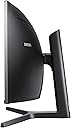
🚀 Elevate your productivity and play with the ultimate panoramic powerhouse!
The Samsung C43J890 is a 43-inch super ultrawide curved monitor featuring a 3840x1200 resolution and a 32:10 aspect ratio, designed to deliver expansive screen real estate ideal for professional multitasking and immersive gaming. It boasts a rapid 120Hz refresh rate for smooth motion, multiple connectivity options including USB-C for streamlined device integration, and built-in 5W stereo speakers for quality audio, making it a versatile centerpiece for any modern workspace or gaming setup.


| ASIN | B07FB39NGH |
| Adaptive Sync | FreeSync |
| Aspect Ratio | Unknown |
| Aspect ratio | Unknown |
| Best Sellers Rank | 373,885 in Computers & Accessories ( See Top 100 in Computers & Accessories ) 5,603 in Monitors |
| Brand | Samsung |
| Brand Name | Samsung |
| Colour | Dark Blue |
| Contrast Ratio | Mega DCR |
| Customer Reviews | 4.3 out of 5 stars 146 Reviews |
| Display Technology | LED |
| Display Type | LED |
| Global Trade Identification Number | 08801643352202 |
| Hardware Connectivity | USB 2.0 |
| Has Color Screen | Yes |
| Image Brightness | 300 ANSI lumens |
| Image contrast ratio | Mega DCR |
| Item Dimensions D x W x H | 12.4D x 41.8W x 20.6H centimetres |
| Item Type Name | LED Monitor |
| Item Weight | 13 Kilograms |
| Manufacturer | Samsung Monitor |
| Maximum Display Resolution | 3840 x 1200 Pixels |
| Model Name | C43J890 |
| Model Number | LC43J890DKUXEN |
| Mounting Type | VESA compatible |
| Native Resolution | 3840 x 1200 pixels |
| Network Connectivity Technology | 1 x HDMI, 1 x Displayport, 2 x USB-C, 1 x USB 3.0, 3 x USB 2.0 |
| Picture Quality Enhancement Technology | MagicBright Technology, Magic Upscale, Flicker Free |
| Pixel Pitch | 0.23 |
| Product Features | Curved Screen, Ultrawide Screen |
| Product Warranty | 2 Years |
| Refresh Rate | 120 Hz |
| Resolution | 3840 x 1200 pixels |
| Response Time | 5 Milliseconds |
| Screen Finish Type | Curved |
| Screen Size | 43 Inches |
| Screen size | 43 Inches |
| Screen surface description | Curved |
| Shape | rectangular prism |
| Specific Uses For Product | Gaming |
| Total HDMI Port | 1 |
| Total USB 3.0 Ports | 3 |
| Total USB Ports | 3 |
| Total Video Out Ports | 2 |
| Unit Count | 1.0 count |
| Viewing Angle | 178 Degrees |
| Voltage | 240 Volts |
| Warranty Type | Limited Warranty |
A**5
Love is in the air....
I don’t game but if I did I am sure my love cup for this monitor would overflow, so I gave it 5 stars anyway. First, find the manual on-line as the menu buttons drove me nuts to begin with, once I found the manual, it all made sense. Second if you have an old MacBook Pro as I do, 10 years old in fact the resolution will look pants, I nearly sent the monitor back but realised my resolution on my Mac was the issue. Third, if you use this for work, (using my other half’s Dell XPS) as I do, the split screen function (I am using the Citrix prop software not the stuff on the disk) is absolutely vital and makes working from home a breeze. The resolution, clarity, and ease of use is beyond my wildest dreams. The KVM switch is something I have yet to use but I am sure I will eventually. Yes the 43 inch is big, but it is a beauty. You will not be disappointed. I must tell you of one little niggle, the split screen software on the disk is Microsoft only, really? We are in the 21st century, if I had had a newer Mac I would have sent this back, but as I was going to buy a new Microsoft laptop anyway in the near future I forgave Samsung. Really, though Samsung, pull your finger out! 😁
M**R
Best monitor I’ve ever owned bar none.
After receiving one with a dead pixel, the Amazing Amazon Customer Service had a perfect replacement out the next day. I bought this primarily for 3D CAD modelling with some gaming on the side, after trying several different setups, 2 x 27” monitors, 1 x 43” 4K tv but nothing felt or performed right until I bought this. Though slightly smaller than 2 x 27” monitors, (it actually measures at 2 x 25” monitors) The extra resolution, 1200 instead of 1080, means there’s as much screen area for cad work, menus etc but crystal clear image. It looks amazing on the desk, and is certainly a centre piece and a joy to use. As for gaming, the 120hz refresh rate is noticeably better than my old monitors, no blur during fast action, and the 5ms response is certainly fast enough for fast games. Contrast is great, rich deep dark colours and bright highlights.. Best thing I’ve bought for my gaming set up, I mean, my work set up ;)
C**I
Great, but not a full price and with some caveats.
UPDATE - November 2020: To avoid confusion, my review is for the Samsung model: LC43J890DKUXEN 43" I still love this monitor. It's been working flawlessly and I don't see myself replacing it any time soon. If you're looking at the 40" version, keep in mind it may be too long for you. I have a friend who has it and I personally find it 'too wide,' compared to mine (43"). Basically, when you have 2 windows open, with the 43" monitor you have to turn your head to the sides to look at the windows; with the 49" the same it true, but you have to further turn your head (obviously). It's a matter of preferences, but bear that in mind. To give a bit of context, the latest monitors l've had were a 32" BenQ PD3200Q (2560x1440@60Hz) and then an Acer Predator Z35p (3440x1440@100Hz). Compared to the aforementioned monitors, the Samsung monitor has: - No SRGB calibrated mode. - Super basic on screen menu (with just basic functions). - No Gsync. - Low blue light is useless (as it increases the brightness automatically and you can't turn it down without disabling the 'low blue light' mode). The 'on screen menu' deserves a full paragraph as it is truly basic. It feels like you're operating a Nokia 90's phone. The lack of direct access controls for, for example, different 'user modes' is really annoying. You'll find yourself in/decreasing the brightness in an 'old school way,' menu->settings>brightness- +/- instead of pressing a direct access 'user mode' button. Basically, l hardly ever change the brightness (it's set to minimum; l sometimes increase it for gaming). Then you have 3 buttons (other than the main joystick) that I personally find useless and never use. If Samsung had thought of allowing users to reconfigure these 3 buttons for other functions, the usage of the monitor would be a lot better. However, this Samsung has the best 'aspect ratio' l have found to this date and it excels at different tasks: - Internet browsing: I'm not a 'multitasking person' but I changed the way I browse internet after using this screen. I find myself cutting the screen into two, and having two different tabs opened at all times. *Tip: in case you don't know, you can easily position your windows/folders on the screen. Just open a folder or browser tab, then press and hold down the 'windows key,' then (while holding that key down) 'play' with the different arrow keys to see how the opened window changes its shape and position on the screen. Try also 'windows key held down' + arrow up/down (twice at a time) and see the changes. Also handy comes 'windows key' + 'D' to show the desktop... - Movies: I don't watch many movies, but you can surely watch them like in a 21:9 monitor. You'll have two black bars on each side of the screen (not a big deal for me). Speaking of 'black,' this monitor does reproduce real blacks (as opposed to other panel variants, especially in a room with no other source of illumination than that of the monitor itself). - Gaming (it deserves a full section): If you're a gamer, you'll love this monitor as it excels at playing video games. It's by far the most immersive experience I've ever had. All types of games look fantastic. Surely, you may come across poorly implemented games but I haven't, although l know there are some. The games I like to play simply look great. Metro Exodus is a treat (and all the other Metro games), Battlefield (4, 1, 5) looks amazing, same as Alan Wake (awesome old title), Dirt Rally, Alien Isolation, etc. I still haven't tested games like Arma 3 or Squad (*Update: Squad works in full screen and it looks great!), but I have no reason to think they won't work perfectly fine. I'm not sensitive to 'ghosting' so I don't see it (or perceive it) but YMMV. Honestly, if you're a gamer (not a 'e-sport competitor'), this monitor is wonderful (look at the pictures l uploaded). The aforementioned Predator monitor has a SRGB color mode (missing in the Samsung, as I said) and a different aspect ratio. It is a great monitor, but it simply can't compete with the 32:10 aspect ratio of the Samsung. I thought (some) games would look weird in the latter due to the narrower screen, but l was very wrong. Again, gaming in this monitor is a treat . With its 120Hz refresh rate I'm still to find any tearing. I have it paired to a GTX 1070 and a Ryzen 1700x and games feel very smooth. I'm considering upgrading to a 2080, but mostly because l'm a 'PC enthusiast' and not because I find that I need one to play my games properly, by any means. So yes, despite the high resolution, BV or Metro Exodus get +60fps most of the time (just tweak a bit the game's setting and you'll be alright) on a Strix 1070 (l haven't OC the GPU/CPU, it's all at stock. I prefer a 'silent gaming experience' over a few extra fps). All in all, I find this Samsung to be a truly great compromise if you take into account that: - It's great for office/serious work, and it looks serious (no 'funny gaming looks' like the Predator monitors). - It excels at video games. - It has a good amount of contrast so movies/games/images look great. At £640 I find this monitor is a bit overpriced due to the lack of SRGB mode and the mega basic on screen menu. However, given I find most monitors of this type to be overpriced, I think you'll do better with this one (again, as long as this aspect ratio is mostly what you're looking for). Other things worth mentioning: - The stand is rigid and prevents the monitor from wobbling while you type. - Accessing the connections in the back is a PITA. You'll rather pay someone to go and connect a USB peripheral for you. TIP: From factory, this monitor does NOT awake from sleep so every morning you switch on your PC or you wake it from sleep you have to press the joystick button first to off then back to on position. Annoying as it gets... Thanks god I figured out why (or at least I found a work around). All you have to do is go to the 'Nokia' menu (pressing the joystick once until the 'on screen menu' appears) and then go to: - menu-> system-> timer -> (set to) off. This trick will allow your monitor to wake from sleep. I hope the review is helpful. l'll upload picts when I have the time. *Update, I found the time so pictures uploaded. I took some with my phone while playing "Metro Exodus" (Ultra settings, tessellation and physics 'on'; hair works and other RTX options 'off'. The game looks a lot better in reality. I also uploaded a few wallpapers I found online. All pictures where taken while having 0 to 40 brightness (out of 100) set on the monitor. I took the pictures on 'manual mode' to try to make them look as close to the actual monitor as possible. *My RTX 2080 is coming. We'll see if it makes a difference after turning off the FPS counter...
M**H
Excellent all round monitor
No regrets buying this monitor, excellent for gaming (surround effect is quite unbelievable) My only drawback is Lightroom CC Classic and other Creative Cloud applications, they take a very long time to load. I have done research into this and cannot find any answer, the Lightroom window will always load full screen by default and you cannot resize it (even using software) My PC spec is ample, RTX2070, 32GB Ram etc but Creative Cloud has resolution issues with this monitor making it painfully slow loading. Please leave any comments if you are having simular problems with Adobe products and this monitors resolution. Very happy otherwise. I have left a image of the Lightroom window default size with cannot be changed on opening.
A**X
Great display, just don't change the settings!
The obvious positive: this is a really stunning display with good resolution at a good price point, and once set up, works really well, both as a single wide display from one laptop, and when working in twin side-by-side display mode from two laptops. The challenge is switching it from side-by-side displays to a single wide display, and vice versa - a lot of button pressing and waiting, as it forgets how you had it set up previously. The Windows app may make this easier, but does not run on Macs. So, not ideal for use with multiple laptops, but once you have got it set, it is really excellent.
M**E
Feels like I'm in the car
43inch LC43J890DKUXEN, bought direct from Amazon, £749. At first I was a bit concerned - it doesn't have HDR and it doesn't have Gsync. Without those, I think it's on the expensive side, and I almost gave it 4 stars due to this. I'm moving from a 32 inch 2560x1440 , to this 43 inch 3840x1200. It's a bit extravagant for me as there is nothing wrong with my 32 inch, but I mainly enjoy sim racing, & we've spent nothing during the virus lockdown, so I'm treating myself. Mathematically, it is almost exactly the same pixels per inch on both monitors. On arrival, I was not instantly blown away (but don't give up reading yet) - it just didn't seem as sharp or responsive as my previous monitor. On the plus side, it arrived in perfect condition, appeared to be factory packed (and not a regurgitated item), and there were no dead pixels. After 2 days messing with the monitor settings to get an acceptable though not fantastic picture, I reset it to default and made just minor adjustments to the brightness, contrast & sharpness. I now have all three set at 80. Then, the picture looked as crisp as my other monitor, and I suddenly began to change my mind, and my doubts started to disappear. Over the next few days I played Doom, Wolfenstein, rFactor 2, Raceroom Racing, Assetto Corsa, F1 2019 and others, and it kept growing on me. I'm running them all at 100Hz, just because I feel it is less taxing on my RTX2070, though actually it seems to cope fine with 120Hz too. After 10 days, I can say I am very happy with the monitor, I still think that the price was a bit steep but I wouldn't be without it, especially for my sim racing, as it feels like I am in the car. (On that note, yes, I do have VR and that is awesome to play, but for regular and extended play, this monitor is not only more comfortable (i.e. no headset needed), but it is obviously also much better resolution than VR. I have not tried picture by picture or using the USB hub function, as I don't need to use them. If you are debating about this or the 49 inch: I did consider the two Samsung 49 inch monitors - One of them is undoubtedly higher resolution, but I would have had to turn it down to 3840x1080 for my system to run it, plus there is no definite delivery date. And one final thing, if you look at my screen shots - my diagram is drawn to scale, showing the difference between the two display areas, so you can see just how little gain there is in buying a 49 inch. It really did not make enough difference to the view from a cockpit, so that made the 43 inch the best choice for me.
C**I
Don’t buy the brand name!
Item arrived in a box that was badly damaged and wet. The polistiren frame inside was broken in more than one place and the screen had fingerprints all over the screen. There was a small light bleed that can be seen on the photo attached underneath a screw on the bottom middle of the screen. Kvm controls were a nightmare, i wasn’t able to set it up no matter how much i tried. It worked either with the laptop(which by the way wasn’t charging via usb-c 95W port for some reason) or after re-pluging the keyboard and mouse with the desktop pc.
S**E
Great Monitor - Good to be aware of the configuration options
Great monitor overall. Good picture quality on MacOS. A few minor issues though. The supplied usb-c cable is far far too short to reach your laptop if it's on the right hand side of the monitor. Similarly, you don't get anywhere near the best picture quality over the usb-c cable. Instead the DP cable is the best bet from your macbook. Downside of using the DP cable though is the USB-A ports are not enabled so you don't get the full benefit of the usb hub in the monitor as a result, which is just mad. So you lose the use of 2 ports right away. No firmware update in 2 years though. Monitor is fast and responsive though and ticks all the boxes.
Trustpilot
2 weeks ago
3 weeks ago