Buy anything from 5,000+ international stores. One checkout price. No surprise fees. Join 2M+ shoppers on Desertcart.
Desertcart purchases this item on your behalf and handles shipping, customs, and support to Ireland.
🚀 Elevate your workspace with the ultimate 14-in-1 Thunderbolt 5 powerhouse!
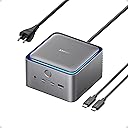
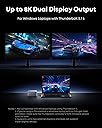
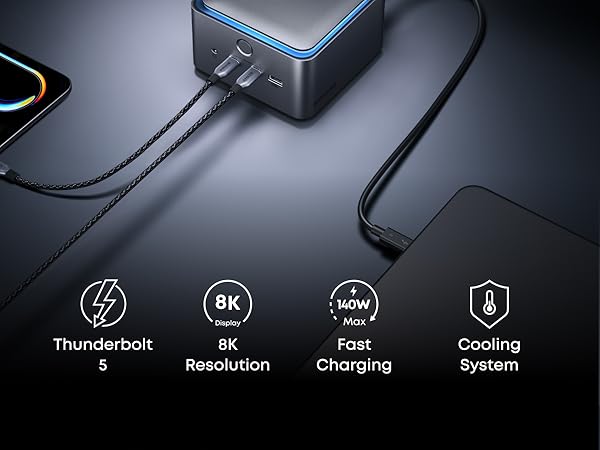
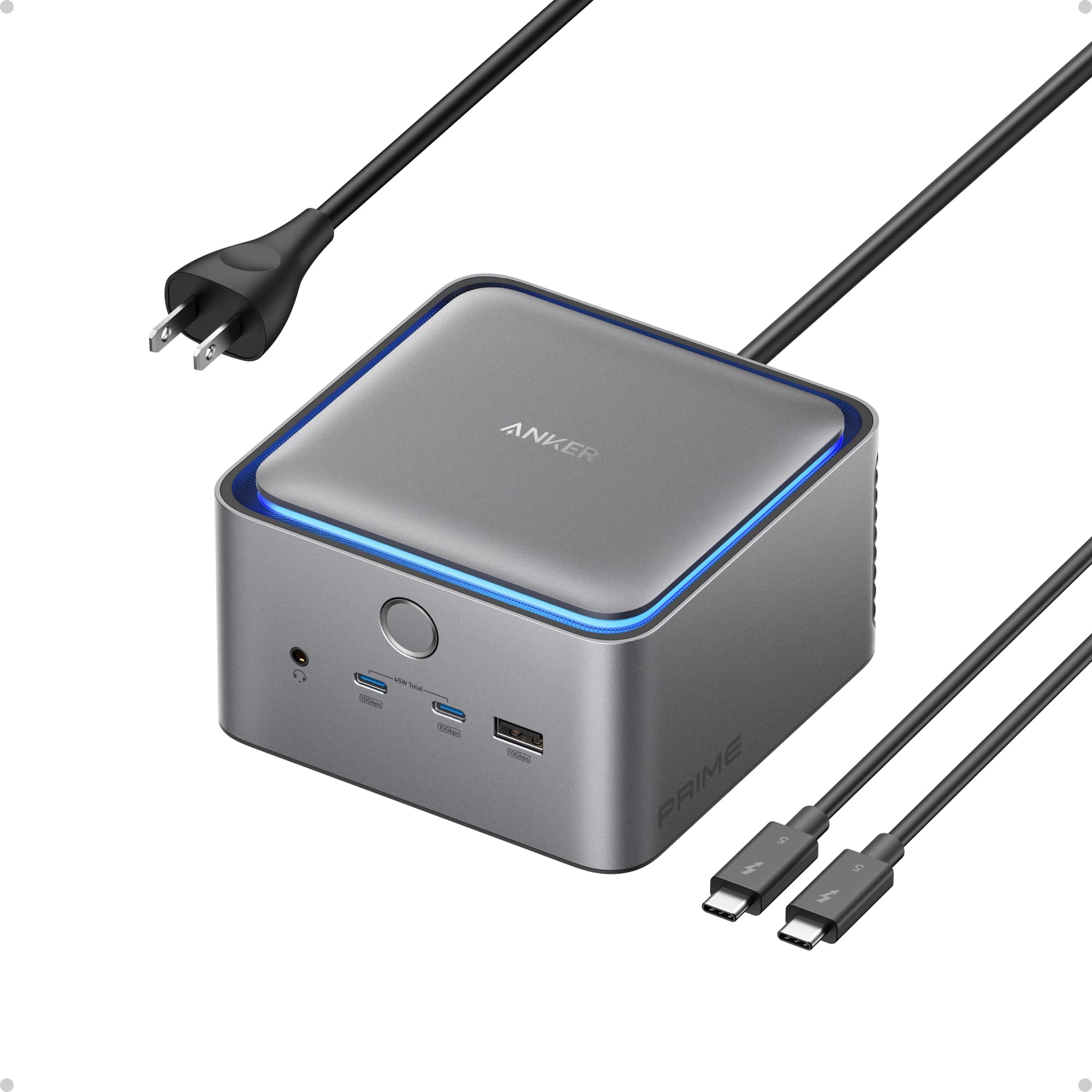
The Anker Prime TB5 Docking Station is a premium 14-in-1 Thunderbolt 5 hub delivering ultra-fast 120Gbps data transfer, 140W power delivery, and dual 8K@60Hz display support. Designed for modern MacBooks and Thunderbolt 4/5 Windows laptops, it features a comprehensive port selection, including USB-C, USB-A, SD/TF card readers, and 2.5Gbps Ethernet, all cooled by an advanced silent active system to maintain optimal performance during heavy workloads.


| ASIN | B0DSVVJXK5 |
| Best Sellers Rank | #2,314 in Electronics ( See Top 100 in Electronics ) #31 in Laptop Docking Stations |
| Brand | Anker |
| Color | Gray |
| Compatible Devices | MacBook with M4 Standard/Pro/Max; MacBook with M1/M2/M3 Pro/Max; Thunderbolt 5/4 Windows Laptops |
| Customer Reviews | 4.2 out of 5 stars 366 Reviews |
| Hardware Interface | Thunderbolt |
| Item Dimensions L x W x H | 4.56"L x 4.56"W x 2.95"H |
| Item Weight | 2.4 Pounds |
| Manufacturer | Anker |
| Mfr Part Number | A83B51A1 |
| Minimum Required Operating System Version | Mac OS 15 Sequoia |
| Model Number | A83B5 |
| Number of Ports | 14 |
| Product Dimensions | 4.56"L x 4.56"W x 2.95"H |
| Smart Home Compatibility | Not Smart Home Compatible |
| Total Number of HDMI Ports | 1 |
| Total USB Ports | 8 |
| Total Usb Ports | 8 |
| UPC | 194644289171 |
| Unit Count | 1.0 Count |
| Warranty Description | 24 month Manufacturer |
| Wattage | 140 |
D**E
Fast, Reliable, and Expensive
I’ve gone through a few docks over the years, and the Anker Prime TB5 Docking Station is easily the most capable one I’ve used so far. Setup was straightforward, and it immediately handled everything I threw at it — dual displays, fast data transfer, and consistent charging without hiccups. If you’re running a modern setup (especially with a newer MacBook or high-end laptop), this dock actually feels like it’s built for it, not something you’re trying to “make work.” What stood out most: • Performance: No lag, no weird display issues — everything just works • Ports: Plenty of flexibility without needing extra hubs • Build quality: Feels premium and solid, not plasticky • Power delivery: Keeps my laptop charged even under heavy use Also really appreciate how it helps clean up the desk. One cable in, everything connected — exactly what a dock should do. A couple minor considerations: • It’s not cheap, but you’re paying for performance and future-proofing • Make sure your laptop actually supports Thunderbolt at full capability to get the most out of it Overall, if you want a high-performance, no-compromise dock, this is one of the best options out there right now. Worth it if your setup demands it.
I**8
More than meets the eye
I’m new to the Mac world but prefer a dock with a hardwired LAN connection when at my desk. When I initially attached it, I needed to install a driver for full functionality. I used a 4k external monitor through the DisplayPort. The single Thunderbolt 5 connection did the rest. The power button has a few functions that are worth reading about. The first time I pushed it, did not cut off the power as expected. After reading the instructions, I found that a tap of the power button just turns off the blue ring surrounding the top of the adapter. If you hold the power button for 3 seconds, then it cycles the power. The power button will also sleep the laptop, so it is an easy switch to turn everything off. I did connect the Ethernet port to a 2.5Gps LAN and it identified the speed and worked quite well. I have gravitated towards Anker products because every one just works well. A big bonus is the there is not any external power supply or wall wart. Just a simple 2 prong power plug that fits easily into a power strip. I actually bought a second unit for work. I can recommend this product. Its small size is also beneficial. ETA: I wanted to buy Thunderbolt 5 monitor, but pricing prevented it. I did re-purpose a ROG Swift OLED PG32UCDMR which was a gaming monitor but supported the USB-C connection. It immediately connected with the previous 240Hz 4k connection without issue through the Thunderbolt 5 port. The picture is stunning. After spending time on two separate connections with a single laptop, I can say this is an impressive piece of kit. I don’t know how you could do better.
D**S
Works well and reliable but expensive and wish there was more
Have been using this TB5 dock from Anker since July with my M2 Max and my wife's M4 air and it has been working flawlessly for us. The pro's: - small and attractive design - able to do triple display for both our Macs with the native laptop screens and 2x 4k 27" Dell monitors via USB C - 2.5 GbE port works well - no issues with ports or card reader slots The Con's: - expensive, and could be offering more for the price - Not enough USB C ports in the back. If you have dual monitors via USB C, it uses up all the USB C ports in the back and you have to use the front ones which is not as elegant looking. Would be nice to have another 1 or 2 USB C ports in the back for TB external SSD drives that are being attached or even a 5 / 10 GbE TB network adapter - speaking of network adapter, the 2.5 GbE is nice but feel like it would have been nicer if it had a 5 or 10 GbE port instead It's defintely a really elegant and solid docking solution, especially when you have multiple monitors and laptops that are using the station so it's easy to plug in and out. For the price, felt like it could offer more. The other alternative is the CalDigit TS5 which is about the same price ulness there is a sale. It has a few extra USB C ports in the back. Didn't see that one at time when I was looking and may have consider that one instead. There's also the CalDigit TS5 plus which is a little more expensive and has a 10 GbE port, but there have been some mix results with relability with the network port. All and all, pretty happy with the Anker for now but hope to see more improvement on their next version.
M**N
Great Docking Station for Gaming Laptop
I have a TB4 port on my laptop. This was plug and play. With my gaming laptop, I need at least 125W to charge while gaming and this dock supplies up to 140W. I appreciate the number of ports on the rear of the dock as it helps keep my desk tidy. I do wish that this had a port on the back for a speaker connection - there is a headphone jack on the front - but you can get a USB-C to headphone jack for a speaker connection or use the USB-C port directly if your speakers support that. I am running a UQHD 240Hz 4K monitor with no issues. Video and games run fine and images are as clear as if the monitor was plugged directly into the laptop. The dock has active cooling which I have found to be very quiet (meaning I don't hear it at all). I did find that when using the front headphone jack, there was a low-level hum when the port was idle. Sound was clear when anything was playing through the port though (no hum). That said, I would like Anker to address this issue. Overall, this dock works great. One TB4 connection from my laptop to the dock to charge and replicate ports. Could not be more simple.
J**E
Anker Knocks it out of the park!
The Anker Prime TB5 Docking Station is an absolute game-changer for my iMac and MacBook Pro setup. This 14-in-1 Thunderbolt 5 dock delivers on every front, making it a must-have for anyone seeking a powerful, reliable, and sleek docking solution. The standout feature is the blazing-fast 120Gbps transfer speed, which performs exactly as advertised. Whether I’m transferring massive files or connecting multiple high-resolution displays, the dock handles everything seamlessly. I’ve tested it with 8K displays, and the output is crisp and flawless, with no lag or stuttering. The 140W max charging capability is another highlight, keeping my MacBook Pro fully powered even during intensive tasks. The built-in cooling system is a pleasant surprise—despite heavy use, the dock stays remarkably cool, which speaks to its thoughtful design and durability. The ambient lighting adds a nice touch of style, making my workspace feel modern and polished. The 14-in-1 port selection covers every need, from USB-C to HDMI to Ethernet, eliminating the need for additional adapters. It’s incredibly versatile and integrates perfectly with both my iMac and MacBook Pro. While the price might seem steep, the performance, build quality, and reliability make it worth every penny. This dock has streamlined my workflow and elevated my setup to new heights. Highly recommend the Anker Prime TB5 for anyone looking for a top-tier docking station!
E**G
Frequently disconnects! Do not waste your money
This docking station worked well for my M4 Macbook Pro for about a week. However, now every time my Mac goes to sleep, it disconnects my accessories. I always get a notification that my external SSD disconnected from the hub every time my Mac goes to sleep, which completely defeats the purpose of this being a "powered" hub. Also, my monitor disconnects every time my Mac goes to sleep when it's plugged into this dock, and I cannot wake my monitor up, meaning I have to restart my Mac every time this happens. I usually buy a lot of Anker products but I'm very disappointed in this one. Very low quality product.
D**E
Works well with TB4/TB5 Windows 11 laptops
I was initially worried about dropping this much money on a dock that needs to work with two different Windows laptops (a Dell and an Alienware). I needed something that could power the Dell and drive video to two monitors, but also support peripherals. (For the Alienware, I didn’t care about power delivery.) I have to say, it was easy to set up and worked without a fuss. The only “fuss” was needing to find a USB-C to Displayport adapter since there is only one HDMI/DP output (and you have to choose), but I didn’t need to do any fiddling to get the USB webcam, mouse, two monitors, keyboard, and SSD connected to either laptop. Anker has pretty much cornered the market for me on peripherals, chargers, and power banks. I think if I were needing to connect more monitors, I would be very annoyed with the limited options, but as I knew what I was getting ahead of time and only need the two displays (plus the laptop screens), I don’t feel like it warrants knocking a star off for that. The build quality feels solid and looks stylish, which is par for the course for Anker, and i love the way it looks. A bit steep of a price, but it sure beats the pants off of the old Dell TB dock I was using and feels more premium, too. I haven’t had any issues with heat or noise, and while it’s a fairly chunky unit, it sits rather securely in the desk and doesn’t take up much real estate.
C**R
Good but a couple of things to be aware of...
This is an expensive dock but I really wanted to reduce the number of connections to my MacBook Pro M3 Max on my desktop to a single connection and also free up my MacBook Pro's other ports. This dock allowed me to connect power, Ethernet, my Ultrawide monitor, a keyboard/mouse/headset switcher and one or more external SSD's all through one cable. Be aware that there is a USB limitation of a maximum 5 tiers of hubs through one connection and this dock's rear USB-A ports are actually one extra tier away than the rest of its USB ports. Five tiers seems like plenty but I unexpectedly hit this limit because my MacBook Pro was connected to the dock and I had a keyboard/mouse switching USB hub (to share keyboard and mouse with multiple computers) connected to the dock and a pair of keyboard/mouse wireless receivers connected via a little USB splitter on the end of a USB cable connected to the switcher. I found that this did not work with either of the rear USB-A ports on this dock but would work with any of the other ports. After learning of this limitation from Anker support, I eliminated one tier by replacing the splitter with two separate USB cords to my switcher. This allowed me to successfully connect and use one of the dock's rear USB-A ports. However, I encountered a separate issue where, after a month or so of use, the dock developed a barely audible but still irritating hum or whine. This noise persisted as long as the dock was plugged into power and regardless of whether my connected MacBook Pro was asleep or active. I reported the issue (and sent in a video) and Anker support agreed to replace the unit. Unfortunately, the replacement unit immediately produced a similar but slightly different "cycling" tone. After sending in a new video recording, Anker's engineering team declared that this noise was deemed within spec. At this point I decided to return the unit and request a refund. Neither of these noises would probably be very noticeable in a noisy office environment but it was far too annoying in my quiet office. Given that this is a premium product and it sits next to two much more complex devices (my MacBook Pro M3 and my LG Ultrawide monitor) that also support Thunderbolt and provide multiple USB ports but are able to operate in silence, I think Anker needs to rework the design of their dock.
T**R
Solid TB5 dock
Great little device the first month-ish of use so far. Seems like one of the more affordable TB5 docking stations out there at the moment and has enough hubs to let me run my work setup without any real issue with the entire front to spare for plug n play devices.
J**N
Very Solid Item
Works as expected, Lots of power and it has completed my mac studio desk setup
J**Y
Great but some compatibility issues
It’s great so far and it works perfectly with my M4 Pro Mac mini. However it doesn’t work as well with my 13” M4 iPad Pro cause sometimes my Studio Display turns on and sometimes it doesn’t. It is listed as being compatible with USB4, but when I tried it with my Asus ProArt P16 laptop I got last year with the RTX 4090, it doesn’t work at all. I’m wondering if mine is defective.
A**R
Good Product
Works as advertised. Plenty of ports, speed is good, runs quietly. A great addition to my workspace.
A**N
Amazing addition to my MSI Raider!
Absolutely amazing!
Trustpilot
1 month ago
3 weeks ago