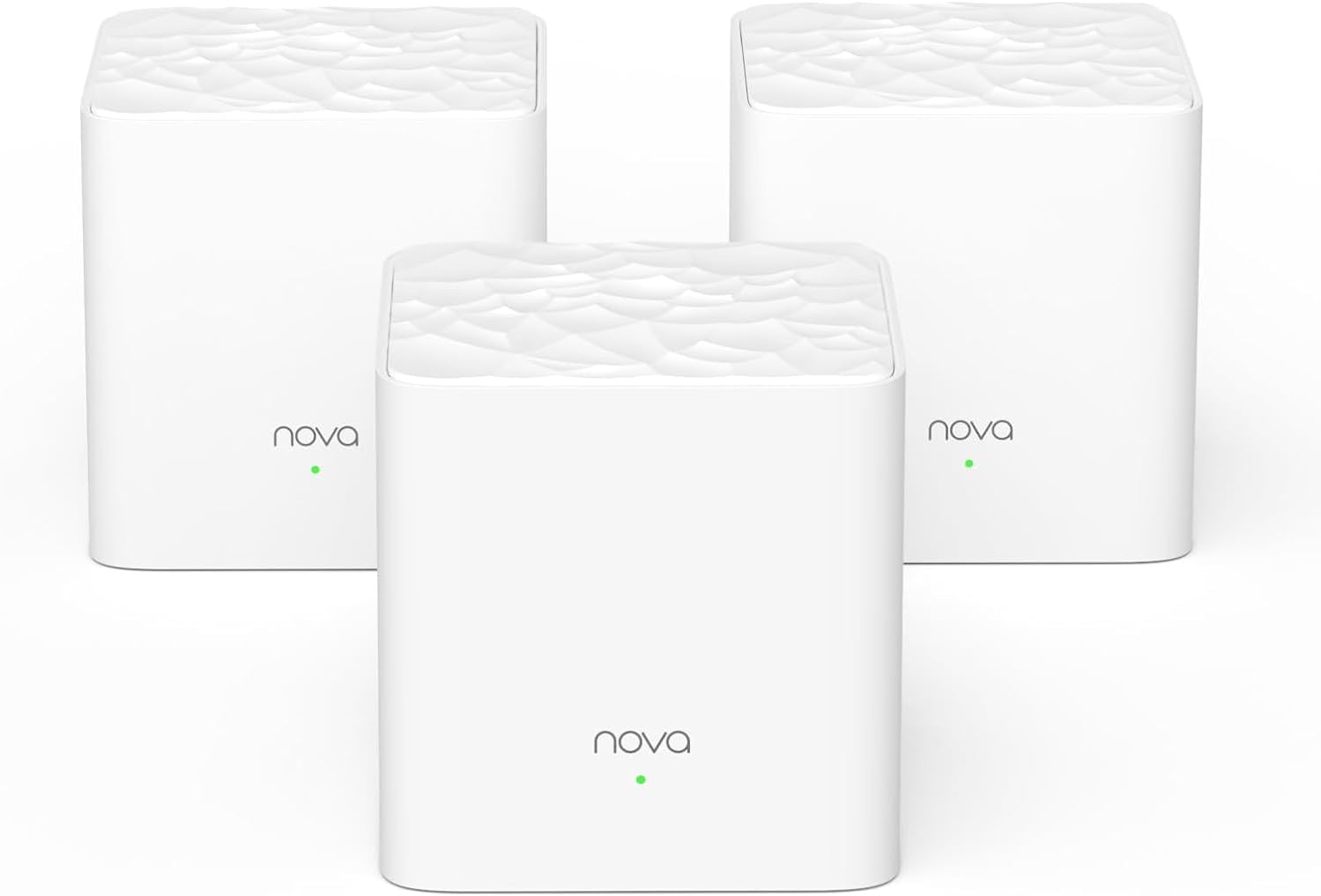
🚀 Elevate your home WiFi game—never settle for slow or spotty again!
The Tenda Nova MW3 3-Pack Mesh WiFi System delivers robust AC1200 dual-band speeds and seamless coverage up to 3000 sq.ft, perfect for busy homes with up to 40 devices. Featuring MU-MIMO, Beamforming, WPA2 security, and an easy-to-use app, it ensures stable, secure, and lag-free internet throughout your space with effortless setup and smart roaming.


| ASIN | B07DFQGP1K |
| Antenna Location | Business, Gaming, Home |
| Antenna Type | Internal |
| Best Sellers Rank | #20,395 in Electronics ( See Top 100 in Electronics ) #100 in Whole Home & Mesh Wi-Fi Systems |
| Brand | Tenda |
| Built-In Media | 1 Gigabit Ethernet Cable, 3 Power Adapters, NOVA MW3 3 Identical Mesh Points, Quick Install Guide |
| Color | White |
| Compatible Devices | Smartphone |
| Connectivity Protocol | wi-fi |
| Connectivity Range | 3000 Square Feet |
| Connectivity Technology | Ethernet, Wi-Fi |
| Control Method | Voice |
| Controller Type | google_assistant |
| Coverage | Up to 3000 sq.ft. |
| Customer Reviews | 4.1 4.1 out of 5 stars (4,376) |
| Data Transfer Rate | 1200 Megabits Per Second |
| Frequency | 5 GHz |
| Frequency Band Class | Dual-Band |
| Global Trade Identification Number | 00885397271505 |
| Has Internet Connectivity | Yes |
| Is Modem Compatible | No |
| Item Dimensions L x W x H | 3.54"L x 3.54"W x 3.66"H |
| Item Type Name | Mesh Wifi System |
| Item Weight | 528 Grams |
| LAN Port Bandwidth | 10/100 Mbps |
| Manufacturer | Tenda |
| Maximum Upstream Data Transfer Rate | 600 Megabits Per Second |
| Mfr Part Number | MW3 3-pack |
| Model Name | Nova MW3 3-pack |
| Model Number | MW3 3PK |
| Number of Antennas | 2 |
| Number of Ports | 6 |
| Operating System | ZyNOS |
| Other Special Features of the Product | Beamforming, Guest Mode, Parental Control |
| Router Firewall Security Level | Basic |
| Router Network Type | Mesh |
| Security Protocol | WPA2-PSK |
| Smart Home Compatibility | Smart Home Compatible |
| UPC | 885397271505 |
| Unit Count | 3.0 Count |
| Voltage | 12 Volts (AC) |
| Warranty Description | 3-year warranty |
| Wi-Fi Generation | Wi-Fi 5 |
| Wireless Compability | 802.11ac |
M**I
Really good product!
Easy to install, just need to follow the instructions! App is cleand and intuitive! And of course, it the solverd the internet problem I had at my place. Ps: ChatGPT or other similar tools can give some precious tips on how to improve the wifi efficiency on each scenario! Nice product, I recommend it!
M**L
Easy Setup and full net speed connection in all locations in home
Have owned for one week: Likes: Easy setup first connected 1st unit to existing Modem and ran through 4 or 5 steps on phone, including setting password for Wi-FI, then placed Units 2 and 3 of the mesh at locations that would extend the signal. Both turned green light on in about 10 seconds, indicating full strength signal and indicating all units were communicating. I placed these units about half-way to the areas that had poor reception before (60 ft out from 1st unit). Started with laptop and connected with no issue. Then added over the next couple days, the TV's, Kindles, kids gaming units and printers, all went smoothly. (3 of us, added up to over 15 devices, the good news is I read somewhere that it will handle up to 40 connections - enough to handle everything when my teenager has all their friends over. My checks shows that all have excellent signal, and no dropped connections. I left the Comcast modem on until I had the majority of equipment linked. Today, I turned off the Comcast modem wireless - to prevent interferences, per recommendations from friends, however they seemed to be playing nicely together. It may be the beaming technology of the new units helps them focus the signal where it is being used. Also, the units are nice looking small white boxes and can be mounted on the wall or placed on table. They pretty much disappear. Any improvements that I would recommend to the manufacture? I would have liked cord on the power supply to each unit to have been 8 ft long to allow easier mounting up high on my wall. I made do, by using an extension cord and hiding the cord behind the furniture I placed them on top off. (higher is better as far as signal - two of mine are at 6 ft and one is on a table ). This unit was a deal for a MESH WI-FI system and provides the same speed that I have when connected by cable. Be aware that there is a MW3, MW5, MW6, model. I bought the MW3 as it will handle several times my connection speed. MW6 handles extreme speeds (think fiber optic and top end connection package) that are not available in my area. I would recommend to friends.
N**L
Mesh on the cheap with a deal breaking caveat (for some).
I'm already covered for Wifi in my home but wanted to test the mesh experience to see if that's the way I may want to go in the future vs. a typical router, as I have a large 2 story home. So far so good, these little cubes work pretty nicely. They're really light which was almost offputting. I've been used to pretty weighty routers for a good 5 years. The lights assist me in determining the best spots, where I'll be getting maximum throughput and spread and so far the connection has been seamless. I'm using the system in AP mode and with very few clients so the CPU/RAM isn't being taxed very much in my scenario and all of the advanced features like QOS, etc. are turned off in this mode, keep that in mind. YMMV. Here's the kicker and why I took a star off. This is an AC Mesh system. You're capable of getting 300Mbps on the 2.4 Ghz only band and 867Mbps on the 5.0 Ghz band BUT (and it's big B U T), the WAN port is limited to 100Mbps. This essentially means that you will never see more than 100Mbps when you do a speed test while using only NOVA MW3 nodes which really makes 0 sense at all. This is the mother of all bottlenecks. The only real benefit of this type of system would be to transfer files quickly between wifi connected PCs in the household. If you're getting anything under 100Mbps from your ISP, I'd take a chance on this since you're getting some serious coverage for very little money (right now). If you're getting over 100Mbps, look elsewhere. Your best bet would be getting the MW6, as it's also pretty inexpensive for what you get. If you do end up using the MW3 as your main device in this case, you won't be getting the full speed of the connection you're paying for. Now, if you purchased the MW3 and can't return it or exchange it for something else at this point and didn't expect this limitation, there's good news! You can essentially remedy it by purchasing ONE MW6 cube. Nova MW3 and MW6 cubes are compatible, thankfully. You'll have to reset your network and use the MW6 cube as your main device, then add the MW3 cubes to the mesh network. The MW6 cube has 1Gbps ports and will get you your theoretical 1000Mbps limit, which means that if your connection is, say, a 150, 200, 300, 400 Mbps etc. then you'll be much closer to those numbers. The downside is that you're no longer in the value range. The 3xNova MW3 + MW6 has now put you squarely in the monetary range of a more powerful router, though it's still plenty less than other Mesh systems and now you have 4 cubes to place (the more cubes the better and sometimes range and reliability are better than raw speed or power). I'll update this as necessary.
P**B
I was using bell pods and switched providers so decided to stop renting and just buy my own. Comparing to the bell pods, pods were easier and better. All were wireless so you don’t need to “waste” one connected to the main router. I used to have 2 pods and it was enough to cover my 3 story house + backyard. With this one I will need a third for sure. I will say it is very worth the price so I’m happy with the purchase. Once I have 3 I think it will be perfect. Parent control are a great feature!
W**D
The Tenda mesh instalation was easy for a new user of the technology and much better than using a wifi extender and repeater
S**P
This product is easy to install and works like a charm upon configuration. I have my WiFi router at a common place at home, there were constraints in signals to rooms due to walls in-between. I have used other products like WiFi extender which didn't help in anyway!. These two devices from Tenda is covering the WiFi signal across my home. The switchover from one device to other during the movement is seamless, overall WiFi performance is consistent across all the corners. The only reason I am giving 4 star is because there is a requirement for one among the device to be connected directly to WiFi router's LAN port as a Gateway. Other one will connect to Gateway over WiFi itself. So, I have turned off my WiFi router's SSID and using it as router to connect this Tenda gateway device.
L**N
Muy fácil para configurar, la red bastante estable y trabaja sin problemas tienes opción para seguir conectando más dispositivos y ampliar tu red
F**I
Easy to install. Light weight. Perfect size. Only app access no desktop access. app is not that good. Over all it does what it says.
Trustpilot
3 weeks ago
2 weeks ago