

Buy anything from 5,000+ international stores. One checkout price. No surprise fees. Join 2M+ shoppers on Desertcart.
Desertcart purchases this item on your behalf and handles shipping, customs, and support to Ireland.
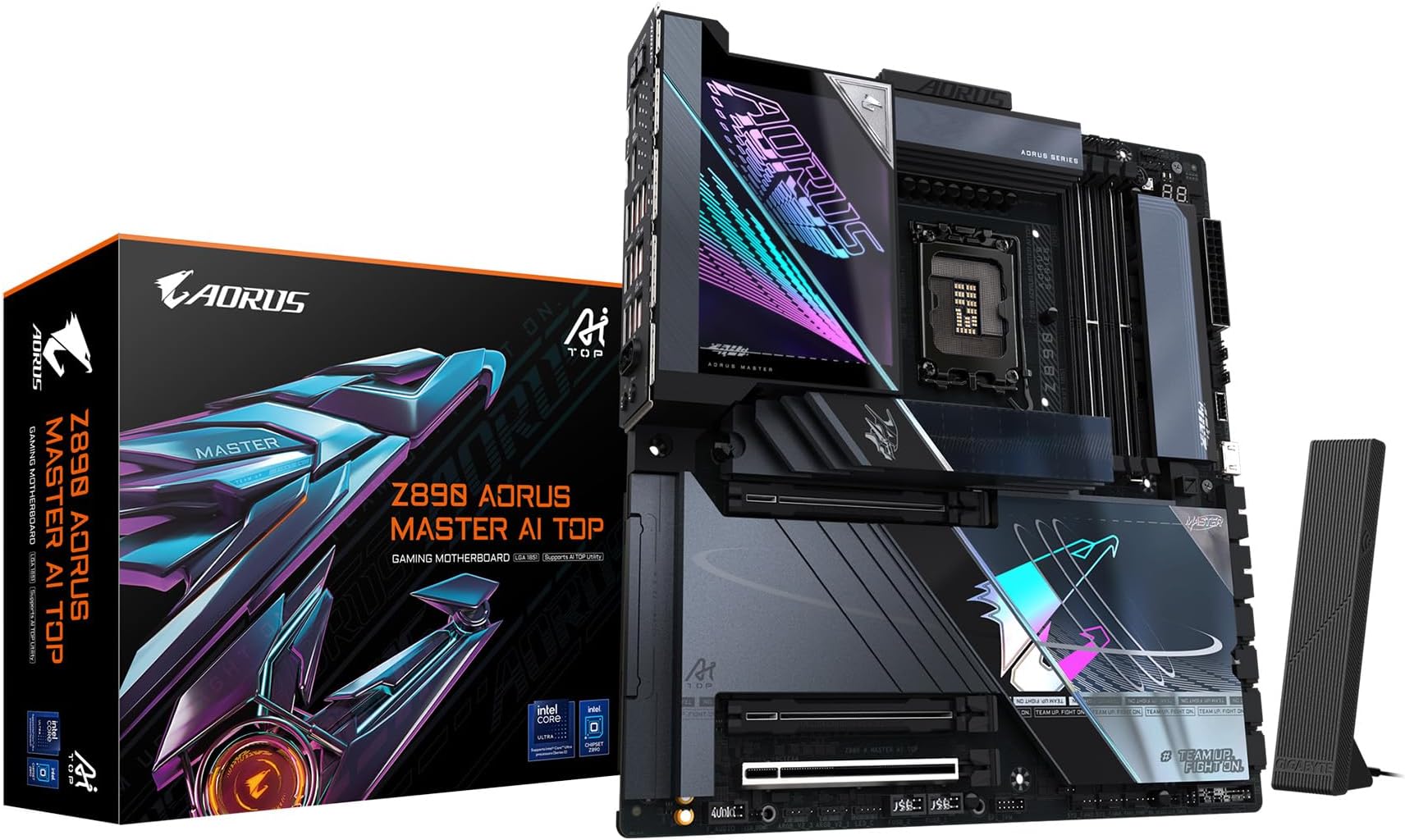
🚀 Power your ultra builds with the future-ready Z890 AORUS MASTER AI TOP!
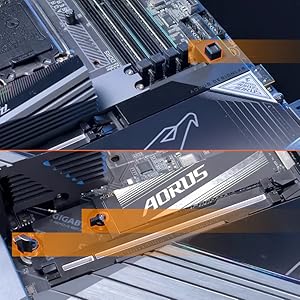
The GIGABYTE Z890 AORUS MASTER AI TOP is a premium E-ATX motherboard designed for Intel Core Ultra Series 2 processors, featuring a robust 20+1+2 phase 110A power design, support for DDR5 memory up to 5600 MHz, PCIe 5.0, 4 M.2 slots, dual Thunderbolt 4, WIFI7, and 10GbE LAN. Its DIY-friendly EZ-Latch system and advanced thermal solutions make it an ideal choice for professional creators and high-performance PC builders seeking cutting-edge connectivity and reliability.





| ASIN | B0DQLKD2KK |
| Available Memory Slots | 4 |
| Best Sellers Rank | 249,886 in Computers & Accessories ( See Top 100 in Computers & Accessories ) 2,777 in Motherboards |
| Brand Name | Gigabyte |
| Chipset Type | Intel Z890 |
| Compatible Devices | Personal Computer |
| Compatible Processors | Intel Core Ultra Processors (Series 2) |
| Customer Reviews | 4.4 4.4 out of 5 stars (15) |
| Graphics Card Interface | PCI Express |
| Item Weight | 3.79 kg |
| Main Power Connector Type | 24-Pin |
| Manufacturer | GIGABYTE |
| Memory Clock Speed | 5600 MHz |
| Model Name | Z890 AORUS MASTER AI TOP |
| Model Number | Z890 AORUS MASTER AI TOP |
| Number of Ethernet Ports | 1 |
| Number of Ports | 10 |
| Platform | Windows 11 |
| Processor Socket | Intel LGA 1851 |
| RAM Memory Technology | DDR5 |
| System Bus Standard Supported | SATA 6 |
| Total HDMI Port | 1 |
| Total PCIe Ports | 4 |
| Total SATA Ports | 4 |
| Total USB Ports | 10 |
| UPC | 889523045831 |
フ**ル
正直、ハイエンドすぎたけど。 初めて、自作PCを作る際はBIOSアップデートからドライバーインストールからWindowsメディアまで3個以上のUSBメモリーが必要だから気をつけてね。なぜか、BIOSの保存でPTTが有効にならないから。BIOSアップデートは絶対にしないといけないからね。
J**R
I chose this motherboard as it has a good feature set for the price, though I wished the PCIe lanes were more plentiful and not so much either or when it comes to the graphics card in the primary slot and the primary NVMe drive slot. However, to be fair this is a fairly common thing for consumer grade motherboard in general. This board does contain 5 NVMe slots, one is gen 5, the rest gen 4, 2 of them are connected directly to the CPU as your boot drive can be in the top gen 4 slot just below the primary GPU expansion slot, and the only x16 slot, the other 2 are either x8, or x4 but all have a physical x16 layout. Like many board out there, if you run 2 GPU's, both will run at x8, but the combines lanes means roughly more performance from both GPU's, crucial for high def video editors when time is of the essence. This means faster renders overall can be expected. Even SATA takes away from using some of the NVMe slots. At the moment, I have 2 NVMe drives, one for boot/programs, one for video caching for editing, one SATA SSD for work ion video projects and a spinning drive of 4TB's for archive storage of all video related material and final video rendering to have easy access to should I need to recut or reuse a clip for another project etc. This board is the later version of the Aero G. It originally came out as the Z790 chlipset, socket 1700, but the 15th gen Core Ultra chips now use the 1951 socket and updated Z890 chipset. The older version only had one 2.5GB LAN, now it has 2, and 2 USB C ports on the back. The current one has only 1 USB C port, and can do USB C alt mode for display port etc and can be used for charging and is capable of USB 4 or Thunderbolt as well. The 2 LAN ports are for either redundancy or to double up and up the throughput I think. So far it's been good and the I/O shield come preinstalled and sits in a Fractal Focus G case and so far it seems to be running well. I have updated the BIOS twice, once for the CPU's microcode update and a later BIOS update just a few days ago. The BIOS flash feature is a dedicated USB port on the back that can be run from the BIOS page, accessed during the boot process (del) and click on the Q Flash button in the EUFI BIOS software and go forth, but you must unzip the file and it'll know which one to load and will flash the ROM for you. It's easy, just make sure to have time and it'll shut off during part of the process and will repower on and will let you know it's done. Otherwise, needless panicking may result in you shutting it off, dumping the power and bricking the motherboard. Once that happens, it's game over, a new board will need to be procured. Once everything was installed and ready to boot up for the first time, it came up and allowed me to install the OS, Windows 11 Pro that I had already downloaded and unzipped to a thumb drive. Once that was done, I could install the drivers for the graphics card and for the large part, it all went smoothly. Just had to ensure the motherboard got the proper boot drive sequence so it can boot into Windows and it loads Overall a good choice for creators that does not cost and arm and a leg, and I believe it's even less than the Asus ProArt boards for creators. BTW, there is an Aero D, but it's the extended ATX size, so it's a bit longer in one direction and does contain more features, including I think 5GB and a 10GB LAN ports, I think more NVME slots 2 PCIe slots etc. Overall, a good board that does not break the bank with a decent set of features.
B**Y
This is a solid motherboard. It is well designed and built for ease of use. The installation went exactly as a I would expect. No Drama, no ambiguity, just by the book. The manual that came with it is a book, so you wont have to download and print a copy of it. This motherboard is slightly larger that the Z790 Aorus Master X that I replaced, so I had to remove all of the cabling and ARGB wiring, but that gave me a chance to clean things up. I would wholeheartedly recommend this GIGABYTE Z890 AORUS Master AI TOP Intel Core Ultra (Series 2).
A**R
Installed Ultra 7 285K in Gigabyte Z890 Aero G with Artic iii CPU AIO 360, 5090 MSI Liquid, two sticks 96Gb Corsair 6000 and Tesla GPU in Midsize NZXT H7 HiFlow. Set BIOS at 125W TPD, 250W power limit, underclocked 4.6, running 20 cores 100% under 70C on simulations w both GPUs full CUDA for months without a glitch. Using FanControl thru CPU_OPT for Tesla cooling perfectly. Much Cooler and Stabler than 7800x3D and I9-10900 prior builds.
C**R
Beautiful motherboard! Easy to install and very aesthetic
Trustpilot
3 weeks ago
2 weeks ago