💨 Breathe smarter, live fresher — automate your air with TOPGREENER!
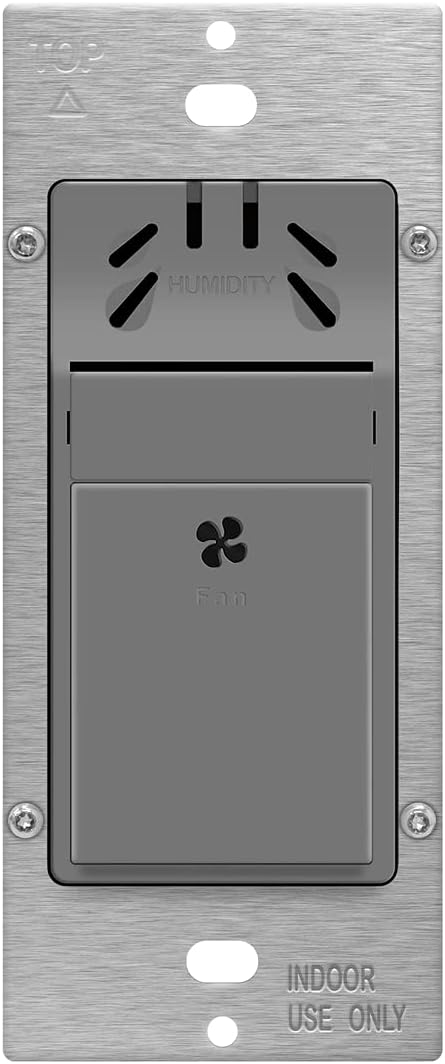
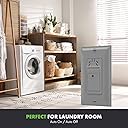
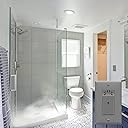
The TOPGREENER Humidity Sensor Switch (TDHS5) is a UL-listed, gray single-pole switch designed to automatically control ventilation fans based on three adjustable humidity levels (45%, 65%, 80%). It operates on 120VAC with a 3A max load, featuring a fixed 20-minute runtime delay after humidity normalizes. Ideal for bathrooms, basements, and laundry rooms, it requires a neutral wire for installation and offers reliable moisture-triggered fan control to prevent excess humidity and mold buildup.


| ASIN | B07YBKTLP4 |
| Best Sellers Rank | #20,457 in Tools & Home Improvement ( See Top 100 in Tools & Home Improvement ) #70 in Humidifier Accessories |
| Brand | TOPGREENER |
| Circuit Type | 1-way |
| Color | Gray |
| Compatible Devices | Ventilation fan |
| Connector Type | Screw Terminals |
| Contact Material | Copper,brass |
| Contact Type | Normally Open |
| Control Method | Touch |
| Control Type | Adjustable |
| Controller Type | Push Button |
| Current Rating | 3 Amps |
| Date First Available | September 24, 2019 |
| Item Weight | 5 ounces |
| Item model number | TDHS5 |
| Manufacturer | TOPGREENER |
| Number of Items | 1 |
| Number of Positions | 1 |
| Operating Voltage | 120 Volts (AC) |
| Operation Mode | ON-OFF |
| Package Dimensions | 4.61 x 2.52 x 2.4 inches |
| Terminal | Screw |
| UPC | 883951459147 |
| Unit Count | 1 Count |
| Wattage | 75 watts |
N**Y
Incorrect programing instructions
Installed this humidity sensing switch replacing a really old school fan timer in our laundry room that had an analog clock in it with metal tabs to set time intervals. Installation was simple and wired up exactly as the old timer. Tested it by blowing on it and it immediately turned the fan on when sensing humidity from my breath. The instructions that came with it for programming are totally incorrect and mention being able to set the time for how long it runs, which is not possible. After researching this I actually found the correct installation guide online which states the time is runs is always 20 minutes and is not adjustable. You can only adjust the humidity sensitivity to three preset settings and that's it. Programming: - The fan button will be used for programming - Pay close attention to the LED lights as it will flash to indicate successful programming steps and each time the button is pressed while making selections. - After each step, there are only 20 seconds to make the next programming selection. If a selection has not been made, time will expire and the LED light will flash 3 times and exit programming mode. There’s only one Programmable Function Function 1: Humidity level (Humidity Range 45% 65% 80%) - Setting 1: Low humidity sensitivity 45% (requires little humidity to trigger) - Setting 2 (Default): Medium humidity sensitivity 65% - Setting 3: High humidity sensitivity 80% (requires high humidity to trigger) To program the humidity sensor, you must first enter programming mode: STEP 1: Enter Programming Mode Press and hold the fan button for eight seconds until the LED indicator comes on. STEP 2: Choose the Setting Press the fan button the same number of times as the Setting Number (For example: Press the button 2 times to select Medium detection 65%). After the last button is pressed the sensor will flash back the current setting for that function 10 times at two-second intervals. If no selection has been made, the device will exit programming mode. STEP 3: Save the Settings Press and Hold the fan button for eight seconds. The LED light will flash 3 times. indicating that the settings are saved then the load will turn OFF. Example: Change to Setting 3 (High humidity) 1. Press and hold the fan button for eight seconds until the LED indicator comes on 2. Press the fan button three times. The LED indicator should now blink three times every two seconds 3. Press and Hold the fan button for eight seconds. The LED light will flash 3 times indicating that the settings are saved then the load will turn OFF
S**L
Worked for my project
The house I bought has a skylight shaft in the bathroom. The bathroom fan didn’t keep up so in the winter it would start “raining” from the skylight shaft when the steam hit the cold walls of the shaft when anyone took a long shower. I had two Panasonic whisper fans installed: One that replaced the original fan/light by the shower, and one in the shaft. We had a sensor switch installed too that would control both fans. The problem was that the sensor was located at the bathroom entrance with the light switch, so it never really worked correctly. I replaced the whisper fan in the shaft with a vent connected to a 4” inline exhaust fan located as high up the shaft as I could get it and purchased this switch to mount in the shaft to control it. The switch is doing what I expected which is a good thing, because accessing it isn’t easy. Install was easy. Instructions were clear. You do need a neutral wire for any humidity sensor, so make sure you pull one and hook it up.
S**Z
Works well as advertised
This is a good little device to help manage moisture in the shower, eliminating the need to replace the fan itself with a moisture sensing one, which are quite expensive and harder ti install. This device is easy to install by replacing the toggle switch on the wall (perfect fit) and, for me, the setting was appropriate right out of the box, turning on the fan when moisture is detected and going off automatically. Happy with the purchase.
C**E
The Electrician Was Impressed
I am very satisfied with this humidity sensor switch, easy to manually select and it will also turn ON or shut itself OFF. I have had it turn ON while showering, and afterward I walk out to my bedroom to dress it has continued to run until it senses it should shut OFF. It has a nice decorative style. I finished the dual outlet, one for the lighting over the mirror, with a screwless cover plate. It is things like that that make my small bathroom much like having a spa at home.
D**S
Only last 2 months, totally trash!
Only last two months, now: moisture status light (red light) will turn red at high moisture, manual push fan will run, but only manual on or off, automatic moisture trigger will never on. Tried reset several times, no hope. This company has no customer service at all. Totally trash
A**A
Bought many of these. Work great and is great for ventilation issues.
I use these in all my shower/bath areas. Easy to install and can turn on automatically or manually with a timer so it will not stay on beyond your needs. I like the fact that if my upstairs bathroom gets hot from summer heat it will help to ventilate my upstairs from humidity buildup that goes beyond shower use.
J**K
Works good
Works good.
T**G
Not very smart
This isn't a very smart product. It doesn't turn off when humidity drops. It just turns on and runs for 20 minutes. The annoying part is if someone turns it off, it completely disables the switch.
A**R
Good product but would not work in my application
G**I
Easy to install
B**B
Although the scary reviews. I decided to try my luck and ordered 2. came on time. very easy to assemble and configure and working fine. however sometimes yes turning on might be delayed but its OK. I don't expect 100% accuracy of few dollars sensor. the sensor light is very bright so its better to shut the bathroom door in case the switch is facing the door. Cheers !
S**S
I purchased this Humidity switch to turn a bathroom fan on when the humidity gets high but this one won't turn the fan on even when condensation is running down the windows and mirrors. I have tried each of the 3 sensitivity settings with no improvement. So now I just use it in manual mode so the fan will shut off in 20 minutes.
C**P
Had to rewire but finally installed unit and it is working as advertised. Set Humidity to High, again, took a few time to get it right, but in the end, all is working.
Trustpilot
1 month ago
1 month ago