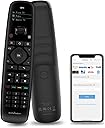
🎯 One Remote to Rule Them All — Control Smarter, Not Harder!
The SofaBaton U2 Universal Remote is a cutting-edge all-in-one smart controller designed for busy professionals who demand seamless entertainment management. Compatible with over 6000 brands and 500,000 devices, it replaces 15+ remotes by combining infrared and Bluetooth control. Featuring a powerful 35-foot IR range, an ergonomic design with a scroll wheel and OLED display, plus a customizable app for button reassignment and macro automation, the U2 elevates your home theater experience with unmatched convenience and precision.


| ASIN | B0BY8P1HZM |
| Batteries | 2 AA batteries required. (included) |
| Batteries Included | Yes |
| Batteries Required | No |
| Battery Description | Alkaline |
| Battery cell composition | Alkaline |
| Best Sellers Rank | #768,076 in Electronics ( See Top 100 in Electronics ) #23,145 in Audio & Video Remote Controls |
| Brand | SofaBaton |
| Compatible Devices | DVD/Blu-ray Player, Home Theater, Set Top Box, Stereo System, Television |
| Connector Type | Infrared |
| Customer Reviews | 3.4 3.4 out of 5 stars (801) |
| Date First Available | 27 March 2023 |
| Display Type | OLED |
| Generic Name | remote |
| Hardware Platform | android |
| Includes Rechargeable Battery | No |
| Item Dimensions LxWxH | 20 x 5 x 3 Centimeters |
| Item Weight | 299 g |
| Item model number | U2 |
| Manufacturer | 1 |
| Model | U2 |
| Model Name | U2 |
| Product Dimensions | 20 x 5 x 3 cm; 299 g |
| Special Features | Ergonomic |
F**A
Bom, apesar de inúmeras avaliações negativas, pelos mais diversos motivos, e observando que as avaliações também estão misturadas entre U1 e U2, resolvi comprar uma unidade deste controle. Tenho um Harmony 650, mas infelizmente alguns botões começaram a falhar o que deixa a experiência muito ruim. Enfim, sobre o Sofabaton U2, que comprei no dia 13/05/25 e foi entregue na minha casa no Brasil no dia 19/05/25, mais rápido do que algumas compras feitas aqui, posso dizer neste pequeno tempo utilizando, que superou e muito minhas expectativas. A facilidade em programá-lo e criar as Macros, é muito satisfatória, apesar de não ter as "Activities" a forma fácil de usar o scroll pra trocar entre os dispositivos, torna desnecessária qualquer "activities", pois ao selecionar o dispositivo e apertando o botão que configurou a macro, ele faz o trabalho parecido ao de uma "activity". Faço comparação com o Harmony no que eu utilizava nele, e não em recursos que existiam, mas não eram utilizados por mim, portanto minha comparação é muito pessoal e pode ser que não atenda a necessidade de outros. Tive um Harmony One por volta de 2012 e 2014, porém quebrei pisando em cima sem querer (Claro), fiquei muito chateado e comprei o 650, mencionei isso, pois a quantidade de dispositivos parece que não, mas faz diferença, o ONE tinha a possibilidade de usar 15 o 650 cai pra 5, o que é uma diferença grande. O Sofabaton U2, tem a possibilidade de utilizar 15 dispositivos entre Infravermelho e Bluetooth, e as macros funcionam com botões de dispositivos IR e BT misturados, o que eleva ainda mais as possibilidades de combinações. Vou voltar em outro momento para complementar minha experiencia com o controle, mas posso dizer que é um excelente produto, muito bem construído, bons materiais, e apesar do preço podemos classificar em uma categoria acima de muitos controles vendidos por aí. Resumindo, boa construção, facilidade de configuração e uso, me deixou satisfeito com o controle adquirido na Amazon EUA (Minha primeira compra na Amazon USA). *Em avaliações onde a reclamação era referente ao Wake, com a possibilidade de acender a tela ao pegar, isso não acontece, portanto pra não ter esse aborrecimento, deixe a opção ativada, mesmo que provavelmente gaste um pouco mais de pilhas, mas nada que um par de recarregáveis não resolva. **Em avaliações onde a reclamação era referente ao barulho das teclas, acredito que por ter comprado em 2025 essa seja uma nova remessa ou não tenho tanta sensibilidade com o barulho dos botões, pois o original da minha TV Philips de 2024 é mais alto do que o do U2. ***Em avaliações onde a reclamação era referente ao apontamento do IR, não tive esse problema, em nenhum momento precisei direcionar o controle para o dispositivo como se fosse uma mira laser, bem tranquilo e sem falhas. ****Utilizando em Vídeo Games, somente funcionou nativamente no Xbox Series, no PS5 só funciona através do CEC, que funciona bem, mas não é de forma Nativa. Acho que por enquanto é isso, espero ter ajudado com a minha experiencia inicial.
W**E
Is good for old people to use it compare with modern RC which very less button
Y**V
Takes several presses and seconds to wakeup. After sleep recognizes several presses suddenly. In 2 months several buttons lost click response.
S**U
Great remote for replacing all your remotes. It's easy to setup and use but can use lights under the buttons for use in the dark. The learning feature is easy to use and you can program all the buttons very quickly. I found that there aren't enough buttons for all the commands on some remotes so you have to choose the ones you absolutely need. The other way around this is to create 2 remotes and splt the commands over these. I put basic functions on the first and setup functions on the second. Overall it's a great remote.
M**B
UPDATE 2: Since Sofabaton replaced the defective one and told me to just keep the old one, I figured I'd take it apart to see what was wrong with it and just get an idea of the construction. The good news is it's relatively easy to open up (there are two screws under the rubber "nubs" on the bottom, just FYI). The buttons use a metal disc/membrane style. I was able to peel up the plastic covering the number section and I did see some corrosion or something on that metal disc for the "4" button which is why it didn't work. I used a little IPA to clean it, put it all back together, and it's working now. The metal discs are only held in place by the plastic sheet so if you had to do this on some other key in the middle, you may have trouble trying to get to it, but fortunately for me it was on the edge. So far, so good, I put this in my other room controlling just a few devices and it's working good so far. I'm attaching a photo of my disassembly and testing. I used an external power supply to test it out in place of a battery when I was working on that button (screwdriver is pointing to that flaky "4" button disc). My replacement is still doing well too. It seems like sometimes it doesn't "wake up" when I press a button even though the screen turns on. I've noticed this after a few days, and pulling the battery and putting it back in actually seems to get it working better. "memory leak" possibly? :) UPDATE: I reached out to the manufacturer and they were very helpful in sending out a replacement U2 remote which solved the issue (where the "4" button wasn't sending anything). Curiously, when setting up the replacement (I still wish there was a backup/restore feature) I noticed that the Denon AVR-S930H I previously used was now missing some of the discrete "input" commands, but I used a S950H model instead which had them all. So that tells me their command database gets changed/updated and maybe not always for the better. You might have to experiment with similar models to find one that has what you need. And I'm still hopeful that future app and/or firmware updates will add some of the missing functionality I'm hoping for. --- Original review: I wanted a replacement for my aging Logitech that's been having issues. This one seemed to fit the bill the best out of all the options. It was pretty easy to setup using the app on my Android phone. A couple things became apparent though after using it for a bit. PROS: - I like the bluetooth support and I programmed a few keys to manage my HTPC so I could play/pause, etc. without having to use my wireless keyboard. - The app is pretty basic but easy to use, not much of a learning curve. - The IR power seems to be about the same as my Logitech was. At least, it works from the same distance and I don't feel like I have to be aiming right at the device like some cheaper remotes I've had over the years. CONS: - The "4" button no longer sends anything, no matter what device I'm controlling. It doesn't show anything on the display to indicate it's sending IR, like it does for other buttons. That's just weird. Maybe it never worked... I don't remember if I'd seen it working before, but I noticed after 1 month that when controlling my Xfinity X1 box, which I finally got to respond by adding an IR repeater (known issue with weak IR receiver on the XG1v4 box), I could put in any other # but not 4. Then I tried on my Tivo, Blu-Ray, Denon receiver, etc. and nothing, it just doesn't send, as if the button is physically dead. It clicks fine (super loud clicks like all the others), so maybe it's software/electronic related? - Once you setup a device, you have ZERO ways of modifying the type of device. Yes, you can modify key assignments, but you can't change what the device is. Like if you get a different Blu-Ray player, you can't change from Samsung to Sony, you have to delete the old device and setup a new one from scratch. Normally that wouldn't be terrible, but in my case I had a bluetooth device to control my HTPC and I had all kinds of custom buttons setup for it. Then I switched to a different computer and wanted to pair it up again with the new one and keep all of those button assignments, but you can't do that! I had to delete it and then spend a bunch of time remembering what all the customizations were. I should be able to pair it to a new device, right? - This brought up another aspect - there's no way to backup your configuration, or even view how your devices are setup. I have a list of all my devices (makes, models, etc) but maybe I want to make sure I put in the right info when I set it up? But again, all you can do in the app really is change the display name and modify buttons. - The remote does not have distinct buttons for things like page up/down that most cable boxes have (or I could have used that for Tivo thumbs up/down which is how I had my Logitech doing it with those separate up/down buttons on those). I worked around it by using a couple of the "color" buttons for page up/down but that only makes sense to me. Good luck to anyone else using the remote with instructions taped to it. :) The other color buttons I used to mimic the Xfinity "A", "B" (didn't care about C or D) buttons, so again, doesn't make a bunch of sense, but those are less common across other remotes so I'm fine with that. It would have been great to have a couple of "customizable" buttons though, for generic use. In the end, given the shortcomings and the fact that "4" doesn't work at all, I'm probably going to eat the cost of this and it'll become e-waste, unless the support email I sent to Sofabaton results in getting a replacement or something. I don't know if I can exchange through Amazon since I didn't keep the packaging, but I'll try that avenue if Sofabaton doesn't come through for me. On the flip side, if Sofabaton and/or Amazon does get me a replacement eventually, I'll bump my review, because the other cons I mentioned were kind of known in advance and maybe, just maybe, those could be addressed for the most part with some software/app updates, and my workaround for missing customizable buttons is good enough that I could live with it.
Trustpilot
2 days ago
1 week ago