Desertcart purchases this item on your behalf and handles shipping, customs, and support to Ireland.
📚 Color your reading world, waterproof your adventures!
The Kobo Libra Colour is a 7-inch color E Ink eReader featuring Kaleido 3 technology for vibrant, glare-free reading. It boasts IPX8 waterproofing, a 4-week battery life, 32GB storage, and ergonomic design with page-turn buttons and customizable settings. Compatible with Kobo Stylus 2 for colorful annotations, it supports a wide range of file formats and offers seamless audiobook integration. Made with recycled materials, it’s a sustainable choice for avid readers who want to carry thousands of books anywhere, anytime.


| ASIN | B0D1KV86N4 |
| Battery Average Life | 4 weeks |
| Battery Description | Lithium-Ion |
| Best Sellers Rank | #3,303 in Electronics ( See Top 100 in Electronics ) #23 in eBook Readers |
| Brand | Kobo |
| Built-In Media | E-readear |
| Color | White |
| Connectivity Technology | Bluetooth, Wi-Fi |
| Customer Reviews | 4.4 out of 5 stars 620 Reviews |
| Display Technology | Electronic Ink |
| File Format | BMP, CBR, CBZ, EPUB, EPUB3, FlePub, GIF, HTML, JPEG, MOBI, PDF, PNG, RTF, TIFF, TXT |
| Human-Interface Input | Touchscreen |
| Item Highlight | 7” Color E Ink Kaleido 3, Dark Mode, Waterproof, eBooks, Audiobooks, Recycled Materials |
| Item Weight | 7.05 ounces |
| Manufacturer | Rakuten Kobo |
| Memory Storage Capacity | 32 GB |
| Mfr Part Number | N428-TP-WH-S-CK |
| Model Name | Kobo Libra Colour |
| Model Number | N428-TP-WH-S-CK |
| Native Resolution | 1680x1264 |
| Number of Items | 1 |
| Other Special Features of the Product | Kobo Stylus 2 compatibility, full-color E Ink display, waterproofing, and support for various content types including comics and graphic novels |
| Processor Speed | 2 GHz |
| Screen Size | 7 inches |
| UPC | 681495009688 |
| Unit Count | 1 Count |
| Warranty Description | 1 Year Limited Warranty |
J**O
Yay for the page turning buttons!!
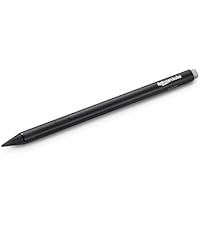
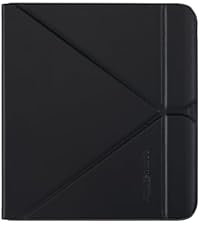
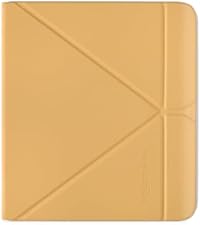
Through the reader years I have had a Sony, Nook and then used my IPad. That was too heavy and valuable to carry around. I had a Voyage, upgraded to an Oasis which I left on a plane (yes, check those seat back pouches 🙄). Paper White was new and less expensive so I went with that. I missed the page turning buttons and in November tried to buy one only realizing they had been discontinued. I bought a used one. The battery only lasts five hours. Amazon wouldn’t help because it was bought through a second party? I was willing to try my luck on another but there were no longer any used available. During my search Kobo popped up. I had not ever heard of it 🤭 How is that possible (I live in the US) ?! My book club wants me to bring this novelty to our next meeting. People seemed more pleased with it than the Kindle Colorsoft but regardless, I was buying for the page turning buttons. I’ve now had it one week. I’ve given the Paper White to my son and I’ll keep the Oasis because of my extensive library (and yes I can still read my kindle books on my IPad) but I’m now a Kobo person. I love my page turning buttons!! I do not read cartoons or Manga but being able to see the book covers in color is very enjoyable to me and helps me remember which books I’ve read. My library screen is much more pleasant to look at than the crowded Kindle page. Downloading from Libby has been very easy. Ready to borrow has popped up on the screen and I touch to download. I had the trial Kobo Unlimited but like Kindle Unlimited - the books I want to read are mostly new releases (which they wont have) or books that are already on Libby. I bought The Frozen River last night because I was 532 on the Libby waitlist (it must be good). It was $2.00 more than kindle and I understand Kobo will price match. I have the stylus and it works like my IPad pen. I’ve only scribbled so I can’t promise it’s perfect. I only bought it because I can and I like gadgets. I haven’t opened the notebook yet but it looks interesting. I ordered a total of four cases. I was hoping one of them would store the stylus. They do not. The stylus sticks to the left side of the kobo but that is covered by all the cases - even the kobo case. The Kobo case is the only one that allowed comfortable access to the buttons but again only the right side is exposed and the stylus won’t stick to that side. I’m very surprised Kobo hasn’t done something about this. I really DO NOT like the colors offered by the Kobo case but it is the best fit. I will say the butter yellow isn’t hard to miss when I’m looking for it. To close - I’ve been around in the e-reader world and I love my Kobo Libra Color. The BIGGEST selling point for me are the page turning buttons.
M**D
Very portable color e-reader at fair price with many features
Since I already have other types of e-reader, I didn't technically need another one. What prompted this purchase was: longer battery life of Kobo, lower price, small size, audio book capability, and the most important features of color e-ink and stylus that can be used to hand write notes. The text is not as sharp as my iPad, but it's adjustable for size and font, bright enough, and fine for me. The color, while not strictly necessary, is enjoyable and makes notes more fun. I even did some simple color sketching and mind maps with the Kobo notepad app. My ipad does most of the desired features better of course (plus has a zillion apps), but is too expensive and too large for me to just take it everywhere in my pocket, purse, or small backpack. (I am also getting tired of operating systems that nag me to be signed in all the time. ) Even better, I found that I really use the feature where I can connect the Kobo to my Macbook and side load PDF or text files, without having to use a proprietary system (yes, I know how to do this with ipads and kindle email). I expect to use this feature to personalize the material that I am able to quickly install on the Kobo, such as business data, teaching materials, etc. It won't replace my iPad, but sometimes what matters is the device that is actually with you, and ready to go. I wish the Kobo had more memory, or was able to install an external memory card, but I can live with that limitation. Buying books on the Kobo website is also easy, they have a pretty good sale section, a subscription service similar to Kindle unlimited, and some of their books are DRM-free.
D**R
Beautiful & functional
The #1 thing I like about this is that it's not an Amazon product & there's no sign of Kindle Unlimited. When buying an ebook from Kobo you are still just purchasing a license. It is in their terms of sale. It is a decent size and lightweight. I have a Kindle Fire 7 generation 9. The Kobo is lighter and easier on the eyes. I like that it comes in white. The color is lovely. Very nice for book covers, illustrations, comics, etc. Yes - it does look washed out sometimes compared to a printed page or phone screen. Doesn't work so well for something like a quilting pattern book where you might want to see the colors more vividly (you could use the app on a phone or tablet for that). The screen brightness is decent. Battery lasts several days. I like having room on the side to hold the ereader, and the option of using the buttons. I also like where the power button is located. There is the option of audiobooks on the ereader, but no speaker, so you must use bluetooth to listen from the ereader. I really like the integration of dropbox & overdrive. Makes it so convenient to access books from multiple sources. I really like being able to see, within the store, if a book I'm interested in is available to borrow. You can't browse the library with Overdrive, though. Within the Kobo shopping experience there are places where you have the option to buy a book, but it doesn't show a price. That is a little annoying. There are a lot of things about this ereader to love & some things that could be a little better. It is a little expensive. I hope to get a lot of use out of it for a long time.
T**R
Amazing - former kindle oasis user
I absolutely love my Kobo, but I will say getting used to the Kobo environment is a little bit of a learning curve coming from kindle. First of all if you really enjoy Kindle insights that show how long you’ve read a book, when you read the book, how long it took you to read it throughout the month, What days you read versus what days you did not read, etc, this may not be the device for you because the software/environment is just not there yet. I wish I had known that before purchasing. I do miss those insights from Kindle, but I will say I enjoy the feel and look and hardware of the Kobo more than the Kindle Oasis. I also obviously love that there is color, and highlighting and taking notes with the pen has become something I can’t live without. The battery life is super impressive, I read a lot, and I barely ever have to charge this thing, I’d say it’s about the same as the Kindle oasis. You can upload news articles with the pocket app and read them on your kobo as well as library books which I think is super cool and was easy to figure out how to do, I don’t really think that Kindle allows you to do that, but I may be wrong. The brightness on the kobo is a little bit different than the Kindle, I think that it might come off as a little bit of a harsher light, but I do love that it’s adjustable by just dragging your finger up and down the side of the screen, which is so handy. I will say I think that Kindle has a better Kindle unlimited selection versus kobo plus subscription if you’re into fantasy romance novels. I can’t really speak to other genres, but I have noticed that a lot of the books I wanted to read were not available with my subscription, unfortunately, but there is a pretty good reward points system with the Kobo at least. The Kobo is definitely lighter than the Kindle Oasis, because it is made from recycled plastic instead of Metal. If that is important to you, you are making the right choice going with Kobo.
J**N
Dump your Kindle because this is wayyyyyyy BETTER!!!!
For reference, I own an 11th generation Kindle Paperwhite, a Boox Palma 2 Pro, and I also tried the Kindle Colorsoft. With that being said, I love the Kobo Libra Color. Out of all my e-readers, the 11th generation Kindle Paperwhite has always been my favorite because of how crisp the text is. But I really wanted color for my book covers, so I picked up the Boox Palma 2 Pro. While I still have and use the Boox Palma 2 Pro and appreciate its flexibility, the graininess and slight yellowing at the bottom of the Boox Palma 2 Pro screen were a bit disappointing. I also tried the Kindle Colorsoft, but I ended up returning it, not just because of a similar screen experience to the Boox Palma 2 Pro, but also because the Kindle Colorsoft ecosystem felt too limited compared to the Boox Palma 2 Pro. The Kobo Libra Color finally gave me the best of both worlds. The text on the Kobo Libra Color is crisp, and the colors on the Kobo Libra Color are beautiful. The Kobo Libra Color honestly makes reading feel fun and exciting again. Adding the stylus to the Kobo Libra Color takes it even further since you can annotate in color and even doodle directly on your books, which makes the whole experience so enjoyable. If you are on the fence about getting the Kobo Libra Color, just do it. The Kobo Libra Color is absolutely worth it!!!
****
My second favorite e-reading device next to my Kindles
First disclosure: I am very invested in the Amazon ecosystem and own thousands of ebooks through there as well as own many of their reading devices like the Paperwhite Signature Edition, Kindle Oasis, Kindle Basic, Kindle Scribe, and multiple Kindle Fires. I was tempted to buy the Kobo Libra Colour because I loved the form factor of how it looks like a Kindle Oasis (discontinued), but in white with page-turning buttons and using e-ink color. The day I saw the Kindle Colorsoft announced and saw that it did not have page turning buttons, and that it was basically a Kindle Paperwhite Signature Edition with color e-ink- I ordered the Kobo Libra Colour. I was a bit tortured over this because it's a totally different ecosystem and I have no intention of ordering books from the Kobo Store. I also have no intention of going through the computer gymnastics of converting my purchased kindle books into files that can be read on the Kobo. I have too many, and I love/prefer my Amazon reading devices anyway. I justified my purchase of the Kobo Libra Colour with the fact that it has Libby/OverDrive integrated right on the device so I can borrow my library books right there. I also had a bunch of other ebook files I transferred from my computer to the Kobo for offline reading. Lastly, I sometimes get protected DRM ebook files to read and review that can't be read on a Kindle, so I'm able to drag them onto the Kobo using Adobe Digital Editions on my computer. So this Kobo device has very limited use for me, since I can already have Libby/OverDrive send my borrowed ebooks to my Kindle. This was a luxury buy simply because I'm an ereader collector and it looked like a beautiful reading device with page turning buttons. After using it I struggled with the possibility of returning it for a refund, since it was totally unnecessary for my needs. However, after decorating the back of it with some bookish stickers and a clear case, and using it for my free public library borrows (after all, I can see the bookcovers in color) I decided to keep it. I like the fact that you can simply run your finger up and down the left side of the screen to adjust the brightness. I have the Natural Light setting on automatic so that it gradually includes "warmth" lighting as the evening sets in. I don't like the extra steps I have to go through to get to "Dark Mode" with the black background for night reads. You have to open up settings and go to a page 2 in Settings to select Dark Mode. On the kindles you very simply swipe down from the top of the screen and tap the icon "Dark Mode". The color on the Kobo Libra Colour is muted and washed out, but I expected that because it's an e-ink device, not an android tablet or iPad. The screen is quite lovely for reading. I don't give a hoot about comics or manga- I just want to read words. I love the white plastic casing of the Kobo Libra Colour. It's not just white, when you look closely it's a kind of frosted white that glows. It's a very pretty looking device. I think I'll keep it! *UPDATE: 5 months later and somehow there are two scratches on the screen. This is made from recycled materials, and perhaps the screen isn't that impervious to scratches. I had a clear back case and stickers on this, but switched over to a proper book-like case to protect it. A lovely device that I enjoy but not as much as my Kindles.
E**E
Switched from Kindle and I'm in love
I was disappointed when Kindle discontinued their Oasis and didn't release any kindles with page turn buttons.. which led me here! This device is super comfortable to hold with or without a case and the page turn buttons are amazing. They click well while not being noisy. I personally love the UI so much more than Kindle's. I find it to be a lot less glitchy as well. Kobo Plus is also pretty good but obviously there will be some books that aren't available due to being exclusive with KU. Having Overdrive on the device itself is also a huge plus, I only wish you could be logged into multiple cards at one time on the device. The screen will probably be hit or miss for most people. I actually really like it because to me it looks more like real paper as opposed to an electronic screen. If you've used the Paperwhite or Boox Page, this definitely doesn't look like that due to the color screen. It is a bit more grainy and almost looks like you're reading on a newspaper. I find myself preferring this actually because of the more authentic look to a physical book. The colors are good in my opinion too. Don't expect extremely vibrant colors as this isn't an iPad, it's still e-ink. The daily book deals on the Kobo store are also a good selection. The note-taking feature is perfect. I really love that you can write anywhere on the screen and change highlight / pen colors. My complaint is that the stylus doesn't come with Kobo Libra though. And the stylus is expensive.
D**8
Kaleido 3 screen and sufficient ecosystem make for a fun device
Purchase experience: First, please do not buy this product from Amazon, as it is not sold by / shipped by Amazon, but a third-party seller called Blue Proton, who have a $50 restocking fee if you return the product, even if you are an Amazon Prime member! Better to buy from Kobo directly!!!! It was a negative purchase experience for that reason because I needed to return one of them. Second, moving on the quality of the device: 1. Screen Quality: Since Kaleido 3 color e-ink screens are darker than a normal black and white e-ink screen, the truth is that it all depends on the implementation of the screen and how bright they can make it. Text looks as crisp as e-ink devices from the Carta HD e-ink screen days from 2010-2014. Colored highlights and pictures look fantastic, like an old school paper magazine from Highlights for Kids. 2. Screen Brightness: Kobo Libra Colour is brighter than a BOOX Tab mini C, butax brightness is slightly less brighter than the 2024 Kindle Colorsoft and 2024 BOOX Got Color 7. Without the light turned on , you cannot read the screen even in broad daylight unless you have good vision or turn on Dark Mode so that the white letters stand out on the black background. 3. Battery Life: it lasts about 10 days without charging with reading 30-60 minutes per day with wi-fi and Bluetooth off. Brightness between 10-100%, usually closer to 80%. Good enough for me because I mostly drag and drop by eBooks anyway over a USB cable. 4. Book Format: Unfortunately, Kobo also use a proprietary format for eBooks called KEPUB. Yes, you can read EPUBs on it, but your covers display wonky on the lock screen and in the library. This is a disappointment if you were excited to see your EPUB covers on the screensaver. You also lose out on granular font, margins and other adjustment settings when reading unless you convert to KEPUB. NOOK, PocketBook and BOOX still have the best EPUB reader experience out of the box. I don't understand why so many eReader companies are against embracing generic EPUB standards. 5. Size and Design: 7 inches is a great screen size for books and comics. The weight is heavier than the 10th Gen 2019 Kindle Oasis and BOOX Go Color 7, but the buttons give a satisfying click and are very reliable unlike the Kobo Sage. The soft touch material on the back helps with grip, as does the slight bend in the device. 6. Kobo Ecosystem: Kobo Plus and the easy access to OverDrive on the device without any other smartphone or computer required is great. However, you cannot put multiple library cards on the device without using work arounds found by random people on the internet. The best experience is still, shockingly, Amazon Kindle, if you have multiple library cards. Kobo Plus has more unique offerings than Kindle Unlimited, especially if you're into religion or non-fiction. 7. Durability: Kobo have designed the Kobo Libra Colour with user repairability in mind. You can purchase the parts from ifixit and easily repair it yourself. This is a great step in electronics sustainability and I hope Kobo continues this trend. 8. Note taking with a stylus: I don't really use this as there's no easy way to export my handwritten book annotations. The notebooks can be exported as a PDF from a computer browser, but again I want access to my book annotations, which sync to your Kobo account when taken on an OverDrive loan or a Kobo purchase, but cannot be exported off the device unlike Amazon Kindle Scribe. You can use third-party stylus from Renaisser etc.
S**U
Simplemente perfecta
Está súper bonita llegó en buen estado y es súper práctica, pensé que era más grande pero el tamaño es perfecto 💯
M**R
Súper recomendable
Lo amo, ya llevo poco más de un año con él y a mí se me facilita más leer así que en libro, me gusta el ajuste de brillo y tonalidad para la noche. Es ligero, no pesa y me encanta. Se golpeó un poco y eso me pasa por no comprarle su funda desde un inicio, así que si lo compras, si o si cómprale una carcasa.
D**A
Mi lector favorito
Pasé de un Kindle Oasis ( descontinuado). Y me he adaptado muy bien a este lector. Adaptas la luz, más fría o más cálida. Lo del subrayado a colores es lindo. También compré el lapiz aunque no lo vi tan necesario porque no hago anotaciones y creo que si cambias el zoom de la página como que se pierde o cambia de lugar lo que anotaste. Tip: compra la funda original tipo “origami” para que puedas pararlo en una mesa etc. Gran lector :)
L**O
Excelente producto
Fue una excelente compra, ya qué el lector soporta varios tipos de formatos de lectura y lo más genial qué se puede subrayar, anotar, etc.
B**O
Debería de incluir la pluma
El kobo esta increíble y desde que lo tengo leo mucho más y el botón para cambiar de hoja es super cómodo. Lo único que si esta mal en mi opinión es que la mitad de sus funciones dependen de que les des más dinero: si quieres que mida tus lecturas con todas sus funciones los libros tienen que ser comprados de su tienda (o tener el formato para kobo) y las notas, los resaltados y las libretas solo funcionan si tienes una pluma de ellos. Aun así vale la pena y es mucho mejor opción qué otras tabletas para libros sin color.
Trustpilot
4 days ago
2 days ago