Desertcart purchases this item on your behalf and handles shipping, customs, and support to Ireland.
๐จ๏ธ Print Freedom, Wherever You Go!
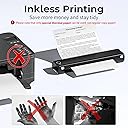
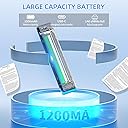
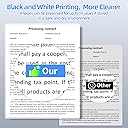
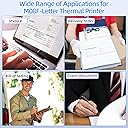
The PokeLabel M08F is a sleek, lightweight portable thermal printer designed for professionals on the move. Supporting full US Letter size printing with 200 dpi clarity, it connects wirelessly via Bluetooth or wired through USB-C, compatible with Android, iOS, Mac, and Windows devices. Its inkless thermal technology eliminates the need for costly inks, offering eco-friendly, hassle-free printing at just $0.12 per sheet. With a robust 1200mAh battery, it prints up to 140 pages per charge, making it ideal for business, home, or travel use.

| ASIN | B0C7PD5833 |
| Additional Printer Functions | Scan |
| B&W Pages per Minute | 15 |
| Best Sellers Rank | #61,353 in Computers & Accessories ( See Top 100 in Computers & Accessories ) #62 in Portable Thermal Printers |
| Box Contents | M08F-Letter Portable Printer, Manual & Quick Start Guide, Soft Storage Pouch, US Letter Thermal Paper 10 Sheets, USB-A to USB-C Charging Cable |
| Brand | PokeLabel |
| Brand Name | PokeLabel |
| Color Pages per Minute | 10 |
| Colour | Black |
| Compatible Devices | Laptops, Smartphones |
| Connectivity Technology | USB |
| Control Method | App |
| Controller Type | iOS |
| Customer Reviews | 4.0 out of 5 stars 229 Reviews |
| Dual-sided printing | No |
| Duplex | Manual |
| Hardware Interface | Bluetooth, USB |
| Ink Color | Black |
| Item Dimensions D x W x H | 41D x 41W x 41H Millimeters |
| Item Type Name | Thermal printer |
| Item Weight | 715 Grams |
| Manufacturer | PokeLabel |
| Max PrintSpeed BlackWhite | 203 dpi |
| Maximum Copy Resolution Black and White | 200 dpi |
| Maximum Copy Speed Black and White | 15 ppm |
| Maximum Media Size | 8.5" X 11" |
| Maximum Sheet Capacity | 1 |
| Model Name | M08F |
| Model Number | M0F-BK |
| Model Series | M08F |
| Network Connectivity Technology | USB |
| Number Of Trays | 1 |
| Other Special Features of the Product | Bluetooth,Portable,Wireless |
| Output sheet capacity | 1 |
| Paper Size | Letter |
| Printer Output Type | Monochrome |
| Printer Type | Thermal |
| Printing Media Type | Paper (plain) |
| Printing Technology | Thermal |
| Resolution | 200 x 200 dpi |
| Scanner Type | Portable |
| Special Feature | Bluetooth,Portable,Wireless |
| Specific Uses For Product | Office |
| Total USB Ports | 1 |
| Unit Count | 1.0 Count |
| Wattage | 1200 milliamp_hours |
S**A
On
Good
T**A
Gtv
Excellent product
P**R
No need any more
This product not working after 2 days
R**R
Waste products
Knot working
A**.
EVERY traveling tattoo artist should own one of these!
Wasnโt sure how I was gonna feel about this machine but after testing it out, Iโm in love. Iโve been using the Brother PJ773 for the past few years now to print my tattoo designs and the issue Iโve had with that printer is that it tends to eat my stencil paper when trying to print stencils that have large dark areas (Iโve gone through sheets and sheets of paper as a result). To avoid this, I must make my design as simple as possible and eliminate having large dark areas next to each other in order for it to print which results in okay print quality with a great loss of detail. Not this printer! The M08F prints like a dream in comparison. The machine doesnโt eat the paper or struggle to print large dark areas. In the video I show an example of the simplified design I would typically print on the PJ773 at the top and the original drawing on the bottom I would NEVER have been able to print on the PJ773 and as you can see, the M08F has no problem printing either. NOTE: Iโve only tried to print on stencil paper and the paper that comes with the machine and I would definitely recommend this product a million times over to all traveling tattoo artists. Definitely worth the investment Pros: easy it is to connect to the printer using the app easily prints designs without needing to simplify or convert them and designs are very clear when printed only requires a usbc-c charger to turn comes with a convenient carrying case Cons: slightly on the larger side in comparison to the PJ773
T**K
No charger and bag
There was no charger or bag
K**Y
Quality, Portability and Easy to Use
I bought this for my Dad and was really impressed with the quality of printing (and surprised by the image printing quality). The software was easy to install (for desktop the drivers on their website for mobile they have apps) - I installed on a desktop PC, a laptop MAC and an Apple iPhone and was easily able to print from all 3. I printed from Word (MAC), an Internet browser (PC) and Gmail (iPhone). We used full sheet paper in all 3 cases. Note: I was a bit worried about the initial set-up as when I took the protector out in the paper feed from the initial shipping and didn't press it hard enough to close-it, once I did I was off and running. My Dad doesn't print often but likes the option of printing out plans for stuff he likes to build or items he researches online. He's not a big tech person but it was easy to show him the printing process - and it's nice that he doesn't have to deal with ink. I just made sure he knows that thermal printing doesn't last forever so important documents should be copied. It's portability is amazing. Small and light and I brought it on a plane along with some thermal paper in my checked luggage and did not have any problems.I can see myself buying a 2nd one the next time I have to travel.
D**1
Nice Portable Printer
I got this printer primarily for printing my schematics out when I am in the field working on equipment. I will be great for that function. It is very portable, and the rechargeable battery and wireless printing features are perfect. I can print pdf or jpg documents wirelessly from my phone, or any document from my laptop both wirelessly and over USB. App on the phone is simple and rich in features, and driver from my Macbook installed very easily from the Phomemo website, link included in the documentation. Once less than perfect issue is aligning the paper for straight prints. You insert the paper manually, so if it a little crooked then the final print will be crooked on the paper. I found that if you insert the paper closest to the left side, it is easier to get a good alignment. So the alignment is something to pay attention to, but I don't feel it is a huge problem for the way I am using it.
A**E
Easy setup and great thermal prints
This thermal printer is so easy to set up, both on the computer as well as using it through Bluetooth printing. The printer itself has a narrow footprint and is great for travel, and especially for easy storage, whether on your desk or in a drawer, it takes up very little space. The print quality is extremely fine and it prints fast in black and white, without EVER having to worry about getting an ink cartridge replacement, since it's a thermal printer! And since it's a thermal printer, you can even get tattoo transfer paper and use it for doing stencils and transfers for tattoos and other art projects! The printer self feeds each sheet (one sheet of printing at a time) and registers where it needs to load the paper to and prints right away. You just load the paper face down and let the printer do its thing. You will never have to buy a printer ink cartridge again with this wonderfully handy, extremely portable printer. It is also rechargeable, so using Bluetooth to print means that you don't have to have ANY cables attached, which makes it even more convenient. In all I would recommend this printer to anyone looking for a space saving, easy to setup, reliable printer that works both as a USB printer and as a Bluetooth enabled printer. Save yourself a ton of money by no longer needing to buy ink cartridges and get this printer!
Trustpilot
3 weeks ago
1 month ago