Desertcart purchases this item on your behalf and handles shipping, customs, and support to Ireland.
💧 Stay Frosty, Stay Ahead: The Ultimate Liquid Cooling Upgrade for the Ambitious Pro
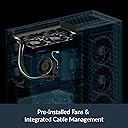
The ARCTIC Liquid Freezer III 280 is a high-performance water cooling system designed for Intel LGA1700/1851 and AMD Ryzen CPUs. Featuring a 280mm radiator with a 23% larger finstack, a 5mm offset coldplate for AMD multi-die chips, and an active PWM-controlled VRM fan, it ensures superior heat dissipation and voltage converter longevity. Integrated cable management and quiet operation make it a sleek, efficient choice for professionals demanding reliable, silent cooling with a 6-year warranty.


| Air Flow Capacity | 72.8 cfm |
| Asin | B09VGXMTK4 |
| Best Sellers Rank | #67 in Water Cooling Systems |
| Brand Name | ARCTIC |
| Compatible Devices | 1851, 1700; AMD, AM5, AM4, Intel |
| Cooling Method | Water |
| Customer Reviews | 4.6 4.6 out of 5 stars (620) 4.6 out of 5 stars |
| Global Trade Identification Number | 04895213704472 |
| Included Components | ARCTIC Liquid Freezer III 280 (Black) |
| Item Dimensions L X W X H | 12.48"L x 5.51"W x 2.56"H |
| Item Length | 10 centimeters |
| Item Type Name | Water Cooler |
| Item Weight | 1705 g |
| Manufacturer | ARCTIC |
| Material Type | Aluminium (Radiator), Copper, Micro Skived Fins (Cold Plate) |
| Maximum Rotational Speed | 1700 rpm |
| Model | ACFRE00135A |
| Number Of Items | 1 |
| Number Of Packs | 1 |
| Part Number | ACFRE00135A |
| Power Connector Type | 4-Pin |
| Unit Count | 1 Count |
| Upc | 840033402248 |
| Voltage | 12 volts |
| Warranty Description | 6 years |
| Wattage | 1.44 watts |
User
Easy AM5 install, quiet, shockingly effective
Given the reviews I've watched and read I expected this to be difficult to install, especially when mounting the block to the CPU on my Gigabyte B650 Gaming X AX V2 mainboard. Instead, I was able to get the thing installed within a couple minutes without removing the board from the case, or even laying the case down on its side. The mount appears solid as my CPU idle temps are in the mid 30s in the hottest room in the house. This thing cools my Ryzen 7 7800X3D better than the 360mm AIO it replaced.I mounted this cooler on the front of a Fractal Design North with tempered glass side panel. As shipped, with the fans attached, the radiator will not fit in a tubes-down orientation if your GPU is 270mm or longer (mine is 267mm). You can sandwich the case's front fan mounting rails between the fans and radiator to make it fit quite comfortably, though. I chose to mount the fans inside and the radiator outside to minimize audible fan noise, which was somewhat challenging but worth it. Be aware, though, that due to the thickness of the radiator this will necessitate the removal of the filter from the front panel.I also opted to use a pair of 140mm Noctua NF-A14 fans left over from a previous build instead of the Arctic ones that came with the unit. I'm sure this contributes to the overall silence of the system.
User
Quality product and good price
PROS: Quality build, cheap price, fans preinstalledCONS: InstallationI want to comment on the installation because it’s a hot topic with this air cooler. the hardest part is easily installing the cooler to the bracket if you are using the AMD bracket (apparently instal for intel is much easier). The amd bracket is in dire need of a redesign. I watched multiple videos and read the manual on installation. Ultimately it only took me about two minutes to screw the cooler onto the cpu, so I really can’t complain too much. It requires a bit of force as well as keeping the unit aligned to the brackets, it’s a pretty counter intuitive process but thankfully I was well researched on the process and I didn’t struggle too much.Honestly all the bad reviews on installation made me worry more than needed. Take your time and watch guides on how to do it. Everything else about the installation is good though.My biggest piece of advice for installation if you’re going to buy this is install the pump to the cpu BEFORE putting the mobo in the case. This way you can easily align the pump to the bracket. Second piece of advice is you’re going to have to use more force to push it down than you would like to, it’s okay, you’re not going to hurt the cpu. Then screw the radiator in to your desired location.
User
Excellent AIO for high TDP CPU's - if you can get it to fit
Upgraded system from Ryzen 5900X to 9900X. I don't overclock or game much, but 9900X set for higher TDP in BIOS. Initially reused old 240mm AIO (Corsair H100i Pro). Idle temp was ~50 C and 95+ C under heavy video editing with some throttling - needed to upgrade AIO too.Pros:Fantastic price of $86 can't be beat.Same system with 280mm Arctic idles in high 30's C and only hits mid-high 70's C under same load. That's 20C cooler under load! and no throttling.Supplied fans cool fantastically, yet can barely be heard under full load (1650 rpm)The Arctic components are impressively built. All parts HD and well finished. The AMD mounting was easy to install. Out of box everything setup for top of case install - nothing to change.Minor Cons:No install documentation provided - Web only and cannot be downloaded - had to view on another device during install.My case was "approved" (Corsair 4000D Airflow), but everything was very tight. Fan wires and memory modules inaccessible after radiator in place.Hoses are stiff - had to restrain with big tie wrap to allow case door to be put back.Pump speed reporting whacky - out of box showed 4000-4800 rpm? Had to dial-in a 0.6 adj factor to get readings to 2800 max.If it will fit, highly recommend this AIO for hot CPUs
User
Amazing Cooler
Amazing cooler for the price, I don’t have a super hot CPU, but it gives me PLENTY of head room to over clock my R5 7600x to increase my fps by about 10-15%. Would recommend!
User
SFX or ITX builds be wary..... Otherwise great.
Arctic always has great aio's for a decent price but anyone using these in an itx case or have space constraints should really do your homework before buying. The issue comes with their rotatable 90's coming out of the pump/block. They do not rotate 360° and that causes issues with the hoses sticking out farther than the actually pump itself and of course you won't be able to close your case on a sfx build. They really only rotate about 180°, not sure why they designed it this way bc other models can twist all the way. We all know an extra half inch or so on a sfx build means the world in those builds. But performance is great especially for a 280mm.
User
Simple. And performs well. Great for AM4
Bought this to replace a dying NZXT cooler. (at least I think it was dying, but it could be the crappy software needed to control it) This thing is exactly what I needed. Easy to install. Everything controlled by one cable from the motherboard. No proprietary software or anything needed. It does also come with a breakaway cable if you wish to control everything separately. I don't personally care, so a set-it-and-forget-it fan curve that spins up everything is what I opted for.Performs well too. Keeps my 5800X3D (stock with PBO on) below 80° at 100% sustained load. When gaming, it barely goes over 70 for brief periods.Edit: should probably add that I put on noctua fans as I already had some, so I don't know how it performs with the stock fans, but it should be about the same. The only difference is that these are probably a little quieter. But it goes to show that if you want to use your own fans, it's super simple. Was able to just use the short lead on the noctua fans and use the connectors that are sleeved through the cooler.VRM fan is also a nice bonus, because my board doesn't have the best VRMs. Not why I bought it, but nice to have.Would highly recommend if you don't care about RGB and just want something that performs well without fuss.Arctic keeps killing it with these!
User
Just buy it
You honestly cannot find a better AIO for the price. Speaking of the price, don't let it fool you into thinking this is sub-par. I replaced a phanteks glacier one that cost me ~$150 with this artic freezer III and it reduced my idle temps by an average of 3 degrees.It's roughly the same size as my old 280mm AIO but the hoses are a good 2 inches longer allowing me to easily mount it to the front of my case with the hoses down.It is very quiet and even if its going at 100% you're not really going to hear it. I chose to connect the pump, rad fans and the vrm fan separately so I could keep the pump running at 100% all the time for maximum cooling. Even with my Ryzen 7 5800x hitting 80 degrees and the fans at 90% while running cinebench it was extremely quiet.I just got the all black edition without any RGB lights and I think it looks fantastic in my case.I will definitely stick with the artic freezer brand the next time I build a computer as the quality and performance of this AIO has impressed me a lot.
User
Very tight fit on MasterCase Pro 5, but works great!
The ARCTIC Liquid Freezer III 280 AIO (All in One liquid cooler) was a very tight fit in my MasterCase Pro 5 and ROG STRIX B550-F GAMING (WI-FI). I had to snap off the safety clips on my 4pin x 2 CPU power cables (up at the top left) to get them seated on my motherboard with this installed. There is perhaps 1/4 to 1/8 inch clearance between the top of the motherboard and the bottom of the radiator fins. It's challenging to install on this specific case, but it's doable.Performance is fantastic. My temps are roughly the same (overclocked to a specific temp target of 75 - 80°c max on CPU and GPU), but acoustics are dramatically better. My PC is barely audible while idle and is 50% quieter while gaming at full GPU utilization (after re-running the mobo's built in fan speed curve auto tuner).I highly recommend this AIO if you have enough clearance (be sure to check, you could waste hours and have it not fit, it's very thick compared to the rest of the AIO market).
User
inte för alla chassi
jag kunde inte få den in i mitt chassi där finns plats för 2x140 mm fläktar. passar alltså förmodligen något större chassi än zalman i3 neo
User
Great product, Great installation, Great price
Big fan of this product, easy to install comes with good cooling paste. The radiator is really fat, this ofcourse is great for heat dissapation but it barely fit in the the front of my case. This is one thing to measure before buying.5 out of 5.
User
Oldukça memnunum ama tek bir sorun var
Ürün oldukça sessiz ve güzelce çalışıyor. Montaj biraz zor oluyor açıkçası ürünün kendisi büyük ve kabloları sert olduğu için. AM4 anakarta braketi taktıktan sonra bakır plaka işlemcinin tam üzerine gelmiyor. İşlemcinin üst tarafında yaklaşık 3mm boşluk kalıyor. İlginc şekilde sogutma konusunda problem yaşamadım. İnternette hemen hemen her video AM5 montaj olduğu için sonradan fark ettim. Bunu bilerek alın. R7 5700X3D işlemciyi PBO işlemi ile 48-60 derece arasında kullanıyorum.
User
Outstanding under load
Performance delivered, like a boss
User
Good value for money and gets the job done.
I upgraded my PC with a faster processor and the result ran a bit warmer than I liked with the stock AMD cooler. I'm not a hard-core overclocker and a mid-range air cooler would probably have been enough to get it under control, but I didn't like the idea of hanging a lump weighing over a kilo off a vertically mounted motherboard. So I decided to give an AIO a try.The PC is a work machine and I didn't want it lighting up like a Christmas tree. The processor is an AMD Ryzen7 5700G, so nothing too demanding on the cooling. The ARCTIC Liquid Freezer III 280 was listed as a good match to the Corsair 4000D case that I had chosen, so I ordered one. This was my first experience of water cooling and I was a little concerned that it might be difficult to install, but the Liquid Freezer was very easy. Even allowing a couple of stops to view the instructions, I removed the stock cooler and installed the Arctic in little more than half an hour - an experienced builder would do it faster.The results, for me, have been impressive. On the stock AMD cooler, the processor was idling at more than 50C and under load could easily touch 75C. With the ARCTIC Liquid Freezer III 280, it is idling below 30C and I have to push it hard to get it to touch 60C. I have not got the fans tuned yet and the noise levels at idle are slightly higher than the previous cooling based around the AMD stock cooler. But the stock cooler would do an impression of a jet aircraft taking off when the processor was under load - I've not noticed any noise increase between idle and full load with the Arctic installed.Customer service has been even more impressive... The cooler ships with two different cables - one to combine all the fans and the pump onto a single motherboard socket and one to connect them separately. I initially installed with the combining cable but subsequently decided that I wanted individual control. Trouble was that I had lost the necessary cable. I contacted Arctic support to ask if I could buy a replacement, but they simply asked for my address and proof of purchase, then popped a replacement into the post for me free of charge! That is service!
Trustpilot
2 weeks ago
5 days ago