Buy anything from 5,000+ international stores. One checkout price. No surprise fees. Join 2M+ shoppers on Desertcart.
Desertcart purchases this item on your behalf and handles shipping, customs, and support to Ireland.
🚀 Elevate your home network to WiFi 7 speed and coverage — because buffering is so last decade!
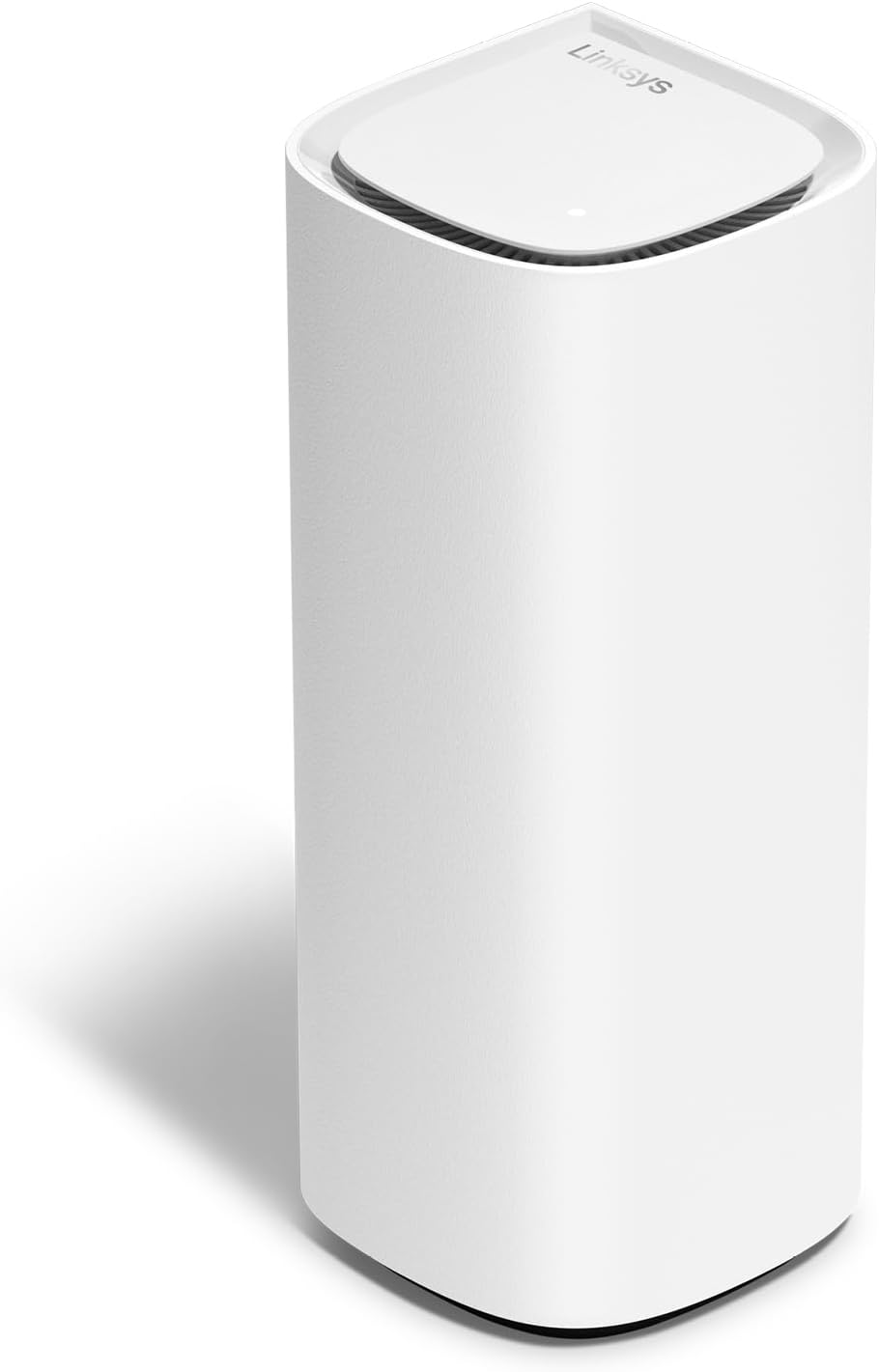
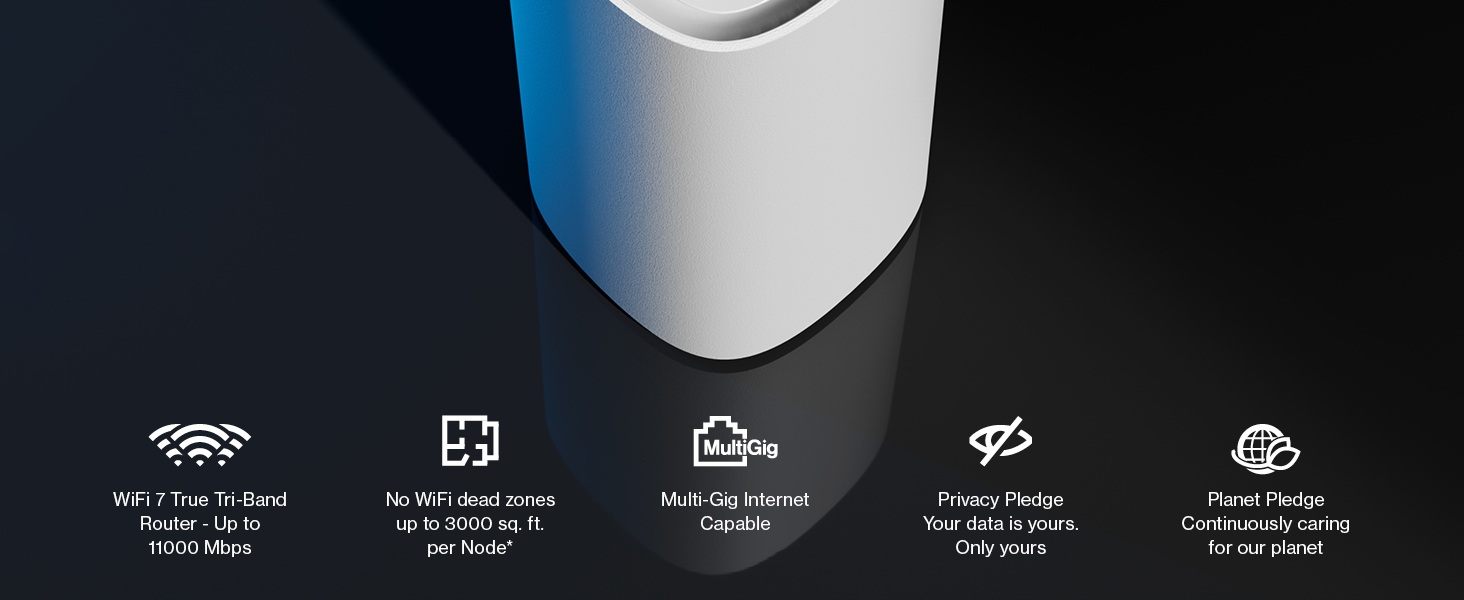
The Linksys Velop Pro 7 Mesh WiFi 7 Router MBE7001 delivers cutting-edge tri-band WiFi 7 technology with speeds up to 10 Gbps, supporting up to 200 devices across 275 sqm. Featuring a cognitive mesh system for optimized connectivity, easy app-based setup, and advanced security protocols, it’s designed to future-proof your home network with seamless streaming, gaming, and remote support.


| ASIN | B0CJY367NW |
| Antenna Location | Home |
| Antenna Type | Internal |
| Best Sellers Rank | 9,880 in Computers & Accessories ( See Top 100 in Computers & Accessories ) 88 in Routers |
| Box Contents | WiFi 7 Router |
| Brand | Linksys |
| Brand Name | Linksys |
| Colour | White |
| Compatible Devices | Laptop, Personal Computer, Smart Television, Tablet |
| Compatible devices | Laptop, Personal Computer, Smart Television, Tablet |
| Connectivity Protocol | Wi-Fi |
| Connectivity Range | 275 Square Metres |
| Connectivity Technology | Wi-Fi |
| Control Method | App |
| Controller Type | App Control |
| Coverage | Up to 275 sqm |
| Customer Reviews | 3.2 out of 5 stars 65 Reviews |
| Data Transfer Rate | 10 Gigabits Per Second |
| Frequency | 5 GHz |
| Frequency Band Class | Tri-Band |
| Frequency band class | Tri-Band |
| Has Internet Connectivity | Yes |
| Has Security Updates | Yes |
| Is Modem Compatible | Yes |
| Item Weight | 1.68 Kilograms |
| LAN Port Bandwidth | 10/100/1000 megabits per second |
| Manufacturer | Linksys |
| Manufacturer Part Number | MBE7001-KE |
| Maximum Upstream Data Transfer Rate | 10000 Megabits Per Second |
| Model Name | Linksys Velop Pro 7 Mesh WiFi 7 Router MBE7001 - Cognitive Mesh System with Tri-Band and over 10 Gbps Speeds - Whole Home Coverage up to 275 sqm. |
| Model Number | MBE7001-KE |
| Model name | Linksys Velop Pro 7 Mesh WiFi 7 Router MBE7001 - Cognitive Mesh System with Tri-Band and over 10 Gbps Speeds - Whole Home Coverage up to 275 sqm. Model name Linksys Velop Pro 7 Mesh WiFi 7 Router MBE7001 - Cognitive Mesh System with Tri-Band and over 10 Gbps Speeds - Whole Home Coverage up to 275 sqm. See more |
| Number of Antennas | 2 |
| Number of Ports | 3 |
| Operating System | RouterOS |
| Other Special Features of the Product | Parental Control |
| Router Network Type | mesh |
| Security Protocol | WPA3 |
| Special feature | Parental Control |
| UPC | 745883856947 |
| Voltage | 220 Volts |
| Wi-Fi Generation | WiFi 7 |
| Wireless Compability | 802.11.be |
| Wireless communication standard | 802.11.be |
J**Y
First class Performance and Support Services
Used in conjunction with less-expensive Velop 6E units as slaves. Amazing (1 Gbps on WiFi6) performance between rooms (horizontally) , but vertical range massively limited by re-inforced concrete slabs. Excellent after sales support showed how to either daisy chain or alternatively backhaul the slaves to the Velop 7 Master (with 4 Gigabit Ethernet ports)
R**N
ABSOLUTE RUBBISH
Terrible, brought to replace my linksys too. Router. Absolute rubbish, would not pair at all. Had a very stressful 3 hours from start to finish on the phone to linksys who were rubbish. Reading off of a script and had Absolutely no clue at all ! All they kept telling me to do was keep re-setting it. I had to box it back up for a full refund before I smashed it to bits. Wanted to upgrade to wifi 7. Our current toob router gets us speeds of 800mbs and wifi 6. So im happy with that. DO NOT BUY THIS UNLESS YOU WANT STRESS !
K**X
Latest Wifi 7 technology if prepared to pay now for future-proofing
Wifi 7 is the new wifi standard that is considerably faster than Wifi 6 - but you'll likely only notice a significant difference if you have a very fast broadband connection and use it to the max. This Linksys mesh Wifi 7 router is one of a few Wifi 7 options and there is a price premium for it. It's nice and easy to set up with the Linksys app. Note that this is a router, it will need to connect to your modem (which hopefully is full fibre otherwise there's not much point getting this high end router). The router itself looks nice and is not an eyesore. I tested this by replacing a Asus ZenWiFi XT9 mesh Wifi 6 router and using 500mbps broadband. It worked great with fast speeds and good connection but it was no better than the Wifi 6 system in practice. As broadband speeds increase and devices start using the Wifi 7 standard, this router will keep pace. The question is whether it is worth paying a premium now or waiting until the technology catches up and the price drops.
M**J
Good value in Black Friday sale
And now I've 3 in total Very easy to setup on the app or on a PC website Nicely made and looks smart on the shelves- not your usual ugly router Would be happy to recommend
R**E
Good but Expensive & lacking multi-gig functionality
Our daughter lives in a two bed flat with appalling wi-fi, so very much looking forward to test driving this single node version with alleges to cover c3,000 square feet (her flat is less than half this size). Looks wise it is both unobtrusive and well built, the white mini tower being about 8.5” tall, 3.5” inches wide, and about 3.5” deep. It has a single status LED on the top that glows solid white when everything is connected and online, flashes blue during startup, glows solid blue when the node is ready for setup, and glows solid red if it has lost its internet connection. All pretty easy as was the set-up using the quite friendly user interface (meaning even I could do it!). Each node contains four internal Wi-Fi antennas, a single Bluetooth antenna, a 2.5GbE WAN port, and four 1GbE LAN ports but sadly (an for future proofing) no multi-gig LAN connectivity (reason for 1 star deduction, as plenty do at this price point). In testing the system did a superb job of delivering strong Wi-Fi signals everywhere in the flat and whilst it is hard to scientific (as the original signal was barely recordable), download speeds were consistent and fast. All in then, this is a great system with one fundamental omission (no multi-gig) and a very hefty price tag. Does the job perfectly for us, but for larger properties with multiple connections, methinks there is better value to be found elsewhere.
S**B
Night and day when compared to standard ISP router
With its latest Wi-Fi 7 technology, the Linksys Velop Pro 7 mesh WiFi router system promises a notable improvement in your home network's performance. In terms of pure speed, this router is exceptional. Compared to Wi-Fi 6, Wi-Fi 7 offers up to 4.8 times quicker speeds. This results in lag-free gaming, seamless streaming, and effective file downloads—even with numerous devices linked. You even have the option to prioritise certain devices, which is a massive bonus if you have devices that need to always have a good connection. Since Wi-Fi 7 is the most recent standard, you shouldn't be concerned about your router going out of date very soon. This guarantees that your network will be prepared for any future developments in internet technology. The Velop Pro 7 uses mesh technology to remove dead zones and generate a steady Wi-Fi signal across your house. A single router is designed cover up to 3 bedrooms. It is simple to add more units to provide coverage for larger homes and cover a larger area. Compared to the router that was provided by my ISP, the reach of wifi is literally night and day. In the past, I was lucky if my phone was even able to detect my wifi when I was in the garden, but with this router, I can easily get 1-2 bars. In terms of setting things up, the mobile app walks you through the setup procedure which keeps things simple. To guarantee optimum performance, the system also includes features like network optimisation and automatic software updates. Overall, for those who value superior speed, dependable coverage, and a network that is ready for the future, the Linksys Velop Pro 7 is a great option. Its simplicity of setup and features for easy management make it more appealing. Important things to consider are the coverage area that you have in mind as this will determine how many nodes you require as part of your mesh system.
R**L
It works!
First of all I like the design of this product, the white is always my go too and it's much better than dust gathering black! Not an eyesore and fits in within the home just perfectly. I was a little optimistic trying this as I wasn't too sure what to expect, it most definitely doesnt improve speed imo but it does help signal strength all together.. Especially on my treadmill which is in the garage (not connected to the house) this does perform much better now it's linked upto this device. It's definitely an expensive bit of kit but it does work for boosting signal in those hard to reach areas! If your home struggles with black spots from WiFi then you would definitely benefit from something like this!
M**S
Easy setup and fantastic speed
With 3 floors at home and a lot of devices connected to the internet, I already had the older Linksys WiFi 6 routers on the ground and 1st floor at home that gave good internet coverage to the bedrooms and living room. However, I always struggled with a good internet connection in our converted loft, which I use as my office/bedroom. So I decided to try this newer Linksys Velop router to see if helps make a difference. Firstly, the router came very well boxed and contained a power adapter which includes a 2-pin adaptor, an ethernet cable and the Velop router itself. Compared to my previous Linksys mx4200 routers this is smaller in height and has a more rounded design. Setup was extremely easy and doesn’t require going through pages of instructions or doing any complex procedures, you simply plug in the router, select “set up a new product” from the Linksys app and wait a few minutes while the router connects to your home WiFi. You can either have this replace your existing router or set it as a child node, which is what I did. You may be required to update the firmware, but aside from that the whole process was smooth and I literally had it up and running in mere minutes. Having tested the speed, it has made a significant difference in my office. When browsing pages, they open faster, both upload and download speeds have improved and video content is rendered much quicker. Ideally, I would love to replace my current routers with this new Linksys mesh, but alas it’s currently a little too expensive for me, but definitely worthwhile if you can afford it.
A**D
Disconnecting
It keeps reconnecting and disconnecting the devices even if I am less than a meter near it I do not recommend it 👎
X**L
Przeciętny
Posiadam Linksys Mx 5300 i mając iPhone 14 Pro Max nie odczułem żadnej znaczącej różnicy przesiadając się na Velop pro 7 . Moim zdaniem Mx 5300 ma lepszy zasięg od Velop pro 7 prędkości identyczne nawet chyba troszkę gorsze na Velop pro 7 . Rozczarowany .
V**Z
Oui pour les dernières normes, pas forcément pour la portée (4,5/5)
Routeur simple à installer, malgré quelques soucis : – appareil non trouvé en Bluetooth par mon téléphone ; – problème d’une page de confirmation qui se rechargeait sans arrêt, même quand j’appuyais sur SUIVANT et que tout était bon par ailleurs. Après avoir relancé l’application Linksys, c’est passé. En dehors de ça, c’est plutôt clair et rapide. Appareil bien construit, design élégant et discret, plastique de qualité. L’ensemble inspire confiance. Routeur testé dans deux lieux fibrés : – chez moi : maison pas immense avec un étage (70 m² + 40 m² en haut), mais avec deux endroits où le signal de ma Livebox est extrêmement faible sans que je sache vraiment pourquoi. Le signal Wi-Fi fourni par le Linksys Velop est plus puissant, car j’ai pu naviguer correctement à ces deux mêmes endroits. Le signal n’était pas pour autant au maximum. – chez un ami avec une très grande maison à étage : il galère pour trouver un système lui permettant d’avoir un Wi-Fi véloce partout, sa maison n’ayant pas de câbles Ethernet passés dans les murs. Il a testé plusieurs appareils au fil des années, et le Linksys Velop est le dernier en date. Il me l’a rendu après quelques jours, car il n’avait pas amélioré les choses et ne faisait pas mieux que le système mesh Orange qu’il utilise en ce moment. Ce routeur me paraît donc utile pour avoir accès aux dernières normes en matières de Wi-Fi, mais les promesses de couverture me semblent un peu exagérées. Son prix est également particulièrement élevé. Je lui mets donc 4,5/5, mais j’arrondis à 5/5 si vous avez les moyens, car il fait du bon travail et l’application est claire, complète, ergonomique et réactive.
D**H
Best Mesh Wi-Fi
This is my second Linksys Velop WiFi system. They are the most advanced systems available. Easy to install, operate and add to. They continue to advance the technology and make it better and faster. Always reliable.
ďż˝**ďż˝
AdiĂłs a la poca cobertura wifi de tu domicilio u oficina.
Se trata de un dispositivo, para poder ampliar la cobertura de red wifi de tu domicilio u oficina. Viene en una caja perfectamente presentada y precintada, el router Velop pro 7 de la marca Linksys, tambiĂ©n trae un cable Ethernet y un manual de usuario para su instalaciĂłn. El router presenta una calidad extraordinaria, está muy bien construido y realizado, tiene buena estabilidad, además es bonito y elegante para tenerlo a la vista. Ya sabemos que los router, que nos instalan la compañĂa no tienen demasiada cobertura, por lo que, en casas grandes, como es mi caso (90 metros cuadros), y si encima el router te lo instalan dentro de un mueble, la wifi no te llega con suficiente fuerza al otro extremo de la casa, por lo que, en este caso, este router es ideal, para resolver cualquier problema de cobertura que tengas. Este router Velop pro 7, presenta una wifi 7, pero es compatible con todos los sistemas wifi anteriores, no tendrás problemas para poder configurarlo con wifi 6 e inferiores. Este Velop pro 7, presenta botones de encendido/apagado y reseteo en la base inferior y en un lateral enchufe de red y 4 puertos ethernet, de los cuales uno de ellos es que conectas al router que tienes de tu compañĂa. Dicho esto, una vez enchufado a la red y conectado a tu router (por medio del cable que incorpora), solo tienes que bajar la APP de LINKSYS, registrarte y seguir los pasos que te informa la APP, que son muy sencillos y simples. En casa lo hemos puesto en una de las habitaciones intermedias, hemos creado la red con un nombre (el que más te guste) y la verdad se nos ha quitado todos los problemas de cobertura. Un router, de calidad, bonito y elegante, que funciona de maravilla y que sin duda lo recomiendo al 100%.
Trustpilot
1 month ago
3 days ago