


🎯 Dominate your game with the Cyborg — where precision meets comfort.
The AZERON Cyborg Gaming Keypad is a cutting-edge, one-handed mechanical keyboard designed for right-handed PC gamers. Featuring 29 programmable keys, an adjustable analog thumbstick with 360° movement, and a fully customizable ergonomic design, it offers unparalleled control and comfort. Its 3D printed structure allows precise fitting to your hand, while onboard memory supports quick profile switching. Ideal for FPS, MOBA, and RPG gamers seeking to elevate their gameplay and reduce strain.


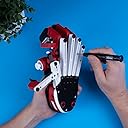


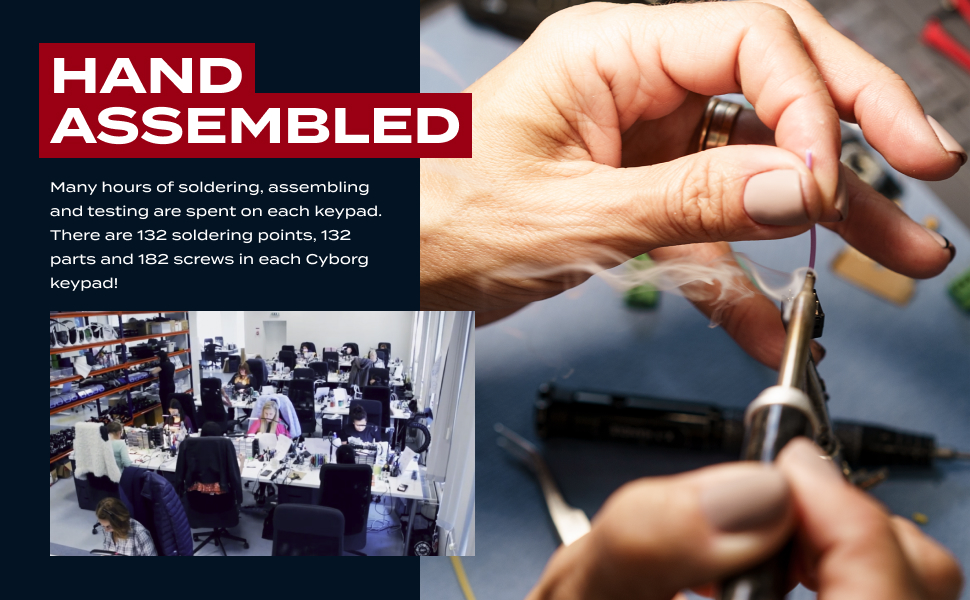
| ASIN | B0CJJRS9PB |
| Additional Features | Ergonomic |
| Antenna Location | Gaming |
| Best Sellers Rank | #28,758 in Video Games ( See Top 100 in Video Games ) #1,462 in PC Gaming Keyboards #3,297 in Computer Keyboards |
| Brand | AZERON |
| Built-In Media | Keycap Puller |
| Button Quantity | 29 |
| Color | Beast |
| Compatible Devices | PC |
| Connectivity Technology | USB-B |
| Customer Reviews | 4.4 out of 5 stars 594 Reviews |
| Enclosure Material | Plastic |
| Hand Orientation | Right |
| Keyboard Backlighting Color Support | Single Color |
| Keyboard Description | Gaming |
| Keyboard Layout | QWERTY |
| Manufacturer | SIA Azeron |
| Model Name | Cyborg Gaming Keypad |
| Number of Keys | 29 |
| Number of Sections | 1 |
| Power Source | USB-B |
| Recommended Uses For Product | Gaming |
| Special Feature | Ergonomic |
| Style Name | Modern |
| Switch Type | Mechanical |
| Theme | Video Game |
| Unit Count | 1.0 Count |
| Warranty Description | 1 year manufacturer |
J**I
Coolest Gamepad Ever
Years of playing W-A-S-D keyboard PC games resulted in chronic swelling and pain in my left forearm -- not carpal tunnel, but similar. Recently got the itch to play LOTRO again, and I happened upon this while searching for a gamepad alternative to a PC keyboard. I really admire the design and build of this gamepad. I think it could prevent hand/forearm problems. I think for younger users who just don't worry about those kinds of issues, the Cyborg could make them better gamers because, for example, there are 5 buttons within very short reach of your index finger and, ya know, speed matters. Pros 1. Arrived early in undamaged, sturdy and padded packaging 2. Combined with the magnetic stand (sold separately), I am able to equip it with my hand at a 45 deg angle which is WAY more comfortable than forcing my hand to rest flat on a keyboard 3. It is extremely and ingeniously adjustable. I was able to set it up to fit my hand size and finger length including even my pinkie which is missing about 1/2 inch at the tip due to childhood accident 4. The software app they provide for mapping buttons to keys is very easy to use which encourages experimenting a bit to find the best mapping scheme. When you change a mapped button/key pair, it is immediately written/saved to the Cyborg which is just really convenient compared to making many changes and then having a download-to-device step which might or might not succeed 5. The thumbstick mimics the WASD keys to the extent that moving the stick to a "between" position like NW/NE/SW/SE makes your toon move diagonally, but the direction the toon faces and moves is still controlled by the mouse 6. There are more pros but those are the ones that are key for me Cons 1. Expensive, but when I pulled it out of the box it was easy to see why it isn't cheap 2. Takes some time to get it adjusted for size, mapped to buttons in a sensible way and then to get used to using it. Not an issue for me because I was excited about the possibilities. 3. You can store and switch between two different button/key mappings which is a pro but also probably a minor con for some people that you can't store a few more than that. I poked around the internet a bit and it appears the Cyborg comes from a young company in Latvia. It is the coolest game tech I've seen maybe ever and to my eye appears well made of quality materials. Great idea and well executed. Go Latvia!
A**L
Wow.
Day 1: - It came MUCH earlier than suggested - Unboxing this was a treat (Even my girlfriend got excited it was so neatly packaged) - The instructions were incredibly clear and accessible - Downloading the software and assigning the commands were an absolute breeze - Came with a quality hex tool that seamlessly adjusted everything to my hand size - I have XXXL size hands and this has a little room to spare (I can't even begin to describe what this means to me. Something that fits MY hands??) - Started gaming with it under 30 minutes from opening it up (Most of the time was spent meticulously fine tuning where the controls would be assigned to. - 2 hours into playing with it and I am starting to be able to play legend difficulty in Destiny 2) I am absolutely blown away by my first impressions. I quite literally feel inspired by this marvelous piece of technology. My hands finally didn't feel cramped after an hour of gaming. From small hands to enormous hands this tool is game changing. You are handicapping yourself not having one of these if you are a gamer. I can also see this being beyond useful for music creation, video editing, photoshop, etc. I think I'm in love <3
M**.
Amazing Gamepad - Overwatch 2
I got a lot of giftcards for Christmas, so I shelled them out for this. Glad I did. It is amazing. I switched to PC gaming from Xbox a couple months ago and although it was fine, the keyboard was less than kind to my hand. I love having the thumbstick (with restrictor ring) for movement and mouse for aiming and shooting. Moving with your thumb allows the rest of your fingers to easily do other things. I spent probably an hour fine tuning the device to my hand. You can extend, shorten, and twist it in all sorts of ways. Buttons are very responsive. It is important that your arm and hand are aligned with a straight wrist. Also make sure you keep the hand relaxed. It is definitely cool playing a game with this thing, and I can imagine that playing a game with more controls, like flying a ship or RTS games be even better. I am working on mapping the keys for photo editing to see how it does. Time will tell how it holds up. Again, be patient with setting it up and thinking through what keys do what. The software is great. Took me about 2 gaming sessions to get back to the level of play I had with the keyboard.
B**C
Comfortable, Functional, and Versatile
I started gaming 20+ years ago on consoles using a controller, then transitioned into PC gaming few years later. NGL, it was a very though transition from a controller to MNK. However, I will admit that it has enriched my gaming experience while playing FPS, RPG, and RTS games. I recently expanded my gaming interest into non competitive driving sims and developed a need for a joystick/thumbstick. Although, MNK is still adequate for most driving games, it is not optimal IMHO. However, I don't want to go back to using a controller, because I love having all the mappable keys to my disposal. I'm extremely happy that the Azeron gamepad was invented, because it has what I need simultaneously from a keyboard and a controller. I got the Cyborg version, but I can easily make the compact version work for me as well. It took approximately 10 minutes to ergonomically adjust the gamepad to my hand and another 10 minutes to map and calibrate all the keys and thumb stick using the Azeron software that I downloaded from the Azeron's website. The keys are super responsive and the thumb stick was also adjustable for increased comfort and coordination. I was pleasantly surprised with the hefty weight of this peripheral which I love for its stability while in use. However, one must be very careful not to drop it, because the finger extensions can easily break. Coming from a MNK, it will be easier for me to adapt to the Azeron. Adaptation may take longer if I was coming from a controller as it was when I was transitioning from a controller to a keyboard. It is important for any potential buyer to be aware that it will take time for your muscles and neural network to adapt to the gamepad, so it will not instantly make you an awesome gamer, but adaptation will happen through frequent use and practice, then I am confident that it will enriched your gaming experience. Overall, this is a game changer for me, because it is more ergonomic than a keyboard, but it has more mappable keys/buttons than a controller, and most importantly I get to keep my beloved mouse. In closing, if you are a potential buyer, it is important to determine how many mappable keys that you need/want for your gameplay, because unlike me, you might want to consider the compact or the classic version. I hope this is helpful to someone. Enjoy!!!
K**S
OMG get the thumb stick upgrade.
It's 2023, these guys are selling this product with a thumbstick that acts as a d-pad FFS. Not proportional, hal effect, etc etc...on/off four way (five if you count click!), d-pad. Oh, you CAN get an upgrade to the proportional unit for an extra 50 bucks though! Seriously, literally every game oad sold today, no matter the system it's made for, no matter the price.....*inhales* HAS PROPORTIONAL THUMBSTICKS!! And this is $200+ D-pad $200 Otherwise it is a good product and I'll happily endorse it.... especially if the make the proportional thumbstick STANDARD. Only other nit picks would be the finger pads. Would like to see them reversed to convex rather than concave. Palm rest needs to be adjustable, fore and aft and vertically and side to side (lean it over), maybe have a ball socket mount? There needs to be some small washers for the screws to help distribute the force so it doesn't wear out the surface under the screw. Molded in nylon lock nuts would be legit but I have zero clue as to how impossible that may or may not be to design. Please use a larger machine screw with a slightly larger allen socket...please. The included tool is great. Only request there is it needs the ability to reverse the bit and slide it in for storage. Software needs addressing. It's basic and works but needs to be brought up to the context standards of at least windows 95....wish I were joking. Overall, this product has a ton of potential. But at the end of the day, for me at least....all it's adding is a d-pad to normal keyboard functionality. It IS very well made and pretty well thought out. Just needs a bit more tweaking to bring it up to the current price point in terms of get what you pay for IMO.
P**H
very sensitive keys, steep learning curve. Awesome after you get used to it
Breath on the keys and they actuate. Setup wasn't bad. Software is great, very easy to program. Getting used to thumbstick vs WASD Keys is the most difficult part. Overall I'm really happy with it. Build quality is solid and easy to make adjustments to. Tends to slide around my desk a bit, not as bad as my old gamepad, but you notice it more, so I ordered a rubber pad. One Month Review: Absolutely love it, don't know how I got along without it in the past. Definite increase in my dps in gaming. keys are getting easier and easier to remember with muscle memory.
M**E
Good product, not great software.
So far the hardware has been very nice. After an initial period of adjustment (and boy does this thing take some getting used to) I began to use it very effectively. I highly recommend it, it's a great lefthand keypad, and despite the adjustment period, once you're used to it, and with it customized to fit your hand precisely, it's amazing and easy to use. However, the software that came with it is somewhat lacking. Simple obvious functions, such as automatically repeating a keypress as long as a button is held down, or "Turbo" as it used to be called on controllers back in my day, was unavailable, and keymapping was a bit awkward. Fortunately, reWASD works well with it, and makes up for the inferior software it comes with. Still, can't give full marks when it requires an external program to do as well as it should.
A**R
It takes work, but it’s WORTH it!
I teetered on buying this for about 6 months. I watched a ton of YouTube videos and read a lot of reviews. Let me start with some basics of my situation. I’m new to the key board and mouse game. I grew up playing on controllers. I quickly ditched the standard kayboard for a Razer Tartartus key pad. It worked great, but my biggest complaint with the razor is the thumb stick haze clickable positions and when they are programmed for WASD, you almost had to return the stick to the middle position before repositioning it. In other words, if I’m walking forward (A) and want to start walking left (W), I couldn’t just roll the thumb stick over. I ended up wearing out thumb sticks on 2 keypads. The thumb stick on the Azeron was the final straw and I bought it. First off, the thumb stick is a HUGE improvement. Especially after you put the restriction ring and get it tuned and calibrated. I play COD and peeking around corners real quick to take a sniper shot is amazing. Now I will be honest, the learning curve on this is REAL. The first few days, I got frustrated and switched back to the razer mid match several times. It’s been about 2 months now and after forcing myself to grind through some ugly fights, I have boxed up my razer for good. I have all the keys adjusted perfectly to my hand, the optional stand that puts it at a tilt is amazing. I think I will definitely break something eventually, but it’s hard to construct something like this without some parts wearing out. I hammer on my keys and this has made me more self conscious when I play and actually has in turn made me faster. That could just be in my head but who knows. I highly recommend this product IF you are prepared to put in some hours getting used to it and adjusting it to your hand. It is not that difficult, but takes time. Another plus is the tool kit that is provided. I just left the screw driver next to the keypad and if I felt a key could be in a slightly better position, I could just make a quick adjustment and be back in the action in 15 seconds.
Trustpilot
3 weeks ago
2 months ago