💼 Elevate your data game—secure, sync, and share like a pro!
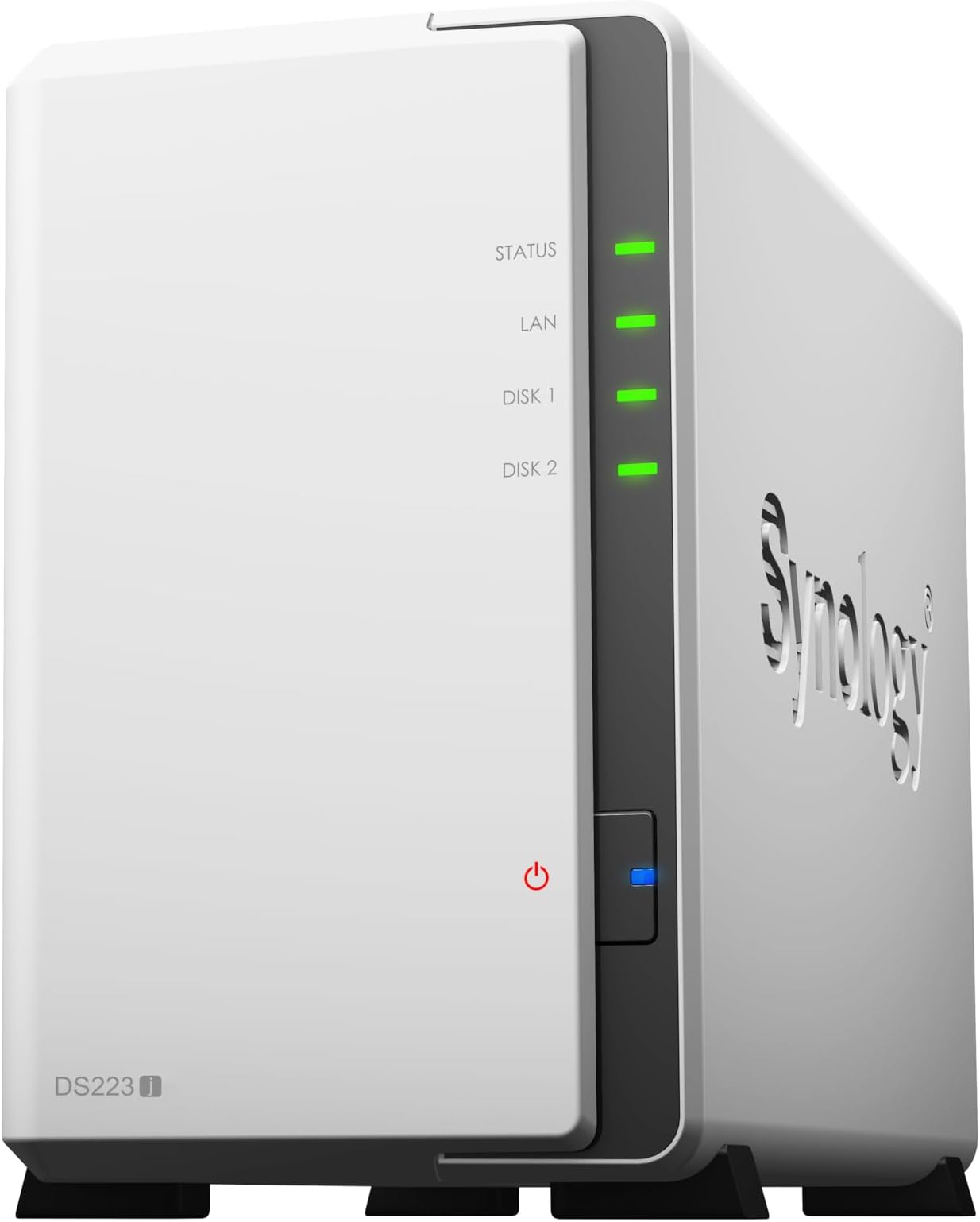
The Synology DiskStation DS223J is a compact 2-bay NAS designed for home users and small businesses, offering up to 32TB raw storage capacity. It features Synology’s robust ecosystem including Drive for file syncing, Photos for mobile backup, and Surveillance Station for security monitoring. Lightweight and user-friendly, it delivers versatile data backup, sharing, and streaming solutions in a sleek form factor.


| ASIN | B0C8814GKB |
| Are Batteries Included | No |
| Best Sellers Rank | #1,978 in Computers ( See Top 100 in Computers ) #1 in Network Attached Storage (NAS) Enclosures |
| Brand | Synology |
| Color | Black |
| Customer Reviews | 4.5 4.5 out of 5 stars (690) |
| Date First Available | 30 July 2023 |
| Form Factor | AT |
| Hard Disk Description | Disk-less |
| Item Weight | 870 g |
| Item model number | DS223j |
| Manufacturer | Synology |
| Product Dimensions | 16.51 x 10.01 x 22.61 cm; 870 g |
| Series | J |
A**R
So far so good
I've had no problems with the NAS. I've spent quite some time exploring it's functions as the os has so many! Synology also has great apps so you can acces it from your phone, sync to devices and other cloud storage or watch your movies on the streaming app. Will definitely be looking at Synology again when I need an upgrade.
I**E
Seems good for home user
My first NAS so still learning but it looks like it will suit my home use purpose.
B**E
Original product
Compared to my old NAS this is packed with ton of features.
V**V
Great product. Price / performance excellent
Devise is a little cheap - plastic everywhere. But works great
A**X
Unusable on iPhone
Unfortunately for iPhone, it is not usable. Their Synology Drive app creates a folder in your Files app so you can copy anything you may need from your phone to your NAS, but unfortunately, this function doesn’t work, as once you copy the folder with multiple files, it will copy the file structure and names, but not the files themselves. Some files are getting copied, but others are not. 9 out of 13 folders are getting copied, for example. Files Inside folders, 3 out of 9 videos may be copied, but that’s completely unreliable. It doesn’t work like a plug and play usb-c hdd. The only thing you can do is manually copy individual files in their own app, not through iPhones files. The app doesn’t allow copying folders or multiple files. I have tried zipping the folder, but it doesn’t upload either, not through files not through the app. Only uploading individual files one by one works, but imagine having 300gb of data you want to transfer to this thing, it’s an absolutely impossible task which defeats the whole purpose.
G**R
Good for basic backup
good for normal and basic backup, little bit slow copying 1gb file takes 2-3 minutes
L**1
Gutes NAS . Leicht einzurichten. Bisher ohne Probleme .Kein Zwang zu Cloud .
C**E
This is the least painful setup / configuration experience I have had with any product (including Apple devices) in my entire life. After tossing two SSDs into the internal drive bays, closing it up, plugging it in and pressing the power switch, the DS233J detected both drives, and proceeded to initialise and configure itself pretty much on auto-pilot (while still providing lots of options to fiddle with, if desired, along the way). The web-based setup assistant is idiot-proof (witness myself; exhibit A!), and the only extra step involved in my particular case, was quickly installing the Media Server app from within the web-based management environment (said installation took around 5 seconds, total), at which point, my smart TV immediately recognised the DS233J as a valid input source, and away it went, streaming movies, photos, etc. Network access to the RAID array in the NAS was seamless, from all devices in the house (Chromebook, Mac, Windows PC), and everything functioned as expected, without any further config. hurdles. This thing is small, lightweight, very very quiet (it does have a fan, but it's barely audible even up close), and the setup process and management software are absolutely superb. Even if you barely understand anything about NAS's, filesystems, RAID setups, or DLNA servers, you can have this device up and running within just a few minutes. Basically, it does exactly what it's supposed to, and does it in a way that should make Apple jealous.
W**N
Finally took the plunge into getting a more solid backup solution. I have been backing up stuff for YEARS due to a heavy lost back in the 90's. So since then I've started to back up religiously!! The sad part is back in the 90's the HD was like what... 3GB maybe 6GB. Now you got TB's. Well more stuff on 1 disk, but if that disk dies or fails.... you are SOL right. Well, I've been just backing up from drive to drive piggy backing if you will and finally I decided to try a better solution with this drive/backup system. It was recommend by someone in IT as pretty decent and it didn't break the bank! So I got it, came pretty fast I think 4 days max along with a 14TB drive (different order) this thing doesn't come w/ a drive just so you know. Setup was pretty easy, but the interface is something I was not familiar with, so it took a little bit to get use to it, but now after a month or so its just doing its thing since I have it setup. PRO's - Nice design (looks nice), easy to open/close get your drive in etc. It also has USB port in the back which is excellent! I hooked up all my (old drives to be backed up) and once setup, I was able to transfer easily from those drives to my big 14TB. So pleased with that. The webpage/browser access is ok, lots of stuff which I have no clue how to use or why I would use it... Just wanted a drive that I could "share on network" without having to have it hooked up to a pc/laptop running 24/7. This does the trick as it has a network cable and is accessible without a PC being hooked up to it. *Although I haven't figured out how to access it lol* But hey any access I need I am at home so all good for me. For your techies you can probably figure out the offsite access fairly easy I am sure. Ohhhh one feature I did understand and was able to setup really easy is this power on/off of the drive. You can setup a power off and power on time, which is cool and I think that helps because I have it turn off like midnight and then back on around 7am. So it gets a little breather..... as I am sleeping. hahahahaha CON's - Hmmm the software is bit complicated for my taste, but maybe these types of setup are ALL like this so it may not be a huge CON if that makes sense. The stuff I needed to figure out and to use I did, so if you are along my speed (know enough to be dangerous) you should be fine. The only CON and its not huge, but it drives me crazy is this one. So when you plug in a USB drive to the system.... it calls the drive USB SHARED 1. I'd like to change the name to something I can remember... so my naming convention was out the window and luckily I still had my old laptop hooked up to figure out what drive what was so I could AT LEAST keep the (drive letter) the same. That I was familiar with so a little pain, but workable. Overall.... SOLID! I'd get this again for sure! If you don't have the $$$ for a larger drive system (like 4) then this TWO drive system is affordable and solid so far. I think there is even a RAID function for cloning drives in the system if you want to do that, but for me I just wanted to backup the other USB drives I had to another drive and I've done that. So I have 1 slot open for a drive to expand when the time comes. Maybe when I get bored I will look into the webpage "apps" and see what all I can do. There are photo apps and things which I think will let you share photos.... its basically like your "own" personal cloud although I don't have it setup for access like that it would seem. I did however get my PLEX stuff over to the drive and so that's cool! Hope this is somewhat helpful for at least those who may now be as knowledgeable like myself with these setups. :-)
V**T
The Synology DS223J NAS impresses with its swift performance and user-friendly interface. Its dual-core processor and intuitive DiskStation Manager software ensure smooth operation for tasks like multimedia streaming and remote access. The sleek design, multiple connectivity options, and built-in applications add to its appeal. While expandability options could be more robust, the DS223J remains a top choice for home and small office environments, offering excellent value and reliability.
A**R
他社製品と迷いましたが、他の方のレビューなど参考にして購入。満足しています。OS, ソフトウェアがこなれていて使いやすいです。(一部わかりずらい所もありますが、Web情報で補完。)個人利用では満足感高いのではないでしょうか。自分の反省ですが、購入前に何を実現したいか目的を再確認し、ベイの数、HDDかSSDか、RAIDとバックアップの構成は何が適切か、をもっと考えておけば良かった。(無理にSSDにしなくともHDDで速度、信頼性も十分だった。)
Trustpilot
1 month ago
3 weeks ago