๐ฅ Game Hard, Work Smart โ The Nitro 5 Powers Your Hustle and Play!
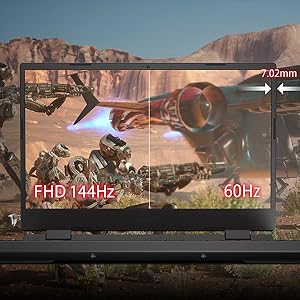
The Acer Nitro 5 AN515-58 is a 2023 gaming laptop featuring a 12th Gen Intel Core i7-12650H processor with 10 cores and up to 4.7GHz turbo, paired with an NVIDIA GeForce RTX 3070 Ti GPU with 8GB GDDR6 VRAM. It boasts a 15.6-inch QHD IPS display with a 165Hz refresh rate and 3ms response time for ultra-smooth visuals. Equipped with 16GB DDR4 RAM and a 1TB PCIe Gen 4 NVMe SSD, it delivers fast multitasking and storage. Killer DoubleShot Pro technology combines WiFi 6 and Ethernet for optimized, lag-free connectivity. Windows 11 Home comes pre-installed, making it a powerful, sleek choice for gamers and professionals alike.


| ASIN | B0C5R13NGB |
| Audio Output Type | Speakers |
| Battery Cell Type | Lithium Ion |
| Box Contents | 1U (contains Laptop 1N, Power cord 1N, Adapter 1N, User Manual 1N) |
| Brand | Acer |
| Brand Name | Acer |
| CPU Model | Core i7 |
| CPU Model Number | Intel Core i7-12650H processor |
| Camera Description | Front |
| Chipset Type | intel |
| Colour | Obsidian Black |
| Customer Reviews | 4.2 out of 5 stars 140 Reviews |
| Display Technology | LCD |
| Display Type | LCD |
| Form Factor | Laptop |
| Graphics Co Processor | NVIDIAยฎ GeForceยฎ RTXTM 3070 Ti |
| Graphics Description | Dedicated |
| Graphics Ram Type | SDRAM |
| Hard Disk Description | SSD |
| Hard Drive Interface | PCIE x 4 |
| Hardware Interface | Lightning |
| Human Interface Types | Keyboard, Numeric Keypad |
| Importer Contact Information | ACER INDIA PRIVATE LIMITED Embassy Heights, 6th Floor, No. 13, Magrath Road, Next to HOSMAT Hospital, Bangalore, INDIA โ 560025 |
| Item Dimensions L x W x Thickness | 27.1L x 36W x 2.6Th Centimeters |
| Item Type Name | Laptop |
| Keyboard Description | Backlit |
| Manufacturer | Acer, COMPAL Electronics (CHONGQING) Co., Ltd. / No.D01, Zone D, Air Port Section of LiangLu CunTan Free Trade Port Area, YuBei District, Chongqing, China |
| Manufacturer Contact Information | COMPAL Electronics (CHONGQING) Co., Ltd. / No.D01, Zone D, Air Port Section of LiangLu CunTan Free Trade Port Area, YuBei District, Chongqing, China |
| Memory Clock Speed | 3200 MHz |
| Model Name | Acer Nitro 5 |
| Model Number | AN515-58 |
| Model Year | 2023 |
| Native Resolution | 2560 x 1440 pixels |
| Network Connectivity Technology | USB |
| Number Of Cells | 4 |
| Operating System | Windows 11 Home |
| Other Special Features of the Product | Thin |
| Packer Contact Information | COMPAL Electronics (CHONGQING) Co., Ltd. / No.D01, Zone D, Air Port Section of LiangLu CunTan Free Trade Port Area, YuBei District, Chongqing, China |
| Processor Brand | Intel |
| Processor Count | 1 |
| Processor Speed | 3.5 GHz |
| Processor Type | Core i7 |
| RAM Memory Installed | 16 GB |
| RAM Memory Installed Size | 16 GB |
| RAM Memory Technology | DDR4 |
| Ram Memory Maximum Size | 16 GB |
| Scanner Resolution | 2560 x 1440 |
| Screen Size | 15.6 Inches |
| Specific Uses For Product | Gaming, Multimedia, Student |
| System RAM Type | SDRAM |
| Total USB Ports | 4 |
| Unit Count | 1 Count |
| Video Processor | NVIDIA |
| Voltage | 240 Volts |
| Warranty Description | 1 Year Manufacturer |
| Warranty Type | One-year International Travelers Warranty (ITW) |
| Wireless Technology | Wi-Fi |
E**C
Great machine that has the strongest GPU at this price and still a pretty decent CPU
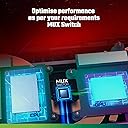
Temps: Like other gaming laptops such as the lenovo LOQ's rtx 4060, the nitro 5's GPU can hit 75 to 80 degrees. However, even a desktop rtx 3070ti and rtx 3070 hits these temps, so there's nothing to worry about. The CPU hits 90 like all other gaming laptops. That is if you do intensive workloads. Now, there's some obvious ways to lower temps, like raising the laptop up from the back and that alone can yield a 4-5 degree drop to the GPU and a bit to the CPU. Due to intel removing undervolting on all H and U series CPU's, you can't lower temps that way anymore. And AMD has done the same. So, temps are in line with other gaming laptops. The reason rtx 4050 laptops and rtx 4060 laptops see such low temps is people review the helios or predator lineup's which feature better cooling for parts that use less power and have lower GPU performance. Let those laptops actually cool a 150w GPU and the temps will only be slightly lower than the nitro 5's. You can undervolt the 3070ti to lower temps and OC the vram to makeup for any perf loss incurred via undervolting. Performance GPU: The rtx 3070ti 150w matches the 140w rtx 4070 in performance. So essentially for 100k you get a 4070. The 3070ti itself is a good 15 to 20% faster than the 4060. So its well equipped to handle 1440p. And in most games it can do 1440p ultra settings without upscaling, except the most unoptimized games like starfield, cyberpunk, etc. But those games are infamous for bringing down even an rtx 4090. Games like forza horizon 5, doom eternal, elden ring, valheim, spiderman, etc. can do 1440p ultra settings 60fps without even fully using the GPU. Since the 3070ti mobile shares the same specs as the 3070 desktop, it performs similar to it and thus will generally be within 5-10% of the desktop variant. And the 8gb of vram will be enough for 1080p and 1440p for the most part. 6gb is however pretty much dead for 1440p and just hanging on by a thread for 1080p. Performance CPU: The i7 12650h has 6 P cores and 4 E cores making for 16 threads vs the i7 12700h's 6 P cores and 8 E cores for a total of 20 threads. As a result the i7 12650h is only slightly weaker than the i7 12700h in multi core and equal to it for single core. Compared to ryzen 7840HS, its about 20% weaker, but roughly equal to a ryzen 5 7640HS. And the i7 12650h is within 5-10% of a i5 13500HX. So this i7 will beat 99% of all 13th gen i5's. You can use throttlestop to limit the temp to 90 or lower if you wish. And of course, you can use it to manipulate clockspeeds to further lower temps. RAM: DDR4 3200mhz ram is enough for years to come. You can easily and cheaply add in more ram and be good to go. DDR4 3200mhz is not going to be much worse than DDR5 4800mhz ram, while being cheaper. Display: This is the best display you're going to get at this price point. Only the LOQ will offer the same 1440p display, but again, it'll cost more when all other specs are equalized. The display of the nitro 5 has a 100% srgb coverage and about 300 nits or slightly higher brightness. Its got 3ms response time and certainly feels responsive. The advantage of a 1440p display is when you use upscaling it will not look as blurry as with a lower resolution option since the display's PPI is quite a bit higher. Upgradability: The nitro 5 has 3 storage slots, 2 x Gen 4 PCIE NVME ssd slots and a 2.5' drive bay. Buying 3 x 8tb ssd's you can add int 24tb of ssd storage. With a 2.5' bay you can get an expansion device to turn the one 2.5' bay into 2 x m.2 sata slots, for potentially 4 storage slots. Thats already more than most gaming laptops offer. The 2 ram slots can house 64gb of ram. The nitro 5 also has replaceable battery and wifi card. Its relatively easy to open it up but make sure to be gentle with the rear section. Battery life: Sadly the intel CPU + QHD display does not do favors for the 57whr battery. If you set the display to around 230 nits and all power saver features on, you can expect about 3-4 hours of battery life. This would've increased by 2-3 more hours had acer sold the FHD + 6800h version. However, thats still more than enough for some casual use on the bed, taking it out briefly on the train to watch a movie or something. A good thing is the nitro 5 can be charged via a USB c charger of upto 135w capacity. So you can get one of those to take with you on travels instead of the massive 280w brick. Features: You get other than Frame Generation, all the other nvidia features. And you can also use FSR 3 which would provide similar results to FG. The nitro 5 has a MUX switch which is quite handy for high FPS titles. Price to performance: There is a strange trend where people simply go for software features and are willing to pay more for less hoping software like frame generation catches on. Acer is giving you a proper, desktop xx70 class GPU for just 100k. No other previous desktop class xx70 class GPU was ever given at 100k. And now people want to pay more for an rtx 4060 which itself is based on the same die (AD107) as the rtx 4050? Its literally just a 4050ti at best being called a 4060 and itself is barely 10-15% faster than a 3060. Infact, the rtx 3060 launched at around 90k for the 95w variant and quickly dropped to 80-90k for the 85 to 95w variants which still beat a 115w rtx 2060 while costing quite a bit lower than it. The rtx 4060 doesn't even give you a 85w to 95w variant for less than 90k, despite being 6 months old now. Do you really want to pay 100k+ for a literal entry level part? Because thats what the rtx 4050 and rtx 4060 are. Nvidia is using software to jack up their prices. Edit: After experimenting, you can access the advanced bios (no need to flash bios, just boot into advanced bios via flashdrive) which will let you perform the AC loadline + IMON tweaks. The AC loadline tweak sort of undervolt's the i7 and lets it hit higher clocks during full load. The IMON tweak under reports CPU power meaning CPU and GPU can pull more power when both are fully loaded. You can repaste the laptop to lower temperatures and raise the laptop. You can undervolt the GPU too. All this lets the nitro 5 trade blows in terms of performance with the best 3070ti laptops which cost a lot more money. It also widens its lead over the 4060. I have done this and found my 3070ti drawing 150w + i7 12650h drawing ~50-60w for a total of 200-210w while playing CP2077 and with max fans, the GPU stayed at 77-78 and CPU at 80-90 degrees. If you do repaste, use genuine PTM7950 as its your best option. You can also potentially add in a larger 90whr battery from the acer predator/helios. It SHOULD be compatible. I haven't tested it yet, but the nitro 5 does seem to have the space necessary for it. You just have to remove the hdd caddy. Potentially you could spend a couple thousand rupees and extend battery life to ~5-6hr's.
P**K
Decent gaming laptop for ~1 lakh INR price
One important task for folks who buy this laptop - upgrade the RAM by adding in 1 more 16Gb DR4 3200 Mhz CL22 memory kit to make the setup dual channel. The stock 16Gb is single channel and it severely bottlenecks the CPU while gaming. I uograded mine and now it's on par with good gaming laptops ( it got promoted from Decent to Good performer) Battery - not very good. But can be used for light activities for 2 hours straight. Display - awesome 165Hz color accurate display 85.2% AdobeRGB 1998 (Argyll 2.2.0 3D) 99.8% sRGB (Argyll 2.2.0 3D) 95.6% Display P3 (Argyll 2.2.0 3D) For this price, this display is the best you can get. Speakers - after using Predator 15 for the last 5 years no laptop speaker will satisfy me ever. So i would call it a decent speaker with not much good qualities to it. Mux switch will come in handy if you know that you are going to play coniltinously with power adapter connected. Overall answer is that this is the best gaming experience laptop at this price point. Not the new RTX 4060 laptops as the RTX 4060 is a joke when compared with RTX 3070 Ti. But if you can spend 20k INR more, then try the all AMD Asus strix g15 advantage edition with the RX6800M and Ryzen 9 5950HX. The processor is 3 years old, and even the GPU is more than 2 years old, but the raw rasterization performance of the RX6800M is comparable to a RTX 3080 laptop. So there is nothing even close to that powerhouse at that price range of 1.3 lakh INR. So either get this RTX 3070 Ti laptop for 1 lakh and count on Nvidia's DLSS to deliver flagship level performance or buy the RX6800M laptop for 1.3 lakh and be the proud owner of a flagship GPU.
S**A
Good screen,keyboard,component. Bad thickness,portability,battery, and thermals.
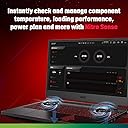
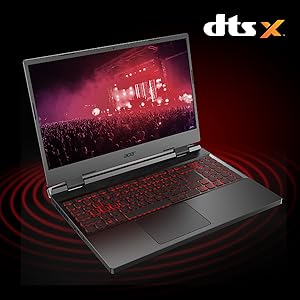
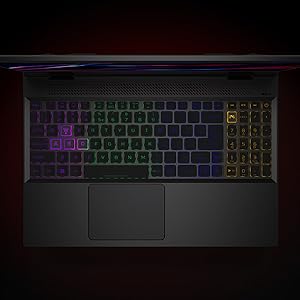
Overall, it's usable for gaming and any medium intensity workloads. The single core performance on this is good although it's not in the top ranks anymore but it will last 2 years at least I hope before it starts feeling a bit dated. Multi core is phenomenal lol for an Intel. Thank you AMD for pushing Intel to make multi core chips. No hate on AMD my first laptop was a quad core mobile Ryzen. But I think Intel regained lost ground with its 12th gen processor line-up and so in my opinion it's a good buy vis a vis the most 5000 series and some lower-tier 6000 series Ryzens. The IPCs efficiency and improvements on 12th gen Intel were good over 11th gen intels. Multithreading at affordable prices though is still amds forte so those wanting creator/prosumer laptops go for AMD CPUs definitely. Laptop does not come usable out of the box though. Which is really a bummer. One has to tweak settings in Nvidia Control panel AND make it discrete GPU only (nitro sense settings) else it underperforms by a lot as applications often end up using Intel onboard(integrated) graphics which are crap for anything application rendering over 1080p. The screen is amazingly good for this price point although you can get monitors that are noticeably better for around 35k, but I don't think you'll need to do that. I have not played any games yet except Dota 2. It runs well on ultra with occasional drops to around 50-80 in team fights with QHD but no tearing or jitter. Normal fps ranges around 90-150 on QHD which is decent. I wish it hit 165HZ on QHD but no complaints. It's a big step-up from running on fastest (low settings) preset at 1080p and 50ish % render quality on my old laptop (which wasn't bad for a low power usage Ryzen at that time) that used virtual memory by siphoning 2 GBs of RAM. Don't expect to run modern games at ultra native resolution above 30-40 fps though without DLSS.I run The Last of Us, Part 1 on ultra but for smoother experience I turned down resolution to 1080p and turned on DLSS with a "normal" texture loading speed. 8 GB vram is simply not enough for that game. My RAM starts showing 97-100% usage which means data is spilling over into ram because GPU vram is fully filled. Don't get me wrong though you can safely play even on ultra but occasional drops to 25 fps will not make you too happy so keep DLSS on to see these 1% lows become at least 30. The Nitro Sense app is a poorly designed. Too much show in the UI colour scheme and not enough usability. Does not do justice to the specifications this laptop offers. The application, it needs a manual for itself. Nothing is explained just buttons and switches for everything. It's like an old jet plane's control for one with a newer engine. TLDR keep discrete GPU mode on and fans to max and laptop on performance mode else this laptop does not give even 80% of advertised juice. Also always use it with a decent cooling pad like a Mistral always. I mean always. If not, the fans run at 5000-7500 RPM for hours when I'm gaming and it throttles like hell still. Typical temperatures you can expect when gaming is 90-100 Celsius constant when gaming for the CPU. GPU stays around the 75 Celsius range. Also, I think the power brick is somewhat less for the GPU MAYBE as it maxes out at 135W in HWmonitor maybe a 300-320 W brick would have been better. I'm saying big maybe as I don't have a good cooling pad to keep temps below 75 on GPU which may explain why it does not hit 150 or even 140W. Time Spy scores for default mode with Auto fan settings is 9k and for performance mode with max fan is 11k. So, it is comparable to a 13-13100f/3060ti GPU in default, auto fan setting (nitro sense settings) and almost 90% of 7940HS/4070 laptop in best case (performance/max fans). Also, there is a bunch of bloatware which you can hide from the taskbar and uninstall if you want. The bundled goodies are DTS-X.DTS Unbound (which need manuals for them too) cool addons that cost 1.5k to 2.5k in marketplace and can enhance your experience if you buy supported headphones (presets in the application to tune those models of headphones). Also, there is a one-month game pass which you can redeem later if you want. Screen is a bit thin and I'm a bit scared if I damage the laptop, it will definitely be the screen. It also has wobble, but no one is making cocktails with it so it's good otherwise. I don't know but I guess I'll put it out there. I ran some tests that UFO stuff and moving line test you can do online and although it has no tearing/ghosting that other stuff. It does have some backlight bleed which isn't noticeable unless when you look at it from a bit far away that you usually sit to use it when you see the corners at bootup. I have no knowledge of laptop panels but it's definitely not a TN. It advertises a fast 3ms latency screen but that's not out of the box, you have to tweak it via nitro sense and switch on lcd overdrive which makes it dodgy. I find the screen more usable without that "overdrive" thing, colours seem less saturated and overall better feel. Unless you're playing a FPS title at higher difficulty settings or multiplayer which you won't really suffer or even notice a difference (12-15ms vs 3-8ms in overdrive). Ports are a bit tight, and I had to push in my earphones into the jack else the computer didn't detect them. Speakers are fairly good and have a stereo sound and decently loud. I don't use beyond 50% volume. It's heavy but I wish they had made the screen heavier, the casing of it to make it feel sturdier. The hinges also seem a bit less hefty than one would be comfortable with on a screen so big and nice. It's also eminently upgradable and has at least one slot more for a ddr4 dimm ram module. I don't feel like upgrading but those who are enthusiasts do have an option of adding storage and making it a dual channel 2*16 configuration. It plugs in from the rear which is a nice touch. Surprisingly power saving as compared to a desktop at 280watts (most mid-tier desktop gpus draw that much power in low loads if powerful enough). The touchpad is nothing great, but it does the job and supports 3/4 fingers gestures and all that jazz (which needs a manual for it too). The Nitro Sense key placement though is cancer. Sometimes I mistakenly press it in game or when I'm using the number pad (yes it has one with all the mathematical operators) and it opens that stupid red app thingy. It's also right next to the backspace key which makes it a pain. If i had to give a score I would give it 6.2/10 because although you get excellent value for your money, there is definitely a mismatch between hardware and software, the stupid 1*16 ram config(8*2 would have been better imo those wanting more memory could have just sold the old 8 gb sodimms and put in new 16 gig pairs) ram config, ease of use, and performance) and usable out of the box. Also, you can get newer laptops with 4060s with a newer chip with faster IPCs (although lesser actual cores) at a somewhat higher price. Update 2 years later it is holding up and is a full fledged desktop replacement and has thousands of gaming hours in it. So I'll be generous and make it 4 stars.
P**R
5 Start for the Price to performance
For the price of which it's providing a powerful processor and a powerful graphic card that too, 3070 Ti. It's a power pack device. The lack here is system heating issue and unstable Nitrosense. Over all you can do app building, coding, Video-photo rendering, Gaming at high FPS high res.
K**L
Good but not the best
Edit : 2024-11-5 Over the past month, started facing random charging issues, the charging port heats up and the laptop will disconnect the charger Not expected to see such issues after medium usage after 1 year --------------- I saw this on sale and bought it for use while traveling Good: High TPD on both CPU about GPU Price Fan customization HDD expansion Bad: Fan noise, you will have to run the fans at 5500 rpm Nitro sense - don't keep it running in the background, it's poorly optimized will increase cpu temp and usage Cpu runs hot, I have seen it touch 90,have to crank up the fans for it to come down Nuetral: Speakers are okaish but it's expected for a laptop Screen is also ok but some colors look too bright Battery is small as it makes space for hdd , Lasts 3hrs with normal use. I expect gaming laptops to be connected to outlet so it's a non factor for me.
P**L
Best laptop in this budget. Full on beast.
The best deal in this budget. Much cheaper to upgrade than consider the higher specs options. Personally, I did the following: 1. 16GB ram added of same speed and latency to make it dual channel (32 GB total) 2. 1 TB M.2 NVMe SSD and 1 TB SATA SSD added. (3 TB total) 3. Bought a simple cooling pad (They all work almost equally irrespective of no of fans and size). Everything included costed me less than 105k. Works better and faster than most 150k laptops I have tried. Apart from that, polycarbonate built but quite solid. Both looks and feels strong. Sturdy hinge and minimal top and keyboard flex. Very fast and responsive screen with high color accuracy. (I upgraded from a TN panel display laptop) Decent keyboard for both gaming and typing. Big and quite responsive trackpad. Downsides: DDR4 RAM. However, compared to DDR5 the performance difference should be around 5%, so hardly matters and not worth the extra cost. Overall a solid recommendation for those who want pure performance and not novalty features like per key RGB, metal chassis built or inbuilt mechanical keyboard, etc.
C**Y
Not that great
Most folks have already covered this device in detail. Weak speakers, poor memory configuration choice, inability to upgrade without voiding warranty or submitting to extortion by Acer are the weakest bits. I'll add a few more. I also have an Asus Zephyrus G15 (6900HS+RTX3080) and an outgoing HP Victus (RTX 3050Ti), so I'll reference those two along the way. 1. Thermal limit of GPU is reached very early, even earlier than CPU. This is especially a problem in GPU-bound workloads like Stable Diffusion. Almost every laptop is thermally constrained, but most of them try and keep the GPU well-cooled so throttling is usually noticed only with CPU-intensive workloads. This GPU hits 87C and throttles at 110-120W if the ambient temperature is ~30C. When running in AC airflow, upto 150W is possible (the air from AC is typically cooler than the final ambient). In the maxed out mode nothing much changes except it runs noisier and cooler, but power limits remain similar. I have seen anomalous peaks to 200W, so the laptop has sufficient power budget, it's the cooling that is very poorly designed. As others have noted, CPU will go to thermal limit when GPU is stressed, even with minimal CPU load. It's due to cross-loading of the cooling solution, which is not allowing each component to run at optimal temperature. By contrast, the Asus Zephyrus G15/RTX 3080 I also have, runs the GPU and CPU to limit individually and cross-loaded heating is significantly less (though still present, obviously). That GPU has never hit thermal limit even in 30C room, and does burst to the 140W range, and runs long term at 120W no issues - in a chassis that is significantly smaller and lighter. The difference is in the metal budget for the Nitro, which is much lower to save cost. You wanna know why it's cheap? Because they undersized the cooling solution. 2. Screen panel is very good. It's probably the exact same one as the one in the aforementioned G15, which is a good start. Unfortunately the factory "calibration" is not. My screen came with a strong green tint, which took some time to get rid of. The backlight is the bigger issue, it is spotty and weak in many areas, and stupid bright in others resulting in a very uneven image. There goes my consideration of buying an Acer monitor. 3. The Acer warranty is void if you open the laptop for any reason whatsoever, even to upgrade parts that are considered user-replaceable and upgradeable. I have a friend who is disabled and unable to travel, and Acer confirmed to him that there is no way to access the internals without visiting the service center, regardless of the customer's physical status (obviously, he ended up not buying it, but I did). This is specific to India, in most regions the sticker they put on the screw hole is illegal. But this is India, so you're stuck as a consumer. It's a shame to have multiple SSD slots and a RAM configuration that throttles performance, and not be able to do anything about it. Needless to say this is the last Acer product I will be buying. Does not seem a consumer-centric company. 4. The RAM configuration is egregious. 16GB is indeed enough for this laptop. The Acer apps have a very small footprint and memory usage is just about 4GB (the G15 uses close to 6GB with the default setup including Asus bloatware). Unfortunately a single stick is what you get, and that absolutely kills the laptop when you want to do something memory-intensive. Just loading up large files (like a SD checkpoint or a large 3D file) from disk into the GPU slow this thing down to the point of being unusable. Gaming is not an issue for the most part, because the laptop is thermally constrained at all times anyway and also restricted by the pathetic memory bandwidth. Want to start your small business? Don't get this thing. It will slow you down. 5. The fans are LOUD. They also have a very annoying high-pitched whine at about 8KHz, which pierces my ears when the laptop is in front of me. You would think it's coil whine, but it's not. If I max the fans manually with zero CPU/GPU load, I get this shrill wail that physically hurts. And they're loud, like 60dB+ loud. Louder than the speakers, which are for some reason present on this laptop. It doesn't need speakers, it needs an intervention. 6. The keyboard. OMG the keyboard. It is spongy, cramped, the numpad is a format unknown to man and the keys have no feel and no feedback. Not expecting something great, but the HP Victus I have has a significantly better keyboard. The only positive of the Acer is that the keys are translucent and not transparent like the G15, so it's possible to use it without needing to switch on some glitzy lighting. 7. The battery. Not the battery life, that I knew was not going to be great, but the wear. It had 0% wear when I got it, and after about 10 power cycles it's up to 3% wear. Literally degrading before my eyes. The G15 is worse, after <1 year it's at 7% and the Victus is much better, close to 2 years in and 0%. I don't think Acer (or Asus) have their A-game down on battery and power management. At least Asus took 4 months to get to 3%. Eventually, I decided to dock the laptop instead of using it as a portable unit. It is unusable as a unit to move around with, and use as a laptop (in front of me). There are a few good things - the deck stays cool for the most part, the Acer software is good, and the CPU is reasonably competent if you are not using it as a workstation. There are plenty of upgrade options (thumbs up), but all of them are pointless because you can't upgrade them yourself (thumbs down). Overall, there are just too many issues with the device for me to recommend it. The fact it's cheap does not surprise me. After using it for a week or so, I'd say it is worth probably less than I paid for it. The GPU is a rubber stamp. In actual use in typical environments, it is nowhere close to its potential due to thermal issues and single-channel memory. And that is really the only standout feature. I don't think that it's sufficient, not with the cooling they have on it.
J**N
Beast of a machine for the price.
Performance wise, this thing is absolutely the best you could buy for the price. Even better than 4060 laptops considering how less implemented framegen is currently. Thermals are much better than I expected from all the negative reviews but it never crossed 80C even under continuous full load for several hours. Downsides are the battery life, hinge wobble and very mild backlight bleed on screen which is visible only when the entire display is a black screen which is again quite rare. Other than that the display is just straight up gorgeous and has amazing colour balance. Keep in mind that it's meant to be more of a portable desktop than a sturdy built laptop that you can carry along with you everyday. It's definitely a bit flimsy to be carrying around a lot. However, as a desktop replacement, it's amazing and an equivalent performance desktop will cost way more than this if the cost of a good display is included. All in all, after a month of use, I'm quite satisfied. P.S. Add another 16gb cl 22 ram without which you'll face Cpu bottleneck and stuttering in games.
Trustpilot
3 weeks ago
2 months ago