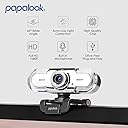
🎥 Elevate your virtual presence with papalook PA452 — where clarity meets convenience!
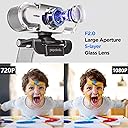
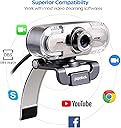
The papalook PA452 Webcam delivers crisp 1080P Full HD video with a 65° wide-angle lens and a built-in noise-cancelling microphone, ensuring professional-quality video calls and recordings. Its plug-and-play USB connectivity supports seamless use across Windows Vista to Windows 10, making it ideal for remote work, streaming, and online meetings without any setup hassle.


| ASIN | B01GYFOXK2 |
| Antenna Location | Online video chatting, recording videos, and streaming live on various platforms |
| Best Sellers Rank | #1,368 in Webcams |
| Brand | papalook |
| Built-In Media | 1 x Webcam with Narrow Field of View, User Manual |
| Camcorder Type | Webcam |
| Color | Silver |
| Compatible Devices | Windows Vista, Windows XP, Windows 7, Windows 8, and Windows 10 |
| Connectivity Technology | USB |
| Customer Reviews | 4.3 out of 5 stars 6,032 Reviews |
| Digital Zoom | 2.8 x |
| Display Resolution Maximum | FHD pixels |
| Effective Still Resolution | 1080 pixels |
| Effective Video Resolution | 1080 pixels |
| Exposure Control Type | Automatic |
| File Format | JPEG |
| Flash Memory Speed Class | Class 10 |
| Flash Memory Type | Micro SD |
| Flash Memory UHS Speed Class | U1 |
| Focus Type | Auto Focus |
| Form Factor | Handheld |
| Image Aspect Ratio | 16:9 |
| Image Capture Speed | 30 frames_per_second |
| Image stabilization | false |
| Item Weight | 3.52 ounces |
| Lens Type | narrow angle |
| Manufacturer | PAPALOOK |
| Maximum Aperture | 2 f_stop |
| Maximum Focal Length | 100 centimeters |
| Model Name | PA452 |
| Model Number | PA452 |
| Operating System | Windows Vista, Windows XP, Windows 7, Windows 8 and Windows 10 |
| Photo Sensor Size | 1/2.7-inch |
| Photo Sensor Technology | CMOS |
| Screen Size | 1 centimeters |
| Sensor Type | CMOS |
| Shooting Modes | Automatic |
| Special Feature | Full hd 1080p, built in microphone, narrow view angle |
| Style Name | 1080p Webcam |
| Supported Audio Format | digital audio formats |
| Supported Image Format | JPEG |
| UPC | 756970597490 |
| Video Capture Format | MP4 |
| Video Capture Resolution | 1080p |
| Video Resolution | 1080p |
| Viewing Angle | 65 degrees |
| Warranty Description | 1 year manufacturer warranty |
| Water Resistance Level | Not Water Resistant |
| White Balance Settings | Auto |
| Zoom | digital |
J**E
Great Quality Webcam for Remote Work – Excellent Value for the Price
I purchased the papalook PA452 Full HD 1080P Webcam for remote work, specifically for Zoom meetings and video calls, and I’m really impressed with the performance, especially considering the price point. The video quality is solid. The 1080P Full HD resolution provides clear, sharp images, and the 65° wide-angle lens ensures that my face and background are well-framed during meetings. It delivers great clarity, and people on the other end of the call have commented on how crisp and professional my video looks. I no longer have to deal with the grainy or blurry video that can sometimes happen with lower-end webcams. One of the standout features is the built-in microphone. It captures sound clearly, which is crucial for video calls and meetings. I’ve used external microphones before, but the microphone on this webcam works perfectly for everyday calls, picking up my voice without distortion or too much background noise. It’s certainly adequate for all but the most critical audio needs, and the convenience of not needing a separate mic is a huge bonus. The plug-and-play functionality was a huge plus. Setting it up was super simple. I just plugged it into the USB port, and within seconds, it was ready to use—no additional software or drivers needed. The adjustable clip is also a great touch; it fits perfectly on top of my laptop screen, and I can adjust the angle to suit my setup, which makes a big difference during meetings. While the quality is great for the price, it’s not perfect. The 65° field of view is a bit narrow for those who want to show a larger area or need a wider angle, but for Zoom calls and virtual meetings, it’s more than sufficient. Overall, this webcam is a fantastic value for the price. If you need a reliable, easy-to-use webcam for work or personal use, the papalook PA452 offers excellent video quality, good sound, and easy setup. It’s perfect for anyone looking for a solid webcam without breaking the bank, and I’m very satisfied with my purchase.
L**B
Who am I looking at?
My former camera, if you can call it that, is the camera/video recorder that's built in to my laptop. It's like 20ppi and my image when looking at myself is grainy, fuzzy, faded. In other words, I never looked better. So I installed this camera (the one I'm reviewing, duh). I did not like what I saw. I have this thing hanging from my chin that I never saw before (my wife said it's my "wattle" and that it's been there for several years now). I saw wrinkles. I saw gray hair. I saw my pores, for crying out loud! So, is the quality of the picture from this camera good? Yes, it is very good. But be forewarned -- you may see things on your face you've never seen before, and never wanted to see before. Oh, and it's very easy to set up -- plug in the USB and you're in business. It took longer to get the darned thing out of the Amazon box than it did to get it up and running, which was great, because it gave me extra time to trim my nose hairs.
V**I
Pretty good quality, annoying manual focus
I knew from the reviews and description that it was manual focus instead of auto focus, but I didn't expect that to be as annoying as it was. You have to twist the circle around the lens, and it doesn't really twist easily, and chances are you're going to move the camera during the attempt so you'll have to readjust it, or your hand will be in front of the lens so it's harder to see what you're trying to focus on. It would be better if the adjustment mechanism was somewhere separate from the camera lens, at the very least. I'm only taking one star off for that, though, because the description did say it was manual focus, and I sort of knew what I was getting into. Whenever it was in focus (or as close as I could get it), it was pretty good quality. Though I could never really tell if the quality I saw was the real quality or if I just didn't focus it properly so it was a little blurry.
D**A
Excellent WEB Cam
This camera delivers everything promised plus more. It couldn't be easier to install; absolutely plug-'n-play. The hardest part was getting it out of the box. There are no adjustments needed as it works perfectly right out of the box. The picture quality is excellent, you can shift between the original picture ratio and 16:9 widescreen. You can also switch HD on and off. The sound quality on the microphone is excellent, again no adjustment required. All in all it's a great camera for the money. I'd definitely recommend it.
K**R
Good camera for work related meetings.
I have three of these - one for the home and two for work. They are great. Easy to use. Plug and play. Good price, good quality, good picture. I work for an international firm, and most of my meetings are with 40+ people at a time. My image consistently looks better than most if not all others. The built-in mic works well - crisp and clear with no delay. There was no autofocus, but there was a manual one - you just set it once and forget it. I highly recommend!
J**N
easy to set up, but not top quality
Pros- Eh. it's fine. and if you really need a camera, it will work. To its credit, it IS plug and play, even on an older version of Windows (7 vista here at work. ugh). Picture quality is meh. My lighting in my office is also horrible though, so there's that. Cons- It doesn't have autofocus, which I knew from reading the reviews but is still annoying, and there is also NO indicator light to tell you if it is on/in use or not. I'm not a super paranoid person, but I like to know when my camera is on!!! The switch on the back is for some random lights on the front that might help with illuminating your face if you were in a really dark room and really close to the camera, but otherwise useless. Solid 3/5. would only recommend if you can't get anything better, but you need something that will definitely work.
B**N
All webcams are not the same
I bought two webcams to compare side by side, this one and one by Foscam which is admittedly cheaper. I was hoping to spend a little less and figured if they were the same side by side, I'd keep the cheaper one. This one came first and worked immediately. I agree with other posters that having a button on the back that just shuts off the tiny blue LED's on the camera isn't too valuable at all, but I must admit that the picture quality and frame rate are outstanding. I got the Foscam one today, plugged it in and couldn't believe how bad it was compared to this one. Needless to say the cheaper one went back and this one is staying with me.
N**8
Decent camera, but field of view is way too narrow (58-degrees)
Outside of using the built-in webcam on my Surface Pro laptop, it wasn't sufficient for the number of meetings I needed to participate in lately with Covid. So I bought 2 different brands from Amazon (Papalook PA452 [This review] and Amcrest AWC201-B) to try them out on my Dell Desktop, which has more computing power and 2 larger screens. After hooking up both webcams at the same time and trying them out side-by-side, I learned alot... unfortunately neither of these webcams fit my needs, so they'll both be returned and I'll continue my search. Pros of the Papalook PA452: Nicely packaged in a small box, with clear instructions inside. Overall the build quality seems good, it pivots well side-to-side, and it mounted to the top of my thin, widescreen monitor fine. It was extremely easy to install/setup, and Windows 10 plug and play recognized it immediately, allowing me to use it right away in Zoom and Google Hangouts. Plus it shipped/arrived very quickly. Cons: Although the microphone was sensitive and properly picked up all the spoken words, I found it to sound a little muffled/distant (although it was better than then other model). Maybe there's a 3rd party app/driver that could have helped with this, but out of the box, it was just ok. As for image quality, I admit I don't have the best lighting in the room, other than an overhead light built into the fan, so a big concern of mine was if the camera could compensate/color correct. Although this camera was better than the other model, in that it was clearer and adjusted for the yellow tint of the light bulb and brightened the image a little, it still wasn’t what I was hoping for in terms of auto correction. However the biggest issue and deal breaker for me, was the narrow field of view. I couldn’t find this anywhere on the website or box, but in the manual it lists it’s only 58-degrees, and I believe it. Although I don’t need it to see the entire room, this camera zooms in very close, almost like head and shoulder only. And when you turn of the “HD” option it gets even closer. Too close for my taste (the other was 70-degrees which makes a big difference). And as others had said, the On/Off button on the back doesn’t do anything. The only way to turn off the camera is to unplug the USB. And although I knew it didn’t come with a privacy cover, with the design of this camera, the lens sticks out of the body. So there’s no easy way to attach a 3rd party “stick on” cover (like a hinged toilet seat) or a piece of paper. Overall I’d say it’s decent for the money. But given the amount I’ll need to use it, and the type of calls I’ll been involved with for work, looks like I need to buy one of the more expensive models.
A**ー
シンプルでよい
パソコン内蔵のカメラが壊れてしまったのでこちらを購入しました。かなり明るくはっきり映ります。この値段でこの性能ならコスパがよいと思います。満足しています。
M**S
estupenda con luz del día, malísima con luz artificial. NO LA RECOMIENDO.
La compré para mis clases en línea. En la tarde y mañana se ve genial, la imagen es super HD, pero para mis clases de la noche se ve super mal. Se ve como unas rayas que suben y bajan todo el tiempo. Esto debido a la luz artificial (focos). Me parece una super desventaja ya que se ve de mala calidad ,corriente y es lo suficientemente cara para que sea así. Es súper fácil de instalar, es china y literalmente la conectas y ya es todo.
J**É
Excelente web cam para videochats
En esta webcam he encontrado un modelo que reproduce y graba vídeo a 1080p con una calidad bastante buena y además tiene un precio competitivo. Windows 10 reconoce automáticamente la cámara sin necesidad de usar los drivers que acompañana la cámara. El disco que acompaña al producto también trae un programa de grabación de vídeos muy práctico aunque yo lo he usado poco ya que destino la cámara básicamente para videoconferencias con amigos y familiares. El soporte de la cámara se ajusta bien al borde de cualquier monitor y el cable usb tiene suficiente longitud en mi opinión. Como detalle colorido la cámara incorpora luces led frontales que hacer transiciones suaves entre distintos colores. No es una luz frontal de iluminación sino tan sólo un vistoso y bonito adorno. Dichas luces pueden ser apagadas con un interruptor en la parte trasera de la cámara. En esta franja de precios no he encontrado otras webcam con resolución 1080p real, sin extrapolación. Hasta el momento estoy muy satisfecho con su funcionamiento.
S**S
Works great
For the price this is a real good camera for your computer and it is plug and play out of the box, the picture is clear and stable. I can't ask for anything more at this price, would not hesitate to buy this again Steve
B**U
Nice product
This piece of equipment has lifted the overall aura of all my VC & Video meetings. Small product with big impact.
Trustpilot
4 days ago
3 weeks ago