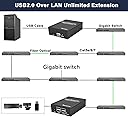
๐ Extend your workspace, not your cables!
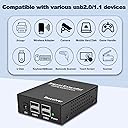
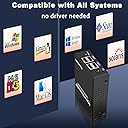
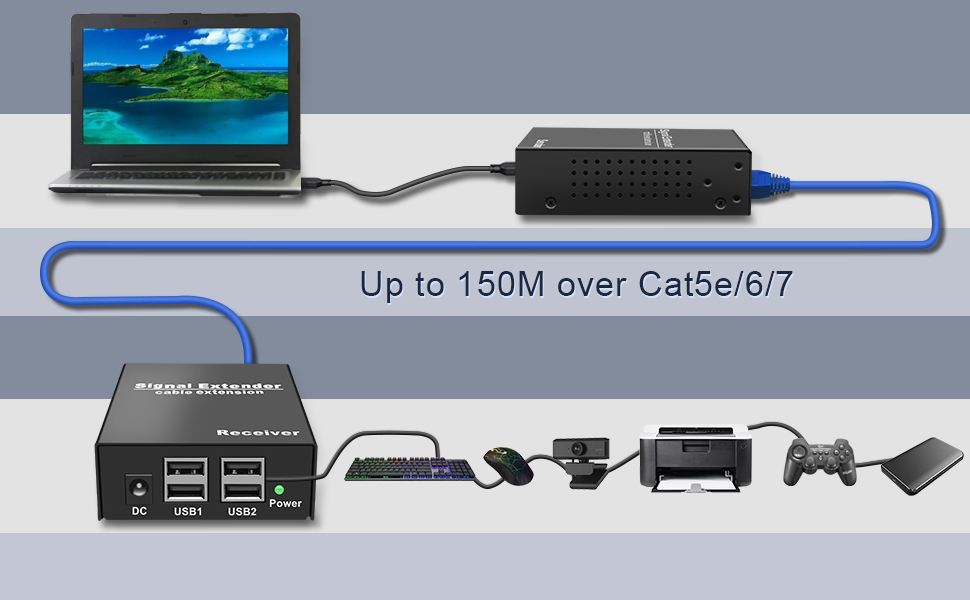
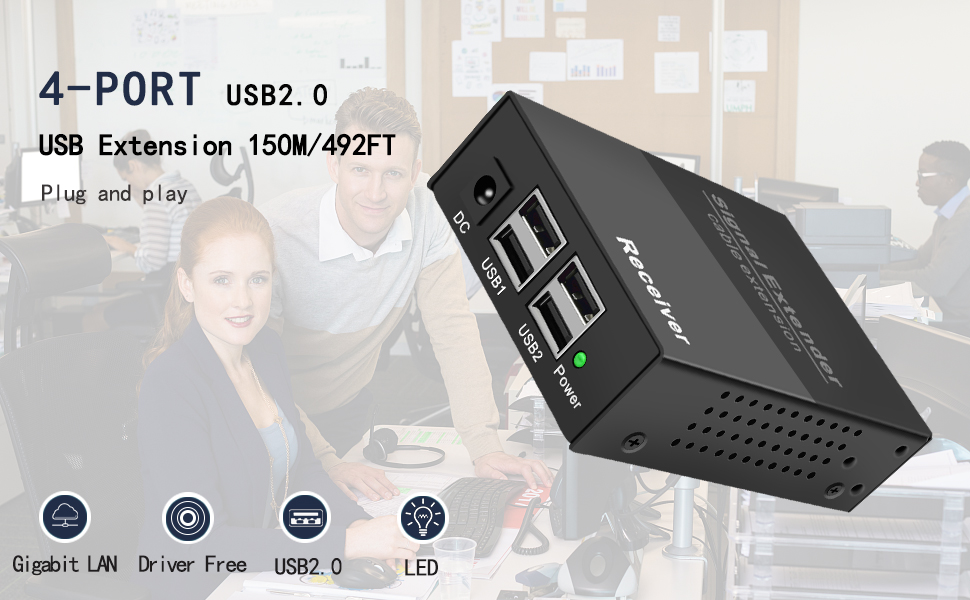
The LornCeng USB Over IP Extender delivers reliable USB 2.0 signal transmission up to 492 feet over a single Cat6/Cat7 Ethernet cable. Featuring a 4-port USB hub on the receiver and seamless Gigabit LAN compatibility, it offers plug-and-play setup with no drivers required. Ideal for professionals needing remote USB connectivity across offices, classrooms, or industrial sites.


| ASIN | B0BN539D22 |
| Additional Features | Plug and Play |
| Best Sellers Rank | #1,147 in USB Computer Network Adapters |
| Brand | LornCeng |
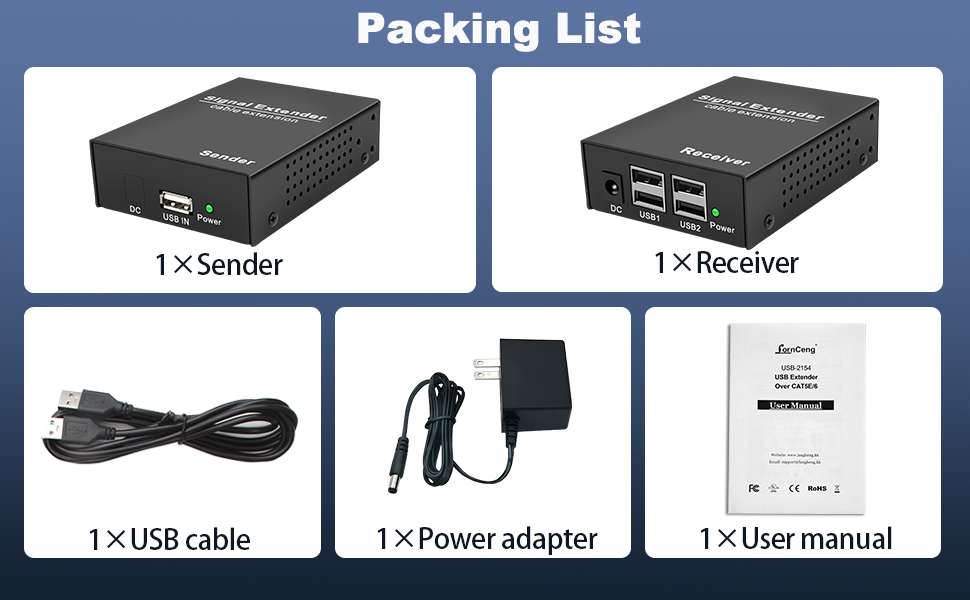
| Built-In Media | Sender, Receiver, Power adaptor, USB cable |
| Color | Black |
| Compatible Devices | Desktops |
| Customer Reviews | 3.3 out of 5 stars 26 Reviews |
| Data Transfer Rate | 480 Megabits Per Second |
| Enclosure Material | Metal |
| Hardware Interface | Ethernet , USB, USB 2.0 |
| Item Weight | 0.65 Kilograms |
| Manufacturer | LornCeng |
| Mfr Part Number | LC-USB-215401 |
| Model Number | LC-USB-215401 |
| Number of Ports | 4 |
| Operating System | Android,Linux,Windows |
| Special Feature | Plug and Play |
| Total USB Ports | 4 |
| Total Usb Ports | 4 |
| Unit Count | 1.0 Count |
| Warranty Description | 1 year |
P**T
Amazon Correct, Manual wrong
To start with, I bought this USB extender because it would work over my network switches. Yes it does as advertised but the manual only show you connecting the sender and receiver together in a point to point configuration. I tried it over my network despite the directions. It works perfectly. As far as speed goes I can not tell the difference between my HD camcorder being directly connected to the USB 2.0 port on my computer vs the extender's speed. Prior to using this extender I was using the AV Access USB Extender Over Cat5e/6 196 ft system. It is a good extender but I did not like the fact I had to run separate network cables to my control room. Your PC powers up the USB sender. Just plug in your devices and windows does the rest. I am using this on windows 7 pro.
R**U
Crashed my network.
Item claims it works "over lan unlimited extension". I found that it does work over a single layer 2 switch, but once it went up to my layer 3 switch, it stopped working. Also, once the sender side is disconnected, the receiver side starts sending so much traffic it actually took down my network. Super easy to see, as soon as I unplugged the sender side, my wife immediately asked if the internet was down :D After giving up on this, I started using usbip which is free and does not crash my network.
A**R
This is an ETHERNET device and will work through switches!
The seller has been very responsive to questions. I am very encouraged that they have shown this device working through a switch! After receiving the devices (sender and receiver), I set up some network tests and used Wireshark to grab some packet captures. Here is what I have found out: 1. Opening the cases on the devices shows an RTL8211F transceiver in each unit. So these devices have true ethernet transceivers and should be compatible with other ethernet devices (switches). Once I saw the RTL8211F chips, I was less worried about connecting these to my network switches and blowing something up. 2. These devices DO NOT use TCP/IP. They use pure ETHERNET protocols to communicate. It appears they are using some proprietary protocol running on top of Ethernet. 3. It appears that each of these devices are a paired set. The MAC address of each device is only "one bit" away from the other. My "Sender" (local unit) was ":1F" and my "Receiver" (remote unit) was ":1E". I expect that each device looks for its partner on the network by agreement that "Receivers" have a MAC address "1 less" than their corresponding "Senders". 4. The units worked well across a fairly large ethernet network (through multiple disparate switches). However, as they are ethernet only, I would not expect them to work across a router. 5. THESE UNITS GENERATE CRAZY AMOUNT OF TRAFFIC on the network! (About 6500 packets per second even when no data is actually being transferred). Over 6 million packets generated during a simple 20 second capture (over 700MB of traffic)! The protocol is NOT very efficient as we can see individual packets being sent multiple times (up to 24 times each) - perhaps just to overcome the potential for packet loss in a connectionless protocol. 6. Although these devices appear to function just fine in an ethernet switched network, I would NOT recommend using them in such an installation due to the amount of traffic being generated. These devices could very well consume much of the bandwidth on an otherwise lightly loaded network. 7. For the case of a "Single Cable" installation they should work just fine though! (Since the only devices seeing/processing the vast amount of data on the cable is only the sender/receiver themselves). TLDR: These will work across an ethernet network but the extremely high amount of data being exchanged (even when idle) would consume too much bandwidth on a network. I would only recommend using this solution on a single cable point-to-point between the devices...
P**E
Many pros, but a killer con for me.
I got this to use in a radio telescope. The radio receiver is USB2, but needs to be as close to the antenna as possible while the computer that runs the radio needs to be as reasonably far away as possible. There are many pros with this device, but a killer con for me. I should point out clearly that this con may not be a con for everyone, but it is for me. Pro: Came with a small but decent instruction manual. I greatly, greatly appreciate decent documentation. Documentation is, in my opinion, part of the product. Pro-ish: Quite good build quality. Solid metal cases with mounting locations. Internal PCBs have a couple questionable assembly practices being employed, but I've seen a whole lot worse and I don't think there are any real problems. They appear to use quality components. There's clearly been some soldering by hand which could have been done better but isn't horrible. Other than that, no issues with build quality. Pro: Everything I can check says that the sender and receiver are isolated. To what extent I have no idea, and I certainly wouldn't count on it for high voltage protection. However the two grounds of the sender and receiver float with respect to each other even while functioning. This means that this will eliminate ground loops. Huge pro. Pro: I don't have 150m of cable to test with, but it worked on the longest cable I have which was only about 100 feet. My application would have not needed near that much. Major con for me: USB2's maximum throughput tends to be just under 40MB/s. I needed this to run an SDR radio which is a relatively high bandwidth device. It operated the radio, but it was not keeping up with the bandwidth and data was getting lost. I tested a USB drive which I know is extremely fast and only got about 6MB/s through the extender, even while using a very short CAT6 cable. I tried a few cables to make sure, and always got similar results. Unfortunately the bandwidth just isn't there. For many applications, 6MB/s will be plenty and this just won't matter. It just depends on what you're doing. This is a killer for me, though. It's unfortunate because other than this, I'm quite impressed with it.
S**H
good plug & play USB extender over Ethernet
I'm using this USB extender to connect my USB peripherals 50' away from my PC. In my experience, I find that USB cables >25' in length tends to be unreliable due to voltage drop and is harder to come by. Ethernet cabling is more ubiquitous since it's much cheaper and more common. It's a big hassle when an USB device stops working because you have to play detective to figure out whether the problem is with the PC, USB port at each end, the peripheral device itself, or the cable that is at fault. Ethernet cables can be ran for long distance without dropping data or power. The extender itself is AC powered so I can actually use an USB-powered fan connected to this 4 port hub. Green LED to indicate proper connection with power is a big plus. Keep in mind that this is only certified for USB2 specs, NOT USB3 in terms of power & data delivery.
A**R
Just died after one month
It worked for a while then it would disconnect reconnect on and off after sometime it would stop and stay connected, then one day it said nope not going to connect they just wont talk to each other, changed cables and nothing. Why is it so hard to find a decent extender P.S. it dont work over a gig LAN
D**F
Extend your reach
I have my main desktop computer in a noisy computer room, so I prefer to use it remotely. Remote desktop isn't a good solution as it requires another computer with a large high resolution display. I already have cat 6 wiring throughout, so this is an ideal solution for operating a remote keyboard and mouse. You can get similar items to extend your HDMI display. My other main use is for flashing new code into my 3D printers, which are located in another room. With this usb extender I can connect to my main computer for flashing without having to relocate the printers. It works at USB 2.0 speeds, so you probably won't be using it with high speed storage devices, but if you're trying to connect a remote keyboard/mouse, scanner, or printer that you can't reach with standard USB cables, this is an ideal solution.
A**T
Not the cleanest power
While excited about these devices abilities as it is using a protocol that TCP/IP Routable over a switched network. That said, I have seen many devices like this in use before. Non the less, I was excited to receive this and see it in action for the use of some USB cameras that were planned to use as a sort of public viewing monitor without having to have the client mounted at the source of signal and to then push video out. The thought with this as it states it works with USB cameras was that we could mount the camera at the area of interest remotely across the building per se. Then mount the client side elsewhere in the building and they would always then have full visibility in this location. However, this plan didn't work out for us as this unit does not have a clean enough power supply to run a camera without noise. I am not sure how it will play out later after we secure some ac to dc power boost and stabilize the power feed. We will try this with some new AC to DC power bricks too with the new wall wort's as some call these AC to DC power bricks. Sadly, I would not really know where we go after that if it does not work. Would probably just cancel this project al together or find another unit in the same or less price brackets. Though it would be very nice to see current units utilizing pure PoE as just grab from the unused of the subnet they are one. For qualifications background. I am a Senior Systems Engineer per trade standards, and this was tested via a Cisco Catalyst WS-C2960X-24PS-L . This was done with cabling it on sytstimax commscope cat 6 which patched to the MDF and work area for the cable. At the MDF side there is a matching systimax commscope Patch Panel, and you and a Cat 6 jack terminated to a wall plate at the WA. All cables and solutions are thrown to getting direct from a to b with no bridge taps. Each cable was tested and certified via TIA standards at time of termination and have passed. All testing was done with cabling at an approx. temp of 89-93F Should further be noted this was done on the native VLAN of the switch and with the switch at the newest firmware. Further testing was done, and the switch restarted clearing its 3-week uptime. The only source of solution is in the USB units power supply system or in the units themselves. They are showing dirty power issues that our cameras do not like. We tried multiple brands and units. They simply do not like them. This may not be the case for you. But they will not do the job for us at this time.
S**R
Slower Than Expected
To The Point Transfers worked but at a fraction of baseline speeds. My Opinion I tested this USB 2.0 extender with the same USB drive and a 12 GB .log file using rsync. Only one USB port on the receiver side was active for all tests. Results: Baseline (direct to computer): 44.634 MB/s Direct extender connection (Sender โ Receiver): 6.451 MB/s LAN connection: 6.278 MB/s Live streaming from a security camera showed noticeable static While the connection remained stable, the throughput drop was substantial โ roughly 85% slower than direct connection. I suspect speeds would drop further if multiple USB devices were active on the receiver. Pro: Simple setup, plug-and-play Con: Significant speed reduction over extender Con: Video stream quality degraded Con: Not ideal for high-throughput or real-time applications Pro Tip If you need fast file transfers, use direct USB connections โ this extender is better for low-speed peripherals. My Verdict Iโd give this 3 out of 5 stars for reliable basic connectivity but disappointing transfer rates. Works fine for printers, keyboards, and low-data devices, but not for tasks needing high-speed or real-time performance. I hope this helps! Cheers, Straight Shooter
G**S
Works perfectly 300 ft with quality cat 7 wire
Used this to connect my back lane camera to my KVM powered box and had one key concern of the USB 2 would cause drops and poor video results. By using a higher end quality 300Ft cable the results are completely up to par with no issues at all. The power adapter works fine and so far very happy. No tests for speeed were done nor were requiredd to keeep this review simple. Follow instructions and all should work fine most use. Usb Flash drive was also recognized and transfer rate is acceptable though being usb 2 not at premium or highher speeds thus loses a star.
Trustpilot
1 day ago
2 months ago