Buy anything from 5,000+ international stores. One checkout price. No surprise fees. Join 2M+ shoppers on Desertcart.
Desertcart purchases this item on your behalf and handles shipping, customs, and support to Ireland.
โก Print Faster, Smarter, and Flawlessly Every Time!
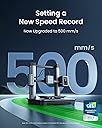
The AnkerMake M5 3D Printer redefines speed and precision with a 500 mm/s print rate, 0.1 mm detail accuracy, and AI-powered error detection. Its robust die-cast aluminum frame ensures stability at high speeds, while the 7x7 auto-leveling system guarantees perfect first layers. Designed for both beginners and pros, it offers quick assembly, remote control via app and Alexa, and a large 235x235x250mm build volumeโmaking rapid prototyping and complex prints effortless and reliable.


| Brand | AnkerMake |
| Colour | Silver |
| Compatible devices | Smartphone, Computer |
| Item weight | 12.4 kg |
| Material | Aluminium |
| Product dimensions | 50D x 47.3W x 43.7H centimetres |
D**J
Amazing, brilliant, fast, easy to use
The build quality is excellent, itโs extremely easy to use and prints good quality objects very fast. Admittedly I had a cheap slow XYZ (but very reliable) printer before, but the difference in build quality, size and speed is huge. Small projects that took 10 to 15 hrs on my old printer are taking around 2 or 3. Small objects that took 2 or 3 hrs are completed in 20 to 30 minutes or less. In part this is because I find I have much less need for supports so the increase in speed is largely the rate at which it extruded but also because you need less supports and are using a lot less filament. I suspect I get away with less supports because the printer is so solid that there is very little vibration of the build plate compared to the XYZ, also the cooling fans which some claim are noisy (I think they are fine) probably cool the laid down filament much more quickly and the machine can therefore print bigger unsupported overhangs without the need for support structures. Would I recommend it ? Absolutely this printer is so much better than I expected and itโs speed and build size means I can try ideas, prototype and modify an item without wasting days. With my old printer I might leave something printing for 12 hrs only to have it fail or fall over on the build plate in the last few layers. So far the M5 has functioned perfectly, with no failures even when printing much more complex items than I have ever tried before.
T**Y
M5 ITS FAST clue is in the name
I have been looking for a new 3d printer for a long time. Ive also been printing a long time. I've had a few printers over the years. Several different brands and done days and hours of research. The Ankermake M5 is the printer of the moment and in my opinion nothing comes close. with Auto bed levelling, wifi, camera, magnetic print bed, touch screen, app to control it or Mac/windows software and speed its an awesome bit of kit for the beginner to semi. the slicer needs work but it works fine if you don't know to much about slicing. its incredibly sleek and very well engineered and built with quality materials. I can't believe it's not a ยฃ1000+ machine. only downside its quite loud compared with a Prusa. it has to powerful cooling fans and the noise is funnelled into to an outlet Shute's at force to cool your print. overall I can handle a bit of noise for the pure speed of the machine. very happy with my new machine.
M**R
Great product - Fantastic support from Anker
I rarely leave reviews online, but felt this one was deserved. The printer is everything it claims to be, easy to use and super fast. The first unit I ordered stopped working after the first print, but one of the advantages of this brand is the discord community who was able to guide me on how to troubleshoot the issue. Unfortunately that didnโt work and discord users pointed me to Anker Support. I spoke to Jack @ support and must admit I rarely have had someone so helpful, reviewed the issue, and when he saw that I wasnโt able to fix it, a replacement was sent with 2 days! A product is only as good as the backing from its company and in that case, I have to say well done Anker.
M**S
AnkerMake: M5 3D Printer
This is definitely the easiest 3D printer I've used thus far, especially the set-up process as the main body is separated into two big parts (and a filament reel holder); so it's just a matter of connecting the two together, securing them with some bolts and connecting some cables. Upon booting up the M5, it takes you through a clear step-by-step process and connecting it to your WiFi and inserting filament; from here you can download the AnkerMake app on your smart device or get the slicer for your desktop/laptop. The app has a limited amount of models to print but is a good way of getting started; just click on the print you want and wirelessly send the command to the printer and away it goes. The app has a brilliant feature which allows you to check in on your print progress, change settings or even see it live! So I can be at my work and check in on it. The slicer software for your desktop allows you to import 'stl' files from various websites and of course customise many different settings through the expert mode, alternatively stick with easy for the basic settings. I must say though, I do currently prefer Creality's Slicer over AnkerMake's. The M5 doesn't have an SD card slot like many other 3D printers do, however there is a USB-C slot so you may just need to adapter; alternatively just send your print to the M5 wirelessly just like you can with the app; it saves so much time and it frees up disk space! Printing can be SUPER FAST but that does come with some disadvantages, especially when dealing with the finer details and just overall accuracy, so pick and choose whether you want your print to be more refined or whether you want it done quickly. The printing speed can be adjusted either in the 'Expert' mode within the slicer or on the printer itself during the print. One downside I need to point out is this printer is rather loud; I have this stationed in my bedroom and I think it's going to be a bit hard to sleep whilst it's operating in the background (Creality's Ender 3 Max Neo I was able to deal with). The flexi magnetic base seems to do a decent job at adhesion but also makes removing models off with little effort, though realigning it can be tricky as the magnets are very strong! Another positive about the M5 is how easy it is to update the firmware; it tells you when there is one and you just click update (make sure this is the first thing you do after connecting it to your WiFi). Overall though, it's a super easy 3D printer to deal with (ideal for beginners), it has some great features and it does have the ability to print some good quality prints. Just bare in mind that like all 3D printers, the M5 will also need nozzle replacements and some maintenance overtime. ๐ข Pros: โช Simple Set-up, making it also Ideal for beginner users. โช The WiFi features are brilliant (wirelessly sending print orders & remote monitoring). โช Print times are accurately displayed. โช The magnetic flexi base provides a good level of adhesion whilst making it easy to remove prints. โช Can support various filaments, not just AnkerMake's own (unless you want to use very high-speeds). โช Able to produce decent quality prints (better on the slower settings). โช Easy firmware updates. ๐ก Neutral: โช AnkerMake's filament cost is not very competitive when it comes to price and at the time of review, they don't have a wide variety of colours available. Hopefully this will change as times goes by. โช No SD card slot (may bother some). ๐ด Cons: โช Fastest print speed can degrade the quality of some prints and can cause a wobble effect in thinner parts. โช Its quite loud when printing (especially the fans as they are high-pitched); with the Creality Ender 3 Max Neo, I was able to fall asleep with it in the room; the AnkerMake M5, not a chance.
L**S
Started great, then just produced nests
Setup was easy, very good instructions with consideration to alignment etc, feels like a good quality bit of kit. Printed 4 prints really well, then it all started going wrong. Printing failed and was dragging a nest all over the place. The AI camera was blissfully unaware or didn't care. Cleared it all down, then it wouldn't auto level. Went through the instructions for cleaning the nozzle, then alignment worked. Printed a small test item ok, then sent it on a 15 hour print. Checked after 3 hours, all looking good, went to bed, in the morning got my message "print completed successfully" Went to get it and it was a giant nest. I w wasted half a roll of filament trying to get it to print properly again to no avail. Shame as I really wanted it to work.
M**K
Just amazing
Amazon delivered in perfect order. I was worried i would choose the wrong machine because i read probably 200+ reviews on multiple machines and models and choices which quickly became fairly overwhelming. I settled on the M5 over the Bambu A1, which i believe is also a great printer, because the earlier reviews which had some negatives (no deal breakers by any means) for the M5 were based on early firmware which has been rapidly updated since. I wanted the speed and the camera and the seamless online features that this printer offered, as well as the very positive reviews of later firmware. I also loved the look of it. Reminds me of Star Trek. The last worry i had was some people were saying how loud it is. Not a problem as it will end up in the back room, but due to excitement i set it up instantly in the lounge area, and yeah it really is not that bad at all. At high speed you can hear the fans, like a gaming laptop running a high spec game. It is currently next to the TV and by no means do we have to raise the TV volume and no one has complained about what i though might be a small jet engine. There was also the concern that some said the fans never turn down or off when not printing. I can confirm that after prints the fans do in fact tapper down to inaudible, possibly off (i do not know because i cannot see them) when it cools which is pretty quick, about 3 or 4 minutes max at this point. I also purchased 2 x AnkerMake PLA+ 1kg, 1kg Sun and 1kg Creality filaments. So far only using the AnkerMake filament as 1kg really does go a lot further than i expected. I am still on the first roll, though i expect i will be putting a new one on soon. 3d printing is addictive. Unpacked and followed the manual for a very quick setup. literally under 10 minutes and this was going slow to verify the very few required steps. Inserting the filament was super easy. Started printing instantly. I have not once used the glue provided in the box. Figured i would see if it was really needed. Printing with AnkerMake PLA+ and i have not had a single mishap or misprint. First night I printed a turtle keychain. about 11 minutes. Then printed a bed scraper. about 23 minutes. Then printed 6 x star trek coasters. about 25 minutes each as i set the speed down a bit as i wanted these to be awesome. They came out awesome. I cannot state how amazing this printer is. I have the Anker studio software at home and on work machine. The camera view from anywhere is amazing and i just basically dont stop printing now. When done i message someone at the house to remove and quick wipe the bed and i start again. Been printing bins, toolbox holders, filament spacers for the M5. Printed Samsung Watch 5 charging holder, high speed you can see the picture attached. This came out amazing, pics do not do it justice. At a lower speed I expect the small Samsung writing would be perfect. This took about 1hour 55 minutes if i remember correctly. The Bin in the video attached show the utility bin for the side of the M5 and you can hear the printer fans in the background this is about 2 meters from the printer and it is printing another job at high speed. Actually all the prints have so far come out so much better than i was possibly expecting. Granted i have zero experience with other printers as this is my first. But simply wow. Its fast and so stupidly easy to use. I am now printing my designs created in FreeCad. For anyone looking to get into 3d printing, i can honestly say this machine is simply incredible. The Anker mobile app with complete real-time updates of the printer is next level. The searchable library in the app of existing 3d prints that you simply select and hit print on is crazy. Thank you to AnkerMake for what a device that i expect is going to continue to exceed my wildest expectations.
M**N
Perfect as an entry printer
My first 3d printer. Now with 40+ prints behind me, most of them large ones I can say I am blown away by the thought that has gone into this! Yes the AI fault detection is prone to being over sensitive, but you get an alert on your phone and can see what the issue is then override the error report. On average I get less than one false error report per print, and frankly I would rather it raised a concern than just vomit plastic spaghetti. The PC software has progressively improved over the last 2 months since I bought it. At ยฃ399 it was an absolute bargain. I have been on an organise spree so printing off spice rack shelves made to fit our kitchen cupboards, a whole pile of storage shelves to go inside wardrobe doors for cufflinks etc. I started off only using Eufymake PLA+ filament but have now been using a lot of esun filament which works great too.
R**P
Beautifully made machine
This is my first venture into 3 D printing. Other reviews swayed me and I have not been disappointed. I have seen other printers in action, but this one is in a class by itself. The quality of the construction is fantastic, stable and robust. The speed at which it prints is fantastic. I understand that it is more expensive than others on the market, but if you are able to purchase one of these, then it will be very worthwhile. I am not being flippant, but the niggling, slow performance of lesser machine will be a continual irritation, but the extra money spent on this machine will soon be forgotten as money well spent.
C**U
Interesant and cool
M**I
Stampante 3d FAVOLOSA
Finalmente la prima stampante 3d precisa e che fa il suo dovere facile intuitivo il Software e soprattutto porta a termine qualsiasi lavoro. Piccola nota dolente il rumore leggermente rumorosa quasi fastidioso se hai persone in casa, ma non possiamo voler tutto. Per il complesso finale 5 stelle
B**D
Bad quality and bad customer service
Bad product it makes a noise the manufacturer can not identify and after 3 months it stopped working and the manufacturer will not give me a replacement and only wanted to give me a 80% refund saying it has 3 months after ware. I contacted them after about 2 months but thay are dragging out the warranty process. I do not recommend the printer and would never buy this brand again.
D**D
Good ๐
I love it But i wonder why its not available now on Amazon We trust amazon and i want to purchase another one
B**T
Easy to setup and print!
I have bought it on Black Friday and didn't regret it for a second. It is my first 3D printer and very easy to use with default settings. If you enable expert settings, it has tons of customization. For "download from the internet and print" use cases, it is really doing its job. All of the above is for PLA+ filament type. I've had some trouble getting settings for PETG right, my first few prints with that material ended up in the waste bin, but then I learned what to set and where, then it is also good with that material. As for the sound it generates, I didn't find it too loud unless you have 100% fan working. Even when it is on idle, there's some basic fan working, but then you can just switch it off without fear of settings being deleted or something.
Trustpilot
1 month ago
1 day ago