

💼 Upgrade your ThinkPad’s storage game—because one drive is never enough!
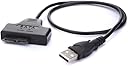
The Ultrabay Enhanced II Module is a precision-engineered 12.7 mm SATA III adapter caddy designed for Lenovo ThinkPad models R400 through W700. It supports 2.5" SSDs and HDDs, enabling seamless addition of a second drive with blazing 6.0 Gb/s transfer speeds. Included USB 2.0 to SATA cable ensures easy installation and versatile use, making it the ultimate upgrade for professionals craving expanded, high-speed storage without compromising form factor.
| ASIN | B00DSEBYUK |
| Are Batteries Included | No |
| Brand | TheNatural2020 |
| Colour | T420 etc. / USB/SATA/Cavo |
| Customer Reviews | 4.0 4.0 out of 5 stars (891) |
| Date First Available | 5 July 2013 |
| Form Factor | 2.5-inch |
| Guaranteed software updates until | unknown |
| Hard Disk Description | Mechanical Hard Disk |
| Hard Drive Interface | USB 1.1 |
| Item Weight | 120 g |
| Item model number | UltraT1USB |
| Manufacturer | TheNatural2020 |
| Product Dimensions | 15.2 x 12.8 x 1.6 cm; 120 g |
B**P
Works great in Dell e4310 laptop
Great way to add a second hard disk to a Dell e4310 laptop - perfect fit, if a little tight. Really nice decent construction with acceptable-looking exterior (sorta still looks like a DVD drive). Needs the metal 'tab' taken off the real DVD as it's pretty tricky to remove without this. Great product - I highly recommend it - seemed better quality (from reviews) than competing offerings and I can say it's great.
J**A
Super quality and works well. Very easy to install, including under Linux
Worked a real treat in my Thinkpad 430, using an SSD and Linux, so have far more space. I now have a high quality SSD for the boot drive (Samsung Pro) and a cheap one for photos etc (backed up of course) - Crucial MX300 525GB in this case. Under Linux Mint, there's probably a few more steps than with Windows. I found it easier to create the partition and format it by placing the SSD in a caddy first and running gparted. As I formatted the drive using Ext4, it had root ownership, so had to change that. Easiest way to fix that was to start the file manager as root (sudo caja) and look at the properties of the drive - and change ownership and group to myself, with permissions to read/write.
M**Y
Fits e6420 too......
I don't usually write reviews but I spent that long trying to find a UK supplied 2nd hdd caddy for my dell latitude e6420 that, having found one suitable, I thought I would try and help others out. The caddy fits perfectly in the place of the dvd drive but like another reviewer says, the bezel is very short and leaves some of the caddy showing. The bezel and ejector button from the original dvd drive come off really easily - the bezel gentrly unclips while the ejector button is just a case of removing 3 screws and fit superbly on this new caddy. The new caddy now fits perfectly in the slot and the ejector clips perfectly. Not tried a hdd in it yet so it might not work in theory(!) but it certainly fits a treat.
S**E
Beware - does not fit the precision m4800
Although this adapter is reasonably well constructed, it is over priced and does not fit the Dell M4800 - That said, it does not claim to fit the 4800, but since it does claim to fit the 4400 I thought I'd give it a go. The bezel is entirely the wrong shape - it's too long and has a pronounced downward slant meaning that the bezel sticks out several mm from the edge of the laptop. This is far from clear from the photos. It is functional but I can't say I'm happy with it and will have to look elsewhere for another one at some point. My three star rating is based on poor value for money and the poor photos describing the item - not the fact it did not fit my laptop properly.
P**C
Very good job at a very low price (and a very bright LED!)
Snug fit, but I was not prepared for how bright the LED on the outside was! If I had to buy again, I would pick a tray with no indicators - it's incredibly annoying at night. This isn't really a fault, just a personal preference. It otherwise does its intended purpose justice, with my laptop (Thinkpad T410) not making the slightest rattle.
Y**G
Now I have to buy another one and waste whole weekend to waiting the new one because of ...
I cannot make it into my laptop because this one is not 1.2mm. Its very important because even 3mm different could make big problem. Now I have to buy another one and waste whole weekend to waiting the new one because of that "1.2mm".
D**N
Works well good value
Fitted into my T430 perfectly. There aren't any instructions so I was a little confused about how to fit the HDD into it but a bit of googling found a video of a similar product and it became clear to me. It holds the HDD very firmly once its properly installed and it seems to work well with my SATA connection so the HDD is working properly.
S**D
I had the tools to fix it, how about you?
I purchased this item to recycle a 2.5 SATA HDD for my Lenovo W530. In terms of fitting, it fits very well my laptop and there are no issues regarding to that. However, my only problem with this caddy is that there is no hole for fixing the HDD to it with a screw. Simply using the provided plastic edges and the screws doesn't fully fix the HDD to the caddy. Luckily I had the resources to make a hole at the bottom of the caddy to fix the HDD to it with a screw but not everybody has the resources to do the same. Do I need to mention how important it is to make sure that the HDD stays fixed in its place? By the way, the blue light is really bright!!
C**N
Acabados en plastico y aluminio. Trae un pequeño destornillador para ajustar unos pequeños tornillos laterales para asegurar el HDD al bastidor. Hay un pequeña cuña de plastico extraible que se saca para la instalcion del HDD y se recoloca para rellenar el espacio necesario al instalarlo, quedando el disco perfectamente encajado. Aprendi por las malas que hay DOS grosores de DVD Slim: 9mm y 12mm... Aconsejo sacar la unidad del ordenador y medirla, esos 3mm hacen que quede suelta o no entre, si no eliges la adecuada. Ademas sacando (con cuidado) el frontal de la unidad de DVD, se puede reinstalar en el chasis y queda totalmente integrado como la unidad original. La estetica cuenta!!! PD: Generalmente la unidad de DVD tiene, o una trampilla en la tapa inferior donde hay un tornillo que lo asegura, o un cierre tipo gatillo para liberaralo o hay que leventar el teclado (como en muchos ASUS, como el mio) y buscar un tornillo para extraer la unidad). Funcionamiento a la perfeccion (tampoco es un "gran obra de ingenieria" adaptar un conector a otro) con un HDD de 2Tb WD. Ideal para aprovechar espacio en portatiles en el que cada vez se usa menos la unidad de DVD y se aprecia mas la capacidad de almacenamiento...
C**.
En commandant ce produit je n’étais pas sûr qu’il irait sur mon ordinateur portable, à cause du système de verrouillage situé sous le module. C’est avec plaisir que j’ai pu constater que ce produit disposait du système de verrouille. Il s’ajuste parfaitement à mon Lenovo Thinkpad T430. Ainsi après avoir monté le disque dur 2,5" avec les petites vises fournies, il suffit de le pousser dans le logement du graveur DVD dans lequel il vient se clipser au fond, dans le système de verrouillage, où l’on entend "click". Le montage est facile et très rapide. Je l’ai utilisé pour rajouter un disque SSD à ma machine. En résumé, parfait pour mon T430. Livraison rapide et soigné.
R**N
Rezensiert wird hier das Modell für das T430 (mit der 12,7 mm hohen Blende). Für den speziellen Anwendungsfall der Astrofotografie (Aufnahme von Videos der Planeten unseres Sonnensystems mittels eines Teleskops und einer CCD-Kamera mit hoher Framerate) verwende ich ein extra hierfür gebraucht angeschafftes altes T430 mit einer aus den Tiefen einer Schublade hervorgekramten ebenfalls betagten Samsung 830 Basic als "Datengrab" in der Ultrabay. Meine Anforderungen an das Produkt sind: 1. Unterstützung der vollen Schreib-/Lesegeschwindigkeit der SSD 2. unkomplizierter Wechsel des Datenträgers Habe mit AS SSD Benchmark und CrystalDiskMark die Lese-/Schreibgeschwindigkeit in dieser Konfiguration getestet und war echt erstaunt darüber, dass die in der Produktbeschreibung der SSD angegebenen 520 bzw. 320 MB/s Lese- bzw. Schreibgeschwindigkeit mit dem Ultrabay-Caddy nahezu erreicht wurden, d.h., die SSD ist mit dem hier rezensierten Caddy in der Ultrabay genauso schnell, als würde man sie direkt in das Laptop einbauen und an den primären SATA-Anschluss anschließen. Der Caddy passt *fast* perfekt - er steht ca. einen halben mm über, was aber überhaupt nichts ausmacht (das ThinkPad hat ja sowieso nicht besonders ebene Oberflächen). Das Reinschieben in und Rausnehmen aus dem Schacht des Caddy-/Festplattenensembles sowie die Installation/Entnahme der SSD in den/aus dem Caddy funktionieren reibungslos. Besonders gut finde ich den kleinen Plastik-Klapp-Nippel, der die Festplatte nach dem Einsetzen fixiert. Man braucht also keinen extra Rahmen und Schrauben sondern setzt die Festplatte so wie sie ist ein, legt den Klapp-Nippel um, und die Festplatte sitzt fest und sicher im Caddy und lässt sich ohne Aufwand wieder entnehmen und an einen anderen Rechner anschließen. Meine speziellen Anforderungen erfüllt das Produkt also voll, daher fünf Sterne. Wie gesagt betreibe ich die SSD in der Ultrabay nur als Zweitlaufwerk zum Speichern von Daten. Ob alles auch so reibungslos funktioniert, wenn man mit dem Produkt die primäre Festplatte betreiben will, von der auch das Betriebssystem gebootet wird, weiß ich nicht, und hierzu verweise ich auf die Rezensionen anderer Käufer/innen.
J**Y
Does what it's supposed to but not the best quality
E**T
Usato su Dell Latitude e6400. Si integra perfettamente, sostituendo il masterizzatore di DVD. Arriva con viti per fissaggio HD. Avendo comprato un Samsung MZ-75E250B SSD 850 EVO, installato nella bay principale, il vecchio hard disk ha trovato una nuova collocazione con questo adattatore. Oltre a diventare disco secondario, è possibile premendo F12 fare anche il boot dal vecchio hard disk. Ben assemblato, leggero, manca di un leva di estrazione facile come quella del DVD. Con l'SSD e questo adattattore ho rinnovato il vecchio latitude a nuova vita. (Aiuta l'aver installato Windows 8.1 pro, che ,anche se non supportato ufficialmente da Dell per questo modello, funziona perfettamente, senza alcun driver aggiuntivo)
Trustpilot
3 weeks ago
2 months ago