Buy anything from 5,000+ international stores. One checkout price. No surprise fees. Join 2M+ shoppers on Desertcart.
Desertcart purchases this item on your behalf and handles shipping, customs, and support to Ireland.
🔒 Elevate Your Security Game with 36-Channel Power & Smart AI Precision
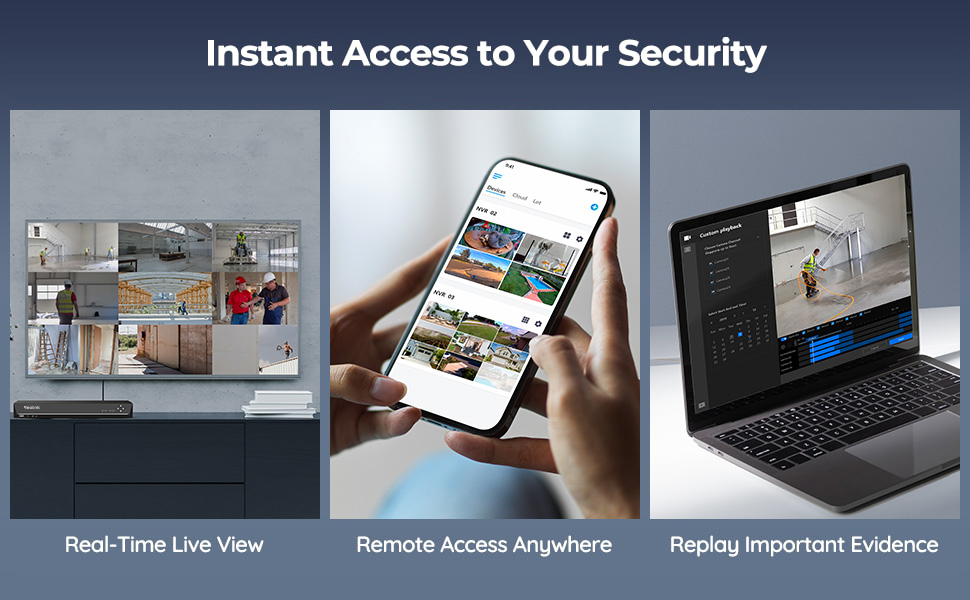
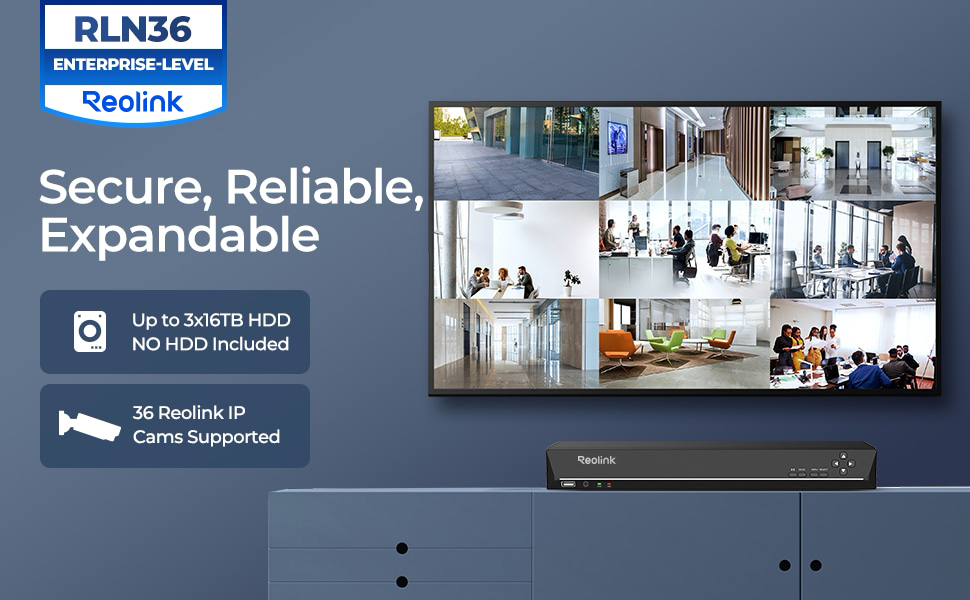
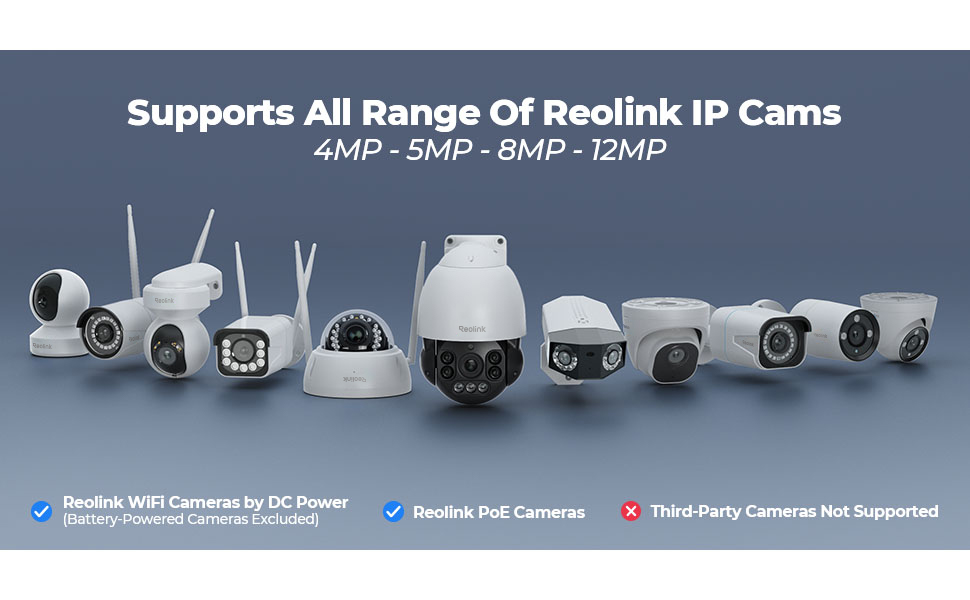
The Reolink RLN36 is a professional-grade 36-channel NVR designed exclusively for Reolink IP cameras, supporting up to 16MP/4K resolution. Featuring three HDD bays with a combined 48TB capacity, it enables continuous 24/7 surveillance recording. Expandable via four PoE switches for zero-latency multi-camera management, it also offers two-way audio and smart AI features like human and vehicle detection, making it ideal for comprehensive, scalable home or business security systems.


| ASIN | B09YDCCMYD |
| Audio Input | Microphone |
| Best Sellers Rank | 91,349 in DIY & Tools ( See Top 100 in DIY & Tools ) 2 in Video Transmission Surveillance Systems |
| Box Contents | 1 x RLN36 NVR (without HDD pre-installed); 1 x NVR Power Adapter; 1 x HDMI Cable; 1 x USB Mouse; 1 x 1m Network Cable; 1 x Quick Start Guide; 3 x Pack of Screws |
| Brand | Reolink |
| Brand Name | Reolink |
| Compatible Devices | cams Reolink |
| Compatible devices | cams Reolink |
| Connectivity technology | USB |
| Country of Origin | China |
| Customer Reviews | 4.5 out of 5 stars 245 Reviews |
| EU Spare Part Availability Duration | 2 Years |
| Hard disk size | 16 TB |
| Hard-Drive Size | 16 TB |
| Item Type Name | Reolink 36 Channel NVR for Security Camera |
| Item Weight | 3.84 Kilograms |
| Manufacturer | Reolink |
| Manufacturer Part Number | RLN36 |
| Media Format Digital Video | H.264 |
| Memory Storage Capacity | 48 TB |
| Memory storage capacity | 48 TB |
| Model Number | RLN36 |
| Network Connectivity Technology | USB |
| Number of Channels | 36 |
| Number of channels | 36 |
| Product Warranty | 2-year limited warranty. |
| Total USB Ports | 3 |
| Video Input | RJ45 |
B**R
Easy setup works like a dream
Bought this to work with my 2 new cameras, once I’d installed the hard drive it setup and connected to my cameras very fast. There’s no deviation from what the camera sees quality wise and the image recorded and that’s the same with the sound. It’s very easy to use and is the perfect nvr for my Poe cameras! It’s worth noting that it’s compatible other camera makes, but if your using it for Poe cameras you will need a Poe injector as this doesn’t provide power over Ethernet directly
T**R
Does the job
Needed to make Additions to my current cctv set up. Was easy to set and good value for money. Connecting was straight forward. I find reolink is a good quality system. With 36 channels it's got great functionality.
P**L
Good value product
I have been using Reolink's for quite a long time and this is the first time I have even seen the 36 port nvr I was very excited to use it as I have a property that requires a lot of cameras. It works the same as all the other nvr which is a good thing as our simple to operate and configure. It is worth mentioning that you need to purchase and install hard drives as the kit comes with nothing. I suppose this is normal for large devices but I have been used to getting the device with built-in storage so was surprised and had to come back to the site a few days later to install the storage.
J**E
Good value for money
It's been a solid device and is good price to performance compared to some of the range.
M**E
No inbuilt PoE or HDD but works great when set up
Solid, reliable recorder. Set it up with 3x 4TB WD drives and it's been running 24/7 without a hiccup. Interface is clean, footage retrieval is straightforward, and it integrates well with Home Assistant. 36 channels gives plenty of room to grow. Important note: no built-in PoE — cameras connect over your network, so you'll need a separate PoE switch. Worth knowing before you buy.
J**E
Works well
Pretty easy to setup. I don’t have cameras connected directly to it, but rather recording over the LAN. It works well and it’s good to have 24 hour recordings. Good value.
T**G
Good NVR for Reolink cameras
This is a really nice NVR, really easy to setup and use, playback function can be set to only show motion events, which helps to locate interesting events. Only works with Reolink cameras I believe. No HD supplied with this unit, but has capacity to fit 3 3.5" Drives
C**S
Ok, but the UI has a little bit of an identity crisis
Good if you’re already invested in the Reolink system. Especially ok if you’ve got nothing to compare it to. But missing some essential functionality IMHO. I bought this to replace a dedicated (Linux / home brew) based solution, which was built to spec. So an ‘off the shelf’ system was never going to tick all my boxes. But it did make my life much easier to get 9x new Reolink cameras recording quickly, with all the motion event flags, etc. Reolink cameras will attach and record ok. Motion events are highlighted on the playback bar and it’ll attach to the Reolink phone app 👍 BUT… For me, the network playback & administration functionality has a bit of an identity crisis. i.e. The local (hdmi) interface of the NVR is a much richer experience than the app/web based playback. If you want to stick this under your tv in the living room, that’s fine. But in that case, I’d be wanting a remote and a couch control experience too (who wants to use a mouse, 3ft away from their tv)? So to me, this is better suited in a secure, remote location. Like a rack in a locked server room. But then, because you can’t remotely access much of the administrative functions, you’ll need to stick a monitor and mouse in there too. And go there manually to administer it 🤬 I am seriously considering attaching it to a CometPro KVM (or similar) for proper remote access. But that’s basically doubling the cost of the NVR. … and without a network KVM, you really do have to go and attend to it manually. You can’t add new cameras to the NVR via the app or web-if. You have to do it on the device itself. For me, that goes against the spirit of the “N” in “NVR”. Backup is also a bit tedious. I expected to be able to easily pull recorded files over the network when required. But the primary export method involves sticking a USB stick into the physical NVR. Downloading recordings over the network is slow, painful, limited & feels like an afterthought. To me, the playback is a bit odd too. I expected to see a native grid view (all cameras at once, playing back in sync) with the ability to seamlessly toggle between them. But that’s not how it works. It assumes you just want to see one at a time. With a bit of faff, you can ‘pin’ 4 cameras to the same view. But if you want to have more playback views in sync (to see activity across the whole site), you’re out of luck. Full grid view was available on all the DVRs I’ve used in the past worked. But maybe I’ve been spoiled. Last but not least, a minor word of caution to anybody who fits multiple HDDs, of large capacity… the load balancing logic is really basic. It will fill up one disk, then go to the next, and eventually loop. The real world effect of that, is you’ll have a disk spinning for a whole month, with no usage. It won’t spin a disk down, when it’s not being used. Of course, you wouldn’t want it spinning down frequently, but when we’re talking a month or more between access times, then I’d like to have the option.
J**Y
Sehr günstig und dafür extrem gut in der Umsetzung
Ich bin seit längerem in dem Thema und muss sagen es hat meine survilence Station von synology abgelöst. Ich hatte ein recht performantes System keine ds... Egal das Teil hier ist sehr angenehm in der benutzung, sehr schnell bei der Wiedergabe und Spulen sind ebenfalls gefühlt in echtzeit möglich. Simultan aller Kameras, einzeln, mit ki Erkennung von Personen, Autos und Tiere. Keine fehl Alarme. H265 Hardware on Board. Hdmi am Gerät, Gehäuse lüfter ist leider etwas laut. Mit einem 40mm noctura war das aber auch gelöst. Hdd Lautstärke natürlich muss separat betrachtet werden, ich hab eine 4tb nas hdd drin. Leise und effektiv. Stromverbrauch so 12w mit 4tb ohne Monitor. 15w mit einem hdmi Gerät, ich denke wegen der videoausgabe. Ich betreibe momentan 9x 4k Kameras reolink duo2 poe Tendenz steigend Bis zu 3x sata Geräte, maximal 3x4GB =12GB Leider kein raid möglich, stört mich aber jetzt nicht so. Backup ist eine bessere Lösung. RAID ist für mich eine ausfallsicherheit kein Backup. Die Aufnahmen laufen auf der anderen Festplatte weiter wenn eine kaputt ist. Sofern eine zweite oder dritte Platte verbaut ist. Liveansicht auf dem hdmi Ausgang komplett alle 9 Kameras läuft auf hoher Auflösung. 4k 30fps kann der hdmi port nativ. Handy app ist sehr gut, die webconsole ist leider sehr schlecht und vernachlässigt, schade weil die Einbindung in smarthome so umständlicher ist. Aber es gibt für jedes Betriebssystem ein Tool, also Android, Apple, Linux, Windows,... Also das Teil ist geil und reolink gibt langsam Gas was nvr Komponenten betrifft. Unterschied noch erwähnt zu den neuen Reolink home hub pro 2TB. Ich kann onvif Kameras einbinden was der hub nicht kann. Und es sieht leider nicht so cool aus wie der hub. Ich denke die hdmi GUi ist beim hub auch moderner, muss ja, ist ja neu🤣. Aber können fast das gleiche. Ach und keine poe am Gerät. Muss also im Idealfall sowieso über einen poe switch laufen. Aber einen 4 port switch mit eigenem DHCP und Netzwerk Einstellungen.
R**E
Super produit
Actuellement utilisé avec un seul disque dur de 12 TB et 9 caméras. Tout fonctionne parfaitement.
U**P
Billig och användbar
Bra produkt om man redan har PoE switchar. Dessutom bra att man kan själv välja vilka HDD man vill montera in. Fläktarna låter något högt, men inget som stör då jag har denna i en serverrack. Något som går att förbättra är mjukvarans användarvänlighet, dessutom ta fram en utförlig manual. Saknar möjligheten att kunna konfigurera de 4 LAN ingångarna (VLAN, IP mm).
G**U
Utilizzato in rete per telecamere varie Reolink, disco wd, una bomba
Non è un poe ma il suo lavoro lo fa benissimo, se avete telecamere in giro per casa o azienda in rete e non potete portare tutti i cavi singolarmente, questo è per voi. ha le 4 porte in cui portare da 1 a 4 cavi, io ne uso solo una, sotto ho 1 switch primario e sotto ancora altre due switch in cascata di cui uno collegato in fibra tramite un media converter. Colleghi la telecamera allo switch poe o tramite poe injector e il dvr la vede subito, user, password e ip e il gioco è fatto. unica pecca secondo me, l'aggiunta delle telecamere può essere fatta solo tramite monitor collegato in hdmi o vga, diventata molto più comodo via rete secondo me. per ora ho un disco da 1 tb, non configurato, è tutto automatico in realtà, ventola non si sente. Altra figata è la gestione delle registrazioni, si possono programmare un pò a piacimento, sia sempre registra con indicatori di passaggio auto persone animali, oppure registra solo al passaggio, oppure ancora in alcuni giorni oppure in alcuni orari. Con l'aiuto del supporto reolink che risponde via mail sempre e subito, vi divertirete a configurarlo, davvero un ottimo nvr ed un ottimo supporto.
B**Z
pas valable pour toutes les cameras
toutes mes anciennes camera on les vois presque tous mais pas de détection
Trustpilot
4 days ago
3 days ago