Buy anything from 5,000+ international stores. One checkout price. No surprise fees. Join 2M+ shoppers on Desertcart.
Desertcart purchases this item on your behalf and handles shipping, customs, and support to Ireland.
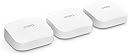
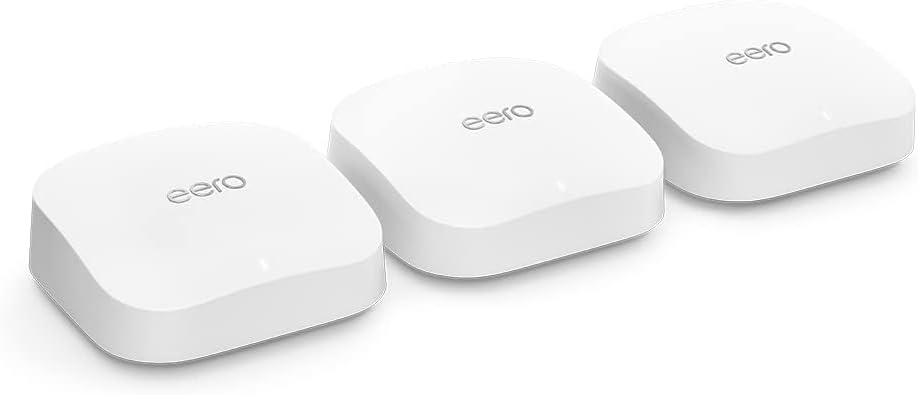
🚀 Elevate your Wi-Fi game — stream, work, and game without limits!
The Amazon eero Pro 6E 3-pack mesh Wi-Fi router delivers tri-band Wi-Fi 6E speeds up to 2.3 Gbps with 2.5 Gbps Ethernet, covering up to 560 m² and supporting over 100 devices. Featuring patented TrueMesh technology, it eliminates dead zones and optimizes traffic flow. It also functions as a smart home hub compatible with Thread and Zigbee devices, offers easy app-based setup and management, and includes advanced security options with a 30-day free eero Plus trial. Ideal for professionals seeking seamless streaming, gaming, and remote work connectivity.
| Wi-Fi coverage | 1-pack: Covers up to 190 m². 2-pack: Covers up to 380 m². 3-pack: Covers up to 560 m². |
| Type | Router (connects to modem as primary router). |
| Supported speeds | Supports network speeds of up to 2.3 Gbps (1 gigabit when wired and 1.6 Gbps when wireless). Ideal for gigabit+ internet plans (up to 2.5 Gbps using the 2.5 Gb Ethernet port). |
| Wi-Fi connectivity | Wi-Fi 6E tri-band concurrent 2:2:2 (802.11ax); compatible with older Wi-Fi standards. |
| Wired connectivity | One auto-sensing 2.5 gigabit Ethernet port and one auto-sensing 1 gigabit Ethernet port. |
| Speed rating | AX5400 |
| Smart home connectivity | Amazon Frustration-Free Setup, 802.15.4 radio (Zigbee, Thread), and Bluetooth Low Energy 5.0. |
| Electrical rating | 100–240 V AC, 50-60 Hz |
| Processor, memory and storage | 1 GHz dual-core processor, 1024 MB RAM and 4 GB flash storage. |
| Network security and services | Profiles, WPA3 (eero Labs feature), WPA2, TLS v1.2+, VPN pass-through, IPv6, NAT, UPnP, port forwarding, DHCP, static IP and cloud connectivity. |
| Required for setup | Supported iOS or Android device and internet service (with cable or DSL modem, if required). See eero.com/requirements. |
| Temperature rating | Operating: 0˚C to 40˚C Storage: −25˚C to 60˚C Operating humidity: 0% to 90%, non-condensing Operating altitude: <3000 m |
| Dimensions | 142 x 138 x 51 mm Actual size and weight may vary by manufacturing process. |
| Warranty and support | eero Pro 6E is sold with a limited warranty of one year provided by the manufacturer. If you are a consumer, the limited warranty is in addition to your consumer rights and does not jeopardise these rights in any way. This means you may still have additional rights by law even after the limited warranty has expired (see here for further information on your consumer rights). Use of eero is subject to the terms of service found here. |
| Software security updates | This device receives guaranteed software security updates until at least five years after the device is last available for purchase as a new unit on our websites. Learn more about these software security updates. |
| Subscription | Includes 30 days of eero Secure for new customers. Learn more about this here. |
| eero Built-in | eero Built-in is available in US, CA and UK only. Your wifi network must use a compatible eero router and your Echo device must stay in range of a compatible eero device. You will need to link your eero and Amazon accounts and manage eero Built-in from the eero mobile application to use this feature. eero Built-in compatible Echo devices support up to 1,000 square feet (92 square metres) of additional coverage, speeds up to 100 Mbps, and 10 or fewer connected devices in the 5 GHz band. Actual performance can vary and certain eero, Echo, or Alexa features may be incompatible with eero Built-in. Learn more about eero Built-in performance, availability and compatibility. Use of eero and eero-related products and services, including eero Built-in, requires creation of an eero account and agreement to eero’s Terms of Service. Review eero’s Privacy Notice. |
| Legal disclaimer | Some features require linking your Amazon account and downloading the Alexa application or using a compatible Alexa device. Internet connection speeds and availability depend on your internet service provider. If your internet service provider does not provide you with the maximum supported speed, you will not experience that maximum speed. Maximum network speeds, if applicable, reflect combined supported speeds across wired and wireless clients. Maximum wireless signal rates are derived from IEEE 802.11 standard. Specifications assume wired Ethernet connection; your experienced speed may vary when connected to an eero device that is configured as a wireless extender. Coverage estimates are based on normal use conditions. Actual range and performance can vary and maximum supported speeds may not be available to all customers due to factors such as local regulations (including power limits), network configuration, interference, connected devices, device usage, building materials and obstructions. Specifications are based on use of a Wi-Fi 6 or later generation client device that supports 160 MHz. For more information about eero performance, visit support.eero.com. Combining eero Pro 6E devices with older generation eero devices on the same network may result in reduced performance across the network. |
G**K
These Eero 6E are very good, best I’ve tried yet
I had eero 6 pros already but needed to extend to my garage and a shed. I bought the pack of 3 eero 6E to replace my 6 pros throughout the house and used 2 of the pros for garage and shed. They were easy to install but I did a fresh install and that was a mistake as it created a new network! I then couldn’t get the pros to join the new network until I realised that they were on different networks with the same name! My mistake as I should have asked eero app to replace the old ones rather than add new! However once I realised what the app had done I removed each of the Eeros from the original network then deleted it. Each one took a few minutes to disconnect before the blue light showed but I got there! The pros then readily connected to the new network and voila, I now have internet to the garage and work shed. The network is very stable and very seldom drops out but to be honest I’ve not really seen a major speed change with the 6E units. Maybe if I hardwired them but that would be more hassle than it’s worth. I live in a 1930s bungalow with solid walls and the pack of 3 eeros gives me coverage throughout. I’ve got FTTP and a package that gives me 450/100 and throughout the house get around 200/90 so not worth hardwiring. The great benefit I find is the seamless handover between units when walking around the house, especially when using Wi-Fi calling. Result is everything I wanted. Sure they are expensive but they are very easy to install and operate. Even after a power cut they handle the startup flawlessly, which was one of the issues I had with my old system.
E**R
Excellent mesh system, now running six
Brilliant mesh Wi-Fi system. Setup through the app is very straightforward and the coverage is excellent. I’ve gradually added more units and now have six running around the house and everything connects seamlessly. Speeds are fast, the connection is stable, and it handles lots of devices without any issues. One of the best mesh systems I’ve used.
P**E
Excellent system with significantly faster speeds that the 6 Pro
I purchased the three router set to try and improve the speed I was getting from a BT Smart Hub 2 with four of their BT Complete WiFi Extension units linked to a 900Mbs fibre to the premises Openreach connection. I also wanted to achieve greater network stability and prevent various devices regularly dropping their WiFi connection. I have a lot of wifi enabled devices - close to 100 which connect to the network including Sky Q boxes, TVs, laptops and PCs, Alexa smart speakers, security cameras and more. I also have a lot of smart home tech that connects via a Philips Hue hub, a Yale Hub and a SmartThings hub. I suspect that the airwaves are rather crowded therefore. The existing BT system is fairly useless. The wired speed into the router is consistently around 950Mbs download and 100Mbs upload and a wired connection to the router replicates this speed pretty well. BTs WiFi technology simply isn’t capable of transmitting anything close to 900Mbs though which makes me wonder why they bundle it with the Smart Hub 2. Very close to the router I might get 350Mbs but typically around the house 150Mbs is standard with sometimes the speed dropping to 50 or less. My main Sky Q box, right beside an extender disc, continually drops its connection and needs to be reset and even when working has a slow speed. This has all changed with the Pro 6E. Before this I tried a Pro 6 eero system but sent it back as the network was more stable but speeds were disappointing. The 6E delivers stability but also speed. Close to the wired router I get around 800Mbs but around the house tend to get 400 to 500Mbs - a dramatic improvement. Surprisingly I don’t see a vast speed difference with the few 6E enabled devices I have compared with older hardware. The kit is expensive but is regularly discounted. It’s still expensive then though. However, BT sell the Complete WiFi discs for around £100 each and, although they provide the router, that would cost £200+. So in reality I had already invested a lot in WiFi infrastructure without the benefits of speeds that FTTP should deliver. I have not experienced any of the issues described concerning Sky Q connectivity. All my Sky boxes are connected, stable, and fast. Nor have I had any problems with setting the system up with BT Broadband. I would have disposed of the BT Smart Hub completely as the eero can be plugged directly into the broadband socket into the house but with BT as an ISP but as I have BTs Digital Voice phone service I have to plug one handset into the BT router. It’s irritating that the BT router can’t be put into bridge mode but I’ve simply disabled the wireless function of the BT box and a Ethernet cable connects the FTTP plug to the BT router and one of the Ethernet ports on that router is connected to an eero. Set up was very easy compared to BT, and a lot easier that a Netgear Mesh system I used to have. It simply works and I hate messing around with WiFi so all is good. I have one significant complaint about the eero system, and that is to maintain reasonable security and full functionality I have to pay £10 a month or £99 annually for the eero+ subscription. I really don’t want to do this and Amazon should make it a lot clearer that a subscription is more or less necessary. Amazon have also discontinued the ‘light’ subscription that I think was £30 a year. Overall though eero works well for me with lots of devices connected and a fairly challenging infrastructure linking everything together. Five stars.
R**H
Super easy setup, old house with thick walls and previously spotty signal is operating at close to max download speed in every room
Trustpilot
2 days ago
5 days ago