

🔥 Level up your MMO arsenal with precision, power, and style!
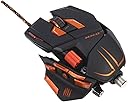
The Mad Catz M.M.O.7 Gaming Mouse is a professional-grade MMO mouse featuring 90 programmable commands via 15 buttons, a true 6400 DPI twin-eye laser sensor with 4 custom settings, and fully customizable RGB backlighting. Designed for extended gaming comfort, it offers adjustable grip panels, a custom weight system, and fatigue-reducing ActionLock buttons. Compatible with PC and Mac, it includes an intuitive World of Warcraft plug-in for seamless macro programming, making it the ultimate weapon for serious MMO gamers.
| ASIN | B006LVZEN0 |
| Additional Features | LED Lights |
| Antenna Location | Gaming |
| Brand | Mad Catz |
| Button Quantity | 13 |
| Color | Matte black |
| Compatible Devices | Personal Computer |
| Connectivity Technology | USB |
| Customer Reviews | 3.9 out of 5 stars 1,028 Reviews |
| Embellishment Feature | LED |
| Enclosure Material | Rubber |
| Global Trade Identification Number | 00728658033699, 00806294958474 |
| Hand Orientation | Ambidextrous, Right |
| Hardware Platform | PC; |
| Included Components | Gaming Mouse |
| Item Part Number | MCB437130002, mcb437130002/04/1 |
| Item Weight | 400 g |
| Manufacturer | Mad Catz |
| Mfr Part Number | MCB437130002/04/1 |
| Minimum Required Operating System Version | Windows 7, Windows Vista |
| Model Name | MCB437130002/04/1 |
| Model Number | MCB437130002/04/1 |
| Mouse Maximum Sensitivity | 6400 dots_per_inch |
| Movement Detection | Laser |
| Movement Detection Technology | Laser |
| Number of Buttons | 13 |
| Operating System | Windows 7, Windows Vista |
| Power Source | Corded Electric |
| Range | feet |
| Special Feature | LED Lights |
| Style Name | Modern |
| Theme | Gaming |
| UPC | 808112406105 102930547720 807032932633 163120672356 758399113305 627721596881 728658030834 072090785273 801200960183 012301018295 132017547909 809187165522 809387583805 045556020331 803983101821 012302434445 728658033699 107872576463 151903515303 182682269552 808112591122 806294958474 |
| Unit Count | 1 Count |
S**N
Quality Mouse
I've had this mouse for over a month now with some intense use. I use to have the razer mamba before this mouse and I liked that mouse very much but I needed a mouse with more buttons because i've been getting into a lot of RPG's and MMO including WoW, SWTOR, and recently TERA (I don't subscribe to them all at the moment). I was looking up different mice like the logitech g700 and the razer naga. I was having a hard time picking between the two then I happened to run across this mouse. It looked cool in my opinion, had a different style and I could customize it but the problem was the price. It is expensive. I took the risk, ordered it, and waited. Once I got it I plugged it and downloaded the software plus the game packages it ran very smoothly. I fitted the mouse to my needs and became pretty comfortable with it. I had to change my grip, I used to claw with the mamba but this mouse I have more of a palm grip due to the thumb buttons. It took a bit of work but I got used to it and found a nice middle ground with a clawing/palming grip. Going from the mamba to this mouse was a huge adjustment including feel, positioning, weight, and overall performance with adjusting to the extra buttons. I took the time to learn and it has paid off. This is a very well built and high quality product. The mamba has a rubber/matte feel to it which is great but this mouse is smoother, guess you can say more plastic feel with a thin coat of rubber. It feels nice still. The buttons aren't as sensitive as the mamba which is another adjustment. Since it takes more effort your fingers will fatigue quicker but this is after LONG play times. Play times as in your family is out for the weekend, extra long weekend off from work and you're getting some long over do "you" time kind of playing. Funtionality is great. You can program all the thumb buttons and the side scroll wheel both counter and clockwise for different actions. The shift button is where your your ring finger rests and works just as well but not programmable. The small joystick in the center does its job also, the "up" position is the hardest for me to hit because it takes more muscle to move your thumb up in that way. Back, forward, down are hit easily and take very little effort. The auto-lock buttons, from what I can tell, can be very easily hit. When I first got the mouse I had to be mindful of positioning my fingers so I wouldn't accidently lock my left/right click buttons. Overall, all buttons work great and no huge complaints. Performace tracking is just as good as the mamba. A couple of times my mouse will only track either the x or y direction. I fixed it by wiping off my mouse pad and no tracking issues. It's very sensitive if you want it to be and I haven't had any issues with it skipping, stopping, teleporting on my screen. Seems very durable and you can customize your dpi settings to what suits your needs. You cant rock back and forth between settings so you have to cycle between all your settings to get back to your original dpi which can be an annoyance. Skyrim pointed out this issue because the camera moves pretty slow for me so I set the dpi pretty high, when I go into menu's my cursor flies across the screen with little movements so I have to lower the settings. It's not a huge issue but you notice that you have to pay a little attention of where the dpi is set when your constantly switching. The softworks works as intended. i have the logitech G13 which has great software so using the cyborg software was pretty different. Setting macros and keypresses works absolutely fine and very simple. Since I have experience with software from G13, little things I felt could have been better. You need to set your profile for whatever game you're playing and then clear it when you're done with the game to go back to normal use. The profile is locked once you select it. When you change a keypresses assigned to the mouse, you need to save the profile and activate it for it to take effect. Which is really just two more button presses so it isn't a big deal but, as I said, comparing to the G13 which automatically saves the changes and instantly applies them feels like the superior software. The software is easy, no issues, and does what it needs to do. Overall I think this is a great mouse. Is it worth $120/$130 is up to you to decide. It's going to depend how much you need a mouse like this. For a everyday mouse, I wouldn't recommend it because it's too expensive and not as form fitting such a logitech g9, razer mamba or other mice. For RPG, action, MMO games this mouse is a dream. Having this mouse almost makes having the G13 a waste because I can place all my non combat commands in one mode like skills, character menu, sprint, inventory, press the shift button, then have all my buttons switch to combat functions quick and easy. Hope this review helps you out in your decision and happy hunting.
M**N
A dream mouse for SWTOR. No complaints or issues with a little research. Lasted @5 years of FPS abuse and extreme MMO clicking.
Okay, so I read the 100 or so various reviews on this mouse and did searches about the various problems reported before buying this mouse on Oct. 15, 2012. Interestingly, I found a lot of information concerning most of these problems such as cursor freezes, jumping, and lockups in forums where the posters said the solution came from Saitek's Cyborg division. I'll list my findings below, but won't cover hardware defects because all products suffer from occasional defective items. That is a problem generated by mass production, after all, which cannot be avoided. I'll address the most frequently reported R.A.T. issue first, the eventual cursor freeze/twitching. Apparently, this is actually a problem caused by Windows installing it's own generic drivers for the mouse when you first plug it in, which eventually interferes with the mouse's functionality. Obviously, this means the R.A.T. series is not Plug and Play. Cyborg says that you must not plug in the mouse until you run their driver setup program and it tells you to. The latest version of the file must be downloaded from the Cyborg Gaming website. This installer bypasses the internal Windows generic driver setup. My guess is that to fix this problem, you would have to fully uninstall the drivers for the mouse, then run the setup files. The second most frequent R.A.T. issue is tracking loss. Cyborg had said that there are two causes for this, and they have different solutions. Also, the sensor used is the Phillips Twin-Eye which is an angled dual optic sensor, so when you pick up and set the mouse down it twitches a bit. This is not a design fault as no sensor is designed to be used by picking the mouse up and setting it down again. Cause 1: Fibers may accumulate upon the sensor, causing the cursor to "drift". How quickly is apparently dependent on which DPI version of your R.A.T. 7/9/M.M.O. 7 gaming mouse. They changed the ring around the sensor with each DPI change, so the most recent 6400 version should accumulate fibers less often. Cyborg says to use Q-tips and rubbing alcohol to clean the sensor while it is unplugged. Full instructions can be found on their website. Lady gamers take note that a forum poster also said that he used a clean mascara brush to remove the fibers with ease. Cause 2: Your mouse mat is the culprit this time, often resulting in a complete lack of tracking or near stationary cursor vibration. Most hard mat's, whether plastic or metal, are NOT compatible with the sensor used in the R.A.T. series. Also, nearly every Razer brand mat is incompatible because they are designed for use with Razer brand mice, which use a different sensor, I believe the Averde, or the Adago depending on how old they are. I have three mats that are tested to work with the cyborg mice with no tracking issues on any part of the pad: the Mionix Alioth 320 Mouse Pad which is 320mm(@12.6in) by 270mm(@10.6in), the SteelSeries QcK Limited Edition 63325 Aion Mouse Pad which is also 320mm by 270mm, and Cyborg's very own Cyborg G.L.I.D.E. 7 Gaming Surface which is a HUMONGOUS 500mm(19.7in) by 400mm(15.7in). These are all fairly large pads, with the Alioth 320 and Asmodian being almost a foot square, so be sure you have sufficient desk space for them! Online there are many mentions that the Cyborg mice only work well with bright or white surfaces, however, the Alioth 320 is a very dark pad which fits my personal color scheme much better than the bright snowy Asmodian, and the G.L.I.D.E. 7 is a dark blue with a bright white cyborg on the far left side. The Asmodian seems to get dirty faster than the G.L.I.D.E. 7, while the Alioth does not seem to accumulate dust at all. I believe the V5 mouse pad made by Cyborg would also work with the rat series, but I don't have one to test. The next issue is software and layout. Many people complain about the action lock buttons either being to easy to hit, or not being able to program or turn them off. Well, now they can be with the update tool available from their site. You can turn the "Lock" function off making them programmable, for a total of 90 programmable inputs across 6 modes, or turn the "Lock" function back on. Play with it and set it how you want. In regards to layout, I have never accidentally hit these buttons as they are about half an inch from the front edge of the mouse buttons, so I suspect the people who do are positioning their finger tips toward the center of the mouse. That's their problem, and not an issue caused by design. I palm and claw, depending on the game, situation, or intensity of the moment, and have no problems with the hat switch, DPI, mode or the shift buttons. Those complaining that the shift button is not programmable should consider that they could not access the shift set of their button setups if it's function was changed, dropping the inputs by half. This mouse was intended for MMO games, as suggested by it's name. Yes, it still a killer mouse for FPS games, but 13/15 inputs should be plenty for any non-MMO game. Several people mentioned in various forums that the wheels and hat switch had some extra friction in certain spots, but that this "loosened up" after a few weeks of use. I can't say that I found any friction issues. So, I've covered the most common complaints regarding this and other cyborg mice and you're probably wondering if I have any complaints at all. Well, I have just one complaint, and it's with the cyborg website. I have a R.A.T. 9 as well as this mouse, and I found that they dropped a feature from the R.A.T. series of mice when they made this one: the thumb panel pivot. On their website, it says that the thumb panel on the M.M.O. 7 can be swung outward, but it can't as they've removed the little axle that did this. Cyborg claims that it was removed for cost consideration. I highly doubt that, however. After some serious thought, I believe it's more likely that testing found that pivoting the thumb panel made some of the buttons or the Hat switch awkward to use. Also, there are considerably more connections going to the thumb panel on this version of the 7, and pivoting might have caused strain and breakage. I don't have a real problem with this, but I wish that their website clearly stated that this was removed since it's still listed as a feature of the M.M.O. 7. Aside from that, this mouse is a dream. I have had arthritis onset since I was in High School, and am now 32. I have larger than average hands and the cyborg mice are some of the very few that I can hold for a long duration of time without pain increasing to unbearable levels. I can have 8 hour gaming sessions with these mice and still not feel more than a slight ache! Before these mice, I could only do that with consoles, as ergonomics is apparently a higher consideration in the design of controllers. The software is fairly easy to use, and I was able to create profiles for some of my favorite programs, like VLC media player, AIMP, and even a custom setup where I could control multiple programs running in the background while browsing the web through shifting/switching modes. The macro editor is also VERY accurate with timing, and made it easy to create a profile for SkullGirls. I also downloaded all the profiles from Cyborgs website, and found that this mouse worked great for SW:TOR across all my characters. I know this review was a bit long and dry, but I hope it clears up any confusion or apprehension for prospective buyers regarding some of the poor reviews. Just remember, that you may need a different mouse pad if yours isn't one of the 3 I listed. Update Oct. 07, 2013: A friend of mine recently purchased a G.L.I.D.E. 7 mat, and it doesn't look or feel like mine at all, and is about as large as the Asmodian or Alioth. My G.L.I.D.E. 7 is made of microfiber covered foam where as his is apparently made entirely of silicon, with the Mad Catz logo of 4 jagged diagonal claw rakes, in white on a grey background. Even his R.A.T. 9 looks a little different from mine, having the Cyborg Logo replaced with the Mad Catz logo on the thumb plane and mode switch button. From looking at Cyborg Gaming's website, it looks like Mad Catz has forced rebranding of the Cyborg products, and their logo has now replaced the Cyborg logo on all Saitek Cyborg products from the G.L.I.D.E. 3, 5, and 7 mouse mats; which now list compatibility with optical sensor mice, to all the different Cyborg mice... Also, there is some good news for Hard Mat lovers like myself, however. The site lists the G.L.I.D.E. 9 mat as a Solid Aluminum mat compatible with the all Cyborg mice regardless of whether they use optical or laser sensors. I'll update as soon as I have one; the only place that seems to have any is a store in Australia... Edit: 8/15/2016 This mouse is still working just fine for me, though the Back button and the Wheel button don't always work reliably anymore, sometimes needing to be pressed two or three times to register, that's entirely a result of wear and tear on my part as I middle click a whole lot more than anyone else I know and constantly using the back button to browse the web or File Explorer. The sensor is still as accurate as it ever was, and all the buttons, save the two previously mentioned exceptions, still work well. This is the first mouse that has lasted me more than 2 years and I feel it was worth every penny of the $120 I spent at the time! As this mouse is no longer available, having been replaced by the dismally cluttered and uncomfortable M.M.O. TE, I'd say skip it and go straight for the R.A.T. 7 for @$90 or the R.A.T. 9 which is selling for basically the same price I bought this one for, or splurge on the R.A.T. PRO X @ $200. These seem to be the only ones that still have decent build quality now that Mad Catz has gotten their grubby paws on the brand. Edit: 5/22/2017 This mouse has finally approached it's end of life. I've found a small break in the wiring in the cord just about half a centimeter from the mouse. It normally works fine, but if pressure is briefly applied to the cord as I move the mouse to the right, then it registers as "unplugging/re-plugging" the mouse. Constant pressure in that spot leaves the mouse "unplugged" and the lights on the mouse flicker. Obviously, this is not a huge issue yet, but will mean that I need to replace the mouse. I guess going wireless will be a good choice for my next mouse. This mouse was incredible and lasted for nearly 5 years! While I've heard very disparaging things about any of the stuff that now has the Mad Catz logo being of poor quality, this one was an original from Saitek and was clearly made to withstand punishment.
T**D
Fantastic gaming mouse! An experience you will not want to go back from! Once you go RAT, you can't go back!
I love this mouse. I ordered it back in August of 2011, and now it is February of 2015 and it's still kicking. It looks fantastic and so futuristic; everyone always comments on it when they see it. There's a reason why other manufacturers started copying Saitek and making similar styled mice! The button layout is nice. There are a 5 side buttons, something that resembles a d-pad (which adds another 4 input options and a 5th input option that reduces DPI), 2 mouse click options that change left and right clicks to left and right holds, a profile changer button, a shift key, a side scroll wheel, an on the fly DPI changer (with 4 modes), and then your regular assortment of standard mouse stuff. The shift button basically acts like a shift key on your keyboard and allows your custom programmed mouse buttons to do a different function than you normally would have it do, while the profile key allows you to automatically change individual profiles (each with their own shift profile) without having to change your loadout. That means you can have a total of about 78 different programmed inputs for your mouse alone FROM A SINGLE LOADOUT! All of this can be edited in the software which can be found on the website. You can even program full macros (which is the point of this particular model) into a single keybinding. You can even program the exact DPI sensitivity you want for the 'sniping mode' (DPI lowerer button), and/or the DPI mode changers. In fact, you can even change the preset colors of the LEDs! I found myself using the profile maps often for all kinds of games. Really, it's rare for me to be pressing anything other than shift, alt, wasd, and space on my keyboard because I mapped everything else to this mouse. It's really one of those premium gaming experiences. It's something that you can live without, but once you experience it, you never want to go back again. The actual feel of the mouse is different, but I really liked it. It definitely takes some getting used to, but once I did, I found it incredibly comfortable. It sure doesn't hurt that you can adjust the size of the grip in a myriad of ways (however, less so than the standard RAT 7). It has a nice weight to it (provided you use the included (yet optional) weights, and comes with a nice case which includes all the option replacement pieces for the parts of the mouse (including extended pinky holder, matte palm grip, etc). The cable is braided and long, and matches the color scheme of the mouse. I really love this mouse, and I wouldn't want to switch to anything else if I could avoid it. That being said, it does have it's share of issues. The bottom plastic feet get worn, like all mice, after a while. Considering how much of this mouse can be changed or removed, it would have been nice to see an option to change out the feet easily. However, this isn't too hard of a DIY fix. I have also experienced laser issues sometimes. This seems to be a common issue with this model, and possibly all RATs. It's something I experienced very early on of owning it, but it is not too bad in my case and goes away within a couple of seconds, plus it hasn't gotten any worse over the years. It happens often enough to notice it's an issue, but not often enough for me to care to switch mice. I have heard of more severe versions of this problem though, and worse case scenarios of people's RATs' lasers dying out. But that hasn't happened to me yet, so I can't really comment on that, nor can I comment on Saitek's customer service in response to that. Finally, my last complaint would be that it did not come prepackaged with the software required to program the mouse. To be honest, I went a couple of months without programming the keys because I simply couldn't find the right software, ended up using a different software on their site, couldn't get it to work, and just presumed my mouse was broken for a while. Eventually I succumbed and contacted customer support, and they linked me to the proper software which worked instantly. Really, that's just stupidity on my end, but it would have been nice if it just came with the software in the first place. So, all in all, I LOVE this mouse. Really, the only thing keeping me from giving it 5 stars is the laser tracking issue that comes up sometimes, but I have to say that this product is pretty close to perfect in my eyes. I plan on using it until it dies, and Saitek definitely has my interest should they decide to continue this line of mice with a successor.
F**0
VERY poor customer service.
This is a great mouse, there is no doubt about it, but it isn't without it's flaws. First and foremost, directly out of the package I noticed two things: 1. Mine was covered in manufacture process remains, shreds of plastic/rubber/metal shavings ETC. 2. The plate/rubber feet on the bottom has some decent-sized scratches. It makes me second guess the Cyborg/Mad Catz QA inspection process, however the mouse is fully functioning, thus far. Upon use of the mouse I also found that yes, you can customize the LED color(s), however many colors don't correspond to what you've selected (understandably seeing as they run off of three RGB LED's). White appears light blue, some reds appear orange, some greens appear light blue ETC, ETC. You can get more precise color matching using the RGB sliders over the swatch. My mouse is used with an AMD setup (FX-8150 & ASUS HD7870) so I was a little disappointed I couldn't get an exact LED match to my case/keyboard. It's close, but there is a noticeable difference between them) The scroll wheel shipped with stronger-than-normal resistance, but loosened up after about five minutes of use. not sure if that is going to cause problems later on down the road. Fully extended, the mouse is still smaller than other gaming mice i've used, about 5" long on the center axis. Not a major problem but if you have larger hands like I do, you may potentially have to alter the way you operate the mouse. Fully retracted, the butt of the mouse rests about a half-inch beyond the end of my fingers. Fully extended the butt of the mouse rests about mid-palm It took several minutes for the software to recognize the mouse was active on my Mac (the computer detected it right away, and was fully functioning as your standard three-button mouse, the Cyborg software lagged a bit behind). It worked flawlessly on my PC. I'm not going to delve into the good of this mouse, everything I feel has already been stated (read the other reviews). If given the choice again, I would pick this mouse over most everything else. the pros far outweigh the cons. and I am happy with this purchase. As always Amazon got this to me much faster than expected. Ordered June 4'th along with 10 additional items, the entire package was at my doorstep June 7'th with their super saver shipping. ---------------------------- UPDATE: upon further use of the mouse, the raised palm rest has developed excess wobble/rocking room. It has about 2-3MM of forward/backward play, and about 1mm up/down play. the rubber/ standard palm rests still fit snugly. UPDATE 2: (August 9, 2012): Mouse infrequently stops tracking horizontal/vertical movement. Contacted Madcatz tech support almost three weeks ago, have heard nothing back (via e-mail and live chat, I currently have two "support tickets" open, one my the live chat rep, the other by me, and neither have been updated). I've dropped my 4-star rating down to a two for lack of customer support. UPDATE 3: (August 24, 2012) Finally got a reply back from MadCatz support, over a month later. After the ran me through the "standard troubleshooting run through", they offered warranty service, however they are not covering shipping in either direction. Some of the worst customer service AND warranty service I've ever seen. This will be my final MadCatz (or subsidiary) product, and I strongly advise you heed my troubles. UPDATE 4: (June 19, 2013) Well. my last MadCatz product has been thrown in the trash. just slightly over a year old and it's completely dead. My aforementioned problems steadily grew worse. ALL the palm rests developed a wobble, and I could reliably count on my mouse to incorrectly track at least once every gaming session... often times needing a complete system restart to return functionality. Both the L/R button LED lights no longer fully function (one, the red light has stopped working, the other, all three have died) I can no longer recommend this mouse. Far too many problems, far too short of a lifespan, and unbelievably poor customer support. One of my support tickets is still pending a support rep reply almost a year later. I left the other one be as I wasn't going to pay 1/4 the price of a replacement mouse on shipping for something that was covered under warranty. It's unfortunate that MadCatz were the ones to design this mouse. it truly is a great mouse, perfectly form-fitted to my needs.. but that's where the positives end.
T**D
Good but not perfect
I bought this to replace my steelseries WOW legendary mouse, which alot of games don't detect. Let me tell you about the pros and cons. PROS: -Looks sleek. -Great software, programmable action lock buttons. -Adjustable weight, length, and changeable parts. -Good concept. -Thumbscroll is REVOLUTIONARY!! CONS: -Tiny button on right side does absolutely nothing, and isn't programmable. -Unclear on what company makes this mouse; Madcat or Cyborg. It's important because if you download the wrong driver, you can't uninstall it and software will not work. System restore didn't work either. It says driver is uninstalled, but it actually isn't and so you can never install the right driver even if it says you did. In the end, I had to reformat my hdd and reinstall everything to get this mouse to work. MAJOR CON. -The 5D button and the buttons around it are too close together; my thumb can press all but 1 of those buttons at the same time. So the 5d button is practically useless as 5d, it's more like 1D: press it in because your thumb won't have room to move that button around; the other buttons get in the way. I really want them to make this bigger and taller in the future. -Some buttons don't click, and feels like mud. I'm never sure If I've successfully pressed it or not. -I'm a small man, 5'4 asian man with girly hands, smaller than most girls I come across, yet I find this mouse a bit on the small side. The thumb buttons adjustment can't be adjusted far enough, either that or my thumb is just freakishly long. -The mouse isn't curved naturally and a bit too thin. The mouse needs to be curved to the right a bit more because when you grip it, you have to stretch your index all the way to the left to press that left click, and that cramps my fingers. I gotta keep my middle finger from falling off of the right click. Either that or I wish the thumb buttons were adjustable lengthwise too. *Other thoughts* The steelseries legendary mouse beats this mouse in every way, except looks. The steelseries legendary is the perfect mouse, all the buttons are in perfect placement compared to this mmo7, the next best thing unfortunately. I really hoped to like this mouse more, but it's just downright uncomfortable compared to the steelseries. The only thing that this mmo7 has over the steelseries is the ability to name your profiles. Unfortunately I have to stick to this mouse because some games won't register the steelseries mouse buttons as it's made for WOW.
C**R
Best Gaming Mouse Ever!
I don't know who can actually use 78 commands (keys & macros) for one game on one mouse. It's a bit overkill, really, and yet Cyborg gives us the freedom to do just that with its newest mouse. I researched a lot of different gaming mice before settling on a purchase. I originally wanted a mouse with a lot of buttons on it for MMOs. I also wanted it to come with software that was fully featured and allowed me to create some complex macros if I wanted. It seemed the Razer Naga was it. That's what a lot of other MMO players seem to recommend. But I was deterred from it because it didn't have the basic back and forward buttons I love, and because it looked like someone slapped a phone dial on the side of a mouse and called it a day. The SteelSeries mice didn't seem appealing to me because I don't play World of Warcraft. The Corsair M90 looked solid, but it reportedly has major issues with its software. So it came down to the Logitech G700 and this new Cyborg MMO 7 mouse. I loved the G700 at first. It's smooth and comfortable, the software is intuitive and easy, and the thing has onboard memory and automatically loads your profiles when you start programs. However, the longer I played with it the more my fingers ached. The G700 is a heavy mouse. After an hour or more of gaming, my ring-finger and pinky would become sore and stiff. That's when I decided to try MMO 7 because of its customization and optional weights. Also, the idea of the precision aim feature sounded freaking sweet! I initially thought a few of the features of the MMO 7 were gimmicky and tacky; namely, the 5D and ActionLock buttons. However, once I used the mouse, I realized that my first impressions were wrong. The 5D button is actually useful and nifty. I thought I wouldn't like it because it's too many keys for one small button. I thought it'd be cheap plastic that would break after so many uses, but it feels sturdy and responsive. In fact, all of the thumb buttons feel sturdy, and they're so well arranged that there's not much of a learning curve to them at all. And, given the quality of the mouse, I expect the buttons will last a long time. The ActionLock buttons are a cool idea. My initial fear about these buttons is that they would get in the way; that I would accidentally lock my mouse up during pivotal gaming moments. However, those fears were put to sleep once I used the mouse. I actually have to make an effort to turn them on. Although, truthfully, I don't expect to use them much. They would be nice for clearing out land in Minecraft if you have any big projects. I know when I played Terraria my fingers got sore from all the mining; this would've really came in handy then. The software that comes with the mouse is really solid--it's the same as the other RAT mice. The software is easy to use from setting up simple hotkeys to complex macros. A minor gripe that I have with it is that the profiles need to be turned on manually. I guess Logitech spoiled me here with their mice. Luckily, you can swap profiles from an icon down in the Windows taskbar. Also, Cyborg provides great support in releasing updated profiles to all the major games, as well as profiles for productivity software (word processors, Adobe programs, Visual Studio, and Internet browsers). Even if you don't like the layout of these profiles, Cyborg includes all kinds of abilities or hotkeys ready to use within them. This kind of support definitely trumps that offered by Logitech. Overall, I really love this mouse. It's the best one I've owned to date. My only complaints are that profiles don't automatically load, no onboard memory, the shift button is awkward to use, and palm grip I use on it is a little wobbly (this may just be unique to my mouse as Cyborg support says it shouldn't do this). Nevertheless, this mouse is more comfortable than any I've owned before, and it has more buttons and features than I'll ever need or use. Some might complain that it is harder to pick up because of all the buttons, but I don't have any problem doing so because the buttons actually take some force to use. Anyway, I definitely recommend this mouse to anyone who plays MMOs and needs lots of buttons at their disposal. (One final note. I've read a lot of complaints about the twin-eye sensor on these mice. Some people absolutely refuse to buy mice with these sensors because when you pick up the mouse the pointer moves slightly to the bottom and right. Personally, I think it's a dumb reason to not buy a mouse. I haven't owned a mouse yet in which the pointer doesn't move slightly when the mouse is raised, and it's not that big of deal in games for me. And, yes, I do play first-person shooters. I play a lot of BF3. Still no problems with it. I used the G700 before and it moved too when lifted. Also, this mouse doesn't have any form of lift detection like some other competitive FPS mice have (and also the Corsair M90). Regardless, I think that's a very minor issue, and I prefer comfort and utility over such a minor gripe.)
M**R
Best mouse I've ever used hands down!
This mouse is the nicest mouse I've ever used! The programming software is generally very easy to use, but programming advanced commands takes a little effort sometimes. I've had this mouse for a couple months now and nothing had come even close to breaking, or even paint wearing! The weighting system works very well and is very easy to use as well. The customization on this mouse is amazing! I have a very small hand, but I can easily adjust it to fit his hand (who is 6' 4" with size 16 shoes and hands that are just as big) as well as mine. The adjustment tool screws into the back where the weights are, but removing the tool doesn't remove the weight because there is a separate "washer" that screws on behind it. The button pad moves pretty far forward and back too, and all of the buttons are very easy to reach too once you have the mouse fit to your hand. There is a button that cannot be programmed, and isn't even in the user manual on the right side of the mouse at the very front... I can't find any information on it, but it very obviously toggles when you push it. The precision aim can be adjusted, and the DPI button also has 4 setting that can be adjusted separately for both x and y axis. There is also a set of lights on the left side of the mouse that shows which DPI setting you have it set to. The dual precision lasers are amazingly accurate, even without a mouse pad! There are three user settings, and a button on the left side of the mouse (near the DPI setting lights); the lights for this, and on the left and right mouse buttons are both RGB and can be adjusted by using RGB percentages, or by HTML color code. The mouse is very high quality build and is very sturdy, but like most mouses (mouses would be the correct plural, look it up) you shouldn't throw it, or drop it from 5 ft in the air. There are three palm rests that can be moved back and forth; the standard one seen in the pictures of the product, a raised one that is about a half inch higher than the standard with the same paint, and a rubbery rough textured rest that sits at the same level as the standard rest. There are also three pinkie rests; the standard one, a rubbery one similar to the rough palm rest, and an extended pinkie rest that eliminates finger drag by putting another slide pad on the bottom of a 1 inch (at it's widest) extension. The "anti-lock" buttons are the smaller orange buttons on either side of the scroll wheel; when you click them, if you then click the corresponding left/right button, it will send a signal as if you were holding down that button. I find this very helpful in games that don't have a toggle scope. When you click an "ant-lock" button, the RGB color on the corresponding left/right mouse button will change (this can be customized as and RGB setting as well) to show if you have the "anti-lock" on or off. I would recommend this mouse to any of my friends, and anyone that is willing to lay down a few extra bucks for excellent build quality, and amazing performance. One of my friends had a Razer Ouroboros, and I much prefer this over it. The only advantages of the Razer is slightly more intuitive programming software, and wireless capabilities, but this mouse is more accurate, and a generally better mouse. If you buy this mouse, you won't regret it!
M**0
Nice, while it works.
I did a lot of research before buying this mouse about 9 months ago. I really liked the amount of features and customization you could do with it. But I also read a lot of reviews talking about how the WoW app is a glitchy piece of crap (it is), and that the mouse stops tracking after a few months (it did). I haven't even had this 100+ dollar thing for more that a year and already the laser stops tracking either horizontally or vertically at random. It started about 3 months after I bought it (just beyond warranty range), it was pretty rare, maybe once or twice a week. Now it's every day, multiple times a day. The only way to get it to stop screwing up, is to beat the crap out of it. I generally don't like to have to beat the crap out of something I paid $120 for, just to keep it functioning. When it WORKS, the design is odd but not un-intuitive. And the side-hat button, and various other buttons worked really great for an mmo class with a lot of moves to track (a hunter in WoW). Granted, as I said, the WoW mod that comes with it is useless because it constantly forgets how you set it up. However, once you get used to programming hotkeys, and macros yourself, it becomes very easy to be dependent on the many things this mouse can do. Which just makes it all the more sad that it's build quality is such crap. I should have known this would be the case with a Mad Catz product from the many crap console controllers I had from them as a kid. It seems to be their hallmark: Innovative ideas, Crap execution. I'll say crap one more time. Crap. Edit: I've since upgraded to a Corsair m95 Vengeance. It's about half the price. And although the buttons are not quite as intuitive as the mmo7's. The optics are a DREAM. Smooth as butter and incredibly accurate. By comparison the mmo7's optics had ALWAYS been a little janky, I just didn't know any better since I had only just upgraded from a 10 year old 1st gen Microsoft laser mouse. (Which still works by the way, they made those first ones to LAST) Now that I have a proper frame of reference, I can honestly and truly say that Mad Catz is...crap.
P**.
Most awesome mouse..
I received my M.M.O. 7 just 2 weeks ago and all I can say is Awesomeness! Ether for Home Office, Business or Light to High Gamer this is for you.. Yea it is expensive but you will not need another mouse for a good while. All button are configurable to your taste or you download several Profiles from MadCatz and tweak them to your needs. Also a nice piece of Art makes up for discussion. Actually it is so good that I also bought the MOUS 9 (wireless) for Laptop/Tablet.
J**S
Buen ratón.
Elijo esta valoración porque me parece un buen producto, aunque tuviese que cambiar el primero debido a que uno de sus botones no funcionaba bien. La única pega y que no me gustó, es que el segundo ratón que me enviaron, estaba desprecintado, por lo tanto le habían abierto antes, imagino que para comprobar que no tenía fallos. El embajale estaba perfecto(la caja de cartón marron en el que venía), sin abrir, lo que estaba abierto era la caja del producto(la caja del ratón).
M**I
realmente eccellente!
ero alla ricerca di un mouse da gaming che fosse eccellente e configurabile per avere quanto più comfort possibile. alla fine ho trovato la soluzione nel m.m.o. della mad catz. è il top di gamma della mad catz, e di sicuro ha un sacco di pregi, ma parliamo prima di un grande, enorme, gigantesco difetto: il prezzo. inevitabilmente questo mouse è incredibilmente costoso (se si considera che è un mouse) ma vi posso dire che se siete dei gamer è sicuramente un prezzo accettabile e necessario (io compro sempre tutto il top di gamma... non sono ricco e neanche molto benestante... sono solo un idiota che spende tutto quello che guadagna...). ha 7 tasti per tre modalità differenti configurabili tramite il software della mad catz, è ergonomicamente regolabile in lunghezza e in inclinazione del reggi pollice, e infine ha anche degli accessori inclusi (pesi extra da mettere sotto il mouse, tre diverse configurazioni per il poggia palmo e tre diverse configurazioni per il lato dove appoggia il mignolo). nota negativa: non ci sta la versione per i mancini. i pregi di questo mouse sono tantissimi, tuttavia vi posso dire che se non siete dei gamer che apprezzano particolarmente le macro, o se non fate attività di video o audio editing e trovate utili dei tasti a portata di mano da configurare, ripiegate su alternative molto più economiche e che non assomigliano a un transformer (cosa che potrebbe farvi prendere in giro dai vostri amici, come è successo al sottoscritto)
L**S
Très bien
Très bonne sourie pour les mmo. Les réglages sont facile à realiser avec le logiciel qui faut télécharger sur le mat catz Certain bouton sont dur d accès car grande mains mais sinon c est un plaisir à utiliser je la recommande
G**R
The best mouse in existence!
This is the best gaming/editing mouse on the market at the time of writing. it has a tone of programable buttons and ultra fast DPI, it looks the part and feels nice and weighty. i use it for RPG,FPS and RTS with a bit of photo editing mixed in and i must say its fantastic ignore all the criticisms on its durability if u cant take losing then u shouldnt be playing games, but for gods sakes dont smash your mouse and then blame the fact it isnt made out of super strength steel, ive had the rat 3,5,7 and now the mmo7 and none of them have ever broke/played up and i mean ever. i keep buying them because they are incredibly good and i have lots of different computers hanging around. over all: performance: 10/10. 13 programable buttons and 6400dpi bliss build quality: 10/10. strong and tough plastics all round value for money: 9/10. very good considering it comes with swapable parts and the mouse is absolutely amazing but £80 is still £80
Trustpilot
2 months ago
1 month ago