🚀 Upgrade your connection, upgrade your hustle.
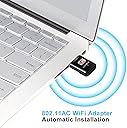
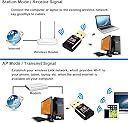
The USBNOVEL Wifi Adapter 600M delivers dual-band 802.11ac wireless speeds up to 600Mbps in a sleek, ultra-compact design. Compatible with a wide range of Windows and Mac OS systems, it offers easy plug-and-play setup and advanced Soft-AP functionality to convert wired connections into WiFi hotspots. Ideal for professionals seeking reliable, high-speed internet for gaming, streaming, and remote work without the bulk of traditional adapters.


| ASIN | B06XRG9QDV |
| Best Sellers Rank | #816 in USB Computer Network Adapters |
| Brand | USBNOVEL |
| Color | Gold-Black600Mbps |
| Compatible Devices | Desktop, Laptop, Tablet |
| Compatible Operating System Family | MacOS, Windows |
| Customer Reviews | 4.3 out of 5 stars 6,474 Reviews |
| Data Link Protocol | USB |
| Data Transfer Rate | 600 Megabits Per Second |
| Hardware Interface | USB |
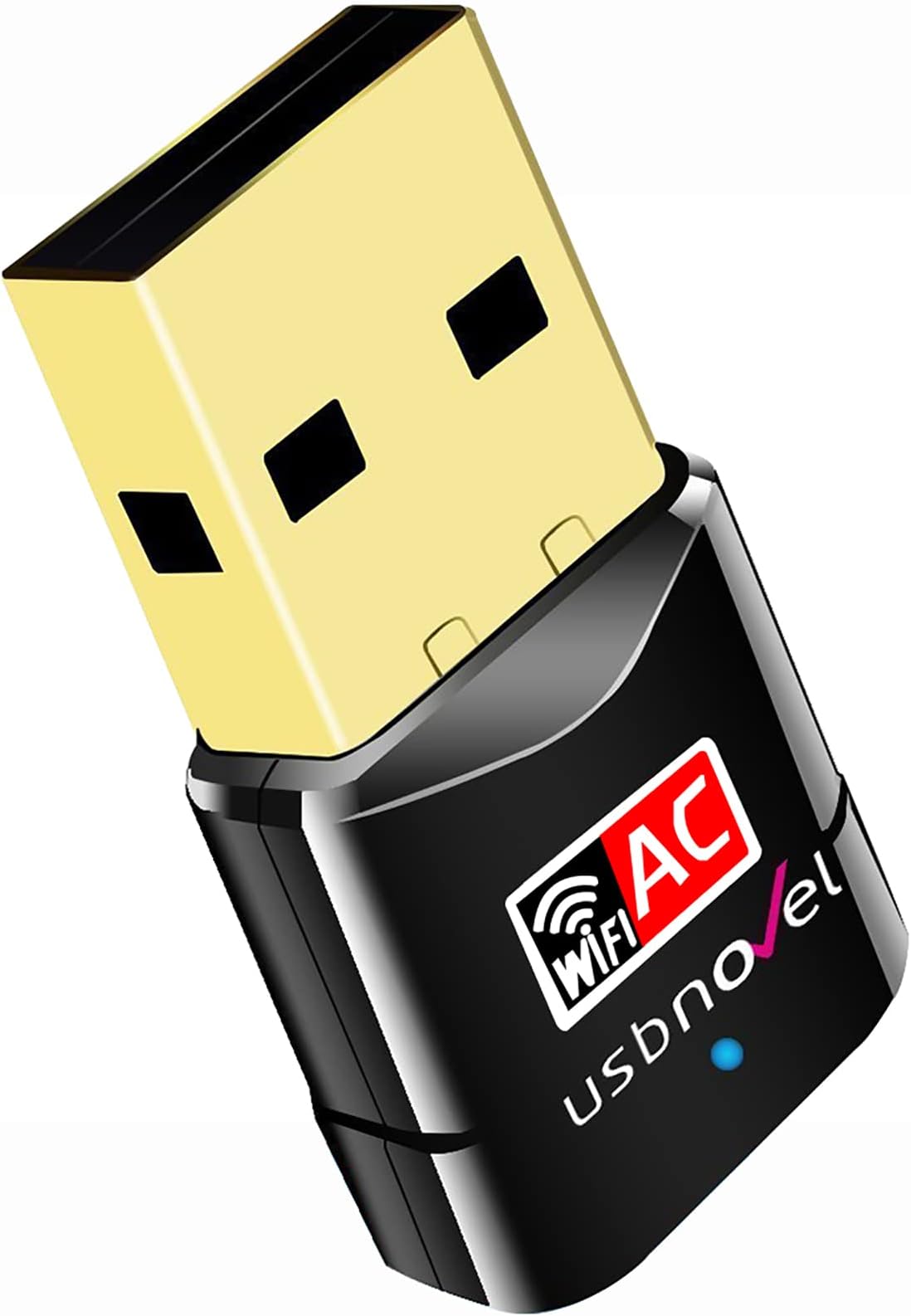
| Item Dimensions L x W x H | 1.25"L x 0.62"W x 0.3"H |
| Item Weight | 35 Grams |
| Manufacturer | USBNOVEL Company |
| Mfr Part Number | 600Mbps Wifi |
| Minimum Required Operating System Version | Mac OS 10.15 Catalina, Windows 10 |
| Model Number | USBNOVEL01 |
| Product Dimensions | 1.25"L x 0.62"W x 0.3"H |
| UPC | 636021455767 613865827004 |
H**1
Simple to install and runs like a champ!
I needed to add wifi to a refurb Dell computer I had gotten that didn't have wireless. I looked at many options and compared prices and this seemed like a good value if it worked as others had described. I was a bit skeptical at first as it had no antenna like my other wifi adapters. When the unit arrived I plugged it in and the computer first saw it as a memory stick, not a wifi adapter. This seemed strange but then I realized it had a built in program to install it. I clicked on the self install program and in seconds this thing was up and running, very easy! My fears about how well it would pick up the wifi signals was unfounded. This thing was picking up all the networks from nearby houses (and they are not that close!) so I know it is sensitive. I was in the basement an it had a very strong signal from a router two stories up in my office. Needless to say it was easy to connect it and get on-line. Lastly I ran a speed test to see how it was doing. To my surprise, and pleasure, it was easily equal to the fastest wireless connection I have in the house. In fact, on the speed test it showed the same speeds as I seen on my office computers that are wired directly into the router. Now, that was impressive! It is the equal or better than any of my other wifi cards with big antennas sticking out of the computer. I can simplify this review: The darn little thing works great, its easy to install and the price is right. Heck yes I would buy another one!
L**I
Amazing adapter for your money
I bought this adapter back in 2020 for an old PC I was using and it worked amazingly. For the speeds I have, this product was surprisingly stable and kept me going for years., the connection range was huge as well. I recently purchased a new PC with Windows 11 and I genuinely thought it wouldn't work since this product only supports up to Windows 10 but I was wrong. I plugged it in, went through the process of installing the drivers through the setup and Device Manager and I was able to get it working on my Windows 11 PC. I'm not sure about the other reviewers but I was able to get it connected. For anyone that has this product currently, try reinstalling the drivers and then updating them through Device Manager; thats what worked for me!
D**E
No more 50ft network cable
At the old house, I was able to "hard wire" my PC to the router. But, after we moved, my den is now located in a different room than where the router is located, which is in the living room. I didn't want to run the 50ft cable across the house, so I looked into getting a USB dongle. I did alot of research and came across the USBNOVEL. Let me just say, "I am soo glad I got this one". It's USB, very tiny, and it works flawlessly, after installing the driver, 'cause I'm running Win 7. I only gave it a 3 star for gaming, it's because I don't use it to play games. I use this solely on my flight simulator. I download a lot of big scenery files and this little gem works like a charm. Not only it's a USB, but the tiny size makes it very tidy. I highly recommend this if you're looking for a USB dongle. If you're using any OS but Win 10, READ THE INSTRUCTIONS AND INSTALL THE DRIVER. The seller automatically send you the driver after you placed your order, which is awesome, since I don't have a disc drive. I also had to contact the seller for some support, and they are very responsive. But, it was my fault because I DIDN'T FOLLOW INSTRUCTIONS AND INSTALL THE DRIVER. :-)
J**E
Great device . . . No instructions for Windows 10 users
My home office is located in the basement directly below the placement of the router on the ground level. I noticed that my laptop (Dell Latitude) started dropping the wireless signal frequently (about every 30 - 90 minutes). The computer is about 5 years old. After doing some troubleshooting, I concluded the wireless adapter was likely beginning to fail. After researching options on Amazon, I settled on this wifi adapter. I received the adapter yesterday. I am running Windows 10 Pro. I inserted the wifi adapter into a free USB slot, and Windows 10 installed it perfectly. Since I installed the adapter, I have not lost a wifi signal and the wireless performance in noticeably faster on my machine. The four star rating has nothing to do with the performance of the wifi adapter. I gave it four stars because the instructions and CD disk are only valuable if you are running older versions of Windows (Win7, XP, Vista). This could be confusing to someone who is a novice at dealing with these kinds of issues and who is running Windows 10. If your current wireless adapter is not completely dead (which was my case), you must disable your current wireless adapter. To do this on Windows 10 go to Control Panel/All Control Panel Items/Network Connections. Select your current wireless adapter (it should be showing some active bars) right click and chose "disable" from the context menu. Now select the new wireless adapter. On my installation it comes up as Realtek RTL8811 AU wireless LAN 802.11ac USB 2.0 Network Adapter (so don't be surprised if you do not see the brand name of the device - USBNOVEL). Right click on this device and chose enable from the context menu. Your new wireless adapter should show active bars and work perfectly. I am pleased with the performance of this device. I love the low profile. Also, it has a small flashing blue light on the device, which provides a visual confirmation that it is working. My only concern is that there are no installation instructions provided for Windows 10 users. I've tried to remedy that in this review. However, it is an oversight on the manufacture's part that could cause some people to have problems with the installation.
B**R
Plug In, Install, and You're Golden! Simple As That!
I've been using this little wifi adapter for a few days now and so far it's working perfectly. All I had to do was plug it into my newly-built gaming PC once I was logged into Windows, click through to "Open File" when prompted, and then click the correct installation for my computer. If you follow the steps, it installs without issue and your computer can now connect to your wifii :) As for signal strength, it will probably vary for everyone depending on what kind of internet you have, but my computer loads browser pages super fast. Gmail takes forever to load on my other computers, but with this usb adapter, it loads within seconds. I can watch YouTube at 1080p 60 fps with no lag at all. It also hasn't dropped signal once yet. My only problem with the adapter is that I couldn't connect to my 5g signal strength. When I attempted to a couple times, a message popped up reading "Cannot connect to this network", but I had no issues with the 2.4g. Don't know whether that's an issue with the wifi adapter or my internet provider. Despite that, I would *highly* recommend this wifi adapter! I'll update my review if my opinion changes at all.
M**T
Finicky Connectivity (Did Not Last Four Months)
I am a technical consultant out of town on a long-term project and need WiFi to get work done. I had high hopes for this adapter after installation was a breeze. After installing the software, recognition of the adapter was instant! I purchased it on February 14th, and unfortunately, today, two days shy of four months, it is so finicky that it keeps disconnecting every few minutes, which started a few days ago. I was not expecting failure in such a short time frame, and having only intermittent connectivity of late has negatively affected my productivity, especially when working on a deadline. As to the claim in the product listing that says, "Up to 5GHz 433Mbps or 2.4GHz 150Mbps", the fastest speed I achieved in four months -- which has been the daily average -- has been 100Mbps. Perhaps I received a "lemon", although it is often true that one gets what one pays for. I would gladly pay more money for a product that lasts longer (in my haste, I did not carefully read the reviews or notice how many people complained about connectivity, quality and signal strength). Back to my search in the hope of finding a more reliable product. IMPORTANT: In light of the quick and easy installation, if this product had performed well, i.e., better than it has -- and lasted at least a year -- it would deserve 5 stars. Unfortunately, I paid for it many times over as a result of the time wasted attempting to achieve stability.
Y**N
Absolutely Outstanding Product
This is like "Big Package in a small size".. My Laptop is about 7 years old and suddenly out of the blue the WiFI stopped working on the laptop. I searched for this product in Amazon and wanted to give it a try and guess what, It works like CHARM. Just plug and Play and I could easily get rid of my LAN cable. No downtime , no connection time absolutely nothing. Works round the clock with no delays and no hiccups with speed. The best of all it allows to get the highest speed on Verizon FIOS which my Laptop was not able to get. I strongly recommend this product for anyone who is facing any issue with the Inbuilt wifi within the laptop.
R**T
Cheap, works as intended not as advertised, basic setup but not as intuitive.
To preface, I'm currently employed as a manager of system administration for a fortune 500 technology company. Solving obscure, unclear, and non main-channel brands technological installations is something I've become sufficient at with years of experience. I bought this device for my fiance's Macbook Pro running Mavericks 10.9.5. I copied the drivers folder, and there were multiple folders for the Mac OS X driver packages. I assumed the folder labeled "Mac 10.9_10.10" would mean any version of Mavericks to any rendition of Yosemite, this device would "just work". This was not the case. I installed the package, rebooted, and the Network Utility app in \Applications didn't launch. I analyzed sample logs of the program where no error was being thrown, launchdaemons were deployed as expected, but no user interface for me to connect to our home network. I removed this driver package completely, went to an alternative folder labeled "10.6_10.12". Rather large selection, but I figured that'd be the next best step. Upon reboot, instead of trying to use the Network Utility App, I went into Network preferences and sure enough, the USB adapter showed up on the selection side of the menu however had no integration with Mac OS X. All options were grayed out however when I clicked on my newest icon on my toolbar on the top of my screen, it performed like a normal WiFi selection as an adapter should, connected, and all services that my fiance use were fully functional. I took one star away for not being very user intuitive and the user manual only showing Windows XP installation graphics for installation. The device lost another star because advertised speeds are not met. I have a very... niche relationship with network and my home is currently supported with about 6000$ of Luxul equipment and I live in an area where gigabit internet service is being ran into it. I understand wirelessly, it's currently close to impossible for a built in wireless card (like the Airport card that Apple uses in this 5 year old MBP) to reach anything close to even half that. I was hoping using an external adapter I'd get something worthwhile, but even next to the main router or one of my several WAPs the adapter was not pushing more than 200 mbps download and 100 upload which is less than half the download speed that this device is advertised for. Luckily, my fiance is not a technological power user and internet speeds won't impact her efficiency, I was a little disappointed with this. The remaining 3 stars are there because this product saved me the hassle of having to pay >= 100$ to a TRUSTED vendor for a replacement Airport Wireless Card and the hassle of having to disassemble the device, carefully remove antenna wires and those really frustrating copper caps that Apple keeps using and not really being able to tell if the card is defective on arrival or if it's just not seated properly. The device is cheap, works with Mac OS X, and besides the initial complication from set up, functionality seems pretty reliable for the foreseeable future until I replace the device for her later this year.
S**X
This works !
wifi card on my PC had been flaky for months, it drove me mad. This dongle did exactly what it said it would, plug it in, load the software, configure the settings, and now the signal is fast and reliable. Took 10 minutes to set up, works with Windows 10. No more wifi stress. Very pleased.
"**"
小さくても高性能
通信が安定しています。小さくてもしっかりと仕事をしてくれます。
M**N
Quick & Easy Install With Good Instructions
Arrived with fast next day delivery. Once the product arrived i unpackaged it and plugged it into my computer. I was confused at first because nothing was happening but I realized there were instructions in the packaging. After that it was an easy install and it works like a charm.
K**Y
Best Wifi Adapter
Extremely easy to use, Adds wifi to my pc and works immediately. I would absolutely buy it again if I need a wifi Adapter!
A**I
セットアップ楽でした!
エレコムの同等品、WDC433SU2M2に替えてセット。PCは古いTHINKPAD X220。エレコムは家内のPCに移設する為今回この子機を導入しました。①まずPC標準のwifiボタンをOFFにし、エレコム子機を外してPCの電源ON ②新し子機を刺すと子機がリムーブルとして認識されるので、そのフォルダの中にあるEXEをクリック ③プログラムのインストールはすぐ終わりました ④PCを再起動 ⑤wifi不可になっているので画面右下の地球マークをクリックして見てみたら、Wifi2(だったかな)が選択可能になっていたので選ぶと自動で今までのルーターにつながりました。今までのエレコム機と同様につながり今のところ特に問題はありません。
Trustpilot
2 weeks ago
1 month ago