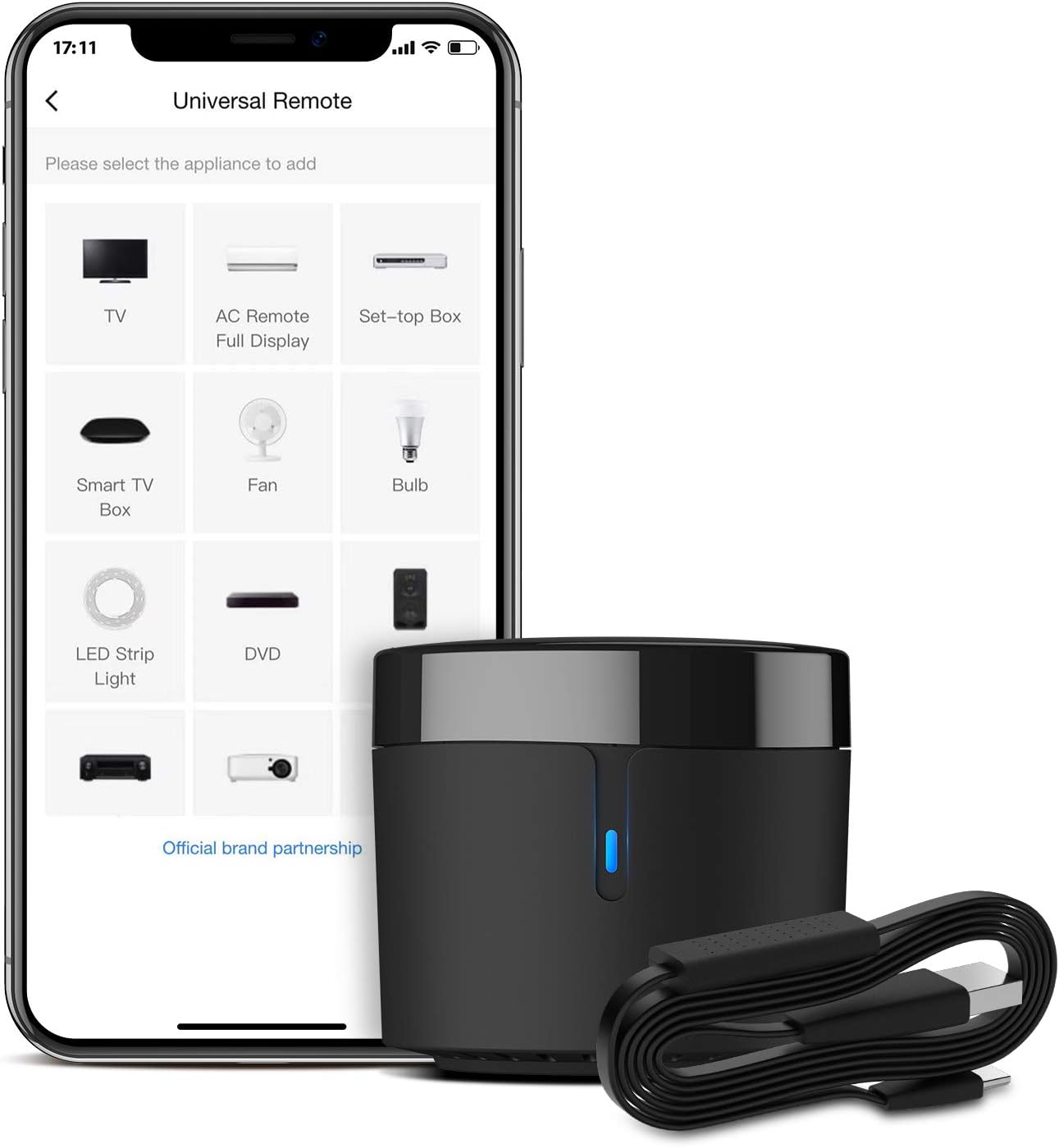
🎯 Elevate your smart home game — control everything IR with just your voice!
The BroadLink RM4mini is a compact Wi-Fi IR blaster that supports over 50,000 IR-controlled devices, enabling universal remote control for TVs, air conditioners, and more. Compatible with Alexa, Google Assistant, Siri, and IFTTT, it offers voice control and customizable automation via the BroadLink app. Featuring a built-in temperature and humidity sensor, it can trigger smart home actions based on environmental changes. USB-powered and easy to set up, it’s the perfect upgrade for any IR device user seeking seamless smart home integration.


| ASIN | B0872PPSGM |
| Best Sellers Rank | #96,228 in Tools & Home Improvement ( See Top 100 in Tools & Home Improvement ) #205 in Smart & Remote Controlled Plugs |
| Item model number | RM4 mini S |
| Manufacturer | Broadlink |
| Product Dimensions | 4.7 x 4.7 x 4.2 cm; 59.53 g |
D**O
I bought this IR blaster to help improve my home automation set-up. I wanted it mostly to be able to turn on my TV and AVR at the same time, and this came up recommended a bunch of times online. Package came quick, came with everything needed, and the device itself is so small that it doesn't clutter up your TV setup. It's also USB powered; I haven't tried my TV USB port, but the power output hints that it should work. I just use a USB port on my power bar and it works no problems. Note; it doesn't include an adapter plug, so make sure you have one, or a USB port free to use. Setup is super easy in the app (word of warning, there are a lot of translation errors in the app), and the learning feature of it is easily the best part. There's a very high chance that your device will be supported from the get-go just from the brand name, but if there are some buttons that are missed, just use the original remote to program the missing ones, it's really easy! I also found a really nice use case where it can also control some IR controlled candle lights. I didn't expect this to work at all since they were brandless, but again I just learned it with the remote and they all turned on at once, super happy :) The app also supports NFC tags, which is huge if you want to have a tag somewhere near where you sit, ready to be scanned to switch on all your supported devices. Lastly, it works with Google Home, but just be careful how you name the devices if you have a Chromecast, so that there are no overlaps. 10/10, get this if you have a non-smart TV.
R**Y
Have a few of these. Controls old air conditioners. Very handy for setting up daily timers etc for AC. Clever kit.
K**A
BroadLink RM4 mini Universal Remote First of all I had trouble setting it up when my Router is set to “Smart Connect” which allows devices to automatically connect to either the 2.4 Ghz or 5 Ghz Wi-Fi bands. To work around this I temporarily disabled “Smart Connect” feature on the router so I could to complete the initial setup of the BroadLink RM4. Once the RM4 was successfully connected to my network after its initial setup - I was able to re-enable “Smart Connect” feature on my Router and then after a router reboot all of my devices were able to automatically connect as before… even the BroadLink RM4. I’ve only experienced this configuration setup issue with 3 smart home “2.4 Ghz Only” devices: 2 BroadLink devices and the other one was Sanoff RF Hub. All my many other devices (Wemo, Wink, August, Amazon – to name a few) that only use the 2.4 Ghz Band worked great with “Smart Connect” enabled on my router so I believe the issue is with the setup software of the two manufacture’s that don’t work - in this case the BroadLink App. I bought this device to issue IR commands with my Amazon Echo voice – Specifically my TCL Roku TV which I can normally control from my Echo via the network commands - except when the TV is set to Energy Saving mode with Fast Start disabled and the TV has been powered off for more than 12 minutes. Then I must first use the IR Remote to power it on. Which is where the BroadLink RM4 comes in. At first I added the remote for my “ROKU TV – IR”– as a TV Remote which is available for my Amazon Echo. The remotes they had on file were flaky on the power button so I created my own and used the Learn Feature to assign to the power button. Next, I added the command to my Amazon Alexa App’s “TV” Routine that I previously created. I just added the device “ROKU TV – IR” to Power On at the top of the TV Routine since it takes a couple seconds longer to power on the TV when fast start is disabled. I left the original power command that is sent via network control in the routine which is further down in the routine after all of the lighting controls. This Alexa “TV” routine worked perfectly when I say, “Computer TV” – it first sends the power button IR Code to the TV then processes the rest of the routine normally. NEXT, I added the eROD Motorized Drapery Rod’s remote to the BroadLink RM4’s App. This time I selected User Defined Remote. I added the three buttons: OPEN, CLOSE, & STOP and it easily learned their IR commands. I was able to control the curtains perfectly with the remote. THEN I added a Scene in the BroadLink App. I chose the General Scene type so that I could control the IR eROD Remote I had just created. I named it “Curtains OPEN” and set it to activate the Open Button on the eROD remote I made. I then created Scenes for both the Close and Stop commands as well. Next I created an Alexa Routine, “Open Curtains” and then added Smart Home activity which controls the Scene “Curtains Open” I created with in the BroadLink App and is published in the Alexa scenes. I also created Alexa Routines, “Close Curtains” & “Stop Curtains” which control there corresponding scenes. I also added the Smart Home activity which controls the Scene “Curtains Close” scene to the Alexa “TV” Routine I talked about earlier. Everything worked as expected. Later on I removed the ROKU TV “TV type remote” and recreated it as a User Defined Remote instead. Then I added & learned the POWER button. Next I added a Scene in the BroadLink app that activates that button. Once that was complete I then added the Smart Home activity which controls the “ROKU TV POWER - IR” scene to the Alexa “TV” Routine I talked about earlier. This method works better for me since when I originally created the “ROKU TV” remote I selected the “TV Remote” type and only assigned IR commands to the power button and that left a remote inside the BroadLink App with only the power button working… the rest of the buttons did not work because I didn’t assign them IR commands. Besides the BroadLink App discovered my TCL ROKU TV via the network and is available if the TV is powered on and so I wanted to get rid of the original “TV Remote” type I created with mostly non-working remote and create one using the “User Defined” type with only one button instead. All in all - I am extremely happy with the BroadLink RM4 IR control capabilities. It’s much better than using Harmony Hub to control devices like the Curtains or other devices that would automatically end activities running when you start another. I have already ordered a second BroadLink RM4 Mini with sensor cable to migrate some devices away from my Harmony Hub that interfere with its primary activities. I think Harmony Hub is stupid to end the active “Watch Movie” activity (Which turns off the Projector and surround sound when the automated sunset closing of the curtains is kicked off. A major issue with Harmony Hub. FYI: Sensor cable – with built in temp & humidity sensors. So far only the current temp is available with Amazon Echo – which is seen as a temperature sensor to the Amazon Echo. Alexa does not currently support the humidity function. However, hourly temp & humidity data readings are available inside the BroadLink App. I named my temperature sensor, “Living Room” inside the BroadLink App. So now I can say, “Computer, What is the Living Room Temperature?” Alexa responds, “The Living Room Temperature is 75.1 degrees!” I also created a Group in the Alexa App named, “Inside” and added the Living Room temperature sensor to that group. So I can also ask, “Computer, What is the Inside Temperature?” I know this review was rather long, but I wanted to add some “how to” information and issue work arounds I did that other users have reported as issues while setting up their BroadLink RM4 Mini to help fill in the gaps for the somewhat lacking instructions on how to setup and configure the device and BroadLink app. Happy Automating and thanks for reading!
F**N
Ein sehr starker IR-Sender. Er lässt sich problemlos anlernen und erreicht noch Geräte, die keine direkte Sichtverbindung zu dem RM5plus haben. Schade, dass er kein RF beherrscht.
M**P
Fungerar felfritt och kan styra ACn både temperatur samt fläkt, ON/OFF, samt även schema med automat styrning. Krånlig installation med app, men fungerade till slut. Mäter temperatur och luftfuktighet i rummet vilket är toppen så man vet om man behöver slå/av på ACn.
Trustpilot
2 days ago
1 month ago