We remain fully operational. Our teams are working around the clock to ensure your deliveries continue safely.

DOWNLOAD THE APP


Customer Services
Copyright © 2025 Desertcart Holdings Limited
DOWNLOAD THE APP





Buy anything from 5,000+ international stores. One checkout price. No surprise fees. Join 2M+ shoppers on Desertcart.
Desertcart purchases this item on your behalf and handles shipping, customs, and support to Ireland.
🔴 Store Smart, Work Hard, Stay Ahead.
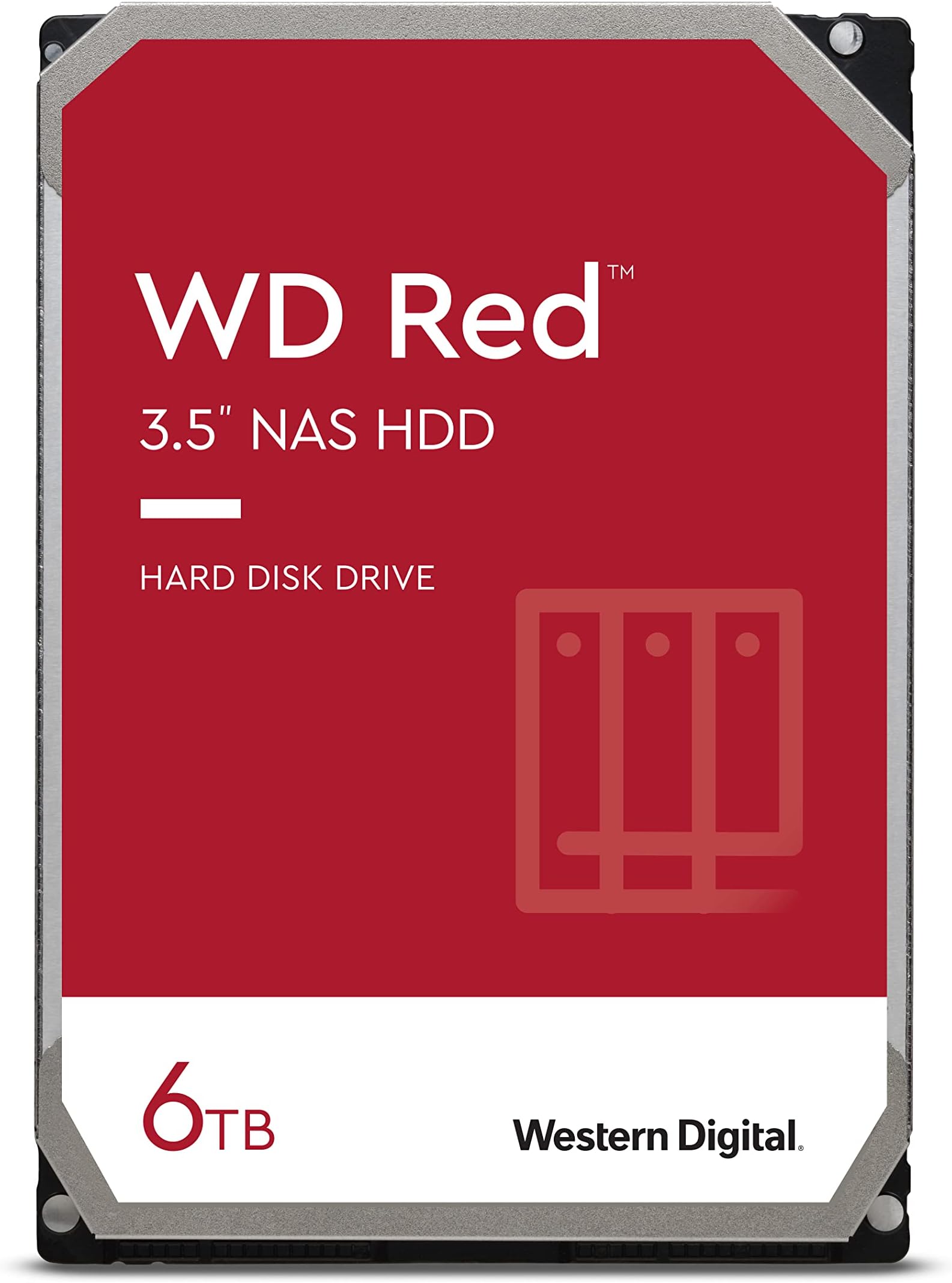
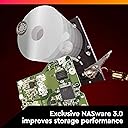
The Western Digital Red 6TB NAS Internal Hard Drive is a purpose-built storage solution designed for small to medium NAS systems with up to 8 bays. Featuring 5400 RPM speed, 256MB cache, and SATA 6 Gb/s connectivity, it delivers reliable, quiet, and vibration-resistant performance optimized for 24/7 operation. With RAID error recovery controls and NASware firmware, it ensures compatibility and durability under heavy workloads up to 180TB per year, making it ideal for professionals seeking dependable, high-capacity network storage.



| ASIN | B07MYL7KVK |
| Additional Features | Data Recovery Service |
| Best Sellers Rank | #42,353 in Computers ( See Top 100 in Computers ) #169 in Internal Hard Drives |
| Brand | Western Digital |
| Built-In Media | Western Digital 6TB WD Red NAS Internal Hard Drive HDD |
| Cache Memory Installed Size | 256 |
| Color | Red |
| Compatible Devices | Desktop, Server |
| Connectivity Technology | SATA |
| Customer Package Type | FFP |
| Customer Reviews | 4.5 4.5 out of 5 stars (12,229) |
| Data Transfer Rate | 180 Megabits Per Second |
| Digital Storage Capacity | 6 TB |
| Enclosure Material | Information Not Available |
| Form Factor | 3.5-inch |
| Global Trade Identification Number | 00718037860947 |
| Hard Disk Description | Solid State Drive |
| Hard Disk Form Factor | 3.5 Inches |
| Hard Disk Interface | Serial ATA |
| Hard Disk Rotational Speed | 5400 RPM |
| Hard-Drive Size | 4 TB |
| Hardware Connectivity | SATA 6.0 Gb/s |
| Installation Type | Internal Hard Drive |
| Item Dimensions L x W x Thickness | 14.7L x 10.2W x 2.6Th centimeters |
| Item Type Name | Internal Hard Drive |
| Item Weight | 580 Grams |
| Manufacturer | Western Digital |
| Model Name | WD Red NAS Internal Hard Drive |
| Model Number | WD60EFAX |
| Number of Items | 1 |
| Read Speed | 180 Megabytes Per Second |
| Specific Uses For Product | Business, Personal, Surveillance |
| UPC | 718037860947 |
| Unit Count | 1 Count |
| Warranty Description | 1 year manufacturer |
J**.
Hdd 6tb wd
Good product! i dont have any issues.
A**C
received in 1 day
received in 1 day only (maybe because I am "prime subscriber"), but the product I received is good. I install it to replace different brand of hard-disk in my Apple Time Machine Capsule which already broken only after few years. Hopefully this brand is last longer
D**R
Sped, capacity price
No issues as expected from well known company to be confirmed with time
A**R
This is SMR Drive,
Working ok. But this is SMR Drive and some times write/read proccess very slow.
A**I
منتج ممتاز
O**.
Good purchase
Precisely matching the description
R**I
6TB Red drive fails
I literally took it out of packaging and insert it into the NAS and it failed, returned it the next day
R**7
For my NAS
Original. Recommended
C**N
Funciona muy bien.
R**T
I considered throwing away my six year old Roamio, model 846500, when it failed. The Tivo wouldn't get past the "Welcome" screen. I fixed the failure in less than an hour with only this WD20EFAX drive, and now have four times the storage as a bonus. The internet knowledge base (and the Weaknees company that's probably the best third party support company for Tivo) says that this failure mode is almost always caused by a failed hard drive. They also recommend this particular model replacement drive. Replacing the drive in Tivo Roamio is extremely easy. It's easy both both physically and because this Tivo will automatically format a new drive (as long as the drive size is 3TB or less) and automatically load all the required Tivo software during boot up. You will, unfortunately, lose any recordings and such drive-kept data as channel lists, scheduled recordings and One-Passes, and so on that were on the old failed drive. There are plenty of decent videos on the internet to show how to do this, but here is a quick procedure to give you an idea of how easy it is: Remove two torx head screws in the back of the unit and use a thin blade such as a common dinner knife to carefully pry up the top of the box. Remove three torx screws that attach the drive's adapter rails to the box and disconnect the drive's data/power cable by pulling the connector away from the drive. Remove the drive mounting rails from each side of the drive, noting their original position, by removing the two torx screws connecting each rail to the drive. Using the new drive, put everything back together. Reconnect the Tivo to your TV system, plugging in the power cable last. Plug in the Tivo's power and let the system boot up. Be patient because it will take some time for the Tivo to automatically format the drive and load all the software needed. Follow the screen guide to set up the Tivo as for a new unit. Your current account with Tivo and any monthly or All-In programming are still in place because the account is based on the box'es ID number which is stored on Tivo's motherboard rather than its hard drive. Voila...You just saved yourself the cost of a new Tivo and upgraded your video storage capacity, as I did!
R**O
Harde schijf NAS was defect, meteen een RAID1 aangemaakt met een 2de dezelfde harde schijf. Goed verpakt, snel geleverd.
G**Y
The two 1TB Seagate drives in our ZyXEL NAS326A were beginning to throw a few "Spin_Retry_Count" errors and were getting a bit noisy and hot. This is often a sign that the bearings are starting to go. As I also wanted to increase capacity, I opted for 2 of these WD NAS Red drives (2TB) - to run in a similar Raid-1 configuration. They arrived next day, factory sealed and well packaged direct from Amazon. Their manufacture date was November 2019 and the SMART information on each drive confirmed zero power on hours and zero accumulated errors. So I was able to swap one drive at a time with a rebuild in between. It took a few hours but everything seems fine. These new drives run a few degrees cooler than the older Seagate discs they replaced. They are also much quieter (though not silent). Transfer times are a marginal improvement - though that has never been an issue for us. After a week, we still have zero errors so I am satisfied everything is as it should be. Automatic backups to an external drive are also running smoothly. I was also able to register both drives on the WD website and received confirmation of the ~3 year (37 month) warranty. At 5400 rpm, they may not be the quickest NAS drives available, but at less than £70 each (including Prime delivery), I consider these discs a bit of a bargain. So, thus far, I am most chuffed! Obviously, time will tell.....
N**M
This review is after 5 month of using. It's for replacement of the broken seagate HD that is one of my NAS running at Raid. So far, so good. For storage, speed is not the priority.
Trustpilot
2 weeks ago
1 week ago