Buy anything from 5,000+ international stores. One checkout price. No surprise fees. Join 2M+ shoppers on Desertcart.
Desertcart purchases this item on your behalf and handles shipping, customs, and support to Ireland.
📸 Backup Bliss: Your memories, secured and subscription-free!
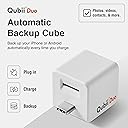
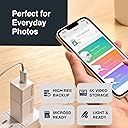
The Maktar Qubii Duo is a MFi-certified USB-C backup cube that automatically saves photos, videos, and contacts from iPhones and USB-C devices to a microSD card (up to 2TB). It works seamlessly while charging, organizes media smartly, supports multiple devices, and offers a subscription-free alternative to iCloud with easy one-click restore via its free app.


| ASIN | B07PYNC2RN |
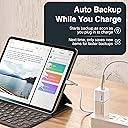
| Additional Features | Automatically backs up your photos, contacts, and selected contents every time you charge your Apple devices. Resume backup concurrently while charging your phone! Qubii will begin backup from where it left off. It’s that easy! |
| Best Sellers Rank | #1,702 in USB Flash Drives |
| Brand | MAKTAR |
| Built-In Media | microSD card, USB-C cable |
| Color | White |
| Compatible Devices | Laptop, Mobile, Tablet, iPad Pro (12.9-inch), iPad Pro (9.7-inch), iPad Air 2, iPad mini 4, iPad Air (3rd gen. or later), iPad mini 4, iPad mini (5th gen.), iPad (5th gen. or later), iPhone 14, iPhone 14 Plus, iPhone 14 Pro, iPhone 14 Pro Max, iPhone 13 mini, iPhone 13, iPhone 13 Pro, iPhone 13 Pro Max, iPhone SE (3rd generation), iPhone 12 mini, iPhone 12, iPhone 12 Pro, iPhone 12 Pro Max, iPhone 11, iPhone 11 Pro, iPhone 11 Pro Max, iPhone XR, iPhone XS, iPhone XS Max, iPhone X, iPhone SE (2nd generation), iPhone 8, iPhone 8 Plus, iPhone 7, iPhone 7 Plus, iPhone 6s, iPhone 6s Plus, iPhone SE (1st generation) Compatible Devices Laptop, Mobile, Tablet, iPad Pro (12.9-inch), iPad Pro (9.7-inch), iPad Air 2, iPad mini 4, iPad Air (3rd gen. or later), iPad mini 4, iPad mini (5th gen.), iPad (5th gen. or later), iPhone 14, iPhone 14 Plus, iPhone 14 Pro, iPhone 14 Pro Max, iPhone 13 mini, iPhone 13, iPhone 13 Pro, iPhone 13 Pro Max, iPhone SE (3rd generation), iPhone 12 mini, iPhone 12, iPhone 12 Pro, iPhone 12 Pro Max, iPhone 11, iPhone 11 Pro, iPhone 11 Pro Max, iPhone XR, iPhone XS, iPhone XS Max, iPhone X, iPhone SE (2nd generation), iPhone 8, iPhone 8 Plus, iPhone 7, iPhone 7 Plus, iPhone 6s, iPhone 6s Plus, iPhone SE (1st generation) See more |
| Connectivity Technology | USB3.0 |
| Customer Reviews | 4.1 out of 5 stars 211 Reviews |
| Hardware Interface | USB |
| Manufacturer | MAKTAR |
| Media Type | microSD |
| Mfr Part Number | MKPQC-W |
| Model Number | MKPQC-W |
| Operating System | iOS, Android |
| Special Feature | Automatically backs up your photos, contacts, and selected contents every time you charge your Apple devices. Resume backup concurrently while charging your phone! Qubii will begin backup from where it left off. It’s that easy! Special Feature Automatically backs up your photos, contacts, and selected contents every time you charge your Apple devices. Resume backup concurrently while charging your phone! Qubii will begin backup from where it left off. It’s that easy! See more |
| Unit Count | 1.0 Count |
| Warranty Description | 12 months warranty & dedicated email customer support |
P**O
Works Perfectly
I always have trouble uploading photos to my computer. This works great and is easy to use. It captured all my photos without missing a single one. I like that it does not produce doubles when you go back to load again. I would recommend double checking your computer after the upload to be sure all were transferred because Microsoft is quirky (no fault of this device). Glad I bought it!
C**L
Great for keeping private photos private
I hate the idea apple had access to the iCloud. So, I got this. I especially like the lock feature because I often charge my stuff in public places. Now the food photos are secure from apple and the general public
S**W
Still won't recognize sd card
I bought this a year ago for my mother so she could easily back up her pictures with it and maybe even start saving each sd cards when it's full in a sort of photobook sd card holder. That was the intention anyway. However, I never got an SD card to work. I tried about 4 cards with no luck. At first, I put in a 4TB sd card at first but then I read it needs to be 2TB or less. So then I tried a smaller one with no luck. I figured I needed better settings on the card and I did my research and checked the qubii's sd card specs and got a micro sdxc that was below 1tb with a 30MB/s write speed but it wouldn't read that either. I chalked this up to counterfeit, maybe I got duped by an amazon seller. So then I bought the best quality samsung at a standard retail price but again, it still wasn't reading it. I returned 2 of the sd cards but I kept the other 2 after and I had no trouble using them with my Nintendo Switch. Unfortunately, since I don't live with my mom, there was a lot of time between each attempt that by the second or third sd card, I was past being able to return anything. So I will try one last attempt on an sd card. This time, I will have to avoid amazon and any other online seller. So I will buy one in-store that has the optimal sd card specs to use with the qubii duo to avoid any further excuses.
D**M
Your memory card is just fine. App isn’t really.
This is a game changer for me and all of the pictures on my phone. I had 135 GB of pictures on my phone going back to 2006. It got all of them. And I can pop the card out and read it on any computer. So, sure, I had to re-try nightly getting 20-45gb per night, for practically a week, but that was 135 GB, and it worked. Awesome! But. The application that supports this product only has ONE suggestion for *ANY* failure/interruption in the backup. “Your card is bad, reformat memory card, and try again.“ Ugh. However, there are seven common reasons for the back up being dropped and it's not Qubii's fault. For example, if your Bluetooth connection is spotty, it doesn’t know how to tell you that. If the application has to download pictures that are on your iCloud *before* it can download them from your phone, it sometimes breaks, and it doesn’t know how to tell you that. If your phone takes a call, it can interrupt the download, or if your phone gets distracted during the night by notifications and messages, it might suspend the back up and give you the Bad-Card error message. If your Wi-Fi connection or cellular connection is spotty and it’s trying to download from iCloud to back up to the Qubii, it may bail and give you the error message. It might give you a nonspecific error that there are still 5-10% images on your phone that it did not back up, and sometimes that’s because they are duplicates, or they are files in that directories that are not images. But again the application doesn’t know how to tell you that. So, for literally all of the reasons for interruption, entirely unrelated to your memory card, you will get the all in one solution that “Your card is bad, please reformat your card and try again.“ And for 135Gb data a "reformat" is another week of trying. So I just ran it every night. Some nights it got through and some nights it did not but it finally nailed it. I am appreciative.
N**O
A quality product
A quality product does what it is supposed to do is not always so simple but overall does the job most of the time
E**O
Great mini usb drive
Love it. I use this with my 400 mg Sandisk as as external storage for my M1 iMac.
S**S
Fácil salvaguardar datos, fotografías y videos
Es muy sencilla de usar
M**A
A very nifty back-up solution, but you'll need some items on hand before you can use it...
THINGS YOU'LL NEED THAT ARE NOT INCLUDED: ---------------------------------------------------------- 1. Your own micro SD card, up to 2tb. 2. A power adapter that has a usb-c port. The Qubii will be plugged into this adapter. 3. A usb-c to usb-c cable. To connect from the Qubii to the usb-c port of your Android phone. 4. A usb-c to Apple lightning if you'll be using an iPhone. SOME NOTEWORTHY INFO: --------------------------------- * This is a good idea, now that Google Photos is no longer unlimited. * It basically backs-up every folder that has an image. There doesn't seem to be a way to choose which folders you want it to back-up. I only need my main camera folder to get backed-up, but oh well, backing up too much is better than too little. * Once you disconnect from power adapter, you can use the Qubii as OTG storage. You'll need to turn on OTG storage in your system settings. If you have a case on your phone, you'll probably never bother to use it as OTG because you'll need to remove the case. * Every time you want to transfer files to your PC, NAS, etc., you'll need to remove the micro sd card if your pc doesn't have a usb-c port. My PC does not, so I use a usb to usb-c adapter. This eliminates the hassle of having to take out micro sd cards, dealing with card readers, etc. * After you transfer everything safely to your pc, if you delete the files on the micro SD card to clear space, the Qubii still maintains its count. So even if these files are still on your phone, it will not re-download them again. In conclusion, how accurate and precise this system is remains to be seen. So far, it has backed up everything I need it to. I know people complain of missing files, not everything getting backed-up, etc. Most of these complaints revolves around people using iPhones. But we'll see, time will tell. As of now, this is 5-Stars!
C**N
Très pratique et fonctionne très bien.
Très pratique, fonctionne très bien.
C**S
Surprised me!
It’s great for passive backup of photos & videos. After an incident in the early days of iPhones I lost 3 years worth of photos I’ll never get back, so I always look for quadruple or quintuple backup of the photos and videos. This is an excellent extra backup that you hopefully won’t need but if you do then be thankful you used it!
F**G
Backup automatico comodissimo
Basta installare l'app, inserire una micro SD e successivamente collegare il dispositivo che verrà riconosciuto dal cellulare. L'applicazione è semplice ma ben fatta. Il Qubii riconosce il dispositivo a cui è collegato e, se si tratta di uno nuovo, crea una nuova cartella apposita, altrimenti continuerà con il caricamento dal punto in cui aveva sospeso il backup.
⳥**⳥
Its working well.
I recommend this one to make backups for the devices that you have. 1SD card 1TB is more than enough to backup your msgs, contacts, pics and vids for more than 5 devices.
S**.
Buon prodotto
Veloce e affidabile nel backup. Ottimo per scaricare foto
Trustpilot
3 weeks ago
2 weeks ago