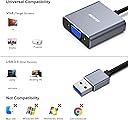
🚀 Elevate your workspace with flawless Full HD connectivity!
The BENFEI USB 3.0 to VGA Adapter converts USB 3.0 digital signals to VGA analog, supporting up to 1080p resolution at 60Hz. Designed for Windows 7 to 11, this compact and durable adapter enables seamless connection from laptops or desktops to VGA monitors or projectors. It features advanced chip technology for stable video output and comes with an 18-month warranty and dedicated customer service, making it a reliable choice for professionals seeking extended displays on the go.


| ASIN | B085KX97QG |
| Best Sellers Rank | 51,224 in Computers & Accessories ( See Top 100 in Computers & Accessories ) 96 in VGA Cables |
| Brand | BENFEI |
| Brand Name | BENFEI |
| Colour | Gray |
| Compatible Devices | Laptop, Monitor, PC, Projector, Television |
| Compatible devices | Laptop, Monitor, PC, Projector, Television |
| Connector Type | USB, VGA |
| Connector type | USB, VGA |
| Current Rating | 1 Amps |
| Customer Reviews | 4.2 out of 5 stars 4,718 Reviews |
| Item Dimensions | 10 x 10 x 10 millimetres |
| Item Weight | 0.04 Kilograms |
| Item dimensions L x W x H | 10 x 10 x 10 millimetres |
| Manufacturer | BENFEI |
| Manufacturer Part Number | 000293grey |
| Model Number | 000293grey |
| Number of Items | 1 |
| Number of Ports | 1 |
| Package Quantity | 1 |
| Power Plug Type | No Plug |
| Product Finish Type | Aluminium |
| Specific Uses For Product | Use with USB 3.0 port and VGA device |
| Specific uses for product | Use with USB 3.0 port and VGA device |
| Unit Count | 1.0 count |
| Warranty Type | Limited |
H**M
Dual monitor set up using laptop
So I bought this in the hopes that I would be able to connect a dual screen set up out of my laptop. My laptop only has one HDMI port so I needed another way of connecting a display. this did the trick perfectly, after installing the drivers from the device or the CD provided and quick restart of my system, it was up and running. works perfectly for what I need it for. the second screen won't be used for gaming but just to display information so the VGA quality isn't an issue. I plan on getting two matching monitors so this will work perfectly!
B**A
Works fine, exactly as hoped.
I bought this for a work laptop which only has one HDMI port for video, as I wanted to have two large monitors in addition to the laptop's own display. I've had it for a year and it seems to work fine. The monitor using the adapter has a clear picture, similar to the monitor using the HDMI port. It installed the drivers it needed directly off the device itself. No need for any downloads or a CD (which is good because the laptop doesn't have an optical drive). I would echo a point made by someone else that you might need to have admin rights on the computer - which I do - to install the drivers.
S**E
Works fine, but...
It works - but requires a driver. There is a mini-cd, but when plugged in, the driver shows as another hard disk in Windows (not sure about Mac, I guess it won't work on Linux?) If you are not an admin in Windows, don't bother getting this. Make sure it's plugged into a USB3 port. My laptop has two different USBs - 2 and 3. If you get a fixed 800x600 resolution, it's in the wrong port. (Also, make sure your USB hub is USB3 too!) You can only have one of these plugged in. If you plug in a second, the second one doesn't work. I guess they were lazy and programmed a single USBID number, so Windows doesn't know what to do with the second one. Not bad, refresh/update rate seems OK for office work, but I wouldn't go playing games on it.
I**N
Works as advertised on Windows 10
Works with Windows 10, but you need to install the supplied drivers first. Also, to get full resolution, you need to use a USB 3 port. Using USB 2 limits your resolution drastically. I tried buying a second adapter the be able to have 2 external monitors, but 2 adaptors don’t seem to work (maybe it’s because they used the same USB controller chip inside my laptop) Otherwise, very happy with purchase.
R**O
Need to install drivers before use...
Nothing wrong with this to be honest, I wanted it to add an extra monitor to my works pc however it required to install drivers before it would pick up the screen. They would be easy enough to install is it wasn't for my works super tight security that doesn't allow you to add such handy things like a monitor at your own expense. Good enough for the job, not suitable for my work unfortunately due to a problem my side!
M**P
Worked first time.
I needed a second screen for my PC, but the cost of a new graphics card was an overkill for the office application I had in mind. I was a little wary of this as some reviews were not that good. However the drivers installed really easily and after a swift reboot the new screen was there and working perfectly. Not tried the display with videos etc, but works 100% perfectly with my office applications, and a lot cheaper than a new graphics card - and I didn't have to open my PC. Very happy - thank you.
L**0
Failed to work on 3 different laptops
Update: Still no contact from Benfei but noticed other reviewers talking about a driver download. My package didn't come with a disk or instructions, so I hadn't realised. I went on the Benfei website and it turns out the driver is not compatable with Chromebooks. With Chromebooks increasing in popularity, they really ought to make that explicitly clear in the description. Original review: I tried this adapter on three different laptops (2 chromebooks and 1 Windows laptop) and none of them would recognise the external monitor that it was connecting to. I then bought a different product which worked immediately, so this adapter is clearly faulty. Sadly, I bought it in advance of a birthday and by the time I tested it, I was 1 day past the 30 day return window - my fault for being too organised. Amazon will not help with a refund and the Benfei weblink which Amazon points me to doesn't work. I've left feedback with the seller so I'll see if they respond and accept a return - if they do, I'll update this review.
M**H
Works with Lenovo ThinkPad
My laptop's VGA port went bad so I needed another way to connect it to a VGA monitor and this did the trick nicely. The laptop only has the conventional USB ports and no USB-C port so I felt I was running out of options as most docking stations with VGA ports used USB-C to connect to the laptop. Anyway, long story short, this nifty device came to my rescue and the video quality is good. I'm so pleased.
K**I
Excellent Quality
The item works perfectly! Just note you need to install the drivers from the cd (which is also included in the packaging) before the device works. takes less than a minute to install. No quality loss on the 2nd monitor, so you won't be disappointed.
K**B
故障したけど対応が素晴らしい
買って4ヶ月程度快適に動作していましたが故障しました。 販売元へ連絡した所、保障期間内とのことで翌日に新品を発送してもらいました。 保障も延長して2年まで追加してもらいました。 安いけど買って損はないです。
M**I
Gott sei Dank!
Ich habe sofort nachdem ich meinen Bildschirm angeschlossen habe gewusst, dass ich diese Rezension schreiben werde. Ich habe einen Lenovo Yoga 530, bei dem über die USBC Schnittstelle nur Daten aber kein Bild übertragen werden kann. Ratlos habe ich nach einer Möglichkeit gesucht, einen zweiten Monitor anzuschließen. (die Hdmi Schnittstelle war bereits belegt) Es gibt hier auf Amazon unzählige Lösungen für USBC zu Hdmi (was bei mir nicht hilft) und auch USB 3.0 zu Hdmi. Bei letzteren findet man in unzähligen Kommentaren die Warnungen vor Trojanern und teilweise spanische Rezensionen die nach der Übersetzung irgendeinen Bildschirmständer beschreiben... Da ich die Erweiterung nur für Office Anwendungen benötige, reicht das Bild und die Verbindung somit über VGA vollkommen aus, sodass ich wirklich Dankbar bin einen Adapter für einen so schmalen Kurs (€) gefunden zu haben, bei dem auch mal ein Markenname drauf steht und man nicht so ein pechschwarzes Ding bekommt, dass schon auf den Produktbildern nach billig Ramsch aussieht. Alternative Lösungen sollten weit über 50/60€ kosten. In meinen Augen inakzeptabel. Daher: Klare Empfehlung! Ob das ganze bei jedem Rechner funktioniert, weiß ich nicht. Aber ich bin ziemlich zuversichtlich. Der Treiber war blitzschnell installiert, einmal neu starten, fertig. Alternativ liegt eine CD dabei, ist aber vollkommen überflüssig, da sich sofort der Explorer öffnet, nachdem man den Adapter eingesteckt hat. Von mir 5+ Sterne und ich glaube man merkt mir meine Erleichterung an.
G**D
ROY-AL. rien à dire de plus, pour le prix, y'a pas à hésiter... et en plus ça fonctionne !!! ;)
sur un pc portable de 2009, dépourvu d'USB 3 !!! branché sur carte PCMCIA-pcie34 pour avoir 2 USB 3 ... pilote installé à partir du CD, pas besoin de redémarrer sous win11x64, branché à la demande à la fin de l'install du pilote : ça fonctionne tout de suite !!! acheté en remplacement d'un autre adaptateur moitié prix de celui-ci, "usb3" aussi mais détecté comme "vidéo USB2" ... et qui sur un 23" ne me sortait que du 1440x900 maxi, les autres affichages plus haut ne fonctionnaient pas, donc pas de HD, affichage pourri. Ici, le 23" affiche du 1680x1050, ce qui est amplement suffisant pour de l'Excel ... je conserve donc le 27" en HDMI pour Autocad, et le 17" du portable pour la messagerie ... what else !? PC HP PROBOOK 4730s, boosté en 8Go DDR3-1333 + i7-2860QM + SSD Samsung 870 EVO 512go... et vidéo ATI complètement désactivé bien sûr ... Intel HD3000 suffit amplement ... WIN11 PRO x64 ;)
L**T
Great VGA Adapter
This VGA Adapter works great and it was very easy to install the drivers. I'm so glad it worked as my old monitor. The only thing that doesn't work when this VGA adapter is plugged in and I'm using the big monitor to Skype, is the sound, the camera works fine but the sound is so distorted that they can't understand a word I'm saying. So I have to turn off my big monitor completely and use the laptop camera for Skype, then the sound comes out clear. At least the big monitor works for everything else, which makes it easier on my eyes.
Trustpilot
1 month ago
1 month ago