

Desertcart purchases this item on your behalf and handles shipping, customs, and support to Ireland.
๐ Elevate your remote workspace with 4K ghost power!
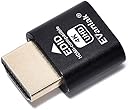
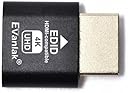
The EVanlak HDMI Dummy Plug is a premium aluminum 4K UHD (3840x2160@60Hz) headless display emulator that tricks your GPU into thinking a monitor is connected. Perfect for remote desktop, cryptocurrency mining rigs, and headless servers, it ensures smooth GPU operation without a physical display. Plug-and-play design requires no software, delivering instant high-resolution virtual screens for enhanced performance and stability.
| ASIN | B07YMTKJCR |
| Best Sellers Rank | 14,013 in Electronics & Photo ( See Top 100 in Electronics & Photo ) 170 in Streaming Clients |
| Brand | EVanlak |
| Brand Name | EVanlak |
| Colour | 4k-1p |
| Compatible Devices | Monitor, PC, server |
| Compatible devices | Monitor, PC, server |
| Connector Type | HDMI |
| Connector type | HDMI |
| Country of Origin | China |
| Current Rating | 1 Amps |
| Customer Reviews | 4.5 out of 5 stars 657 Reviews |
| Item Dimensions | 41 x 20 x 13 millimetres |
| Item Weight | 0.01 Kilograms |
| Item dimensions L x W x H | 41 x 20 x 13 millimetres |
| Manufacturer | EVanlak |
| Manufacturer Part Number | 752498099577 |
| Model Number | 752498099577 |
| Nominal Power | 240 Watts |
| Number of Items | 1 |
| Number of Ports | 2 |
| Package Quantity | 1 |
| Power Plug Type | No Plug |
| Product Finish Type | Aluminium |
| Specific Uses For Product | Cryptocurrency Mining, BOINC Work Unit Crunching, Running a Computer Headless with VNC Service, Tricking GPU, Preventing SSH from Disabling HBCC, Changing Resolutions, Compatible with PC, Monitor, Server |
| Specific uses for product | Cryptocurrency Mining, BOINC Work Unit Crunching, Running a Computer Headless with VNC Service, Tricking GPU, Preventing SSH from Disabling HBCC, Changing Resolutions, Compatible with PC, Monitor, Server Specific uses for product Cryptocurrency Mining, BOINC Work Unit Crunching, Running a Computer Headless with VNC Service, Tricking GPU, Preventing SSH from Disabling HBCC, Changing Resolutions, Compatible with PC, Monitor, Server See more |
| UPC | 752498099577 |
A**R
Essential for VR without monitor
I bought this dummy HDMI input as Iโve recently set up a VR-only rig for sim racing (with no monitors). However, for Oculus Link and the like to work properly, I need at least one video source connected to my PC at all times. I didnโt want to splash out on a monitor so soon, so I picked up this, hoping it would do the trick. I connected it to my PC via a HDMI port, booted up my VR headset and it worked instantly! I could now navigate my desktop using Quest Link, without even needing a monitor at all! Previously, I would just get a black screen so this is awesome. Itโs so compact as well, you donโt even notice itโs plugged in and the value you get is really good for what you pay
B**N
Works perfect for use with MacBook Pro and iPad Pro using sidecar.
Cut a long story short, I wanted to be able to use my iPad Pro as the main display for my MacBook Pro whilst in clamshell mode. Iโm using it live (in a band context) and wanted the MacBook Pro safe in a case, but still be able to use it as a computer. This device allows you to trick the MacBook Pro into thinking it has a display connected up to it, which enables you to use the MacBook Pro in clamshell mode. I can then use sidecar on my iPad and set that as my main display! Works perfectly! The reason Iโm using sidecar over something like Duet Display or Luna Display, is because sidecar is designed by Apple to work with Apple products. So it will always work a lot better than using a 3rd party product.
A**R
Good
Works as described; I had hoped I could force a weird resolution for steam link streaming to my phone or at least get 1440p 120Hz, but anything over 1920x1080 is maximum 60Hz. It did do 4k at 60Hz, and 1080 at 120Hz. It did work for steam link streaming (letting me disable my actual monitor when streaming) right out of the box.
M**T
Perfect
My Windows home server doesnโt seem to like posting without a monitor. As it sits in a cupboard on itโs own, plug this little beauty in and it thinks there is a display attached - zero issues booting up now
M**E
Instant solution
Have a couple of NUC devices running Linux, which I could only remote desktop to if they had a monitor attached. This tiny device fools the system into thinking there is a monitor, and did not require any configuration at all.
A**R
Works great.
My main computer has as 4k screen, and my secondary one has a regular 1080p screen attached. The software I am using to dip in and see what's going on with the other machine gave me a 1080p size area to use as my dessktop which was very limiting. When I plugged this thing in, it immediately gave me a second display at 4k resolution to use as extra space, matching the output of my primary computer. Perfect solution and absolutely dirt cheap. I know this can be done other ways, but honestly, this was zero messing around.
X**O
Excellent! Just what I needed to passthrough my GPU over esxi
Running a geforce 1050ti in an HP Gen 8 microserver. had to move the server away from the TV and monitors due to the summer, but I was not able to get the passedthrough GPU on my VM to work as it didnt see a monitor plugged in. (I'm using nvidia shield to remote to my VM and Steam Link as well for some other games). easy to use, just plug and play. (literally). plugged into my GPU, it now sees a fake monitor, and I can remotely play all of my games. best money spent!!!
N**N
No HDR output
If you would like to connect to your host PC using a software like Moonlight/Sunshine or Parsec it will work 4K@60hz but it is SDR only. HDR is not available in Windows with this dummy plug.
M**N
Makes it work!
Works perfectly for my needs. Making the Xiaomi Mi Box S work with music connected to a Audioquest Dragonfly Red without an HMI screen attached. Great price and swift delivery! Awesome!
L**N
Perfect!
Very simple to use just plug and connect. Sometimes if that streaming a display has been a godsend and I canโt recommend enough. Plug it into any hdmi input and stream. Value is great and I have had no connection problems. 10/10
A**O
Funciona bien
Simplemente simula una pantalla conectada para que el pc no se vaya a dormir
V**O
Prodotto affidabile
Dopo mesi di utilizzo non ha mai dato problemi
G**.
Not 4k
Not showing as 4k as described!
Trustpilot
2 days ago
2 weeks ago