Buy anything from 5,000+ international stores. One checkout price. No surprise fees. Join 2M+ shoppers on Desertcart.
Desertcart purchases this item on your behalf and handles shipping, customs, and support to Ireland.
📡 Expand your digital domain—because buffering is so last decade!
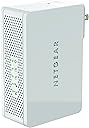
The NETGEAR N600 WiFi Range Extender (WN3500RP) doubles your wireless network coverage by extending dual-band WiFi signals. Compatible with any standard router, it features a smart LED for optimal placement, supports all major security protocols, and enables wireless audio streaming via AirPlay. Lightweight and easy to set up, it’s the perfect upgrade for seamless connectivity across your home or office.


| ASIN | B009MIGCW6 |
| Best Sellers Rank | #2,387 in Repeaters |
| Brand | NETGEAR |
| Built-In Media | Power adapter |
| Color | White |
| Compatible Devices | Security Camera |
| Connector Type | RJ45 |
| Customer Reviews | 3.6 out of 5 stars 746 Reviews |
| Data Transfer Rate | 300 Megabits Per Second |
| Frequency Band Class | Dual-Band |
| Frequency Bands Supported | 2.4 GHz, 5 GHz |
| Global Trade Identification Number | 10606449087465 |
| Item Weight | 1.38 Pounds |
| Manufacturer | Netgear Inc |
| Mfr Part Number | WN3500RP-100NAS |
| Model Number | WN3500RP-100NAS |
| Range | feet |
| Smart Home Compatibility | Smart Home Compatible |
| Special Feature | FastLane Technology |
| Special Features | FastLane Technology |
| UPC | 606449087468 |
| Unit Count | 1.0 Count |
| Wireless Communication Standard | 802.11a, 802.11b, 802.11g, 802.11n |
| Wireless Compability | 802.11a, 802.11b, 802.11g, 802.11n |
R**N
Techie approved!
Situation: I live in a condo whose floor plan is long and skinny. Of course, the cable hookup is at one is at one end, and my bedroom is at the other (about 50 feet away). In my bedroom, my laptop seemed OK on the 5 GHz band, though my iPhone would regularly drop the signal and revert back to my mobile network. I also have a large deck "behind" my bedroom that's farther away from my access point, and neither device could hold a connection out there. Setup: The setup of the device itself was pretty straightforward. The direction were clear, and I didn't run into any issues. It took 5-10 minutes. What took a little longer, though, was determining the correct outlet in my home into which to plug the device. It was worth the effort. Performance: On my laptop, I'm seeing about a 10% speed loss in my bedroom and a 30% speed loss at the edge of my deck, which is about 100 feet from the access point. I can still get almost 20 Mbps on the deck, though, so it's unnoticeable for regular web browsing, etc. On my iPhone, I'm also seeing about a 10% speed loss in my bedroom. On the deck, the connection is spotty and drops more than I'd like. I chalk that situation, though, up to the brick walls and the wifi radio in the iPhone (since my laptop has no issues). That said, the signal of the 2.4 GHz band is strong on the deck, and I can pull about 6 Mbps at the edge. Overall: Overall I'm very happy with the device. It works as advertised and is able to deliver a strong signal to everywhere I need. It would be ideal if I could get the same speeds on my iPhone as I do my laptop, but I don't fault this device for that.
M**L
Great when it works, which is not for long
I bought this extender 3 months and 2 days ago, and during that entire time, I have had to reboot it every 1 or 2 days because it kept dropping the devices connected to it and not allowing reconnection. Given that my router and DSL modem continuously provided service with no interruptions, that makes it sound like a hardware issue with the extender, right? Because I was 2 days past my technical support warranty period (hardware support is 1 year), Netgear's overseas support personnel insisted on charging me to determine the issue. How much do they want? 6 months' support = $79.99 1 year's support = $129.99 2 years' support = $199.99 Mind you, this is for a wireless extender that only costs $69.99 here on Amazon! I made Reign (that was her name) promise me that if, after going through all their diagnostics it was determined that this was a hardware issue, they would refund my support charge. She checked with her supervisor. She agreed. Over the course of 1.75 hours, Reign 'checked with her supervisor' no less than 14 times. She also guided me haltingly through stuffing a paperclip into the Reset hole 2 different times, after which we painstakingly reentered passwords and setup information on my phone's tiny screen each time. I say 'tiny screen', not just because it's physically tiny, but also because the browser feed from this extender is not optimized for mobile - even though they recommend using a phone to set it up! At the end of it all, Reign's supervisor agreed that it was indeed a hardware issue, and I was given an RMA number. Reign advised me I would be receiving an email with the information necessary to complete the RMA process, and she seemed awfully anxious to get off the call. Once I followed the links in the email, I could see why! If you just want the free exchange option, it's not really free - you have to pay postage to send the defective unit back! Once Netgear receives it, they will send you another extender... after 10 working days! If you want to pay for cross shipping, it'll cost you $16.90. They promise to send the replacement extender via ground shipment from Tennessee and to provide you with a label for returning the defective unit. If you want things to happen faster than that, you can pay $29.90 for rush shipping, and they'll also provide you with a label. I chose the $16.90 option. You know what I got? A Word document with their address on it! :-D That it! That's the label, and I still have to pay to return the defective unit to Netgear! Oh wait, there's more. I also got a tersely worded advisement that if they didn't get the defective unit back within 10 days, I would be charged full price for the replacement unit. And if they got the defective unit back after they had already charged me for the replacement unit, Netgear would charge me $20 as a penalty! If you get a good unit and it works well for you, all well and good. But if you get a bad unit, between your phone time and your shipping costs, you're almost better off throwing this thing in the garbage and buying another one. According to the professional reviewers, Netgear is supposed to make products with great feature sets for the money. IMHO, however, I don't think it pencils out to buy anything from these clowns, and won't be doing so in the future. UPDATE: The replacement unit arrived, and setup was as troublesome as many have reported. I thought I got the unit set up properly, but it too started dropping connections and needing to be constantly rebooted. So I called tech support. What a joke. This time, I was on the phone for 3:18:23 with Rueen (please forgive me if I've misspelled his name). Again, I had to reset the unit over and over and over again as we fought through the unit's not taking commands properly. After the sixth attempt, it was able to support the basic configuration, but when I turned on the Fastlane feature and tried to apply that setting, it failed again. At first, Rueen didn't know what Fastlane technology was. Then he tried to convince me that wasn't something Netgear produced. Then he tried to tell me Fastlane technology doesn't work, and that no one he knows uses it, and that I shouldn't either. Finally, I got Rueen to agree to replace this unit - a second time! One good thing: When I demanded not to have to pay for shipping, he sprung for free ground to my location and a free return shipment label. I have 2 of these things, and 1 of them works perfectly. Fastlane, no dropped connections, never have to reboot it... the works. But so far, I've had 2 bad ones in a row, and a 66% failure rate is way too poor, IMHO, for a company such as Netgear. I don't know what's going on with them, but between the buggy software, the defective hardware, and the abysmal support, Netgear's quality hasn't just sunk to the basement - it's got itself a shovel, and it keeps on digging!
P**N
Works perfectly
...so far. I've read all the bad reviews about all the range-extenders out there and was extremely weary purchasing. I was looking at cheaper ones but decided to go with this more expensive, and better-known one. I have a 3-flat building and I supply my tenants with free wi-fi, but the signal became weak on the 2nd floor, and weaker still on the 3rd. My router is cable and hard-wired near the back of my 1st floor apartment. I would even loose a signal bar at the front of my apartment. I felt the dual band would allow for higher speed downloads when needed with multiple devices connected. I found almost a central place of my building to locate it. Set-up was pretty easy: just plug it in, hit the WPS button, then run down to my router and hit it's WPS button. This created another available wi-fi network to connect. I tested it everywhere with my smartphone. Before, I got 'fair' and 'poor' signals. Now I get 'excellent' and 'good' signals. Even the places in the front of my apartment where I used to drop to 'good' signal, now get 'excellent' on that new network. It has been working as it should for several weeks now with no disconnections or having to reset anything. It's compact enough to not be an eye-sore. The only things keeping me from giving it 5 stars is the price, and the misleading notion that you can have dual bands (the description states that you can use both 1.5 and 5hrz, but the latter is only if your original wireless router is also dual band, which I discovered mine is only 1.5). Otherwise, I would recommend this product.
J**N
We'll see.
Bought this because one of my Vuezone cameras is just at the edge of our router signal and will not stay connected. The camera is on our front porch up on the ceiling. We also bought a Doorbot which was out of range when mounted outside to the right of the door. We will see if this solves my weak signal problem. All that aside, I had a bear of a time getting it set up. The setup instructions that come in the box do not match the setup instructions found online. The written instructions do not reflect the screens you will see on your computer in response to the written instructions. After three useless email exchanges with Netgear support they finally sent me a phone number for support, which resulted in success after 41 minutes on the phone. March 2015 The camera works well. The Doorbot never did work, they sent a Ring as a replacement, it doesn't work either. I occasionally get an email that someone is at the door but I think I will abandon the Ring. Can't say they did not try to help, but no success.
H**Y
It Works!!
So I finally took the plunge and bought myself a nice big HDTV and mounted it on a wall in my family room. HD programming looks amazing. Problem was with Netflix which needs to connect via a wifi signal (hard wiring not an option). Turns out that room was a wifi dead zone. Unbelievable considering my house is a paltry 1400 sf. If I would get Netflix on it would take awhile to load a movie and when it began to play the picture would look crappy at best. At its worst, it would just stop playing. So frustrating. I started doing research on how to fix this problem and found an article recommending a wifi range extender. Found this Netgear Universal Dual Band Wi-Fi Range Extender Wall-Plug Edition on Amazon and decided to give it a try based on the reviews. What did I have to lose? I just finished watching a 2 hour movie on Netflix and not only did it play all the way through without stopping but the picture was 100% perfect the whole time! Hallelujah! I've also connected the cell phones, iPods and laptops to the extender so they can get a good wifi signal in that room as well. Set up was a cinch. I was a little baffled by the comments the other reviewers made about pressing the WAP button on the extender then running to the other end of the house to press the WAP button on their router. The directions clearly state to make the connection between the extender and your router in the same room then move the extender to about the halfway point between the router and the dead zone. It couldn't have been an easier process. A bit about the setup of the house to help you decide if this product might work for you. My router is on the ground floor on the extreme east side of a straight ranch and the dead zone is on the main floor on the extreme west side. The room is an addition to the house which probably has something to do with the weak wifi signal as the walls used to be the exterior walls of the house. I placed the extender near the first outlet at the top of the stairs which is probably a little more than halfway from the router. It works perfectly. I now have a very strong signal. I've only had this product for a few hours so can't attest to its longevity. If I find any problems with it in the future (some reviewers said it just stopped working one day) then I will update this post. Go ahead and give this product a try. You can always return it if it doesn't work and you have nothing to lose and a whole lot of signal strength to gain! Good luck!
J**C
Excellent Signal Boost - Highly Recommend
I am not a highly technical person so I relied upon others' reviews of this product and I am glad I did. First of all this may be obvious to some but it was not to me, if you do not have a dual band gateway or router buying this will not give you dual band capability. You must first have a dual band gateway or router to support the dual band feature. With that said, this works well with my gateway and it is not dual band. I live in a 3 story loft with cement ceilings and floors and a lot of exposed steel. So my gateway was not sending adequate signal to all three levels. I purchased two of these but only opened one. I tried it on the first floor and it was so easy to set up the handshake between the extender and the gateway using the WPS feature that I had a noticeable instant boost. Literally I went from a one bar to 4-5 bars on the first and second levels. My gateway is in my loft on the third floor. I did not even need the second extender because the first one boosted my signal so well that I returned that one to Amazon without issue. The only thing I will say about this extender is that it does get very hot. It also sticks out from the outlet quite a bit so you probably do not want to put it in a hallway or a high traffic area where someone could easily brush up against it. With that being said though I could not be happier with this product. I also love that it does not have the goofy antennas. It is sleek and well designed. Although the lights are bright they are not distracting and are actually functional because you can monitor how well the signal is being received. It is so easy to use and set up and really boosts the signal beyond my expectations. I highly recommend to anyone who has insufficient signals from your existing gateway or router to purchase this. You will not be disappointed.
C**R
Creates a separate network, rather than boosting current network.
I purchased this product hoping to improve the range that my current AT&T provided wireless router gets throughout my house. I use Airplay often, and as I walk around my house with my iPhone, because of dead spots in various rooms, the signal will drop and the music will stop. Installation was a breeze, very easy with good, easy to follow instructions. The product is sleek and not bulky. This product is called a "WiFi Range Extender," which after seeing it in action, I feel is a bit miss-leading. It does not extend the range of your CURRENT WiFi network, it creates an entirely different WiFi network. This new network connects to your current WiFi network, and as you move the Netgear around your house and connect your devices to it, can extend WiFi coverage through your house. A “movable WiFi router” would be a better description. Yes, it will improve the range of WiFi coverage in your house; however, this is accomplished with two WiFi networks, and as you move your devices throughout your house, you will constantly be switching between WiFi networks to determine the best signal strength. To use the product effectively, you must constantly either move the Netgear device, or switch from the Netgear WiFi network to your existing WiFi network. The product is said to work with Airplay. When I was connected to the Netgear’s WiFi network, Airplay did work, albeit slow to connect. However, there were constant drops, without even moving any of the devices – way more drops than with my existing AT&T supplied router. Needless to say, I returned the device and am sticking with my existing AT&T router until I can find a “signal booster.” This product would be good for someone who doesn’t mind a two different WiFi networks in the house, where there is no movement of devices, so no need for constant network switching between your existing WiFi network and the Netgear WiFi network.
T**M
Not the Range Extender You're Looking For...
I really wanted the WN3500RP Extender to work. Despite some of the negative reviews I ordered it anyway. I needed to extend my main router to reach a far corner of my house where I wanted to use AirPlay and an Amazon Firestick. I liked the WN3500RP because it was dual band and would allow me to set up the 5ghz band for communication with my router and use the 2.4ghz band for wireless devices (and thus, avoid the bandwidth cut common to single band extenders AND I wouldn't have to go under the house to run a cat5e cable). My router is an AC1750 running the latest Tomato Shibby and I'm using WPA2-PSK w/ AES encryption. The WN3500RP setup was easy enough. I followed the simple instructions for initial setup and then went into the WN3500RP configuration genie and activated the FastLane feature. My Firestick, iPhones and iPad connected easily to the new EXT network. The trouble began the next day. No Internet connectivity via iPhones despite being connected to the WN3500RP EXT wifi. I'm not a networking expert, but I understand the basics, so I began troubleshooting. After reading up on wireless network extender issues I tried the following: 1) I set a static IP for the WN3500RP, 2) set my router to specific channels instead of using "auto" (and yes, I did a site survey to find empty channels), 3) did a full reset on the WN3500RP. No dice. All of that work and more revealed the following: Any device connected to the WN3500RP would receive an IP address from my router exactly one time. Once an iPhone disconnected from the extender network, upon reconnect, the WN3500RP would not allow the main router to assign an IP address. The status window of the WN3500RP would show the iPhone's MAC address, with no IP address. The iPhones would reconnect if I deleted/forgot the network on the iPhone, then re-selected the EXT network and re-entered the password. I thought about setting static IP's for our iPhones and ultimately decided not to. After more than a week, I'd put in about 10+ hours of research/work and I felt I had done enough. I returned the WN3500RP. I decided to buy an Apple Airport Express from the Apple Refurb. Store... $65 bucks (only $11 more than the WN3500RP). I had to pull a cat5e cable, but now I have a completely stable roaming network. Do it right the first time, 'cause doing it twice ain't as nice.
U**B
More details
Does this have a battery? It says so in the feature list... More details would be appreciated!
Trustpilot
2 weeks ago
3 days ago