Buy anything from 5,000+ international stores. One checkout price. No surprise fees. Join 2M+ shoppers on Desertcart.
Desertcart purchases this item on your behalf and handles shipping, customs, and support to Ireland.
๐ Unlock your digital worldโstream, share, and connect like a pro!
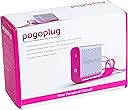
Pogoplug POGO-E02 is a compact multimedia sharing device that connects any external USB hard drive to the internet, enabling secure, cross-platform access and streaming of your files on multiple devices without uploading. Compatible with Mac, Windows, Linux, and major browsers, it offers instant sharing via invitation links and supports direct streaming to smartphones. Installation is quick and requires no subscription fees, making it ideal for professionals and digital enthusiasts seeking seamless content management on the go.
| ASIN | B0033WSDR4 |
| Antenna Location | Tablet |
| Battery Capacity | 20 Volts |
| Best Sellers Rank | #1,666 in Streaming Media Players #2,170 in External Hard Drives |
| Brand | Pogoplug |
| Compatible Phone Models | iPhone |
| Customer Reviews | 3.5 out of 5 stars 133 Reviews |
| Global Trade Identification Number | 00850877002023 |
| Item Dimensions | 4 x 10.1 x 7.1 inches |
| Item Weight | 2.25 Pounds |
| Manufacturer | Pogoplug |
| Model Name | Pogoplug |
| Model Number | POGO-E02 |
| Recommended Uses For Product | Tablet |
| Reusability | Single Use |
| UPC | 850877002214 850877002023 |
| Unit Count | 1.0 Count |
| Voltage | 1.2 Volts |
| Warranty Description | 1 YEAR |
P**L
Pogoplug really works!
I have several flash drives, external hard drives, data from work, multiple PC's, etc. Keeping track of the location, duplication and versions of so much content was a hassle. After reading a review of the Pogoplug in a large financial newspaper, I decided to give it a try and see if it would alleviate my frustration. Wow! It definitely worked as promised. I installed the Pogoplug at home, connected my hard drives and flash drives to the Pogoplug and created a Pogoplug account. Immediately, the drives are accessible from anywhere via the web. Once up & running, the drives start an indexing type of utility immediately, generating thumbnail previews of the multimedia files on the drive. As I have several terrabytes of content, this process took about a day to complete - not a big deal as this simply facilitates seeing a file preview - you can perform all the file access you need while the indexing occurs. One definite item to download from Pogoplug is a desktop tool available here: [...] This enables you to access your Pogoplug through Windows explorer as if your drives were local network drives. You can move content from your work network locations to Pogoplug and back. With Verizon FIOS I'm able to move several gigs of data at a time, with no problem. I also downloaded the Pogoplug app (free) from iTunes. This lets you view your media directly on your iphone. You can even download pictures directly to your Photos on your iphone - which is quite easy. I wasn't able, however, to view *.wmv video files on my iPhone through the app. All in all, an awesome product. I highly recommend it!
J**K
PogoPlug is a great little device
I've had my PogoPlug for about three months now. I am thoroughly impressed with it. The price was right when I got it from Amazon, and it has worked as advertised. I have read a lot of reviews that complain about the device not working with this or that drive format as well as they had expected. What these people have not figured out is that the PogoPlug runs LINUX. Since it is not a Mac or Windows based device, it does not make a lot of sense to use a drive format that is native to those operating systems. My setup is kind of unique I suppose. The external USB drive that I am using is a custom built job. The HDD itself came out of a WD MyBook whose electronics failed. Transplanting the drive into a new case kept it from a landfill. Another common criticism of the PogoPlug is that you would be left unable to access your data if the PogoPlug company went out of business. There are many flaws to this logic. First, if you use a format like EXT3 or XFS which are standard supported Linux file systems, all you have to do is hook the drive to a pc and boot from a Linux LiveCD which are readily available. Second, there are websites which go into great detail as to how you can convert the PogoPlug into a stand alone Linux server without the need for the PogoPlug service. I will say that I am currently using my PogoPlug with the default firmware and have been quite happy with it. It satisfied the curiosity I had about the device to the point that I will soon be buying the PogoPlug Pro with the intent to keep that one with the default firmware and re-image my original one to use as a LAMP server. I'm probably not really the target customer for this type of product since I have a BS in Information Technology, but I'm a bit of a gadget nut so I couldn't help myself.
A**T
Stay away from Pogoplug
Update (January 2013): For anyone looking for a real alternative to Pogoplug, I whole-heartedly recommend the NAS products from Synology. I purchased the Synology Feature-Rich 2-Bay Network Attached Storage Server for Workgroup/Office (DS213) and wrote a very detailed review of that product here on Amazon. I've been using it for several months now and have been thoroughly impressed. The Synology box I have does everything I need and it does a lot of things I don't need now but may need down the road. Unlike the Pogoplug, the Synology has been able to do everything it's advertised to do. More importantly, what the Synology does, it does exceptionally well. The Pogoplug, on the other hand, is billed as being able to do many things; but it fails to deliver reliably on most all of those things in my experience. Sure, the Synology box I got is many times more expensive than the Pogoplug ($40 vs. $299 as of this writing), but I truly believe you get what you pay for. The OS on the Synology products ("DSM" -- short for DiskStation Manager) is incredibly robust and has an impressive list of third-party packages (apps) that extend its capability. Also, the Synology products work beautifully for Time Machine backups right out of the box. No need for third party software or hacks to be able to use a Synology box as a Time Machine destination. What's also nice is that you can create a different user account on the Synology for each Mac that is using Time Machine and set a disk space quota that's unique to each account. So dad's MacBook Pro can get 250 GB of space for Time Machine backups and the family's iMac can get 500 GB of space for Time Machine backups, for example. After a power outage, the Synology box boots right back up and you have access to your data again (both on the internal drives and drives connected via USB). The Pogoplug would come back on after a power outage; but nine times out of ten, your drives would not mount and therefore your data would be inaccessible until you got back to the Pogoplug and power cycled it or unplugged your drives and plugged them back in. Major problem if you're out of town for days or weeks. If you're in the market for a NAS that also doubles as a robust home server, do yourself a favor and check out Synology's product line. Don't waste your time fooling with the Pogoplug. Update (April 2012): I have unplugged my Pogoplug. The CloudEngines company is continuing to devolve, in my opinion, by continuing to try to do a lot of different things with the Pogoplug hardware and software. Unfortunately, in the midst of trying to be "a one-stop shop", they're not really succeeding at doing anything particularly well. The Pogoplug started as a unique product -- giving you the freedom to have your own "cloud" that was limited only by the amount of your storage and the speed of your broadband connection. I wish CloudEngines had focused more on developing that aspect of their hardware and software instead of letting you buy access to the company's cloud storage (to try to compete with Dropbox, no doubt), and giving you the ability to backup your computers to the cloud (to try to compete with Carbonite, CrashPlan and other similar backup services, no doubt.) I didn't buy the Pogoplug in the hopes that it would replace CrashPlan or Dropbox, nor did I ditch CrashPlan or Dropbox when CloudEngines started branching out into these other areas. I bought the Pogoplug so I could create my own "cloud" -- plain and simple. I guess the business model was such that the company decided they couldn't make enough money from just selling the hardware so they had to get additional revenue streams from these other features. I would've gladly paid a small monthly or yearly fee to use the Pogoplug software to access my own cloud if it meant that the software would become more stable when accessing my own personal cloud. The Pogoplug software has always been the achilles heel of the whole system. When I started using the product two years ago, the software seemed half baked mainly because there were seemingly powerful features built into it but they either didn't work at all or didn't work reliably enough to be touted as features of the software. As time has gone on, the software has changed (mostly UI changes to accomodate the new features the company is trying to make money from), but I get the sense that those changes were little more than cosmetic. So, CloudEngines, you've officially lost a customer because I've unplugged my Pogoplug as of today. You aren't anywhere near as dependable as Dropbox, nor anywhere near as fast as CrashPlan. I just don't have any need for you anymore. I think the CloudEngines company has lost the vision that made them develop the Pogoplug in the first place, and that's really sad. They could've developed a product that did what it did (personal cloud storage that you had physical control over) better than anyone else on the market. Instead, I think they got scared by companies they saw as competitors and they tried to imitate what the competition was doing and they were never quite able to do anything better than said competition. I hope the company finds its way again; but if the last two years are any indication, I'm not particularly optimistic about the future of CloudEngines or the Pogoplug. Update (November 2011): If you need reliable access to your data (mission critical or not), do NOT use Pogoplug. This weekend (which, coincidentally, is the Thanksgiving weekend in the U.S. when many people are hundreds or thousands of miles from home), the Pogoplug "geniuses" decided to update their service to give customers 5 GB of storage in the company's own "cloud." Looks like they're trying to pretend to be a Dropbox or iCloud service now. Well, in the process of doing their upgrade, they knocked the existing Pogoplug service offline. Now that it's back up, I can see my Pogoplug, but my attached storage is nowhere to be seen. Keep in mind that there was NO notice given of any planned downtime. This company is absolutely terrible about notifying their existing customer base about anything when it comes to downtime or planned outages. There are many people with Pogoplugs that are currently having the same problem I'm having; and as of now, there has been no response from the company. The only solution I've seen mentioned by other users is to power cycle the Pogoplug device. Unfortunately, I'm currently hundreds of miles from home, and even though they've made multiple revisions to their web interface in the last 18 months (most of them not positive revisions), they have yet to add the ability to remotely reboot the Pogoplug. So, I guess I'm SOL until I get back home. It's a shame that I actually thought I could depend on this device and this company and they go and pull a stunt like this over the long weekend with no notice. This company clearly has no idea who it is or what it wants to be; and it's just trying to haphazardly copy everything that others are doing while breaking existing features in the process. I am not a satisfied customer! Original review from May 2010: The idea of having the ability to plug multiple USB 2.0 external hard drives into this and see and share the contents without much fuss appealed to me. I've heard Leo Laporte raving about this device so I figured I'd give it a shot because I trust his opinion on tech recommendations, for the most part. I've had this device for just over two months now. I primarily use the Pogoplug to share photos with family, keep a backup of some files, and share files with colleagues. I must say that the web interface is pretty nice, and it has allowed people that I've shared files with to be able to navigate to them without any assistance from me. So, that's pretty straightforward. It's also easy to control permissions for directories on an individual by individual basis (read only/read and write.) That's a plus. Onto the negatives. . . I wouldn't rely on this in any "mission critical" environments. I certainly haven't used this for anything that qualifies as "mission critical", but given the issues I've had, I wouldn't rely on this if I did need it for that purpose. When I tried to transfer about 4 GB worth of photos to my mother's PC (she was running the Pogoplug software for Windows--she is using Windows 7), the connection repeatedly timed out during the file transfer. That was annoying because since it's just using Windows Cut/Copy/Paste, there's no option to resume the transfer where it left off. I literally had to browse the folder on her machine that the pictures were going into and compare the file names of what she had vs. what I had on my Pogoplugged hard drive. It turned what would've already been a fairly long process into an even longer process since I had to "babysit" it for several hours. As far as internet connection specs, I have 3 Mbps upstream and my mother has 40 Mbps downstream, so we weren't trying to accomplish this feat on slow connections. The second issue I've had that has necessitated my continued reliance on Dropbox is that when a colleague tried to transfer several hundred files to me, all of the files appeared to be there in Windows Explorer and on the Pogoplug web interface, but when I tried to work with them, the software I was using wouldn't be able to see anywhere between 2 to 10 of the files. The files were not zipped before transfer -- the folder containing them was simply copied and pasted onto my Pogoplugged drive. The colleague transferring the files to me didn't receive any file transfer errors on their side, but clearly something didn't transfer properly with some of the files even though they all appeared to be the proper size in Windows Explorer (header issue, perhaps?) With this colleague, I've gone back to using Dropbox exclusively to receive files from them and have never had a problem. My colleague has a fiber connection of >30 Mbps upstream and I have 30 Mbps downstream, so he shouldn't have had any bandwidth issues uploading files to my Pogoplug. I will say that the iPhone app for the Pogoplug is a potential selling point, but Dropbox has an iPhone app as well. The iPhone app for the Pogoplug has not been without its faults, either. I've tried to watch some video clips via the iPhone Pogoplug app and it's hit and miss. Sometimes I can watch the full clip and sometimes my iPhone thinks that the clip is only a few seconds long and stops a few seconds in. I haven't been able to pinpoint the cause of that problem, and refreshing the file list or removing and reinstalling the app hasn't fixed the problem. All-in-all, I think the Pogoplug is a great idea that's targeting an audience that wants a NAS-type device but doesn't want to drop some bigger bucks for a Drobo. I don't regret purchasing it because I expected there to be certain kinks and quirks with such a relative newcomer to the market. I hope that some of the issues I've had will be addressed in the coming months where possible through software updates to the Pogoplug desktop software for Windows, Mac, and Linux. Being able to "auto-resume" a file transfer where it left off when the connection dropped would be a huge plus, but it would require some work on the developer's part. Perhaps a file transfer queue could sit inside the Pogoplug software and monitor the progress of a file transfer and allow it to be resumed if it failed? I certainly hope the developers will continue to actively improve the desktop software.
S**N
Didn't Work on Two Computers, but Love the Vendor
I bought this with high hopes. It seemed simple, and setup and installation was easy. However, very soon after installation, my computer started acting strange. First the mouse stopped working, then everything slowed down until I couldn't do anything. I must have rebooted ten times before I finally bit the bullet and restored the system to the last recovery point. Everything came back fine when restored to just before Pogoplug installed. I put in a ticket. They speculate it's a conflict of some sort on my system and if I install it again, I could send them the logs so they could look at it. Well, no, I'm not going through losing a whole day fighting with that again, so my second try was to make my brand new HP netbook the primary computer for Pogoplug. Um, sorry, the software won't install with my processor. What? That ticket's still outstanding (over a month now) with the issue only being kicked to the next level. Who knows if they'll decide to fix it? Meanwhile I'm past my return time so I'm out the money or I have to try to sell it. It would be much more satisfying to take a hammer to it. I love the idea, but it didn't work for me on TWO different computers! Bah! UPDATE: Cloud (the vendor) has been great about customer service. Since the issue couldn't be resolved (getting it to work with my processor is on the list, but probably not on the near horizon) and we didn't get to that point until after my 30-day return window with Amazon, Cloud offered to have me return it to them and they refunded my entire purchase price. If you're concerned about trying it, I'd say "don't be." They'll do their best to get it to work and/or make you happy, whatever it takes. Good for them!!
J**S
Pogoplug
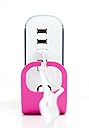
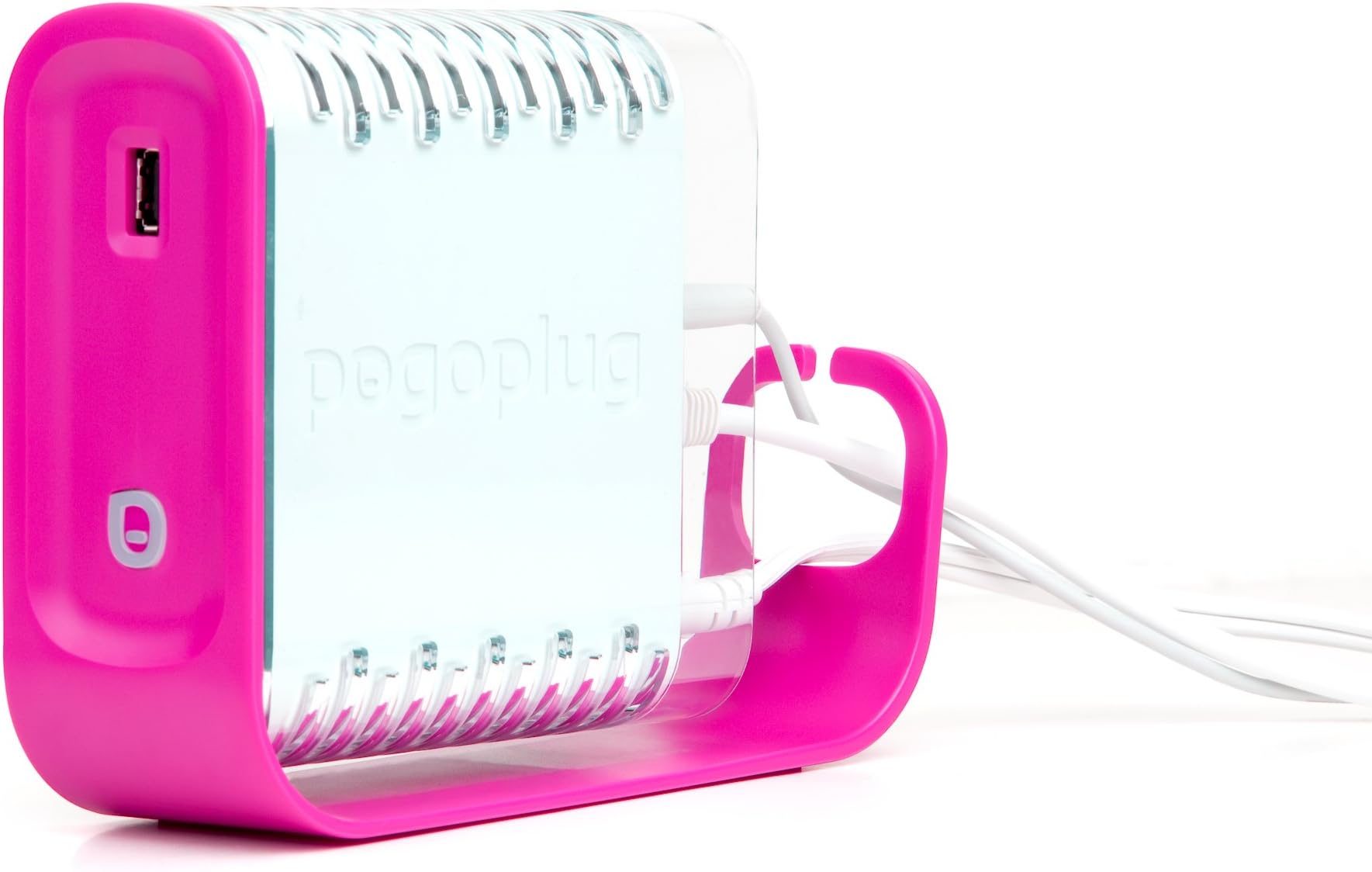
This is a cool piece of equipment. You can hook any usb hardrive or thumb drive to it and it's on your network. I'm using it for movies , music , and photos on my network(LAN) Works great. It wouldn't be good for back-up as it is too slow for that I think. I even messed around with accessing photos and music from it while I was at work (on an island) and it worked great. But , I couldn't get the movies to play because they are still transcoding. That takes along time. Streaming movies across my LAN works great though because I downloaded Pogoplug Drive 2.5.5 and it acts like an external drive attached to my PC's. No need for me to access pogoplug on-line while I am home , with this software. Set up is very easy....plug in the power cord , plug in a hard drive , plug in an ethernet cable (it comes with CAT5e) , register it , and off you go. It has hardly any documentation/instructions though. (minus 1 star) But you can find out anything you want to know on their website and forums. Another plus is it supports giabit ethernet and I can use it as a print server. As long as you have Broadband Internet (DSL/Cable) you shouldn't have problems. I recommend Using all CAT6 cable though or at least CAT5e. For 49.99 with no tax and shipping I couldn't pass this up. I got it in 2 days. For the average home user this thing rocks. BTW , I use Windows 7 Ultimate and Home Edition 64 bit along with Ubuntu 8.10 32 bit and I have no problems using them with this device. My Living room PC connects to my network wirelessly with wireless N and that works great with Pogoplug too. All in all , no problems , I love this thing.....except for the PINK and white. LOL.....:)
D**Y
Pogo Unplugged
Pogoplug is: 1) An okay solution for sharing photos on the web 2) Barely adequate solution for sharing video 3) A poor alternative to a NAS drive It is easy to set up in a basic sense - just plug it in to your network and attached some USB drives. Download the app for your PC or MAC (if you want to use it similar to a NAS). Reality is, I could not get the Pogoplug to work with 2 out of the 3 USB drives I tried it with - all from major manufacturers and formatted with common drive formats that Pogoplug states that they support. The ones from Iomega and Western Digital failed; the one from Seagate worked. Pogoplug support said my drives were likely bad, but I found no problems when I analyzed them with a disk utility. The app for PC and Mac work so so. The feature set vs. a NAS is limited, which is to be expected. The annoying part is that the apps, which let you see and work with the Pogoplug attached drives similar to your "C:" drive, is that they often fail to launch or connect properly, in particular on the Mac. Web media sharing performance is okay for pictures, not great for video. First, I attached a drive with a limited set of photos and video. Several months of basic home photos of the kids, and a month of video - not a lot - two dozen short clip videos. Pogoplug processes the media to create thumbnails and compressed clips so your friends and family can more easily see the pictures quickly on a browser. (Processing them on the fly would not work.) For my limited set of pictures, it literally took days for Pogoplug to process the pictures and video. Kind of annoying. At best, it seems that the Pogoplug would be good for a curated set of images -- you handpick your best photos and video to share and stick it on the Pogoplug -- otherwise it gets overwhelmed. Pictures are compressed. Your friends and family will need to download the picture to get the full image. In contrast, an upload site like Flickr shows your pix in their full glory. Finally, video streaming is barely acceptable compared to uploaded video. Highly compressed and jittery. No fun to watch on the viewer side. I have several steps above basic internet service (12mbps down, 3mbps up), so I have to imagine it would be horrible if you only had basic cable or DSL internet service.
H**R
Instant cloud computing -- no fees and aa EZ as they say it is
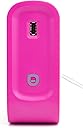
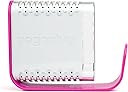
I usually don't pay attention to the "daily deals" I get via email every day, but this one made me take notice. For $50 and free shipping, I could have a cloud computing soution for my four external hard drives? No additional fees? And they say it takes longer to get it out of the box than it does to hook it up? I was intrigued for about 60 seconds until I pulled an impulse-buy on this bad boy. Okay, I'm not thrilled with the pink-only design, and it could have had a much brighter "on" indicator light, but when I hooked up the hard drives and walked back to my laptop, and registered . . . Something amazing happened. For over a year, I'd been looking for a cloud computing solution. My laptop is jammed with files and I have a ton of other files on the external drives. This was an out-of-nowhere solution that was 1) instant, 2) simple, 3) ingenious, 4) comprehensive and 5) ubiquitous way to now access all of my files from the last 10 years over the Internet, wherever I am, from any machine, as long as there's wifi. Great concept, astounding value, simple and elegant. Best $50 I've spent in a long long time.
R**R
Plug in, sign in and...IT WORKS!!
I had one of those rare, magical experiences with consumer electronics when I took the pogoplug out of its box, plugged it in to my router, plugged in a USB hard drive and logged in via my computer. IT WORKED! An instant network drive (of any size that's plugged in -- expandable up to 3 drives), accessible not only on the LAN but anywhere on the Internet without any subscriptions, or limitations. WOW. This thing could not be any simpler or more functional. While I was surprised initially at the utter lack of instructions or documentation (there's only a short illustrated pamphlet), I soon understood why: laborious instructions are not needed and would only serve to confuse. I've read a few negative reviews and would have to ascribe these to "operator error" or network problems. First of all, the pogoplug is NOT a hard drive: you need to supply your own (ideally one that's already got the stuff you want to access on the network). Second, if your computer can't read your hard drive via USB, your pogoplug sure as hell won't be able to read it either, so this is the first test that you need to run before blaming your little 'ole p-plug. Lastly, if the pogoplug is "slow," this is your network, dude!! The pogoplug has nothing to do with this. The only latency that I have experienced with the pogoplug itself is the initial scanning of the drive when it's first plugged in: if this is a large drive, it will take a couple hours to settle down, and will be slower to react (but still functional) during this period. Go out and buy one of these things and "join the cloud!"
Trustpilot
2 months ago
1 month ago