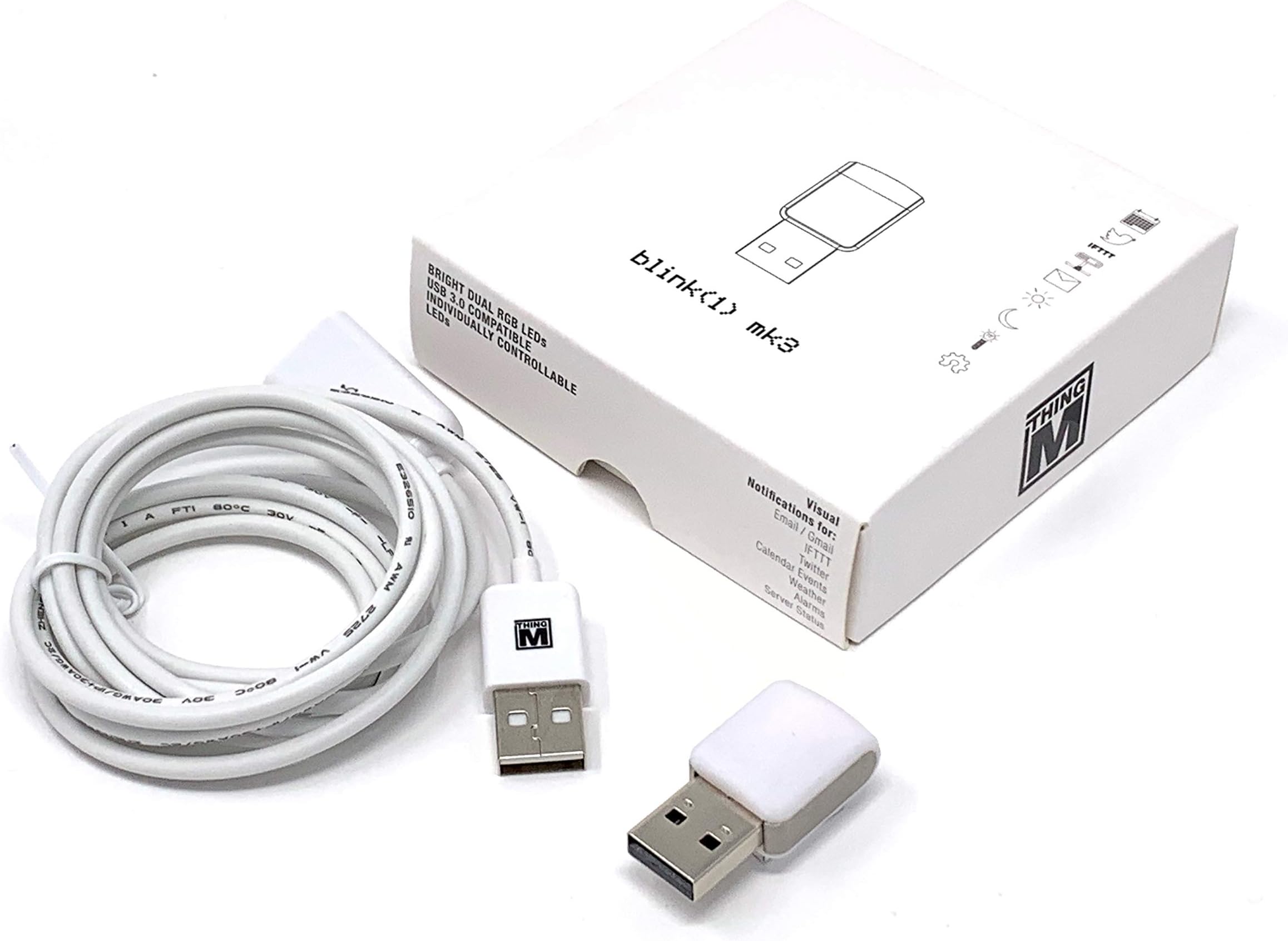
🌟 Blink and you’ll never miss a beat—your smart desk’s new best friend!
The ThingM Blink(1) USB RGB LED BLINK1MK3 is a compact, USB-powered RGB LED status light designed for professionals who crave instant, glanceable notifications. Compatible across Windows, Mac, Linux, and more, it integrates effortlessly with IFTTT and custom scripts, offering open-source flexibility to tailor alerts for emails, URLs, and cloud data. Its sleek design and bright, diffused lighting make it a subtle yet powerful productivity enhancer for any modern workspace.
| AC Adapter Current | 500 Milliamps |
| ASIN | B07Q8944QK |
| Best Sellers Rank | #849 in USB Flash Drives |
| Brand | ThingM |
| Cable Type | USB |
| Color | rgb |
| Compatible Devices | kompatibel mit Windows XP / Vista / 7 / 8, Mac OS X, Linux (Ubuntu, Debian, etc.; läuft auch auf Chromebooks mit Linux-Betriebssystem), Raspberry Pi / Beagle Bone / DD-WRT Router, FreeBSD |
| Connector Gender | Male-to-Male |
| Connector Type | Usb |
| Customer Package Type | FFP |
| Customer Reviews | 4.0 4.0 out of 5 stars (105) |
| Date First Available | April 2, 2019 |
| Global Trade Identification Number | 00758524799640 |
| Indoor/Outdoor Usage | Indoor |
| Item Weight | 2.29 ounces |
| Item model number | BLINK1MK3 |
| Manufacturer | ThingM |
| Maximum Voltage | 525 Millivolts |
| Number of Pins | 4 |
| Product Dimensions | 3.54 x 3.54 x 0.98 inches |
| Recommended Uses For Product | Extend USB connection range |
| Shape | Stick |
| Special Feature | OSHW, RGB, USB-controllable, open source |
| Specification Met | Open Source, Compatible With Various Standards |
| UPC | 758524799640 |
| Unit Count | 1.0 Count |
D**P
A neat gizmo, nicely made, useful
My Blink(1) mk3 is well-made and nicely finished. The lights are bright, and pleasantly diffused by the cover. I downloaded the Windows command-line program and the Windows UI program, and they worked well. The two internal LED's Independently set color, brightness, flashing and fading. I like the included USB cable. I would like to find better descriptions of the storable pattern and "serverTickle" features. Where? After a brief bit of searching, I was able to find the NodeJS API at Github (todbot/node-blink1). I was able to recompile it for electron (electronjs.org), updating the native-based API from NodeJS version 72 -> 73. This works wonderfully, and will add a sweet WOW! factor to my next project. I expect this little $30 gem will pay for itself, in short time.
P**L
Fun. As geeky as you want it to be.
The ThingM blink(1) is fun and a little geeky. It plugs into a USB port and can be made to blink, display colors, display patterns, and so on via software. There is still a "roll-your-own" feel about the software in that I have spent the bulk of my time playing around on the Mac OS command line, however there is integration into IFTTT, so you do not need to be a total geek to enjoy this. There are samples of other things you can do with the blink(1), if you want to concentrate more on the "what" it can do than on the "how" to do it.
H**.
Works like a charm
I bought this in hopes of having it light up when an email arrives in Outlook - two hours after opening the box I got my wish (and most of that time was spent googling). I used a combination of four pieces of free software as follows: 1. AutoIt: A freeware BASIC-like scripting language designed for automating the Windows GUI and general scripting. 2. OutlookEX User Defined Functions (UDF): A user-contributed library that allows AutoIt scripts to communicate with MS Outlook. 3. OutlookEX UDF Example Script for New Mail Event (_OL_Example_NewMail_Event): An example script that uses OutlookEX UDF that activates when a new email arrives in Outlook. 4. Blink1Control v1.93: Blink(1)'s command line tool 'blink1-tool'. I know all of that looks complicated but I simply installed AutoIt and OutlookEX UDF (I have no idea how they work) then I simply added two lines to the _OL_Example_NewMail_Event script; one line runs blink1-tool to turn the LED on when the new mail arrives, and the other line runs blink1-tool to turn the LED off when you acknowledge the message. See the two 'Run' lines below: Func oOApp_NewMailEx($sOL_EntryId) Local $oOL_Item = $oOApp.Session.GetItemFromID($sOL_EntryId, Default) Run('"c:\Users\<user>\Downloads\Blink(1)\blink1-tool.exe" --rgb 255,153,0') MsgBox(64, "OutlookEX UDF Example Script", "New mail has arrived!" & @CRLF & @CRLF & _ "From: " & $oOL_Item.SenderName & @CRLF & _ "Subject: " & $oOL_Item.Subject) Run('"c:\Users\<user>\Downloads\Blink(1)\blink1-tool.exe" --off') Simple as that. Works like a charm. I'll be buying more of these, they're slick. H.C.E.
A**.
Advertised functionality with IFTTT is false.
As with most Kickstarter projects, especially one as old as Blink(1), customer service is almost non existent. Supporting software blink1control2 has remained un-updated for years. Email triggers only worked with the software UI in focus (not minimized) and only about 10% of the time. After Scouring the forums I have found no indication of blink(1) working with IFTTT triggers. NONE AT All. I did find many complaints though. This has been a regretful purchase. A product with great potential but with no programming knowledge, it’s a novelty light.
M**N
Great for silent notifications at work
The Blink1Control2 software is decent and open source, so anyone with the ability to program JavaScript can fix bugs and extend it. I primarily use mine at work with IFTTT event triggers for Google Calendar notifications and bash scripts on timers for monitoring things I can't with IFTTT. Toast notifications are easily ignored on multiple monitors, and I'm not always wearing my headphones to hear audible alerts. I've found it to be a handy, unobtrusive way to get important notifications in a way that is hard to miss. I used to miss the start of meetings because I'd be engrossed in my work, but a couple red flashes in my peripheral vision is enough to break out of it, and is easily recognizable as "time for a meeting!" The biggest flaw I've found so far is that the diffusor/casing on mine has a loose tolerance around the USB board inside, allowing it to wiggle. It hasn't fallen out, but I'd like to see it more permanently affixed so the device feels like one solid unit.
B**H
Easy to Use, Powerful Software
Blink(1)s have been around since the early days of the Maker Movement and have been great fun to configure and use. The software also makes it trivial to spin up an API if you want to write your own code to send it messages that change the colors, brightness, and blinking patterns, and I suspect you could figure out how to leverage a connection service like IFTTT or Zapier for that purpose if you’re knowledgeable about networking as well. If you want a light that automatically signals events, this is a terrific solution.
S**L
Poor App, good device.
The device works well. However, the PC and MAC app (required to use the device) is Poorly designed and not intuitive.) I had to email the developer for help creating simple rules and light patterns). They were quick with the reply. But having to email for simple instructions should not be required.
N**N
I program in Python primarily, and it's really nice to have a simple, ready-made, programmable light I can control with my own code. If you don't want to write any code, it also comes with some reasonably powerful software to control the light and tie it to events.
A**E
Tut was es soll und löst manchen Aha Effekt aus. Aber die .NET Unterstützung ist mangelhaft. Mit der nativen implemtierung geht nicht alles. Und das Commandlinetool über einen Prozesscall aufzurufen ist so 90er ...
K**T
Product was good quality. I liked those one a little better then some others as the software was an unzip and not full install.
A**R
Simply does not work on any of my personal or work laptop PCs. Did I get a faulty unit, probably. Did not have time yet to see if I can get a replacement unit.
G**S
El diseño y la calidad de la Luz están geniales, pero lo mejor qué tiene SDKs en diferentes lenguajes de programación, entonces tienes completa libertad para hacer lo que quieras
Trustpilot
4 days ago
2 months ago