🖤 Build Bold, Stay Cool, and Game On with SilverStone PS08B!
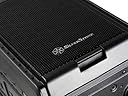
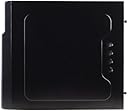
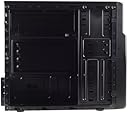
The SilverStone Tek PS08B is a compact yet versatile mid-tower case designed for Micro-ATX and Mini-ITX builds. Featuring a sleek all-black interior, quick-access dust filters, and a CPU backplate cutout, it supports up to four 3.5" drives, one 2.5" SSD, and graphics cards up to 14.1" long. With USB 3.0 ports and a top-mounted PSU, it balances style, performance, and ease of maintenance for the modern professional builder.


| Standing screen display size | 3.5 Inches |
| Number of USB 3.0 Ports | 2 |
| Brand | SilverStone |
| Series | CS-PS08B |
| Item model number | PS08B |
| Item Weight | 7.6 pounds |
| Product Dimensions | 15.74 x 6.61 x 13.97 inches |
| Item Dimensions LxWxH | 15.74 x 6.61 x 13.97 inches |
| Color | PS08B |
| Audio-out Ports (#) | 1 |
| Manufacturer | Silverstone |
| ASIN | B00A1ZU1I0 |
| Is Discontinued By Manufacturer | No |
| Date First Available | October 21, 2017 |
M**M
BEST micro and mini-ATX case out there..for the price. But you need to be careful with space.
Got this at under $36 with Prime shipping which is a steal. Last one in stock. WOOT!Pros:- USB 3.0 ports on the front. Seriously the only case under $40 that has this feature.- Looks sleek and sexy - I really like the mesh grill design.- High quality optical drive covers and front fan grill that snaps in and out with quality- Motherboard backing cutout if you want to add/remove CPU cooler later.- Built in SSD 2.5" mounting point on bottom of HDD bracket. Great for budget SSDs that don't include a 3.5" to 2.5" conversion bracketCons:- VERY cramped inside with NO cable management.- Says it supports 14.1 inch long cards...FALSE. The longest graphics card you can fit inside is 9 INCHES, because of the limitation of the opening between the back of case and the walls of the HDD cage. My 8.75 inch long graphics card barely fits inside. Don't even think about SLI or Crossfire, because you'll choke your graphics card - no space for airflow if you have two cards stacked on top of each other. The image on the Silverstone site showing this is a joke.- Stamped steel PCI covers means you HAVE to remove them before installing your motherboard..Otherwise you have a tough time twisting and popping them off after your motherboard is installed - and risk damaging your motherboard.- Side panel thumb screw holes don't line up that well with their corresponding case holes, so the so-called "thumb screws" really require a Phillips screwdriver to properly install or remove.- Limited cooling capacity with 1 80mm front fan (optional), 1 120mm front fan (included), and 1 92mm rear fan (optional) locations. Only supports up to 140mm tall CPU coolers...Wish they had optional side and top fan mounts. I would avoid putting anything over 100W TDP inside here, especially if you're only using stock coolers. Better stick to 77W TDP or below for CPUs - so that means Ivy Bridge i3/i5 or Sandy Bridge i3. Even my 55W TDP i3-3220 idles at 38C (external temp 25C) with the stock Intel cooler and 1 included front Silverstone fan at full speed. I'm going to have to add additional fans.Tips: Follow this order of installation to have a better time than I did:1) Perform an open-air test for new builds to check that your PC vitals are working before installing the motherboard into the case. This involves CPU + CPU Cooler + motherboard + RAM + GPU + PSU + display + keyboard. After you are sure everything is working, remove everything from the motherboard except the CPU. Yes, that means you need to remove your RAM and your CPU Cooler as well - don't leave them installed!2) IMPORTANT! Locate which PCI covers you need to have removed based on the PCI cards you are installing and twist and remove the stamped covers before installing anything else.3) Install PSU into case. It's a top-mount location so best if you have a modular PSU meant for that application. I used a non-modular type and it went okay - just a lot of wire-octopus to hide behind the HDD cage.4) Install optical drives. You might have to cut and/or reposition the zip-tie for the PSU cables if you are using a non-modular PSU, because there's not much space between the PSU and the optical drive slots, and you'll have to bend the cable octopus downwards.5) Install motherboard standoffs and then the motherboard. Remember this only supports microATX and miniITX motherboards. Do NOT install CPU cooler or RAM yet6) Install HDD(s). Be very careful not to bump anything on the motherboard. It's very cramped here so take your time and be careful. If you were lazy and did not remove your RAM or CPU Cooler, you're gonna have a tough time getting the HDD in. Subsequent HDD installations will REQUIRE you to remove both RAM and CPU Cooler - you just won't be able to angle in secondary/tertiary drives when other HDD(s) are already installed.7) Install the CPU Cooler and RAM.8) Install graphics card and other PCI cards9) Install SSD if you have one10) NOW do all the SATA, Molex, etc cable routing and cleanup.
V**E
Incredible case - agree with the reviews that say it's the best micro atx case for the money right now, it really, really is
Pros:Crazy good deal ($32 after a $5 mir and prime)Crazy lightCrazy simple (no bells or whistles, and didn't have any issues with screws or hardware, though cheap thumscrews always suck - either get a good set of them if you're always opening the case, or just simply treat them as philips head screws)Black sprayed inside (luckily this has become a norm, but is still a pro)THE GRILL - Honstly I absolutely love the grill on the front of this thing. They have a GREAT, simple design to pop it off (the tab at the bottom) and ya...I absolutely love that about it. Most front faces on cases are a pain. That does bring me to my first con, however, but it is very minor:Cons:The plastic cd rom bay covers - I don't use dvd or cd roms anymore, so I keep the plastic inserts in. They need to be (carefully, but strongly) pressed outwards to give them more grip, otherwise they fall into the case with the slightest touch. It's a decent design, though - just needs a bit of coersion.The fan isn't great - but it isn't all that loud as I've seen in a few reviews, though I suppose that's subjective. If it was an HTPC, I would certainly suggest getting quiet, nice fans - but this isn't even really a con. If you're expecting to get good fans at the price of this case, you're nuts. Go and pay like $5-10 per fan. You'll want a second one for the back of the case anyway.Some might think it's a con that it has no upper fan support, or the fact that it is a top mount psu setup - meh... the way the cd rom bay is in front of the psu - it makes for a great bundle-hider if you use a non modular psu like I did (this would be harder with a dvd/cd rom, though.)Overall 10/10 case. I have been building computers for over 10 years. This is honestly one of my favorite cases I've used, if not my favorite simply due to the price. I put this whole matx build together for a total of $120 (onboard video) - and if I felt like it, for an extra $150-200 - it could be a formidable gaming rig.I also have an htpc built with Silverstone's ml03b - which I love as well. There isn't as much to be said about that case, though - it's just a box. Pretty simple design. It stands out though because not only does it look like a piece of home audio equipment, it can house 4x 80mm fans (I got enermax uc-8eb's, and they are seriously incredible, silent fans by the way.)I don't like bells and whistles. I also like light cases. I also like cheap cases. This fits all those bills, and is easily one of the nicest looking "mini tower" style cases out there. A lot of times they're very cheap and boring looking, almost like a corporate desk job Dell box or something.
X**X
Good Enough, but a few quirks.
I wanted to build a backup HTPC so I could take one down to iron out a few quirks in MythTV, and this case appears to be ideal for that.For $30 you really can't go wrong with this case, especially if you have a little patience.The exterior appearance is discrete enough that it can be hidden in plain site. The only thing that kind of jumps out is the logo, I haven't bothered with that.The build quality is cheap, but better then most in the price range. I am happy to see both Silverstone and Antec offering low cost MicroATX cases.The interior did not have any sharp edges, and enough room to easily work in. There is a small amount of space between the back panel and the motherboard if anyone wants to try some cable management. I recommend not messing with the side panels any more then necessary.Now to the down side. It is clear that corners had to be cut to meet this price point. But even then these could have been machined a little bit better. Opening the case required removing a thumb screw that was applied using what might have been an impact wrench. Once I got it out and later tried to reattach the side panel it was clear that reason I had so much trouble getting it off was that the screw holes did not match up exactly and the thumb screws had to be slightly angled. I worry that repeated use may damage it (opening for bi-monthly cleaning).All in all, I've paid more for cases that are this good. I won't jump to buy another one because of the side panel issues, but I won't avoid these either if nothing else catches my eye.
E**N
Five Stars
Great product! Super deal!
A**I
Five Stars
Great case for the price
Trustpilot
2 days ago
3 days ago